12 Days of OpenAI Recap
Highlights from the OpenAI Christmas event
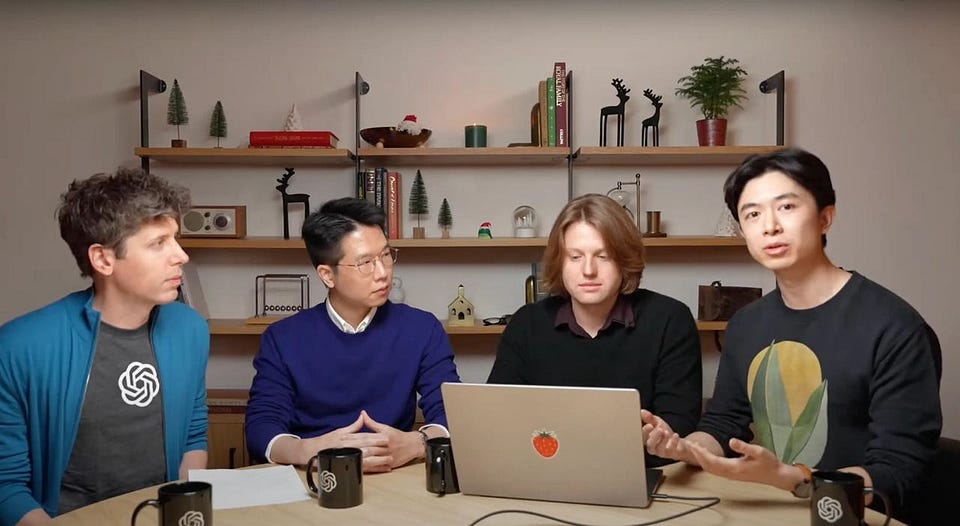
So, the 12 Days of OpenAI have ended, which means we can summarize the results. Today, let's review each update, discuss the most significant releases, and decide which users the company's new products are intended for.
We will pay special attention to ChatGPT Pro, Sora, GPT Search, and o3.
🎄🎁 Merry Christmas! Get 25% OFF our Annual Subscription and stay updated on AI trends all year round!
Day 1 | ChatGPT Pro & o1 Reasoning Model
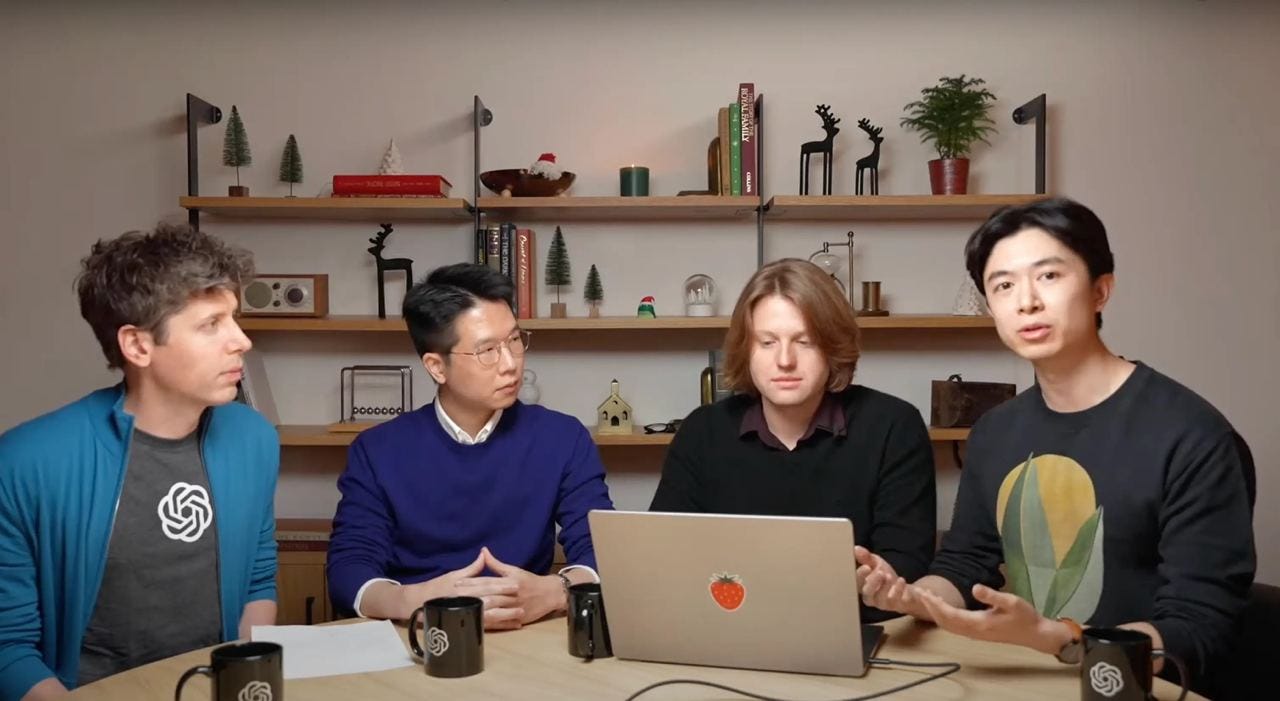
“12 Days of Shipmas” started on December 5 with the introduction of the full version of the o1 reasoning model and a new subscription, ChatGPT Pro, priced at $200/mo.
This new model is part of a broader family of reasoning models aimed at improving AI's ability to handle complex tasks and reasoning challenges. As we told in one of our digests, it's better than its predecessor in every way. It supports image processing and is 34% faster at solving real-world questions.
To access it, you need to subscribe to ChatGPT Pro.
ChatGPT Pro | Who needs a $200/mo subscription
As for ChatGPT Pro, it grants users access to advanced features, including the o1 model, its mini version (o1-mini), GPT-4o, and an Advanced Voice Mode. The idea is that the most advanced categories of users (researchers and experienced engineers) get the best that OpenAI offers at the moment.
Sam Altman says most people will be happy with the simpler ChatGPT Plus. And whether it's exactly what you need, we tried to figure out in this post:
Day 2 | Reinforcement Fine-Tuning
On Day 2, the focus shifted towards developers with the announcement of an expansion to the Reinforcement Fine-Tuning Research Program. This initiative allows developers to create domain-specific expert models using minimal training data, making it easier to tailor AI models for specialized applications.
This update is part of OpenAI's ongoing efforts to enhance the customization and adaptability of its AI, enabling developers to fine-tune models more effectively to meet specific needs.
If you're not training custom models on specific datasets, you may skip this update.
Day 3 | Sora

OpenAI has finally opened up access to its text-to-video model to ChatGPT Plus and Pro subscribers. Sora is a platform that allows you to generate videos using text prompts. With OpenAI's most advanced subscription, you can create videos in resolutions up to 1080p and up to 20 seconds long. Already, Sora works in multiple styles, allowing you to achieve photorealistic scenes.
Here's a comparison of Sora's features depending on your subscription:
ChatGPT Plus ($20/mo):
- Up to 50 videos (1,000 credits)
- Up to 720p resolution
- Up to 5s duration for one video
ChatGPT Pro ($200/mo):
- Up to 500 videos (10,000 credits)
- Up to 1080p resolution
- Up to 20s duration with five concurrent generations
- Download without watermarks
At the link below, we discussed the features and use cases for Sora. There, you will also find a short tutorial, use cases, and several alternative solutions that, in some cases, are even superior to the new OpenAI platform:
If you're related to content creation or thinking of delving into this topic, we highly recommend checking out Sora. This video generator will undoubtedly be improved and become more valuable, so it's better to understand how it works right now.
Share this post with friends, especially those interested in AI Insights!
Day 4 | ChatGPT Canvas
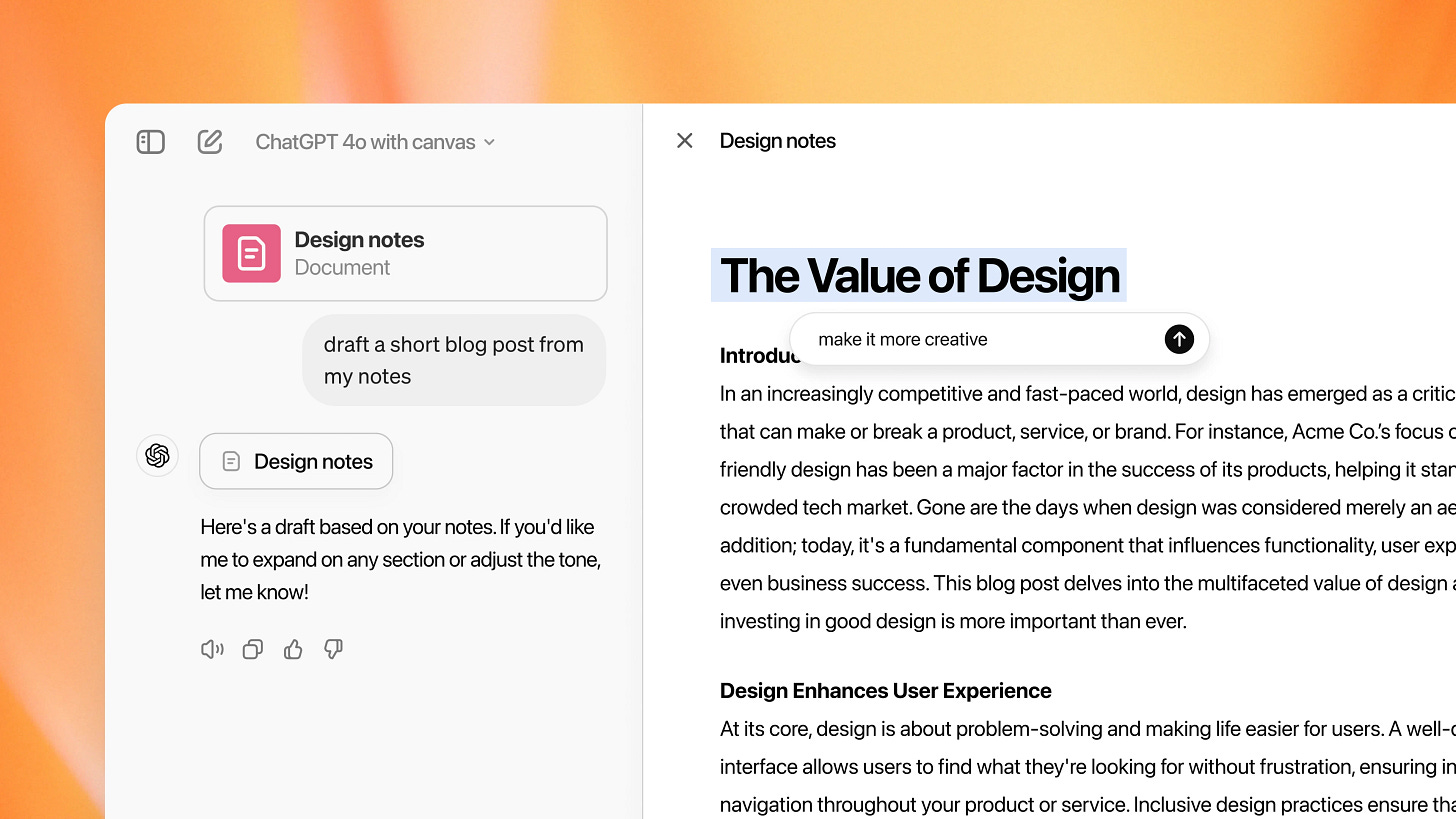
Day 4 also offered us an important update (although it doesn't seem that way at first glance). The company has opened access to Canvas for all ChatGPT users. This tool changes the chatbot interface and turns it into a text editor. With Canvas, you can make changes right in the response and spot-change different text fragments.
Previously, this feature was only available to ChatGPT Plus and Team users.
Canvas has made a massive difference in my relationship with ChatGPT and has noticeably increased the amount of time I spend working with AI. If you do research, write articles or code in Python, definitely give it a try.
And to make it easier for you to understand this update, read the following post:
Day 5 | Apple Intelligence
On Day 5, which occurred on December 9, the company announced an integration with Apple Intelligence. This integration enhances Siri by incorporating ChatGPT responses and promises improved interactions across Apple's platforms.
Here Are Key Aspects of the Integration:
- Improved Siri Functionality: The integration aims to provide more nuanced and context-aware responses from Siri, enhancing the user experience.
- Cross-Platform Availability: Users on various Apple devices can access these improved capabilities, making AI assistance more integrated into daily tasks.
- Natural Language Processing: By leveraging ChatGPT's language processing capabilities, Siri can better understand and respond to user queries.
Perhaps this release left the most mixed impressions. I've tried Apple Intelligence in various scenarios, and almost everywhere I've tried it I've concluded that it's a highly raw product. The feedback from my friends and Reddit users is about the same.
However, if you're using the latest version of iOS, you can draw your conclusions. Who knows, maybe Apple Intelligence will be a game-changer for you.
Day 6 | Advanced Voice
The next feature appeared on Day 6. Advanced Voice Mode with Video is a new tool, that allows users to interact with ChatGPT through real-time video and screen sharing. During a livestream demonstration, the company showcased its ability to assist users in various tasks, such as brewing coffee by providing step-by-step guidance based on what it observed through the camera.
Here is everything you need to know about its features:
- Real-Time Video Interaction: You can engage with ChatGPT using the phone's camera and allow the model to "see" your point of view.
- Screen Sharing: You can also share device screens with ChatGPT, assisting with tasks like navigating settings. To share the screen, select the "Share Screen" option from a menu within the app.
- Enhanced Contextual Understanding: Video integration allows ChatGPT to interpret emotions and provide real-time visual context.
In addition to the main features, OpenAI also introduced a festive "Santa Mode," which adds a seasonal theme to interactions with a preset Santa voice.
To use Advanced Voice Mode with Video, tap the voice icon in the ChatGPT app and then select the video icon. This feature's rollout began this month, primarily for Plus and Pro subscribers, with plans to extend access to other user tiers in early 2025.
Day 7 | Projects Feature in ChatGPT
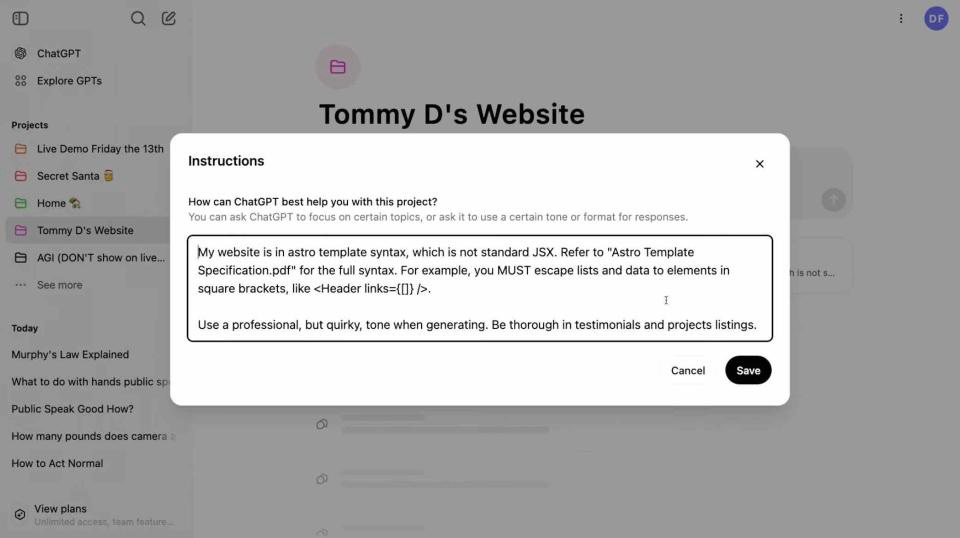
Day 7 brought a nice but not very meaningful update.
It's called Projects and allows you to upload files directly into the chat interface. This simplifies working with documents, spreadsheets, or other materials while interacting with ChatGPT, making discussions about specific content more straightforward. This feature could also help you organize conversations by categorizing them based on different tasks.
I would say that Projects is the most passable stage of 12 Days. This feature can be helpful for those who work with ChatGPT as part of a team and often upload their documents to the chatbot. But it's not revolutionary, so let's move on.
🎄🎁 Merry Christmas! Get 25% OFF our Annual Subscription and stay updated on AI trends all year round!
Day 8 | ChatGPT Search
After Day 8, ChatGPT Search is finally available to all registered users.
The update includes improvements in search speed and accuracy, meaning users can now expect faster and more accurate search results, improving the overall efficiency of information access. The search function now supports embedded content, including YouTube videos, images, and movies.
In my opinion, this release is in the same lineup as Canvas.
It's a great update for all users, especially those who want to try the AI search engine. I’ll add that ChatGPT Search could not convince me to give up Perplexity.
You can read about how I use AI for search in this post:
And to learn how to use AI search engines to your advantage, read this issue:
Day 9 | o1 in the API & More for Developers
On Day 9, the focus was again on updates aimed at developers. A key highlight was the full introduction of the OpenAI o1 model, now available via API. Additionally, there were improvements to the Realtime API, which now offers faster response times and increases completed reliability under handy traffic conditions. These enhancements are particularly useful for applications that require real-time interactions, such as live chat support or AI-driven analytics.
OpenAI also introduced a new fine-tuning method aimed at helping developers create customized AI apps more efficiently.
Day 10 | 1-800-CHATGPT
Day 10 turned out to be... Weird.
OpenAI launched a service called 1-800-CHATGPT. By dialing the number in the US (1-800-242-8478) or sending messages via WhatsApp, you can access “a simple and inexpensive way to try out ChatGPT through familiar channels.” According to the company's statements, the idea is to give users the ability to connect with AI in all the usual ways.
OpenAI also promised that callers would get 15 free minutes/mo.
The most interesting part of this release is that OpenAI itself admitted that it created this product just a few weeks before “12 Days.”
Time will tell how much demand there will be for it.
Day 11 | App Integration Enhancements
On Day 11, OpenAI expanded the ChatGPT desktop app integration to include additional coding environments and productivity software. The update added support for Jetbrains IDEs such as PyCharm and IntelliJ IDEA, VS Code variants including Cursor and VSCodium, and text editors such as BBEdit and TextMate.
In addition, the company has provided integration with Apple Notes, Notion and Quip, adding compatibility with Advanced Voice Mode for desktop apps. These features require manual activation for each app and remain available only to paid subscribers.
You can try out the update if you have any subscription level, including Plus, Pro, Team, Enterprise, and Education users.
Day 12 | Preview of o3 Models
And, of course, OpenAI had something special in store for the last day. A day before the release, Sam Altman hinted at the appearance of o3 models with this post.

It took X users a while to figure out ... A few seconds?
This is a critical release (although not available to the public), so let's focus on it in more detail. We need to discuss this model's capabilities. After all, many say we've never been this close to General Artificial Intelligence (AGI).
So, OpenAI unveiled new o3 models. The family now consists of two models, o3 and o3-mini, and is currently only open to researchers for security testing. OpenAI wants to ensure its models are reliable and ethically deployed before they reach a broad audience. The timing of the public release remains undisclosed for now.
Interesting fact: According to The Information, OpenAI skipped o2 to avoid a potential conflict with British telecom provider O2.
The o3 models employ extended internal deliberation before producing answers. Like o1, o3 learned through reinforcement learning. Therefore, the AI can reason through a task and plan by performing a series of actions over a long period that helps it find a solution.
New with o3 vs. o1 is the ability to “adjust” the reasoning time. Models can be adjusted for low, medium, or high compute. The higher the level, the better o3 performs. Of course, it won't completely protect the AI from hallucinations, but the results show that o3 goes far ahead of any other model on the market.
Performance Metrics
The o3 model has demonstrated exceptional performance across several key benchmarks. On the ARC-AGI benchmark, which evaluates an AI's ability to handle complex reasoning tasks, o3 achieved a 75.7% accuracy rate. This marks a threefold improvement over o1’s score of 32%, underscoring o3's capacity to learn new tasks with limited examples.
In coding assessments, o3 scored 71.7% on the SWE-bench verified tests, a significant leap from o1’s 48.9%. Its prowess also extends to mathematics; in the AIME 2024 competition, o3 achieved a 96.7%, compared to o1's 83.3%. Additionally, in scientific reasoning tests designed for PhD-level questions (GPQA Diamond), o3 scored 87.7%, surpassing o1’s 78%.
In short, early tests show that o3 sets a new standard for logical reasoning and problem-solving capabilities.
Do you believe that o3 models are really that powerful?
Final Thoughts & Merry Christmas! 🎄
All in all, OpenAI made a smart move and decided to “close the year” with the status of an unattainable leader. But as I reflect on the 12 Days of OpenAI, I'd like to remind you that it was far from an easy year for the company. OpenAI has gone through many hardships, lost some key visionaries, and gained a huge number of strong competitors.
By the way, if you want to know what former OpenAI tops are doing now, follow this link:
If the status quo is maintained this year, will it change next year? I love OpenAI and ChatGPT, but something tells me that the further out, the harder it gets. But I think I'm going the wrong way. It's Christmas!
Merry Christmas and happy holidays! 🎄 This year, we have witnessed countless breakthroughs in the world of AI. In just one year, we've gotten a bunch of new tools, projects, and even entire directions. It's been a very busy year!
Thank you for being part of our journey. Here's to more innovations next year!
Share this edition with your friends!
This article was first published in the Creators AI newsletter. View the original edition.