AI Copilot Making Code Available for All Ages & Levels
8Years Old Girl Code with AI so can you
Hi!👋
Are you a developer who hates writing boring codes again and again? Or maybe you are just learning how to code but want to accelerate the process and build something nice?
Here is a new tool that teaches senior software engineer skills to everyone, including 8-year-old children who are learning the first steps in programming.
I'm talking about Cursor AI, and in today's newsletter, we will learn how you could use Cursor Ai to get a 3-hour code done in 30 minutes✨
In this post:
- What is Cursor AI? 🤓
- How it works 🤖
- Success Cases and Prompts😎
- Support for your AI Copilot 📑
Cursor AI
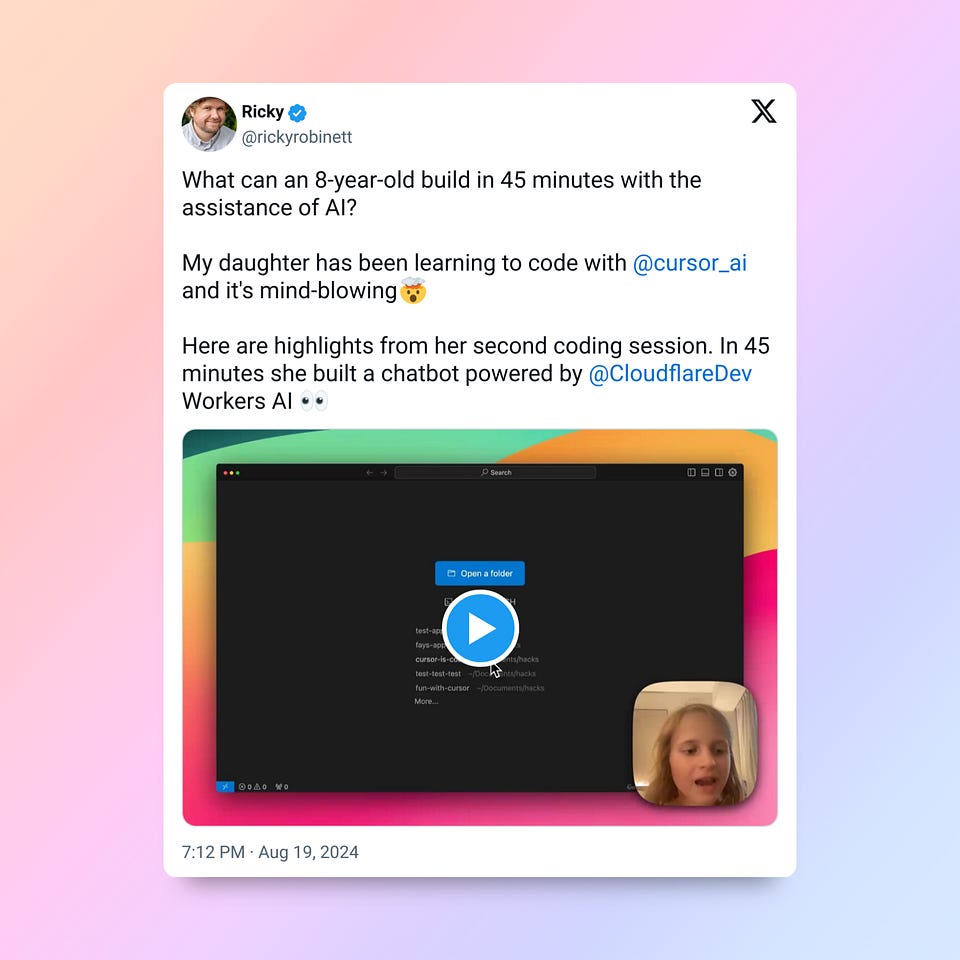
The concept of coding is about to change because of AI Copilots. And Cursor AI is a potential leader in the game. Here is one of the reasons 👇

Link to video: <https://x.com/rickyrobinett/status/1825581674870055189>
Yeah, this is mind-blowing and if the little girl can do anything with code now, imagine what software engineers who are not using it yet are missing
See how cursor AI helped this creator to create a website in less than 3 minutes.
Cursor AI is a code editing tool that acts as the perfect buddy for any developer. Whether you're building a website or an app, this software will save you hours. It is backed by OpenAI and specifically built for programmers as an IDE with AI, so with little input and prompts, it can predict and generate code itself while taking 10X less time.

Want to know what's happening in the AI world and how it could save you hours, subscribe to our newsletter now!
Cursor is designed to seamlessly align AI into the coding process. So, there will be no more switching between ChatGPT tabs.
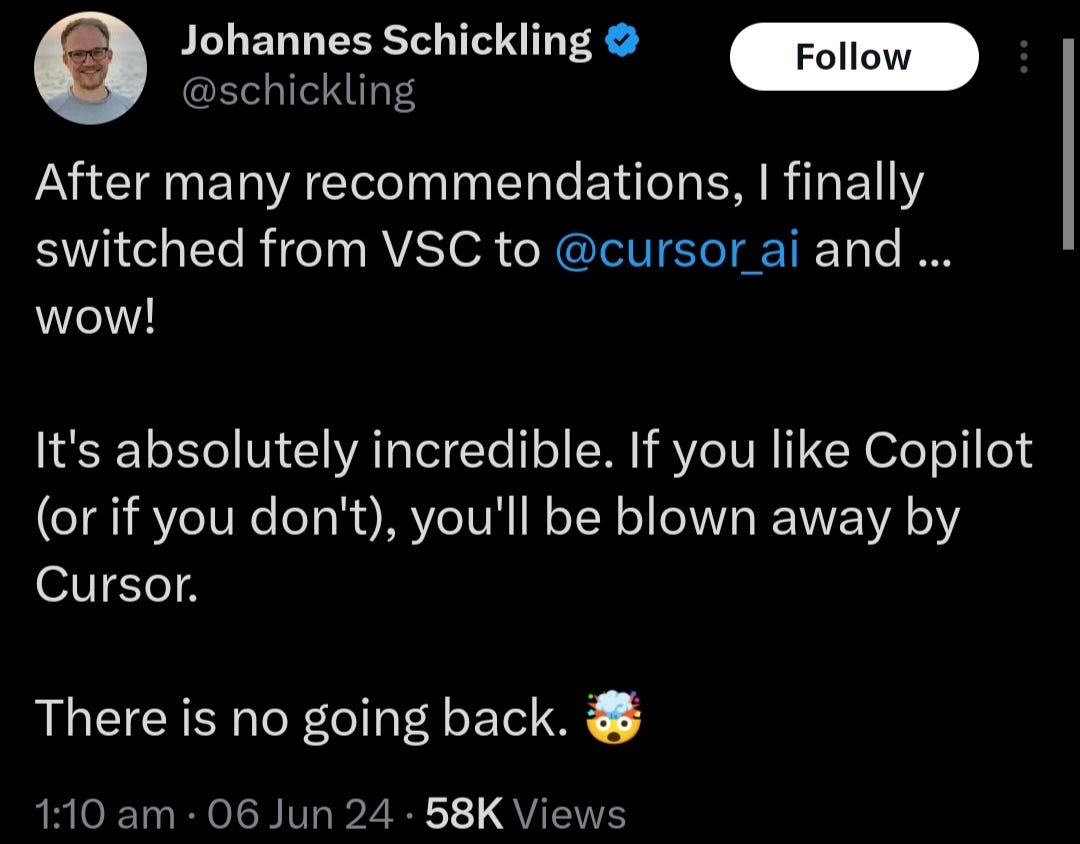
Don't believe me, see yourself how the founder of Prisma explains it:
How it Works
Initially, as I mentioned earlier, the cursor functions as your coding partner. Simply sign up and start working on your code. As soon as you begin writing, it'll give you code block suggestions. All you need to do is press a single button, and it'll complete the entire code block for you. No matter how complex it is.
This video will help you understand it better:
And it doesn't just stop there. Once you start using it, it'll keep becoming much more personalized. Because it comes with the ability to track repetitive tasks, analyze what sort of work you do most of the time, and provide smart code suggestions accordingly.
While other Copilots and AI IDEs are limited, Cursor AI gives you a choice for the most powerful LLMs:

Moreover, you could describe the required code behavior in natural language, and Cursor will generate the corresponding code.

Ready to see Cursor in Action, see how Mr.Dee created a webpage using Cursor within two steps:
- Use the chat function (cmd + L) to get the basic outline of a web page.
- Use composer (cmd + shift + I) to refine it a bit with further user prompts.
- Boom! Web page ready
Cursor AI is one of these tools that can help you build your own startup without team of developers. If you are on that track, check this post:
How Prompting Works in Cursor AI
Cursor AI is designed to act like your ‘coding buddy’. So, you interact with it as you would with any other conversational AI. So, the part about prompting is easy, but there are specific considerations to enhance your prompt effectiveness. But remember one thing: the cursor considers the surrounding code or text when generating responses.
- Directly state your requests
- Use specific code-related prompts for accurate results
- Be specific about the desired output format (e.g., JSON, Python code, HTML)
- Experiment with different prompts & different LLMs to get the desired output
This video will show you how well it implements these Prompts.
Now, if you're someone who does repetitive tasks, you could use custom prompt templates to use for all. For subsequent tasks, you just have to copy and edit a portion of the context. Often, you'll have to only edit a single line in the context of the subsequent tasks. Just access the prompt template and add the specific task that you want to be done.
Custom prompt templates could be accessed via the ‘*@prompts keyword/command’ @prompts* can be created within the Cursor editor and provide a structured prompt for commonly performed tasks.
Now, the question is how to create templates that are accessible with @prompts. Well, it's pretty easy; just provide context by using named values to be inserted into these templates. For example, if this template were named Template, then I would want to be able to do:
@Prompts:@Template:@Task\_Description:{{Task Description Inserted into Template}}
Cursor AI Wrap-Up
- Instead of waiting for prompts, Cursor predicts developer needs and makes the process much more smoother.
- Thanks to LLMs backing it, cursor AI comprehends the underlying logic of your code, enabling more intelligent assistance.
- Keeps getting better and better as it improves over time based on user interactions and code patterns.
- No shifting of tabs or any complexities, The Cursor is designed with user experience in mind, providing a smooth and efficient coding environment.
- It integrates well with existing development workflows and tools, minimizing disruption.
Discussion Forum
Something that people don't consider but, in my opinion, an important feature - a discussion forum. With Cursor AI comes to a special discussion forum. It's moreover like a community of developers and users where you could discuss the problems that you're facing and give suggestions to make it better.
Choosing AI
AI Copilots, IDEs, plugins - there are a bunch of tools to improve the lives of developers, but choosing or comparing is hard. So, I recommend going through the most popular solutions and try them.
- VSCode + GitHub Copilot. GitHub Copilot integrates with code editors to provide AI-powered code suggestions. Check out GitHub Copilot and our post about it
- Tabnine - Tabnine provides AI-driven code completions and supports multiple programming languages. Visit Tabnine
- Cody by SourceGraph. Cody offers developers advanced code intelligence and search capabilities. Explore Cody
- Microsoft Copilot. Microsoft Copilot is integrated into various Microsoft applications, enhancing user productivity. Discover Microsoft Copilot
Want some more AI Tools for building & coding? Check these posts:
To be honest, GitHub + VSCode still remains a stable choice because VSCode is a popular and quality IDE product that also supports numerous AI Copilot plugins. So, Cursor will require migration to a different IDE and be more limited in choosing AI copilots. However, custom prompts and different LLMs integration make Cursor worth trying.
Sharing is caring! Refer someone who recently started a learning journey in AI. Make them more productive and earn rewards!
This article was first published in the Creators AI newsletter. View the original edition.