Become Online Course Creator (With AI): Tutorial
Earn hundreds of $k by creating & launching courses: 3 AI methods
👋 Hey, I’m Daniil and welcome to a ✨ subscriber-only edition ✨ of Creators’ AI. By subscribing, you directly support Creators' AI's mission to deliver top AI insights & practical knowledge without ads or clutter. Your subscription allows us to grow our dedicated team and curate the most important AI Tools, Stories, and Tutorials in one place. - Daniil
Hello! Today, in our new tutorial, we will explore a famous way of monetization for creators. I bet you’ve seen or purchased online courses before, but have you thought about making one? Creating and selling online courses is a booming market internationally worth over 200 BILLION dollars. Making a course from scratch can take up to a month, but with AI, you can create and publish it within a day!
So, let’s dive in!
What we will cover today:
•3 cases of real creators selling online courses for inspiration
•3 methods of creating your very own online courses
•7 AI tutorials to automate the process and generate content without sweat
•4 ways of listing and marketing your course
# Real Cases
Let’s look at some numbers at one of the most popular education websites.
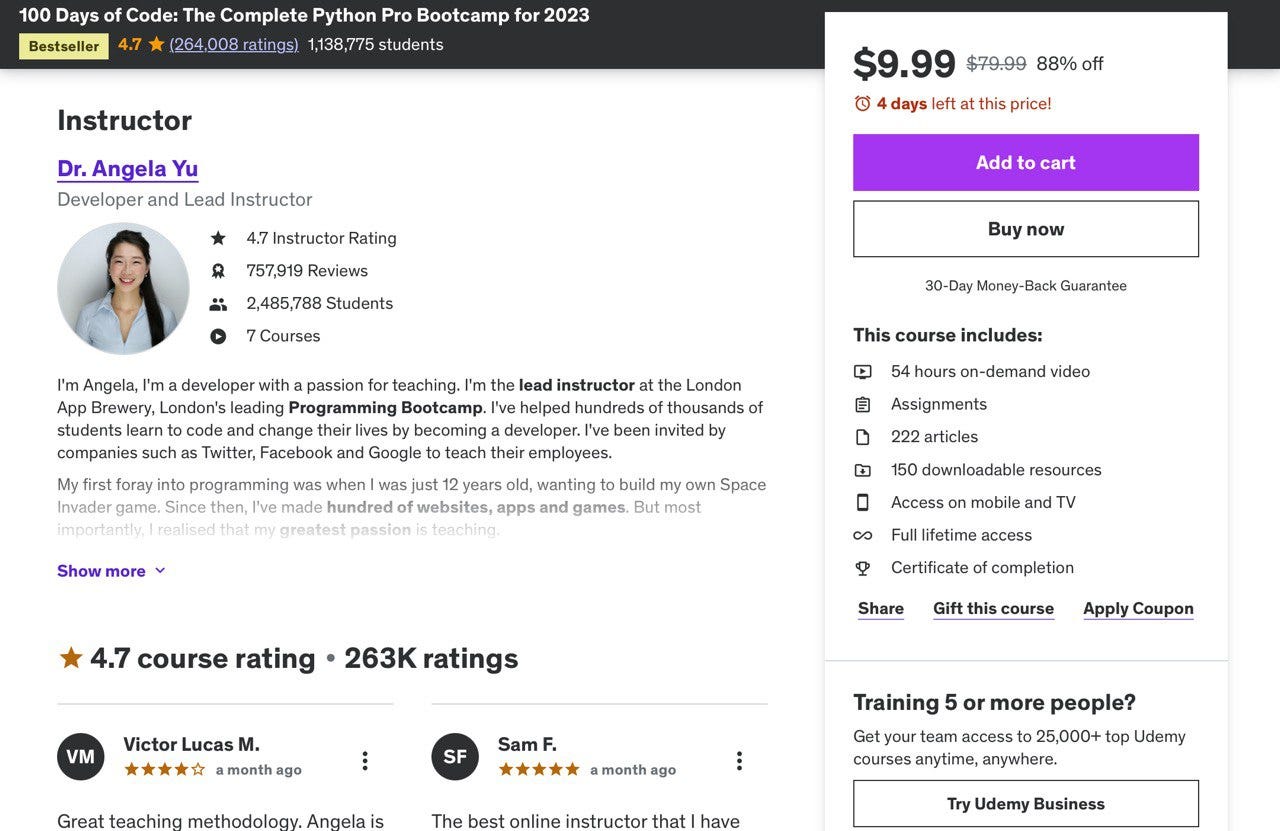
Angela Yu is selling coding courses, usually charging 80 dollars. She has sold 2,485,788 pre-recorded courses, which means she made up to 25 MILLION dollars in sales with her product only using Udemy.
Here's another example of a creator selling online courses in marketing through her website and YouTube videos, generating $4.20 million in gross volume!

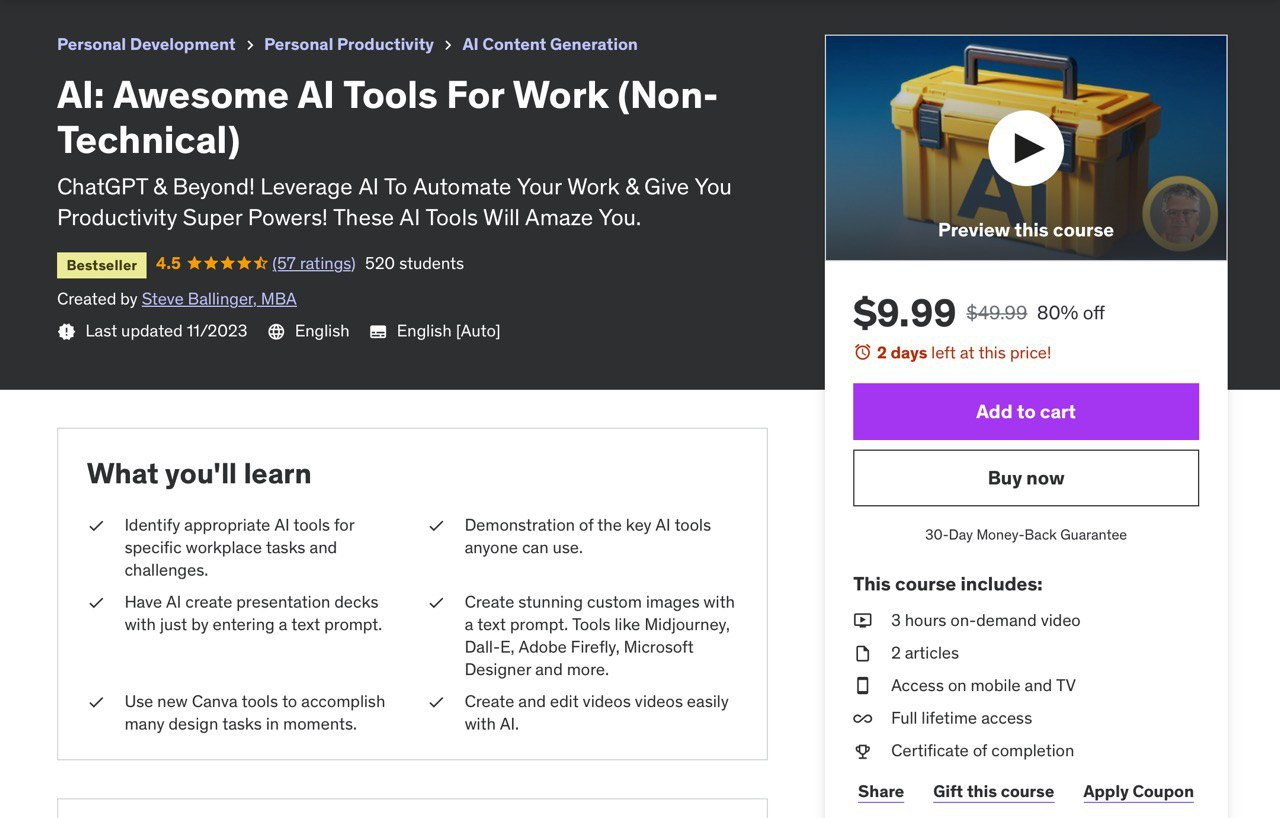
Let’s take a look at one more example. Here’s a course about AI Tools normally selling for 50$. This exact course has been sold 520 times. So, $26k with just 3 hours of videos! Overall, this creator has over 630 thousand students across other courses. That’s at least 31 MILLION dollars of revenue.
Have you ever though about making your online course?
Today making online course is 10x easier than it was when these creators started.
Now, we’re going to have a look at 3 different methods to make online courses with AI:
- The first method is combining different AI tools
- The second method is using course generators with AI
- The third method is combining the first two, but it is way easier
Making a course includes a few of the essential steps:
- Identifying a topic. You can see what’s trending on big websites like Udemy or Google Trends and which courses are selling to pick your niche
- Designing an effective course structure. Begin with a clear content plan centered around delivering essential knowledge. Outline modules that cover key aspects such as course creation, engagement strategies, and effective delivery methods, ensuring a cohesive and informative learning journey for your audience
- Including quizzes, checks, and assignments at strategic points in your modules to test understanding, creating an engaging learning experience that reinforces comprehension and skill acquisition for your audience
- Choosing a platform to host your course content
- Making a plan to market online course
Let’s check how to make an online course. But first don’t forget to subscribe
# Method 1 - combining different AI tools together
This method involves manually generating an outline and course content using text generators, creating a presentation, and designing a presenter for your course. It requires a bit more effort, but you’ll get more value for your product in the end.
Making an outline with AI
The first tool we’re going to use is ChatGPT. The course will be about Python because this topic is in high demand, according to Udemy and Google Trends.
We’ll be using this prompt to get optimal results:
Create a course outline on [subject] for [audience] that satisfies [learning objectives]

Develop a detailed outline for a course titled: [course topic] aimed at [target audience].

The learning objectives of this course are [learning objectives 1, 2, & 3]Explain [topic] for [audience] so that they can [learning objective]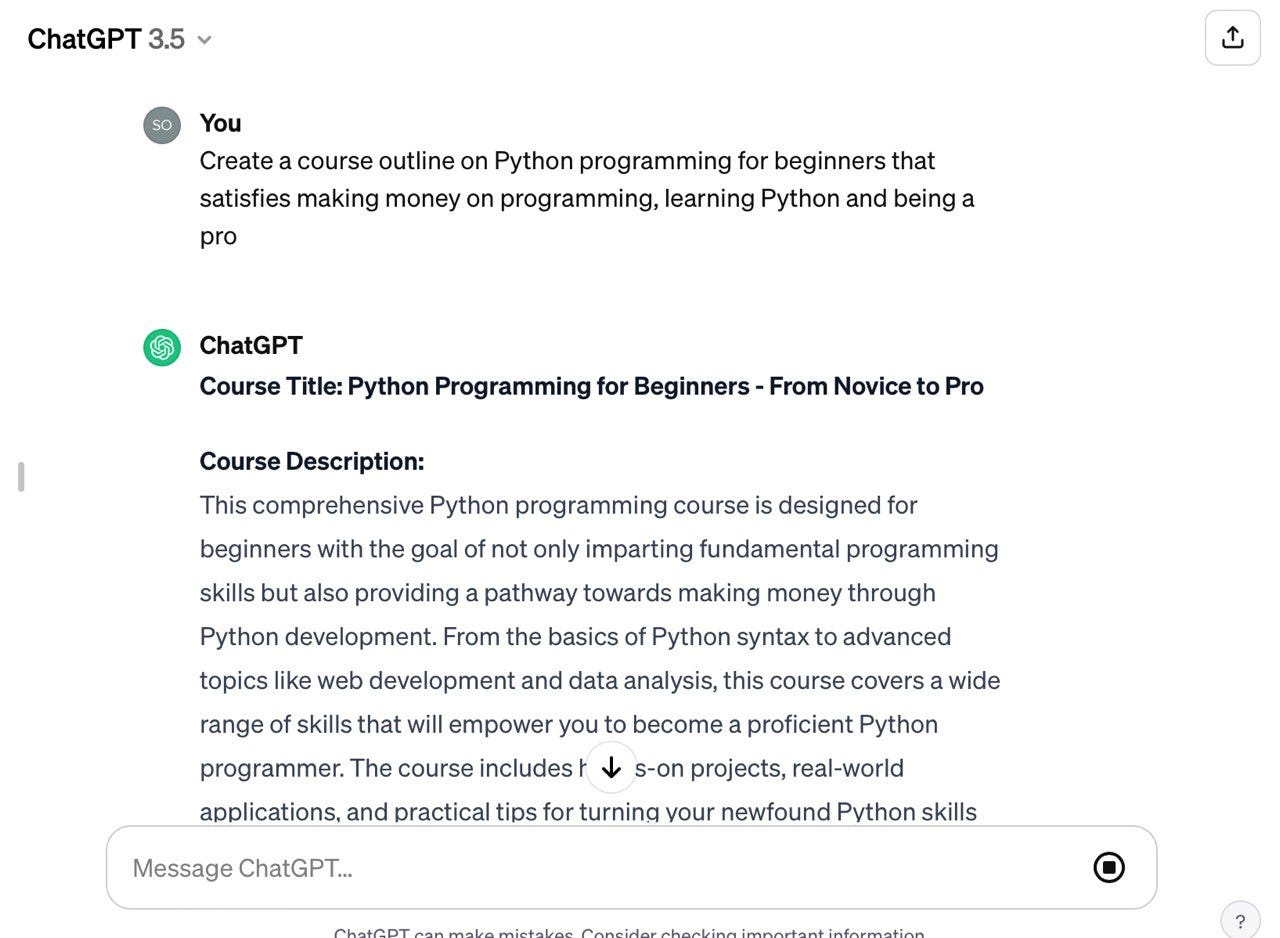
When you have the contents, you can ask to elaborate on each part, change or add an introduction, etc.
This is a time-consuming process, but in the end, you’ll have a detailed course made for you without any knowledge or writing required.
Then, for good structure, you can utilize Google Docs to paste all the contents in, and then you can start making a presentation for your course.
Share this post with friends, especially those interested in creating online courses!
Making presentations for classes
For this step, we’re going to use Canva - an AI-powered free presentation generator. On their website, you can choose from thousands of templates to start creating.
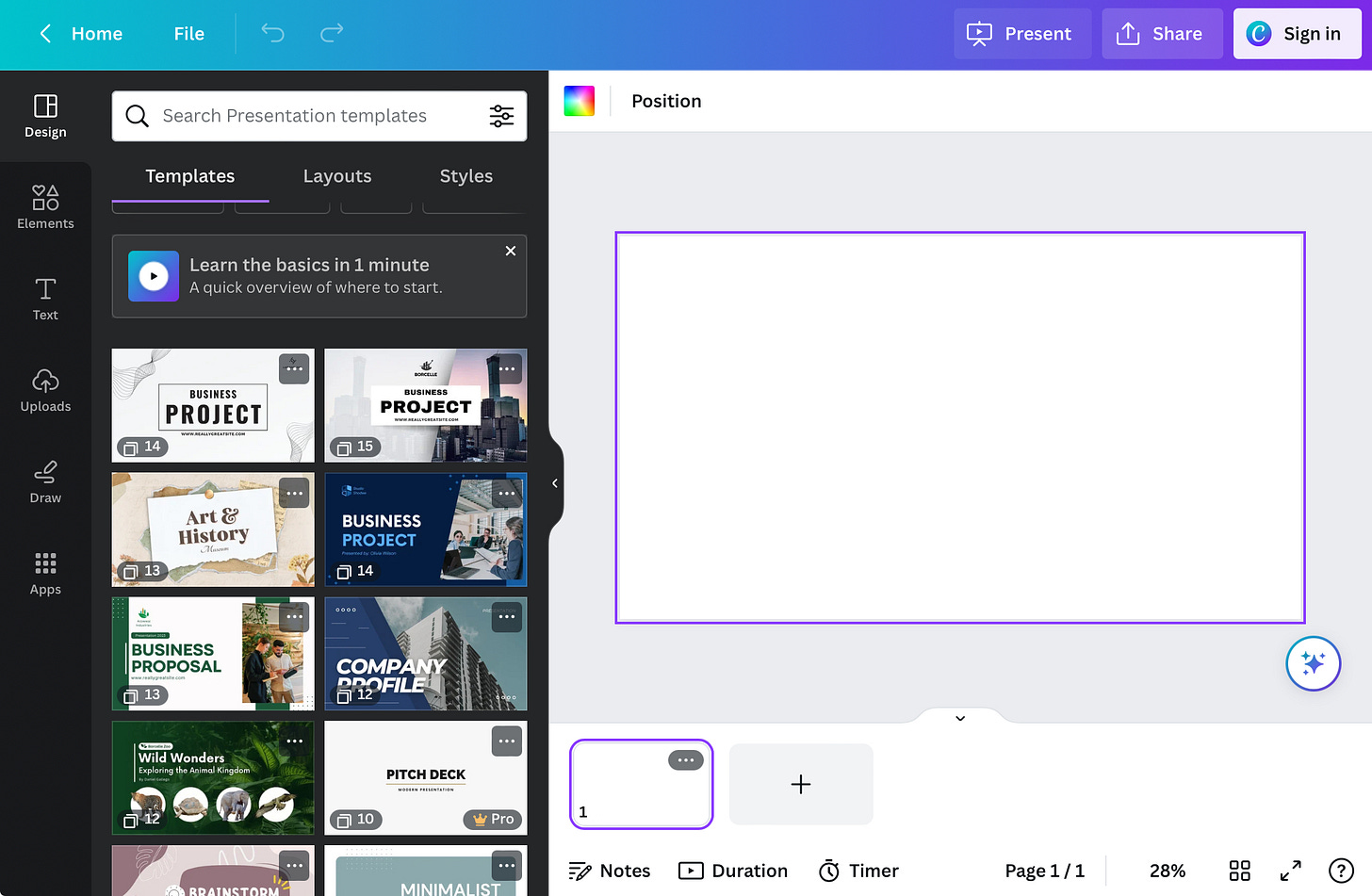
When you’re done making your presentation, click the “Present” button on the top and choose “Present and Record”. That way, your course will have accurate voiceover and gain more attention. Also, your face will be shown at the bottom of your slides.

Making AI Lecturer (Avatar)
But what if you don’t want to show your face? Well, we have a tool just for you.
Go to HeyGen AI, register your account, then go to the avatars section and choose the presenter.
Additionally, check our guide on Synthesia:
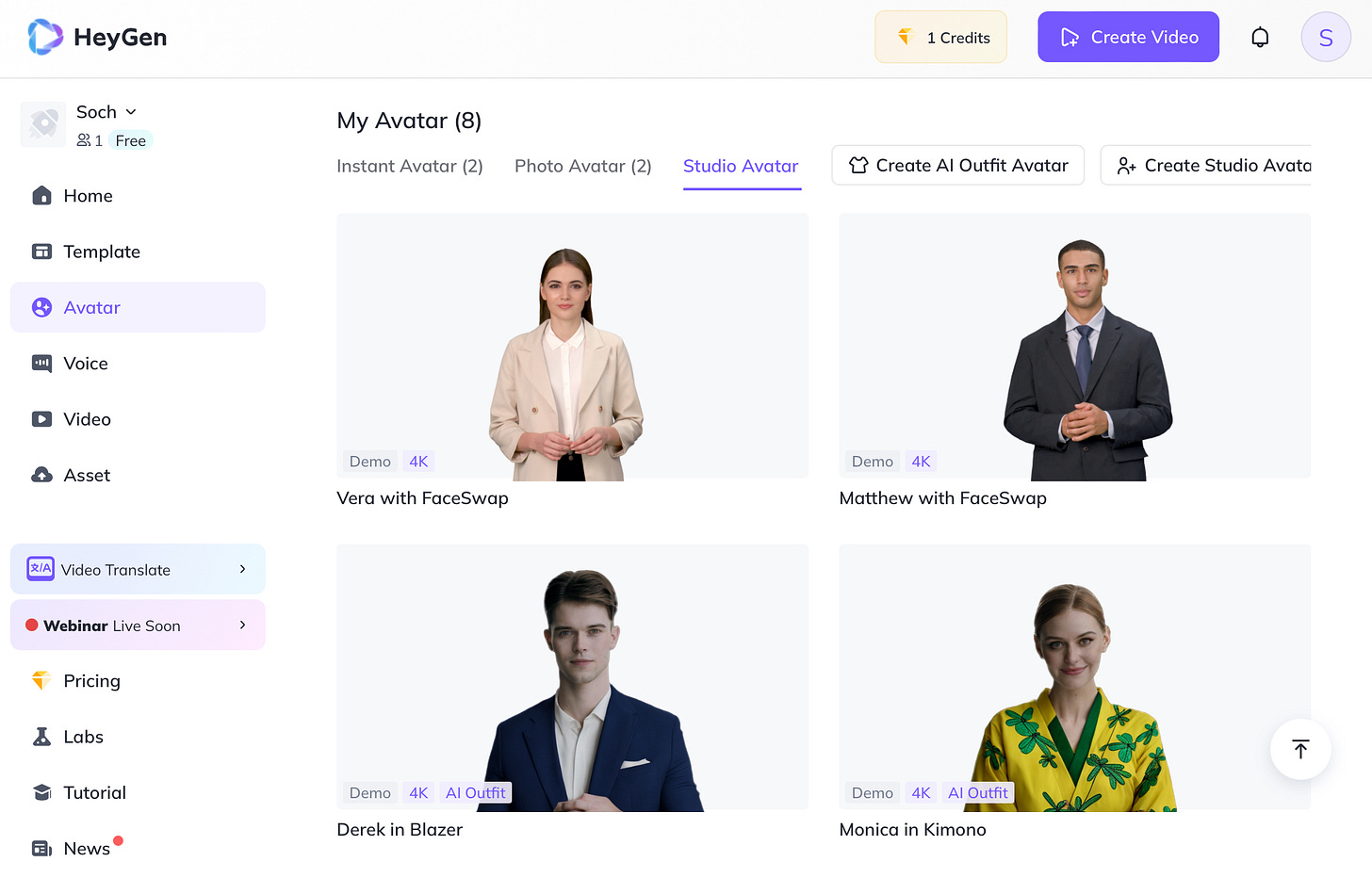
You can choose voice, pitch, and speed to make a perfect presenter for the course. But don’t forget to add a green background so it can be easily put over the presentation.
When you’re ready with the text, press Submit at the top right, wait for a few minutes, and you’ll be done with your audio and video.
Video editing
Next up, just combine the video with the presentation. You can do it in any video editor, for example CapCut.
You can also generate subtitles and add background music, covers, and transitions to make it more dynamic.
Also, you can generate AI videos for transitions and openers using Pika AI. You can check our guide on it here:
Help your friends explore AI opportunities by sharing Creators’ AI!
# Method 2 - using AI course generators
The second method is making your own course using course generators powered by AI. Now we will take a look at the best tools you can use for that:
Mini Course Tutorial
The first one is called the Mini Course Generator
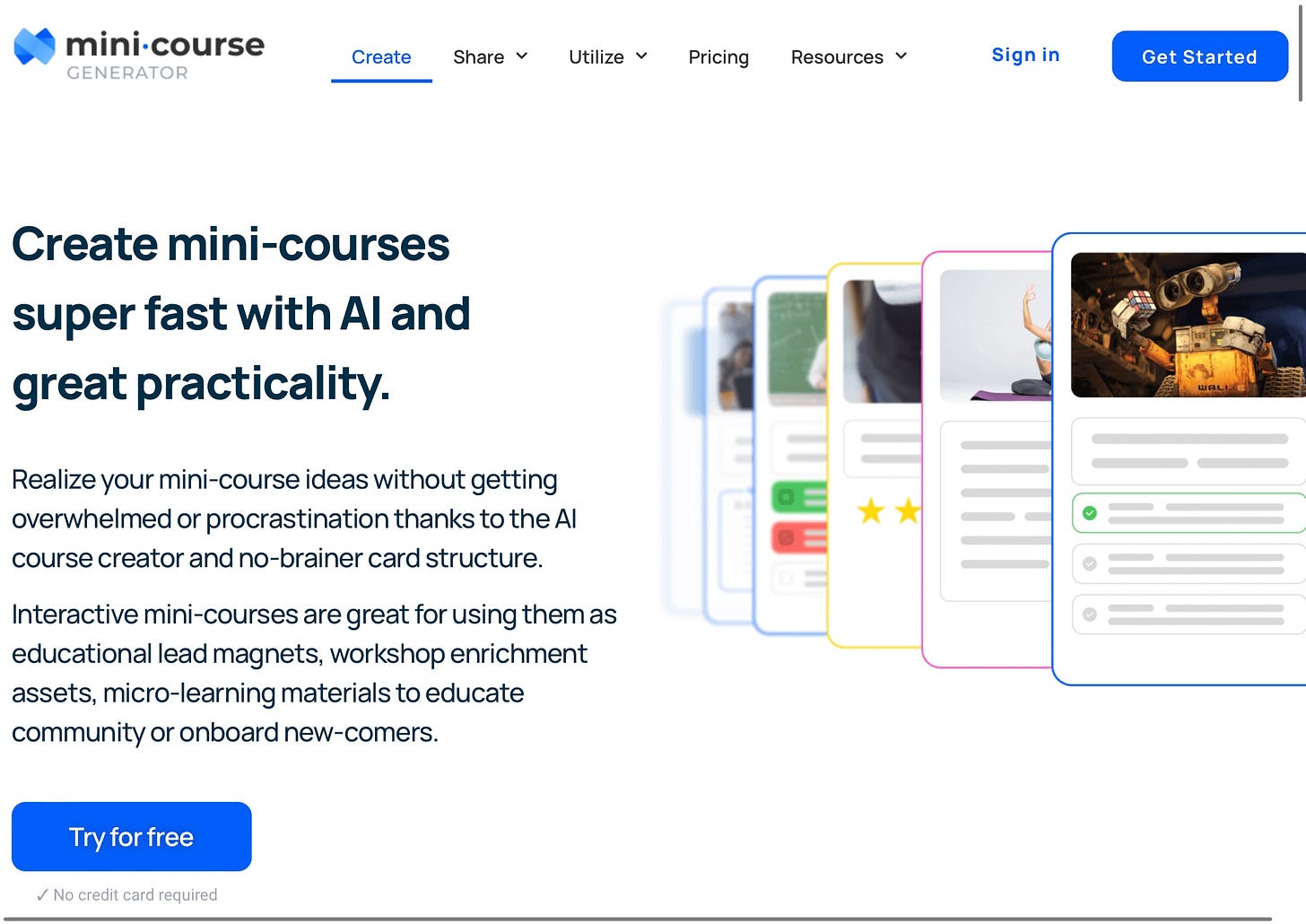
Registration on the platform is very easy and free. When you’ve set up your account, an AI assistant will ask you to fill out a small questionnaire to customize your course.
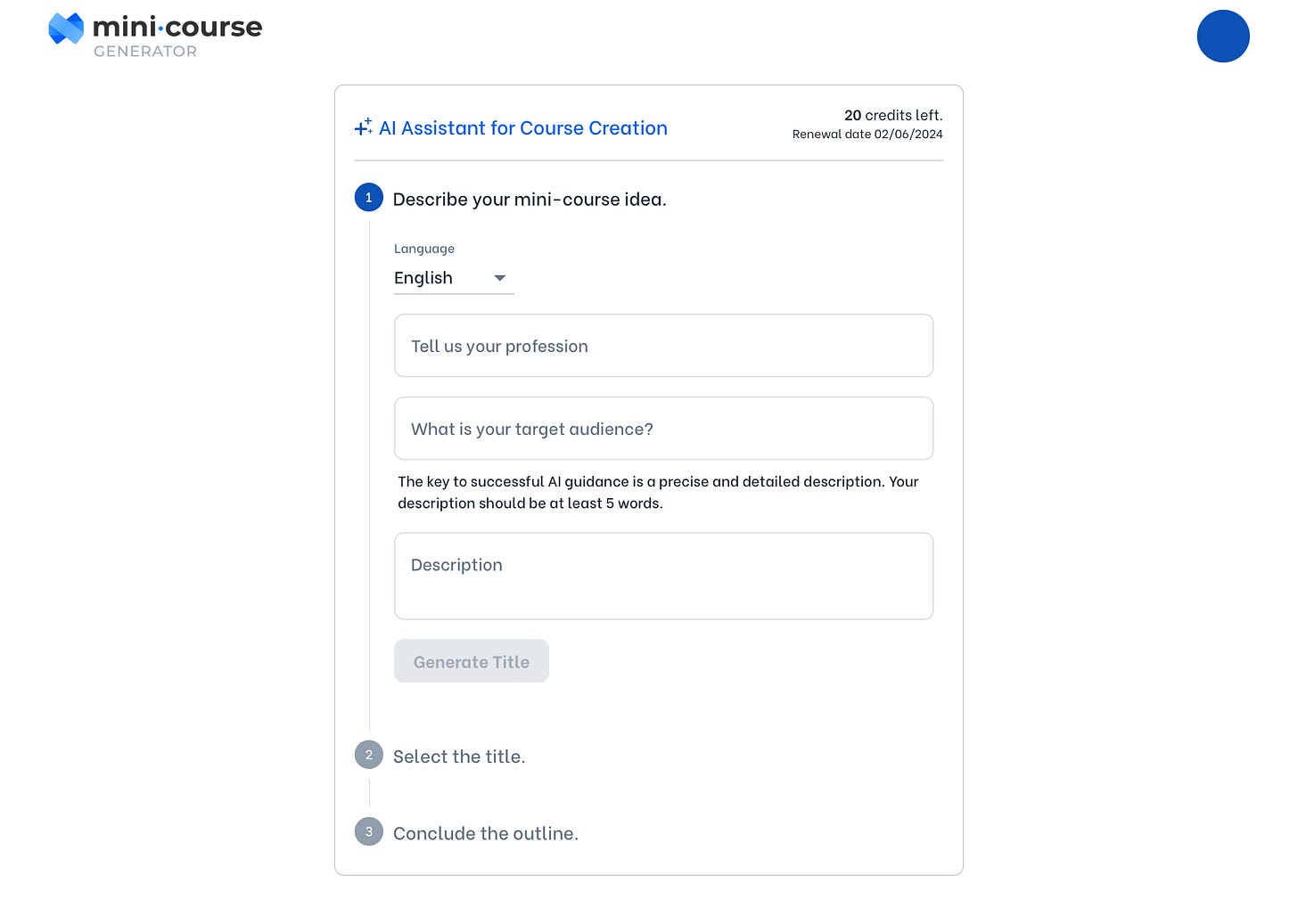
When you’ve described your idea AI will generate a name for your course, you can choose one of the options or type in your ideas. When you’ve made your choice and proceeded to the next step, you’ll get an outline for the course. You can regenerate it if you don’t like the headings, remove the ones you don’t find relevant, or add yours.
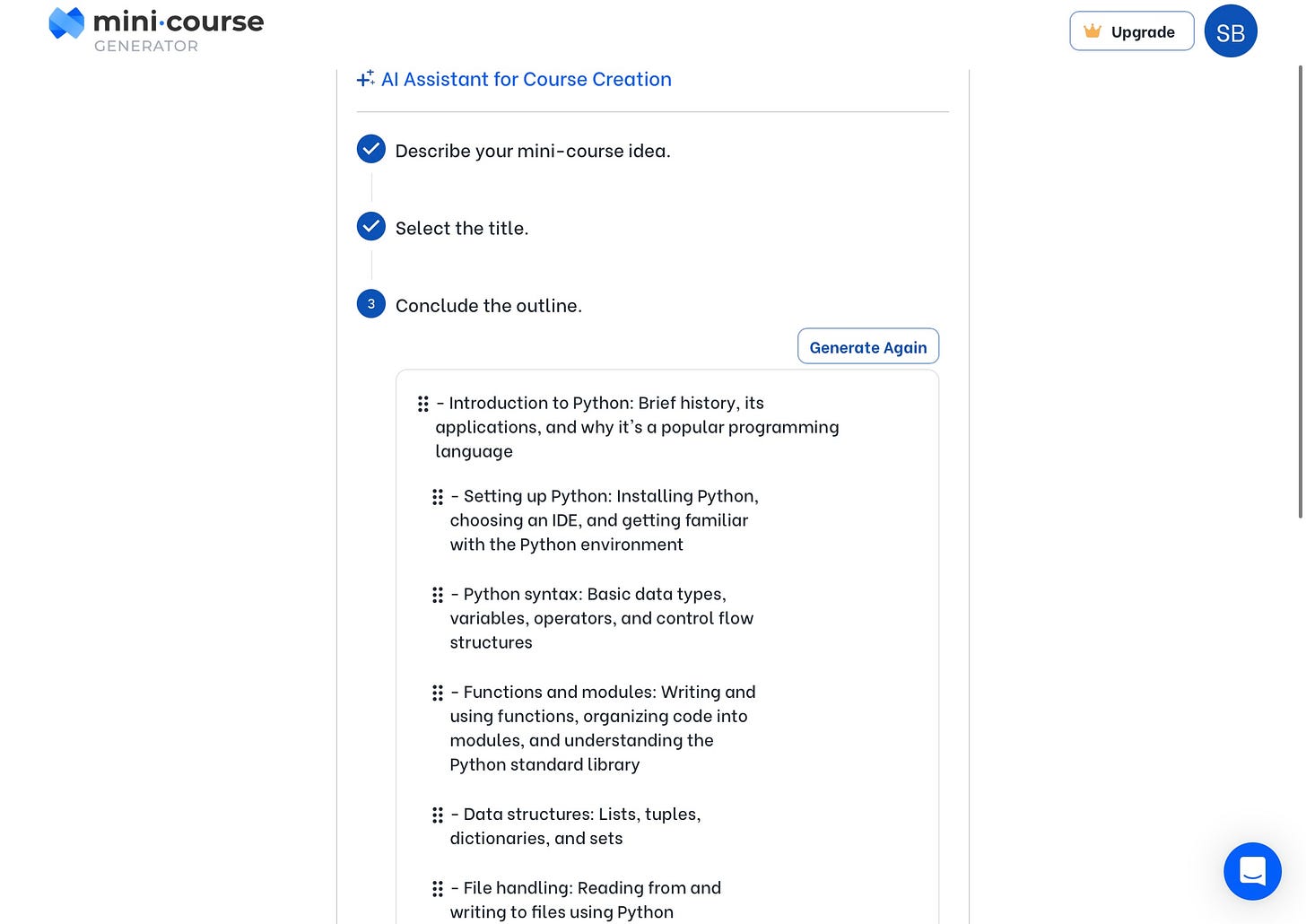
When you’re happy with the result, click Generate Mini Course and wait for the results. It will take up to one minute to generate the content, and here are the results that I got:
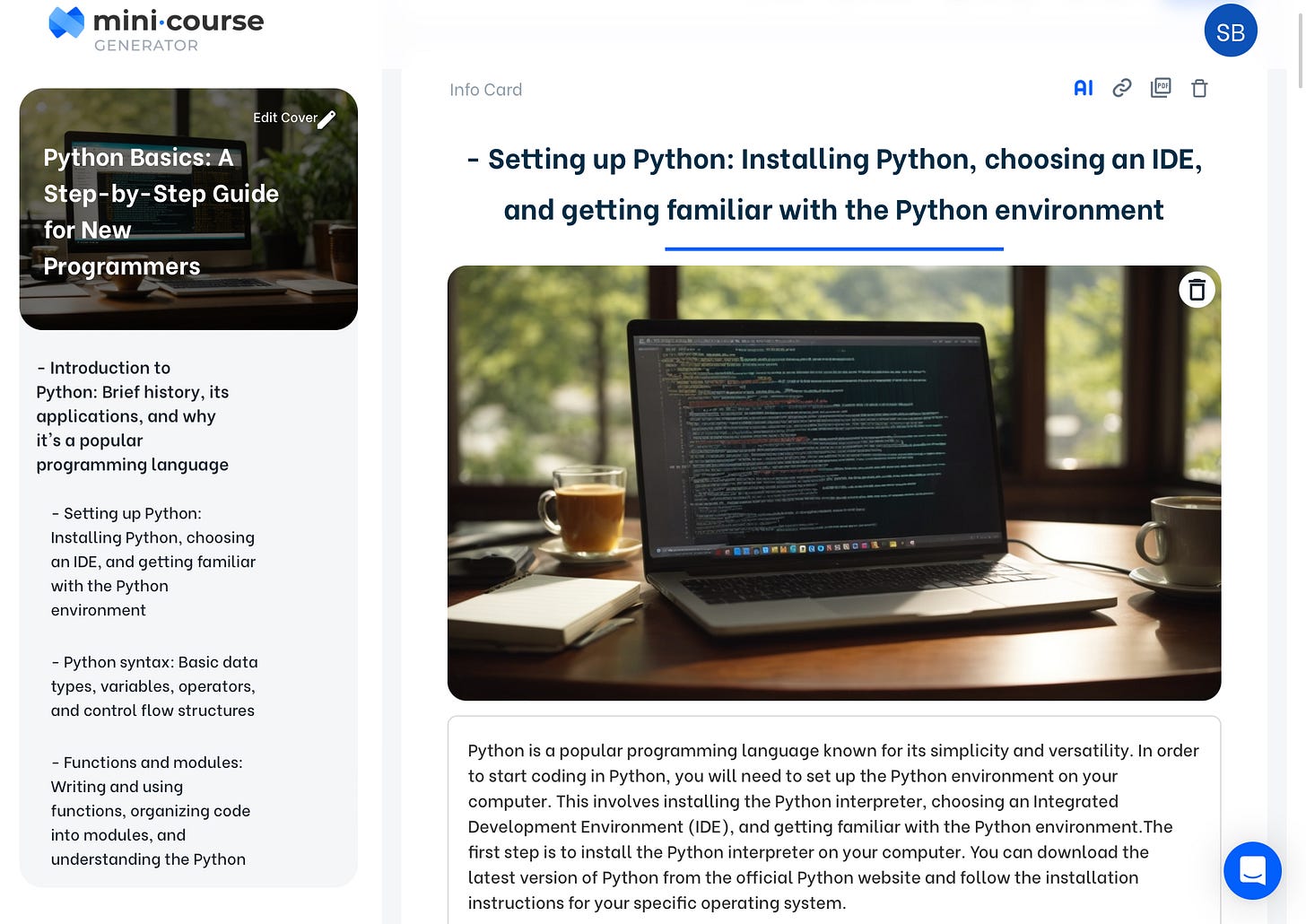
One of the best parts is that you can add AI-generated quizzes.
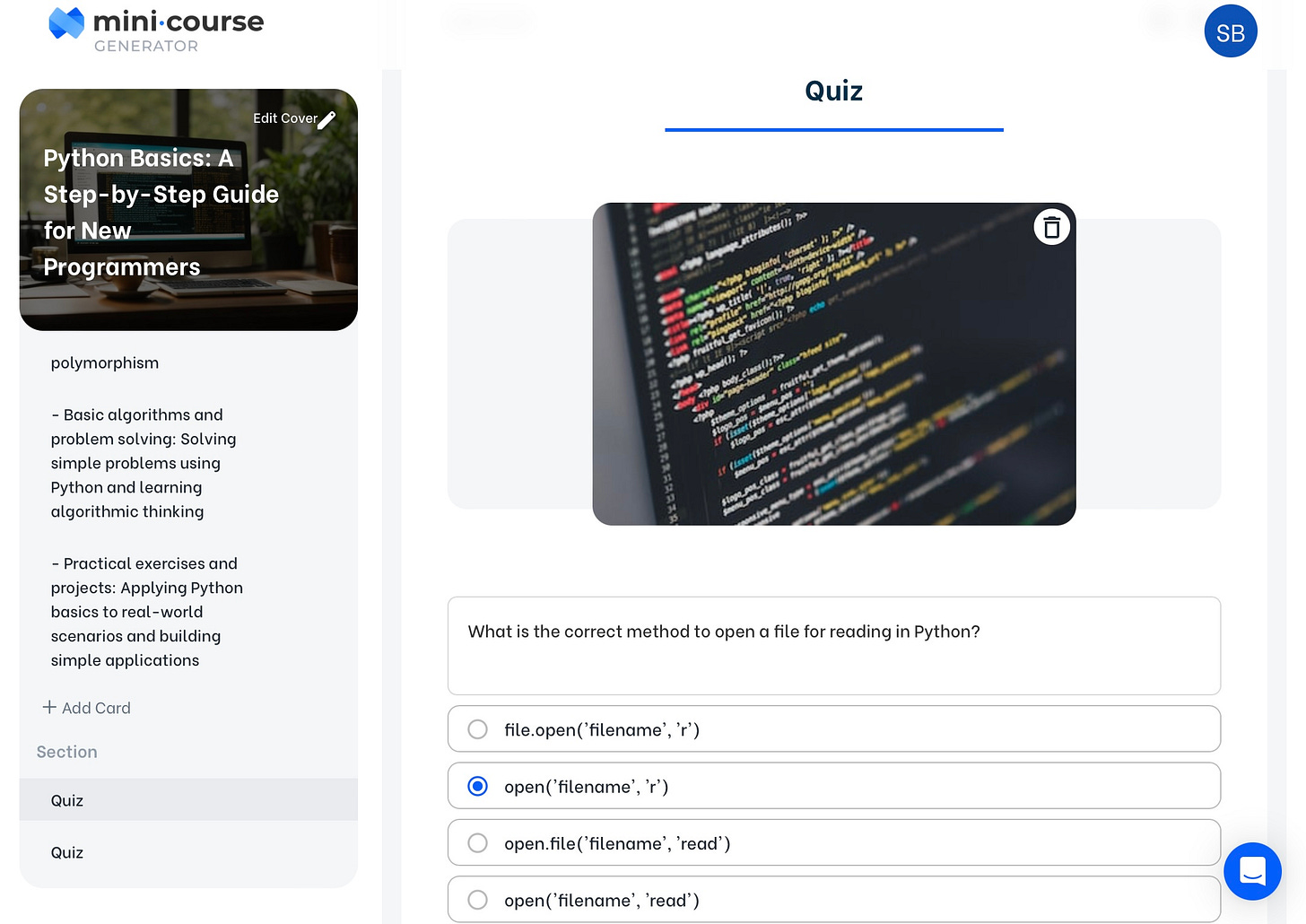
You can choose a theme from a bunch of templates and edit it the way you like. At the end, just click view to see how your course will be displayed to students.
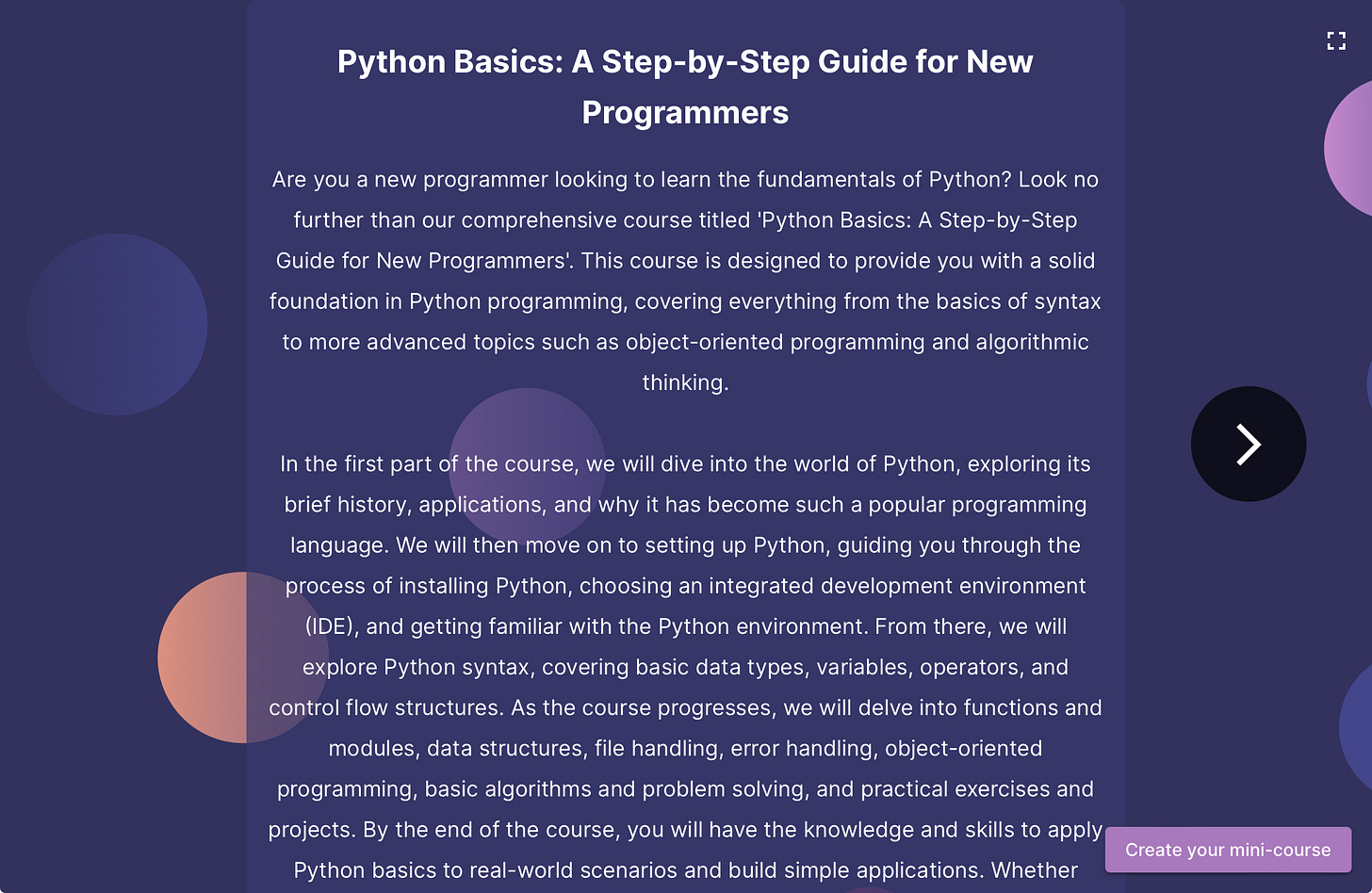
You can share the course with a Link, Embed it on the website, or Export it to PDF.
Keep up with our posts in the app for a full experience and have pocket access to our archives and community

Get more from Creators' AI in the Substack app
Available for iOS and Android
Coursebox Tutorial
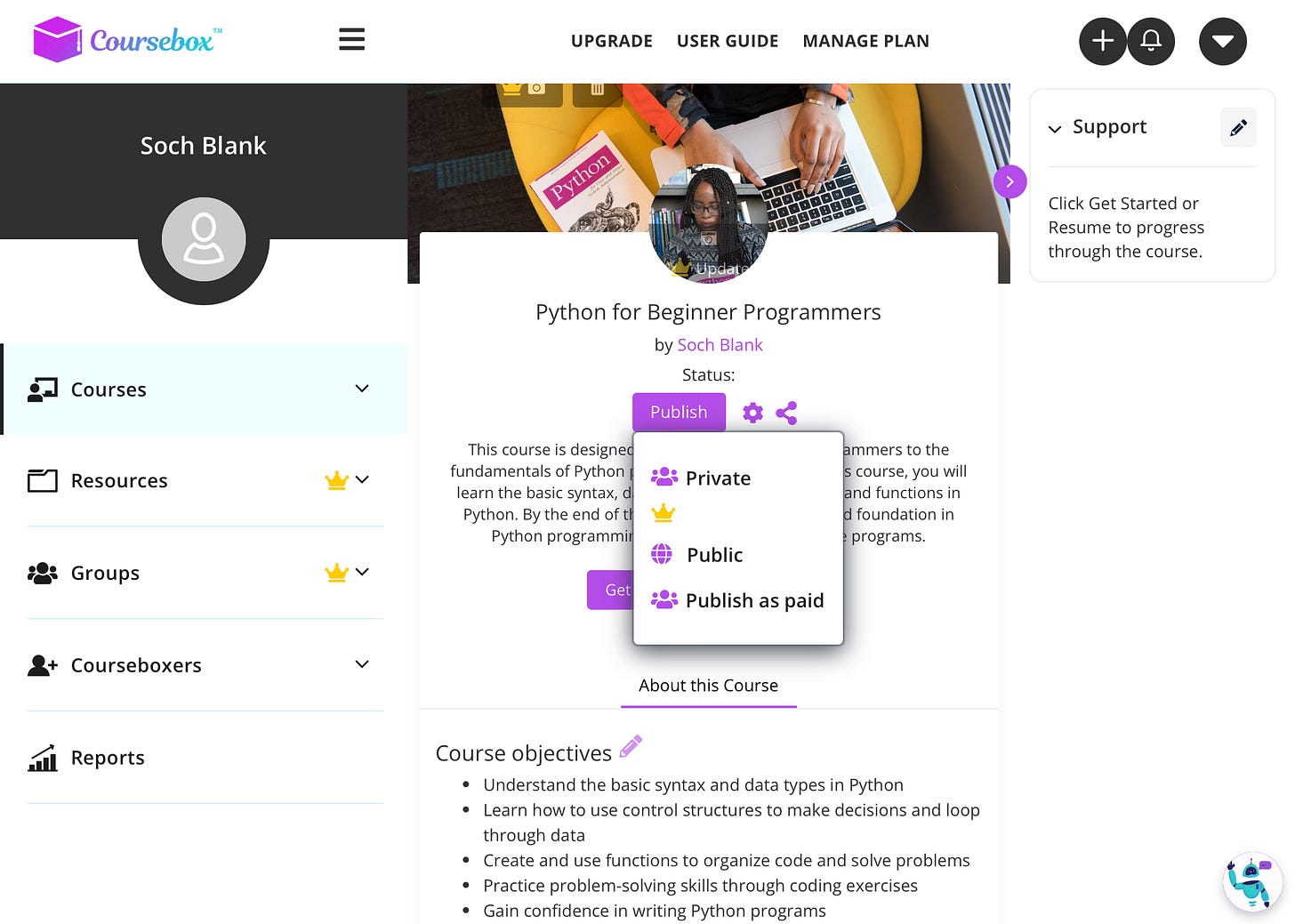
The second option is using Coursebox AI. It’s a free platform for generating courses and even has a mobile app to make content on your phone!
To start, you just need to log in and answer 3 questions on the topic, course length, and target audience.
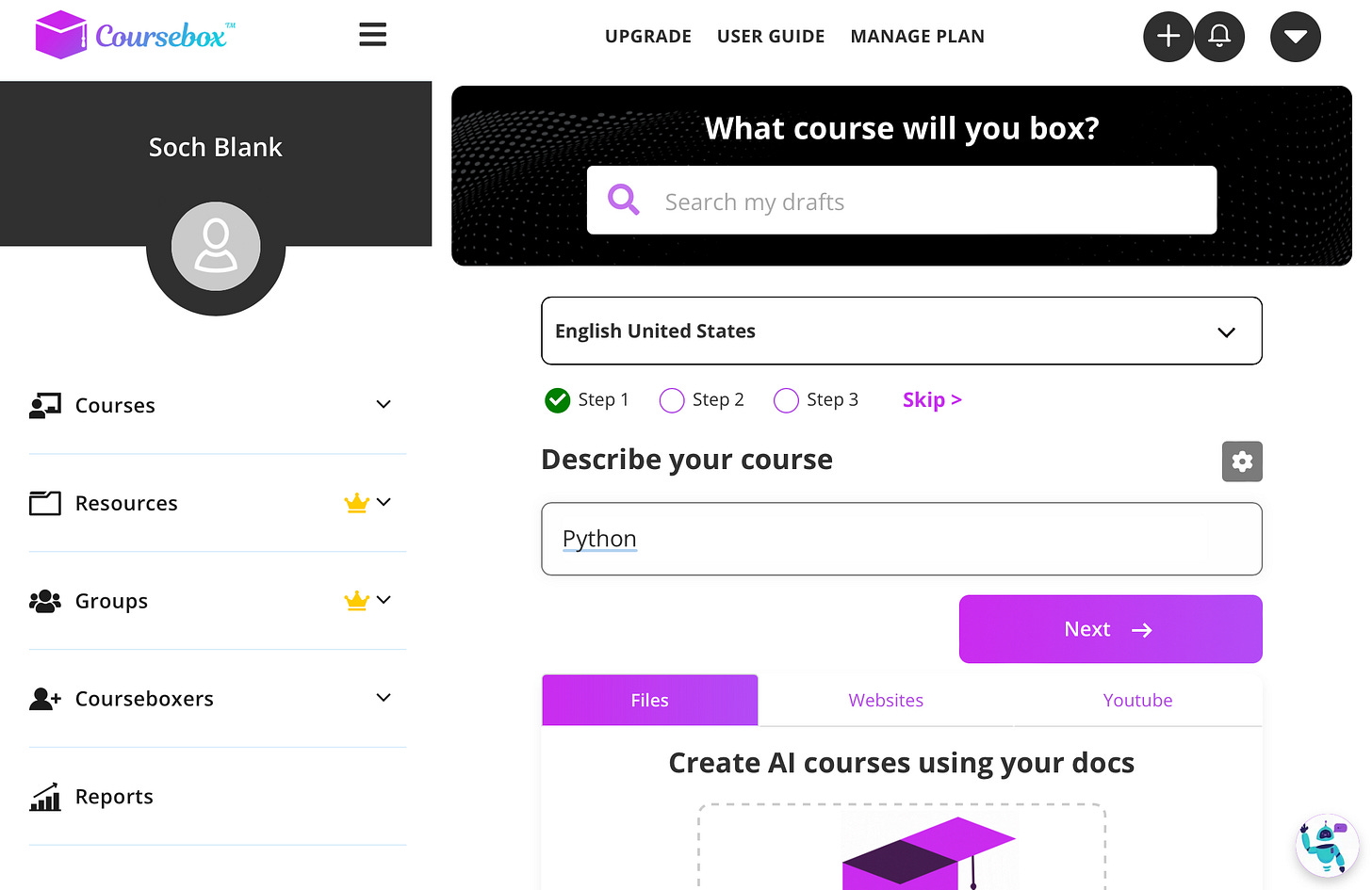
You can additionally drop files, websites, and YouTube videos you want to feature in the course to the box below.
When you’ve completed all the questions, you’re presented with a generated outline for the course with all of the materials, quizzes, and assignments.
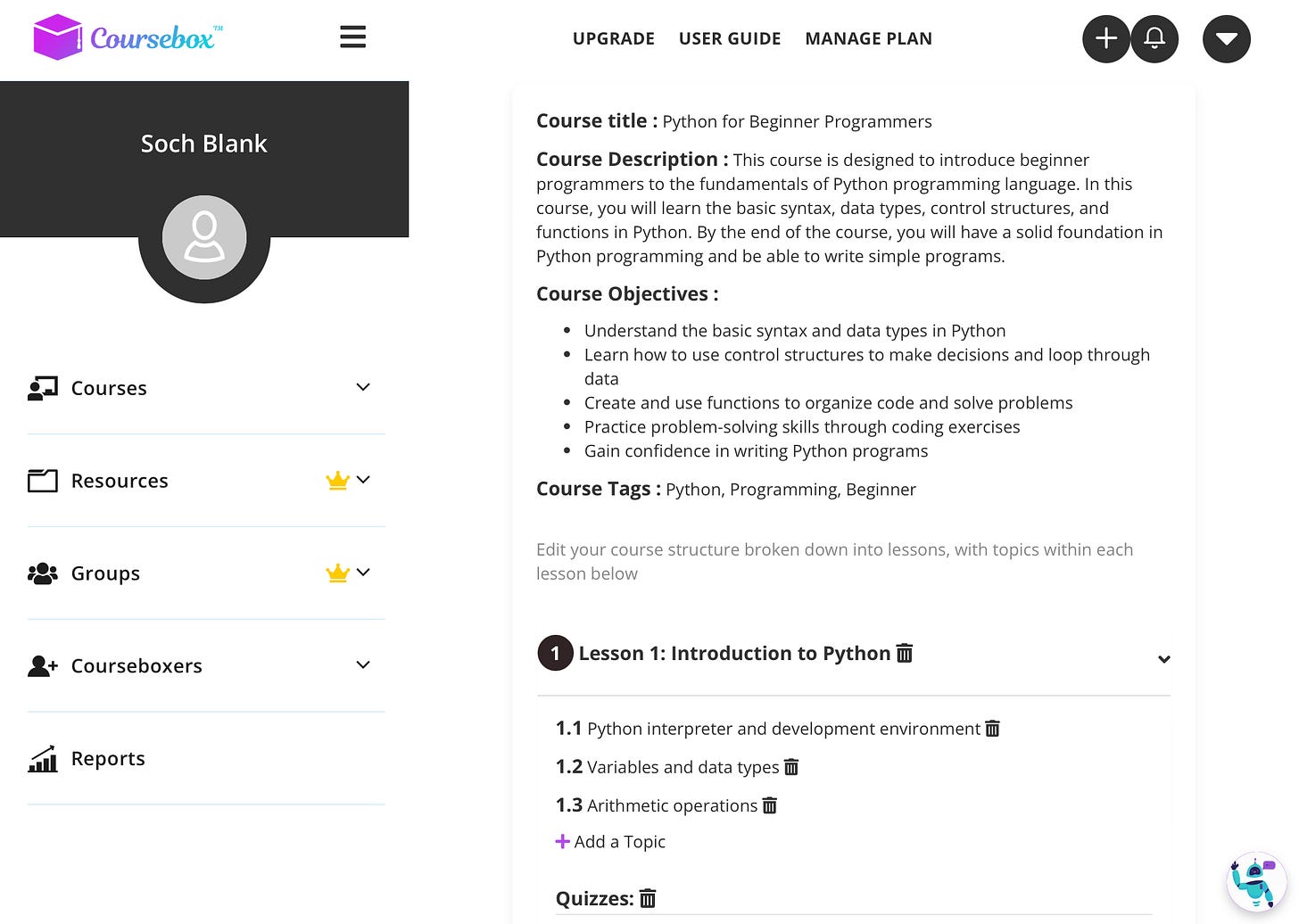
Push the Save & Generate button, and in 5-10 minutes, AI will make you a tailored course that you can then proceed and post as public, private, or paid. Of course, you will need to customize it later, but it’s great to start with something.
💡 Creators’ AI subscription is the best gift for Creators and entrepreneurs diving into AI.
Teachable Tutorial
Teachable is a platform that helps you build, make, and sell courses and services.
To build your course, you must log in for free and answer a few questions. Then, you can choose Create a Course button and start making your product.
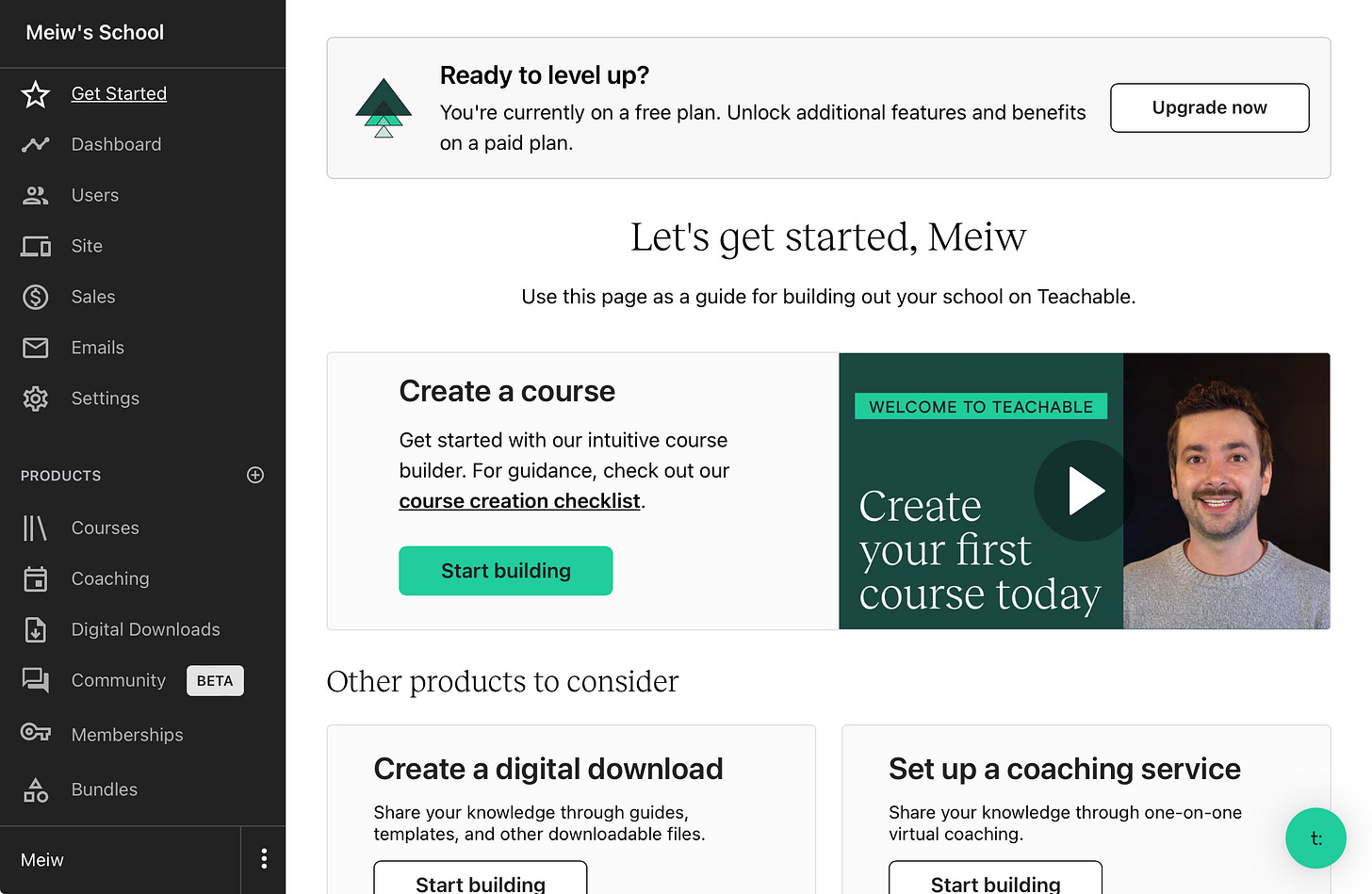
Choose a name for your course and check the box below to get help with AI.
With just a few clicks, AI-generated a complete curriculum with text and images in seconds.
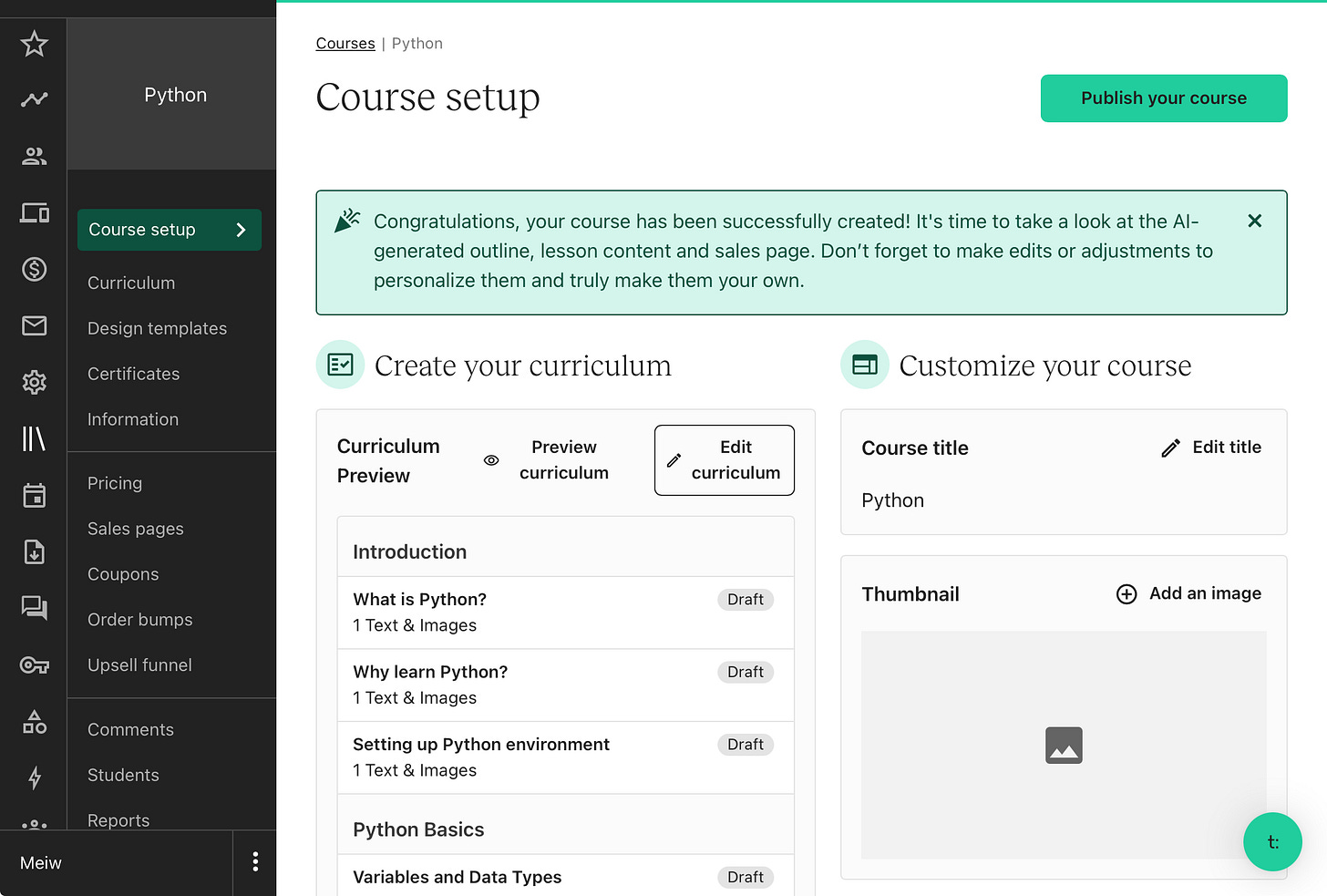
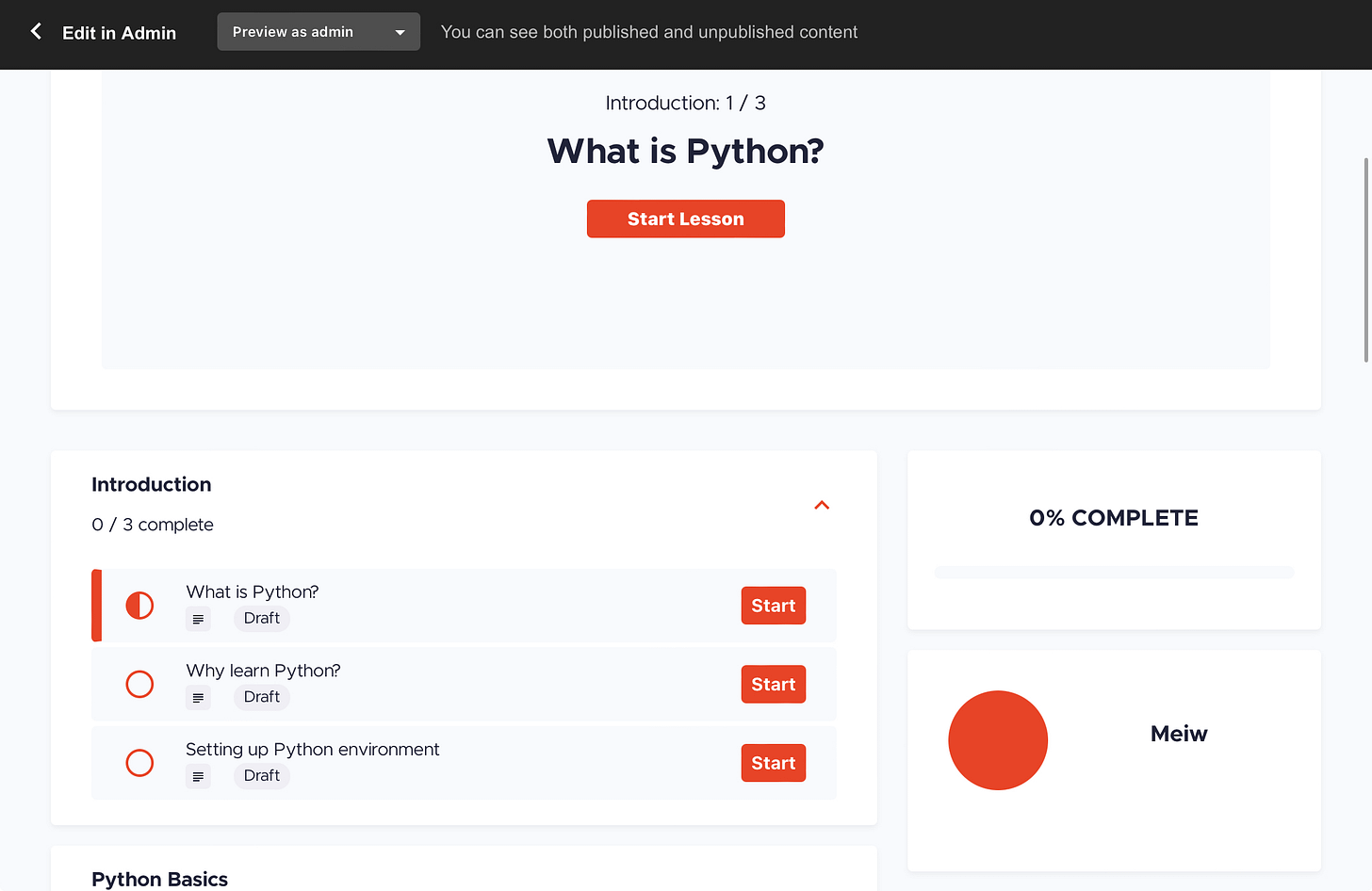
You can either edit or bulk edit content, add images and videos, change your website interface, and finally publish the course free of charge or with a custom price. Here’s what a preview of my course looks like:
# Method 3 - combining the first two methods
Combining all conveniences of the previous two methods. This method involves generating the contents of your course and creating a presentation with avatars, eliminating the need for editing or recording yourself.
Colossyan tutorial
Log into Colossyan and browse through the library of templates. Choose the one you like and proceed with creation. When you’re done with this test, simply paste the text generated by Chat GPT from the first method and tailor the presentation to your liking.
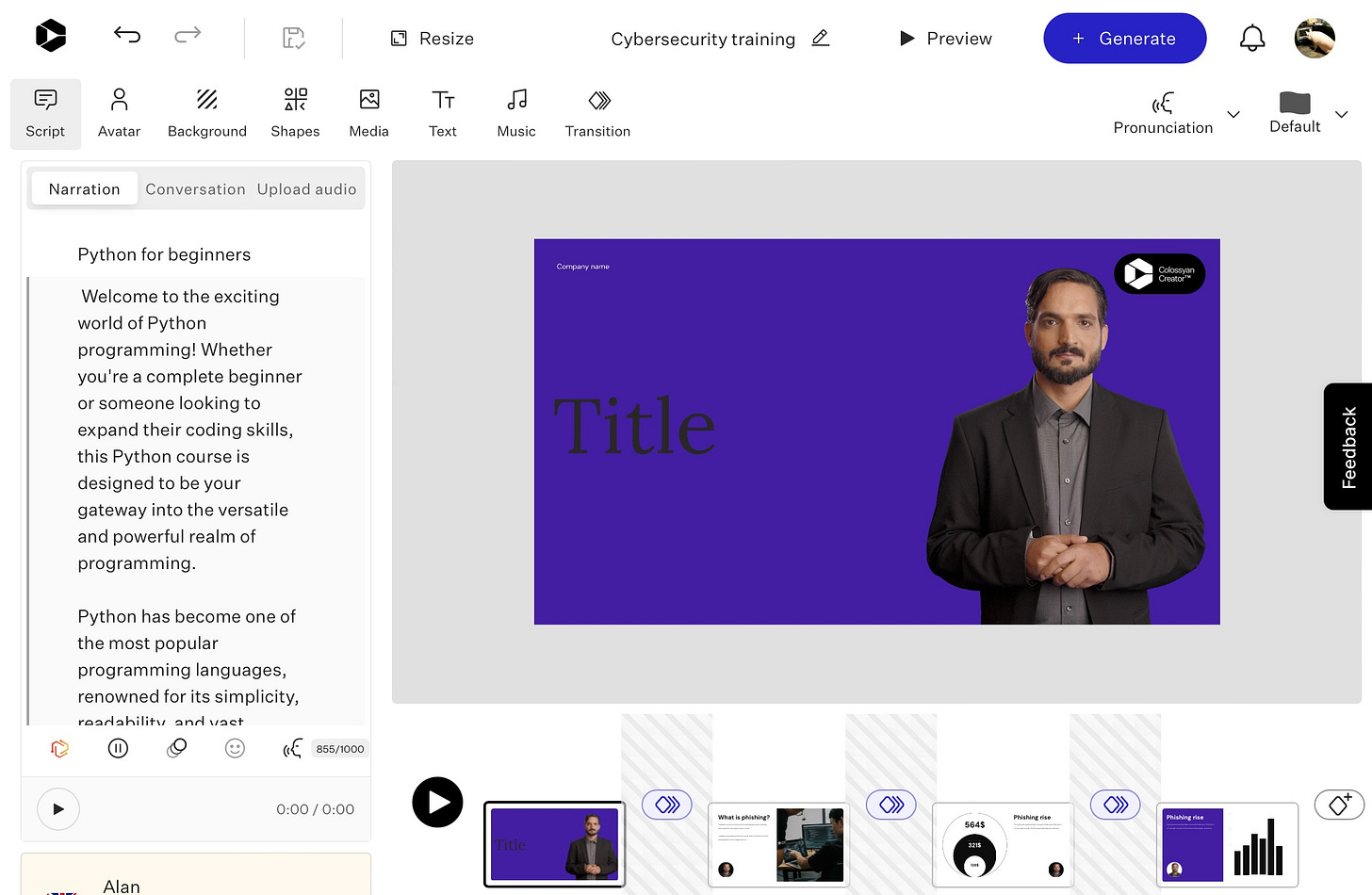
You can modify slides and edit the presenters’ voices and emotions, and when you’re finished, just click Generate. There, you have a presentation with your text ready to be posted! This is the easiest way to create a course since it does not require additional editing or voiceover.
# Platforms for selling courses
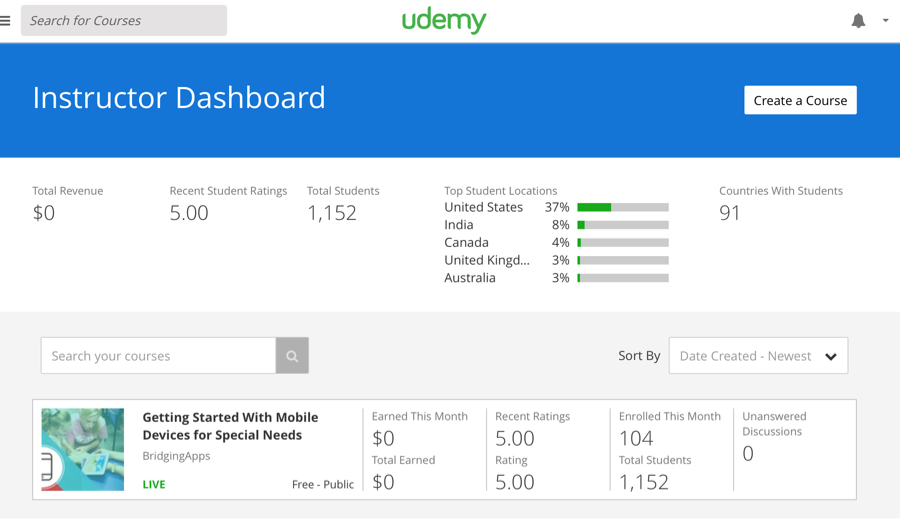
Udemy is a good platform because you will not need to invest in marketing, as the website does everything for you. But they take up to 80% of your revenue.
You can even create your online course shop with Shopify. They do not take such a significant percentage of sales, but you will need to make advertising.
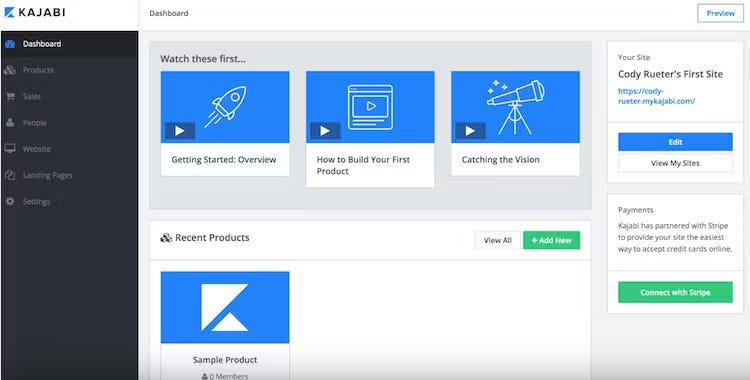
Kajabi is another famous platform to consider if you want to outsource all technical hassle.
Now, let’s look at an open-source LMS platform where you can fully control & own every part of your product.
Self-hosted eLearning platforms offer complete customization control for organizations with advanced technical skills but come with high upfront costs and maintenance demands. Our top pick, Moodle is a free and open-source learning management system written in PHP and distributed under the GNU General Public License. Moodle is used for blended learning, distance education flipped classrooms, and other online learning projects in schools, universities, workplaces, and other sectors.
However, remember that the more standalone and unique the course - the higher the complexity of your business. You should also consider another big part of launching an online course.
# Marketing
The best way to sell and market your online course is through making free content as a part of a sales funnel.
Some examples of free content formats that are usually used for courses:
- Faceless YouTube channels. You can create your own channel to market your courses, you can find a tutorial on this in our newsletter:
You can also join the YouTube Partner Program and create advertisements that show up on related videos.
- Email newsletters. Create or Buy an email newsletter. Email newsletters are perhaps the best way to market online courses.
- Short-form video channels. Create a TikTok or YouTube Shorts pages with niche content. If you want to reach younger students, it might be worthwhile to start creating compelling content to promote your business and build an audience on that platform.
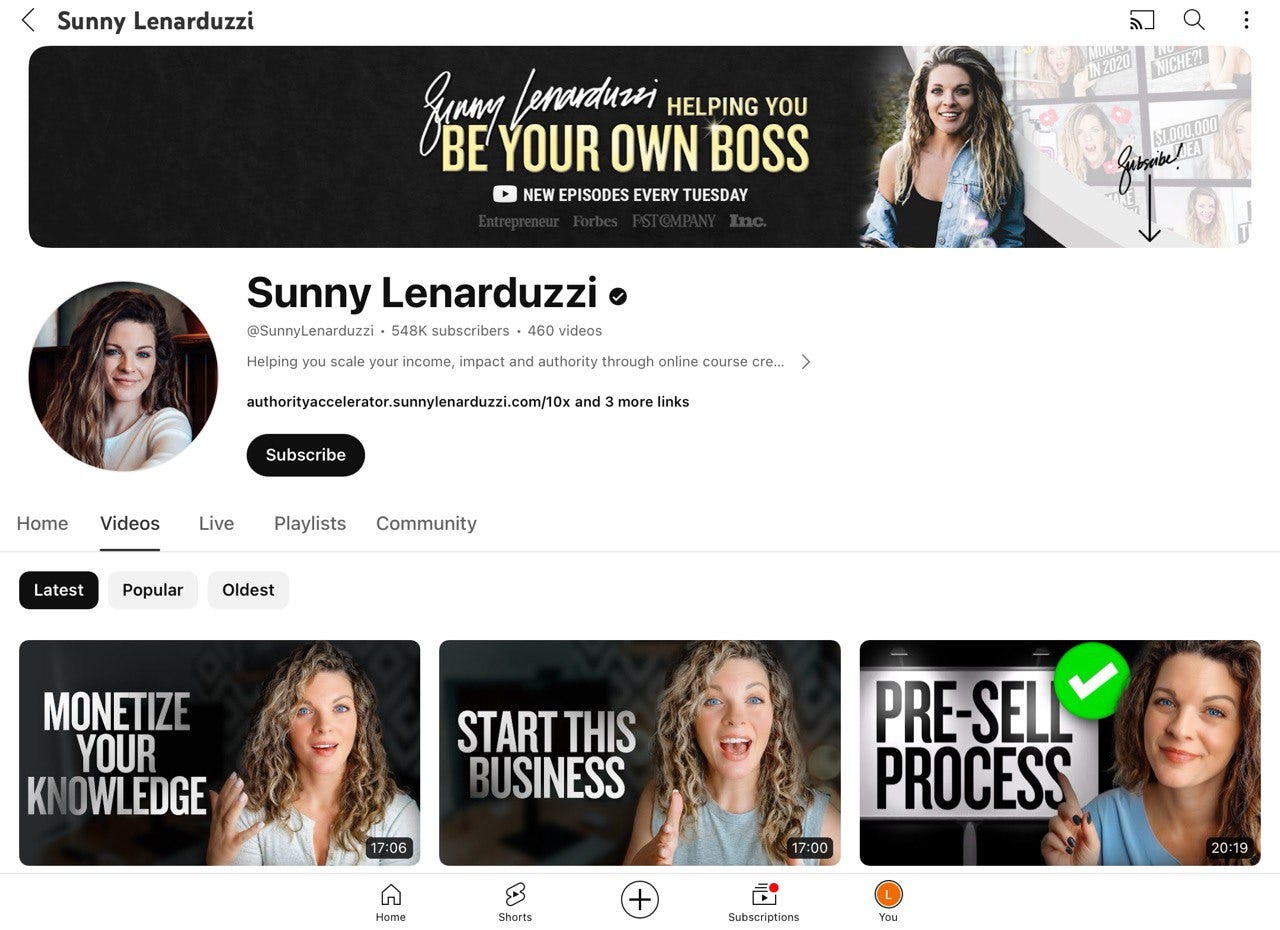
The creator, Sunny Lenarduzzy, whom we mentioned before, makes free educational content on YouTube to promote her courses and mentoring lessons.
What else do we learn from creators?
- Online Streams hosted on YouTube, TikTok, or Instagram. They have a fantastic conversion to practically any type of digital product
- Community. Building a community
- Freemium offers, like providing a free trial for new students or offering big discounts on courses. Remember, the free course is ALMOST ALWAYS a funnel to a paid course.
- Sending Email warm-ups with some extracts from the course on a regular basis but without the key puzzle
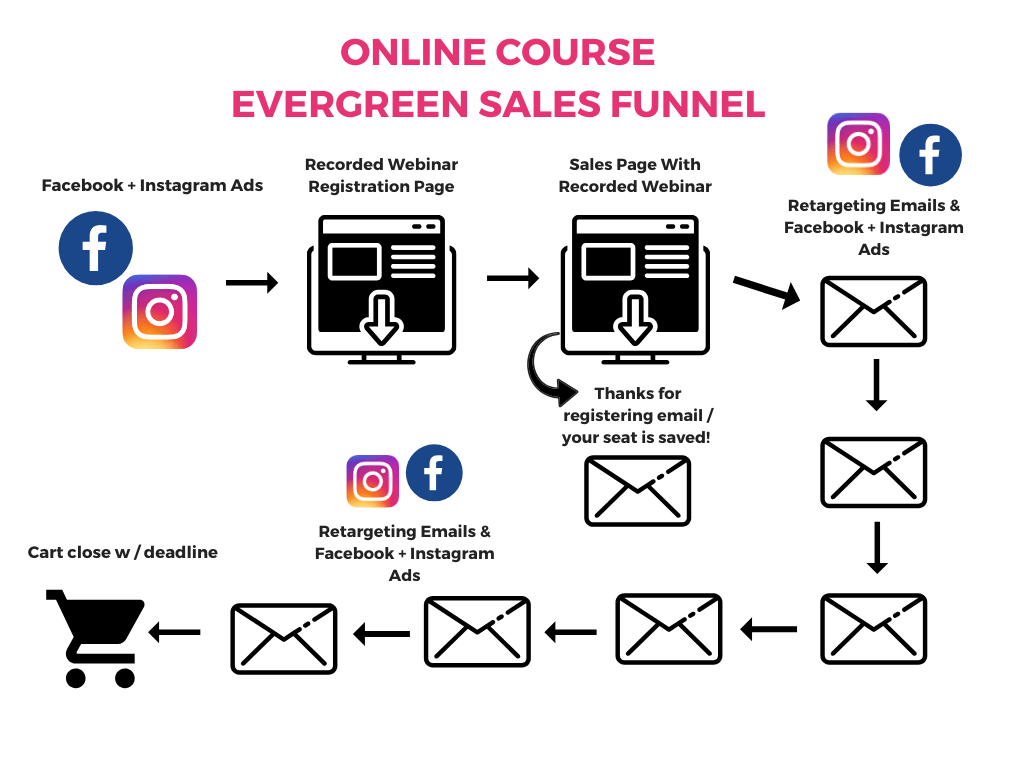
Consider an evergreen sales funnel to automate the process. It quietly works in the background of your business. When someone signs up on your website, they get added to your email list and receive emails promoting your online course.
With an evergreen sales funnel, you don't need to stress about live launches like webinars. It's like an automatic system using your website and emails to sell your online course without the constant hustle.
Here’s a visual representation of how the sales funnel can look like:
# Conclusion
Ever considered creating an online course? If so, you're not on your own. That's the reason we put together this post. AI is making the process less complicated, leading to a surge in online courses. Cases like SunnyLenarduzzi prove it works.
Perhaps 2024 is the perfect time to kickstart your online course journey before opportunities slip away. If you've got an interesting idea or experience with creating courses using AI, drop it in the comments, and let's dive into the conversation.
This article was first published in the Creators AI newsletter. View the original edition.