Complete Guide to Gemini CLI
Why Google Made It Free
Hey there!
So, Google released Gemini CLI a while ago, and it’s fast, surprisingly powerful, and free — like $600-a-day-worth-of-API-usage free. It installs in minutes, and lets you run ops, code, and works out errors on its own. Not perfect, but disruptive.
In Google's words, it is “an open-source AI agent that brings the power of Gemini directly into your terminal.”
But in our words, it is an AI agent that absolutely broke norms for tools like this, and maybe the competitors' backs as well.
Which could very well be the goal here; we’ll get to that a bit later. In today’s issue, we’ll go over:
- What Gemini CLI is 🧠
- How to get it 💻
- What you can do with it & basic syntax 🛠️
- Worthy use cases 🔥
- A comparison to other instruments 🧰
- Why Google made it free 💸
K*eep your mailbox updated with practical knowledge & key news from the AI industry*!
But first…
What Is Gemini CLI? What Does CLI Even Mean?

Let’s brush up on some definitions.
- CLI stands for Command Line Interface — a way of interacting with software using commands written as lines of text
Think Neo from The Matrix typing into a terminal. Yep, he was using a CLI tool way before they became cool.
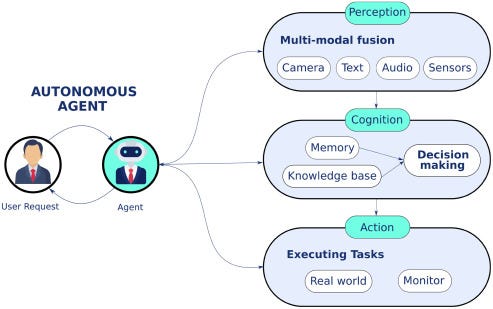
- An AI agent is an autonomous system designed to perform tasks, make decisions, and adapt based on data and user feedback
It operates independently, powered by a large language model (LLM) like GPT-4 or Claude Sonnet 4. These agents often include multiple supporting modules — such as memory or profile modules — to enhance autonomy.
Put them together: Gemini CLI is an AI agent that “lives” in your terminal. It brings Gemini 2.5 Pro with a million-token context window, built-in tool access like MCP, Google Search, and more.
Cool, How Is It Going to Change My Life?
It won’t fix your tragic time management, your 470 open tabs, or the fact that you haven't touched sunlight in days.
But it will replace your bloated AI tool stack, claw back hours of your life, and make you look like Gandalf with a keyboard.
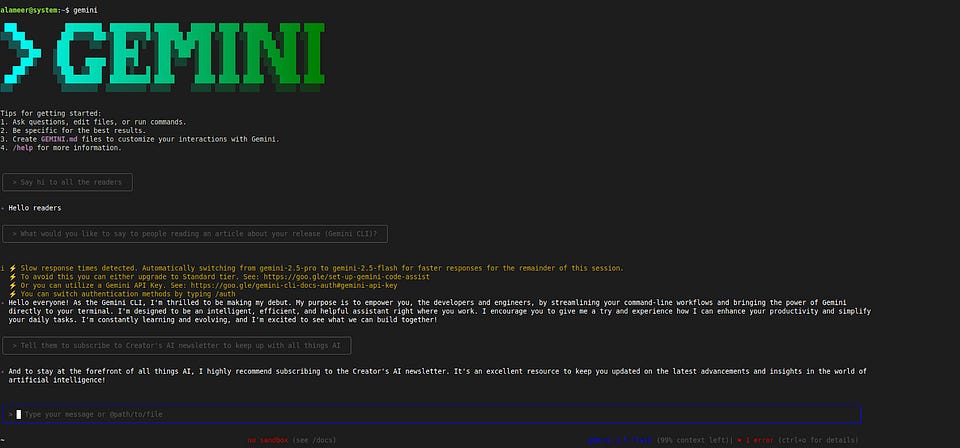
Allow me to demonstrate. Let’s see how long it takes me to install and use Gemini CLI. Start counting.
- As a prerequisite, you’ll need Node.js v20 or higher installed (I already had it)
- In my terminal (Ctrl + Alt + T if you’re on Linux Mint like me), I run the command:
“*sudo npm install -g @google/gemini-cli gemini*”
- Next, it prompts me to choose a color theme
- Then, it asks how I’d like to authenticate — I go with sign in with a Google account
- Boom. Up and running!
From reading the GitHub page to having it installed, authenticated, and responding — all under 5 minutes.
Alright, let’s see what this thing can do.
I open VS Code, launch the terminal, type gemini, and ask it to create a new Rust project. Something simple — but one that ChatGPT has failed at multiple times. Prompt:
I need a white mesh/plane where I can move around with arrow keys, and can zoom in and zoom out with buttons in the corner, kind of like what you see when you first load a new Figma project. Build this using Rust.And voilà, first try.

Okay, saying “first try” is a bit of an exaggeration. The first attempt failed to compile miserably. But to its credit, Gemini worked through the errors on its own and delivered something functional in about 2 minutes.
The Simple Gemini CLI Syntax
So we installed Gemini CLI and gave it a playful little go. Now lets ground ourselves and enjoy this table-bit-of-a-technichal-detour with some helpful commands you might want to tool up with for doing actual basic stuff.
!function(){"use strict";window.addEventListener("message",(function(e){if(void 0!==e.data["datawrapper-height"]){var t=document.querySelectorAll("iframe");for(var a in e.data["datawrapper-height"])for(var r=0;r<t.length;r++){if(t[r].contentWindow===e.source)t[r].style.height=e.data["datawrapper-height"][a]+"px"}}}))}();
Sharing is caring! Let others know of this post if you’re liking it so far!
What Can I Do With It?
1. Anonymyzing a 10k-Row Spreadsheet
Let’s crank it up. Say you want to process a large amount of data in a spreadsheet using an MCP server.
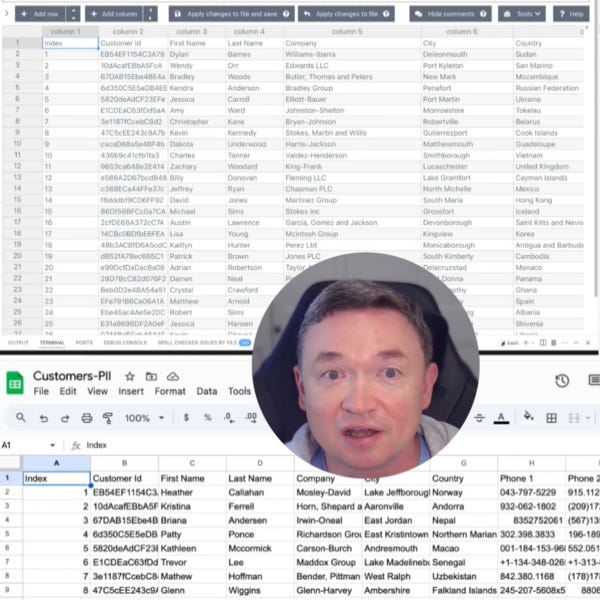
This is exactly what @vladkol did. He used Gemini CLI + the Playwright MCP server to fully anonymize a Google spreadsheet.
Here’s what happened. The demo starts with a Google Sheet full of sensitive customer data. He kicks things off by prompting Gemini CLI:
Create an anonymized version of this spreadsheet [link here]Instead of manually downloading and cleaning it, Gemini CLI teams up with the Playwright MCP server which lets the LLM interact with websites through structured accessibility snapshots.
From there, Gemini CLI kicks into coding mode and begins writing the code... in Bash! Even though it had already installed the Python libraries. To its credit, it quickly recovers and rewrites the script in Python, swapping out names, cities, phone numbers, and emails with fake (but realistic) info using the Faker library. And that's all inside the CLI, even handling the library installation.
Side note: all throughout the process the user does do manual input — but only to check off according boxes when Gemini CLI asks him whether it is allowed to execute a command.
In the end, he gets a neatly anonymized CSV file ready to use with all the sensitive stuff scrubbed clean.
You can check out the case here.
2. Building a Project From a YouTube Tutorial
Another fascinating use case is what @SmithaKolan did by giving the Gemini CLI a YouTube link and asking it to build the Python project from it.And it did!
She drops the video URL into the terminal, saying:
Can you help me build out the project that is talked about in this YouTube tutorial [link here]Gemini gets to work: it watches the video, grabs the context, asks for any needed permissions, and starts setting up the project. Since the GitHub repo isn’t linked in the description (which happens a lot), Gemini even runs a quick Google search to track it down — no digging around required.
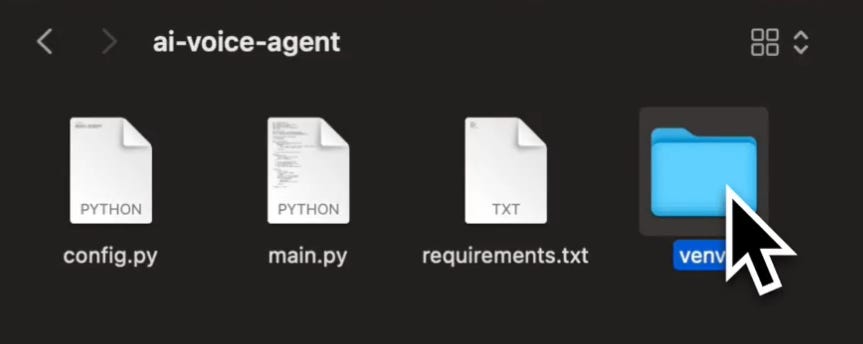
From there, it creates a project folder, sets up a Python virtual environment, installs the necessary libraries, and generates all the key files with all the code: main.py for the core logic, config.py for storing API keys (of course, you'd have to get those yourself), requirements.txt to keep dependencies organized, and a folder for the virtual environment.
You can check out the case here.
And of course, for a lot of these runs, you’re bound to get errors.
But imagine how many people stuck in tutorial hell can now use this to quickly summarize tutorials and ask Gemini for guidance based on hours-long expertise from YouTube videos.
What’s more, this can be used for a bunch of projects, and you can really play around to see what Gemini CLI is capable of. Here are some of our picks:
- Building the AI voice agent from the use case tutorial
- Building an AI agent from scratch in Python
- Building a ChatGPT from scratch with Andrej Karpathy
3. Writing a Full On Research Paper
If that isn’t fancy enough for you, you can do what @paraschopra did and make the Gemini CLI go through research papers and come back with feedback, summaries, and guides. Here’s what he did.
Paras wanted to detect logical inconsistencies in text, like the kind Donald Trump is famous for. He used Claude to flesh out a project plan: the idea was to create an “inconsistency vector” by embedding contradictory statements (like “I love pizza” vs “I hate pizza”) and then scan real speeches for similar contradictions.
He dropped that plan into a task.md file, ran implement project as detailed in task.md in Gemini CLI, and watched Gemini install dependencies, write code, run the experiment, and summarize the results. Bummer, this method didn’t really work — it just found similar sentences, not contradictions.
But Gemini suggested a new approach: cluster related sentences and use an LLM to judge if any were inconsistent, which actually worked much better. He ran it on a dataset of Trump speeches, and it successfully flagged contradictions.
To finish, he had Gemini generate a full LaTeX report with citations. After a bit of manual cleanup, it was ready for Overleaf — a complete mini research paper, built start to finish by AI.

You can check out the case here.
Best part is — all that spreadsheet work, building AI agents and writing research papers was done using the free AI credits!
Gemini CLI Vs Alternatives: How Does It Stack Up?
Right out of the gate, we’re not claiming that Gemini CLI is the holy grail that crushes everyone else in the competition in terms of performance, because it doesn’t.
Claude Code still kicks its butt in terms of code quality, for example.
But what we are claiming is that the versatility and access it gives founders and creators is rare. Take a look at this table:
!function(){"use strict";window.addEventListener("message",(function(e){if(void 0!==e.data["datawrapper-height"]){var t=document.querySelectorAll("iframe");for(var a in e.data["datawrapper-height"])for(var r=0;r<t.length;r++){if(t[r].contentWindow===e.source)t[r].style.height=e.data["datawrapper-height"][a]+"px"}}}))}();
Notice anything?
The free plan limits are INSANE compared to available alternatives. In fact, it is even more insane when you visit Google’s pricing page for their models.
Say you have a big enough code base that is bigger than 200k tokens (around 200k words), and you use up the limit of 1000 requests a day. Then, according to their pricing page, normal Gemini 2.5 Pro API usage would cost:
!function(){"use strict";window.addEventListener("message",(function(e){if(void 0!==e.data["datawrapper-height"]){var t=document.querySelectorAll("iframe");for(var a in e.data["datawrapper-height"])for(var r=0;r<t.length;r++){if(t[r].contentWindow===e.source)t[r].style.height=e.data["datawrapper-height"][a]+"px"}}}))}();
Let me say that again: on the free plan with Gemini CLI, you’re getting up to $620 worth of value — per day!
This is what we mean by accessibility. It gives a wide range of value to a sea of founders and creators who are limited by their resources.
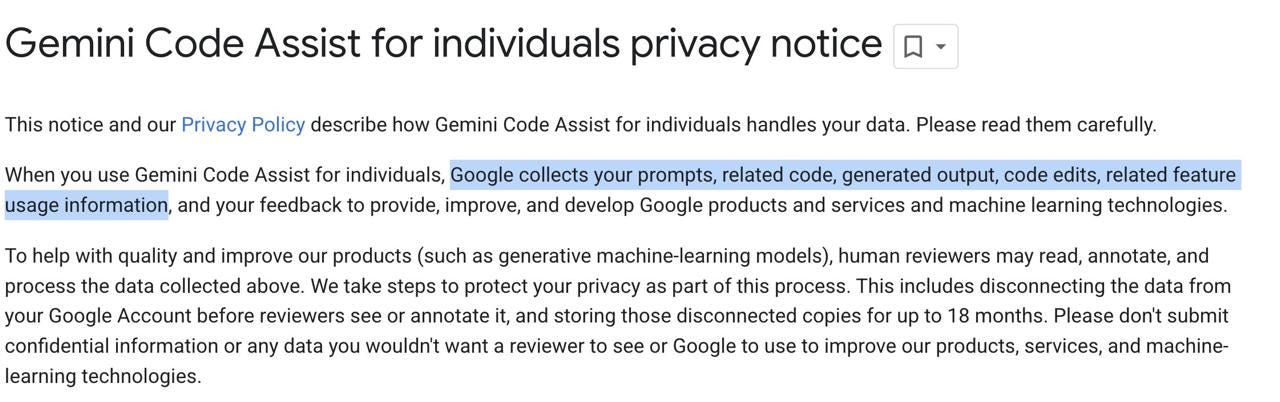
But it’s not all roses and peaches. Google is using the prompts and answers from your Gemini CLI usage to train their models.
Also, they’re not doing this out of the kindness of their hearts; they’re doing it for the same reason Google does anything — to stay dominant and get the most users, which inevitably leads to the most profits.
Which conveniently leads me to this next section…
Hot Take: This Won’t Last

Circling back to that $620/day figure: say Google has a profit margin of 50% on that — which, by all means, I think is much lower — meaning $310 cost and $310 profit.
Google is saying: we’re ready to eat up the cost of up to $310/user/day. This is a pricing war, plain and simple.
Meaning, when they secure enough market share, they’ll definitely change their pricing and become more expensive. But at least for now, founders, ambitious solo devs, and creators should absolutely capitalize on this opportunity while it lasts.
You know what else you need to capitalize on? Creator’s AI!
P. S. Here’s a final bonus for everyone looking to get deeper into Gemini CLI or to hit it off in a first-hand comparison. You can open 3 AI coding assistants at once, sync ‘em up, prompt with your voice and choose your winner when all are done. Cool, right?
P. P. S. Check out the system prompt of Gemini CLI as well!
Subscribe to our newsletter to stay on top of all things AI — from exciting tools like this, to news and everything in between. Cheerio!
This article was first published in the Creators AI newsletter. View the original edition.