Data Analysis Hacks with AI: Prompts & Cases
PwC is confident that ChatGPT will take analytics to the next level. How about you?
👋 Hey, I’m Stephan, and welcome to a✨ subscriber-only edition✨of Creators’ AI. Each week, we post AI Tutorials, News, and practical knowledge aimed at improving your life with AI. To get full access to our content, consider upgrading.
Intro
Appealing to authority isn’t always the best way to prove your point. But it’s usually the shortest way. That's where I'm going to start today.
Last month, PwC partnered with OpenAI, and now more than 100,000 of the firm's employees use ChatGPT regularly. The company says Gen AI has the potential to change the analytics profession and take it to the next level.
So can we benefit from the progress, too? Let's find out.
In this edition:
- How to create an analytics report without spending a lot of money (& time);
- How beginning analysts and creators can improve their work;
- What prompts you need to dive into the complex world of data analytics?
ChatGPT Dives Into Enterprise Solutions
The partnership between PwC and OpenAI wasn't the only big news that brought AI and analytics together last month. There was so much news that, unsurprisingly, some updates passed us by. But what I'm talking about now is that along with the release of GPT-4o, the company has heavily imprinted data analytics in its chatbot.
Let's see what tools and hacks are now available.
If you don't want to miss important developments from the world of AI, don't forget to read our Friday weekly roundup. Here, by the way, is the latest edition:
What's changed, and how does it work?

Regarding analytics, the new GPT-4o offers three useful features:
- Uploading files from Google Drive and Microsoft OneDrive;
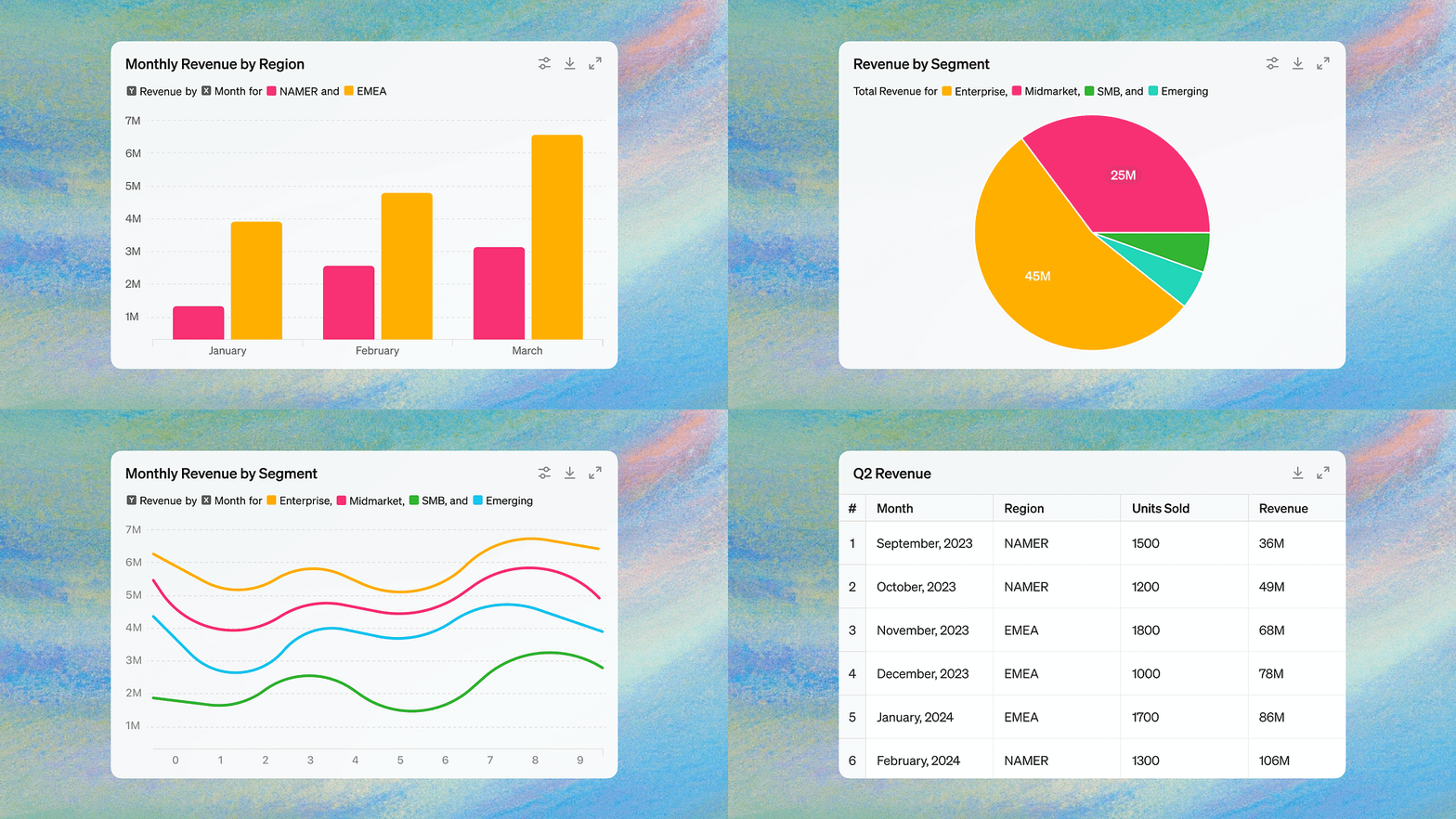
- Editing and interacting with tables and charts;
- Customizing and uploading charts for presentations and documents.
Initially, all new features were only available to ChatGPT Plus, Team, and Enterprise subscribers. However, you can now try out all the features (with limited requests) on the free version of GPT-4o as well.
The bottom line is that ChatGPT has improved its ability to understand datasets and perform natural language tasks. To use it, you simply upload one or more files from your Google Drive (or OneDrive) and tell the chatbot what task you want to accomplish. This is where the magic begins.
ChatGPT will analyze all the data by writing and running Python code on your behalf (Yes, now you're not only a data analyst, but also a coder). As a result, you'll get ready and structured information that can be returned to the cloud or edited right inside the chatbot.
Creators' AI is a reader-supported publication. To get full access, consider subscribing to Premium
Specifically, you can ask GPT for:
- Merge and clean up large data sets
- Come up with a new structure for a table
- Create a chart
- Get additional information
And many more. It all depends on your needs, prompt engineering skills, and imagination.
For example, I write a lot about technology and startups, so I've been collecting lists of startups in multiple tables for several years now. GPT-4o helped me merge the tables, optimized the columns for easier tracking, and sorted the projects quickly. Now I'm thinking about turning years of my work into interesting research.
As for OpenAI, the company says the new features will make in-depth analysis easier for novice analysts and save experts time on routine data cleaning tasks. That's a very welcome development.
Well, let's see what prompts and hacks we will need when working with ChatGPT for data analytics.
Prompts & Hacks for Your Analysis
Traditionally, I suggest going from simple to complex. We will start with a few prompts that will help you understand analytical tasks, and then we’ll move on to more complex and specific cases.
Along the way, I’ll try to explain why certain commands are needed.
Basics for Beginners | Explanation of Data
I don't know about you, but I often have cases when I get large sheets without clear explanations. The following commands are especially useful for such cases:
Provide a basic summary of the dataset, including the number of rows and columnsExplain this dataset in one paragraphExplain this dataset like I'm 5 years oldWrite me an article based on this datasetList the top 10 key pointsYes, so simple and primitive. Sometimes, we get so buried in the complex details that we forget the basic rules of chatbot communication.
Basic Visualizations
One of the most useful features of the updated chatbot is the ability to visualize data. If you need to share data with colleagues or give a presentation, these prompts will reduce a huge amount of time in preparation:
Create 10 visuals to represent different dataShow me the top trends in a visual formatCreate a visual word cloudGenerate a bar chart for the [categorical_column] columnGenerate a scatter plot to show the relationship between [column_x] and [column_y]Want to learn how to become an even more effective analyst? Follow this newsletter:
Financial Data
Raising the stakes.
I don't think this will be an eye-opener for many people, but still, the majority of users use spreadsheets to work with financial data. OpenAI understands this very well, so GPT-4o does a great job with such tasks.
Here are some prompts that you may find useful:
Find the date with the highest closing priceCalculate the percentage changeAnalyze the revenue and expense trends from this income statement sheet over the last year years. Identify any significant changes or patternsCan you perform a rolling sum over a 7-day window?What's the duration of the fastest price increase/decrease from low to highPerform a trend analysis on the revenue and net income figures from this income statement sheet. What growth trends can you identify?Of course, these are just a few commands that can be useful when working with financial reports. You can always make a more complex prompt to fit your scenario.
Sharing is caring! Gift & Share this newsletter to someone who may enjoy it!
Descriptive Statistics
Descriptive statistics summarize a dataset's distribution's central tendency, dispersion, and shape. Use these prompts to derive valuable insights:
Provide the mean, median, mode, standard deviation, and variance for the [column_name] columnShow the frequency distribution of the [categorical_column].Calculate and display the quantiles for the [column_name] column.Simple Statistical Tests & Model Evaluation
Conduct basic statistical tests to explore relationships in your data:
Calculate the correlation between [column_x] and [column_y].Perform a t-test to compare the means of [column1] and [column2].Calculate the accuracy of the model using the test dataset.Generate a confusion matrix for the model's predictions.This is only a tiny fraction of what the current GPT-4o model offers. Alternatively, you can also ask your chatbot how it can handle your data.
I'm sure you'll be very surprised at the range of its capabilities.
Bonus AI Tools for Data Analysis
Of course, ChatGPT is not the only way AI can be used to analyze data. Every day, new models, platforms, and chatbots are designed specifically for consulting firms and entrepreneurs. Here are a few that I recommend trying out:
AnswerRocket is an AI-based data analysis platform designed for business users.
Coefficient is an AI Tool that automatically connects ChatGPT to Google Sheets without requiring an API key.
Polymer is an analytical service that turns disparate data into beautiful reports. This tool does not require coding skills.
Julius AI is a smart data analysis tool that makes sense of complex data and presents it through easy-to-understand visualizations, ensuring an intuitive user experience.
DataLab is an AI-enhanced data notebook that streamlines the process of converting raw data into actionable insights, facilitating faster and more efficient data transformation.
By the way, with this newsletter you’ll get even more useful tools for data analysis:
Final Thoughts
Data analytics is a complex and all-encompassing job. Depending on what task you have, what results you need, and where you work, your requests and processes can vary widely. However, AI is catching up on all fronts and can already relieve you of much of the routine.
And those aren't my words. These are the words of the Big Four, who confirm their position not only in words but also in deeds, as the partnership between PwC and OpenAI shows. So let's keep up with them :)
This article was first published in the Creators AI newsletter. View the original edition.