(Don’t) Fire Your VA! Hire AI Instead.
3 Tools That Might Replace Your VA + Guide To Create Your Own Custom VA GPT

👋 Hey Creators!
Managing time is a necessity – ideally, you’d only be working on important things yourself, and for other tasks, you’d outsource them to a Virtual Assistant. And VAs are awesome – they can handle the that would otherwise eat away at your time.
But what if you could get more time back & outsource more tasks to your VA (without overworking them), or even delegate most of the annoying tasks to AI?

In today’s post we’ll be covering:
- Can AI Assistants be more efficient than traditional VAs?
- The Artificial Assistants that can do the annoying tasks for you
- Step-by-step guide on how you can easily create your own customized AI Virtual Assistant
Let’s break down the core reasons why AI assistants not only excel beyond human VAs but can complement them, too.
Stay tuned — soon we’ll release a newsletter where we’ll share a detailed guide on how to 200% your (hopefully human) Virtual Assistant’s efficiency with AI!
A few words from Creators AI Co-Founder, Daniil: Working with VA is the only way for me to manage 3 different companies including Creators AI. So If you feel you have not enough time for tasks, I suggest you to try!
Do you have a minute to participate in our Subscription Giveaway and make our newsletter even better? Take a quick survey and tell us about your experience & participate in the free Giveaway of a Premium Subscription for 6 months.
Why AI Assistants Can Be Better Than Human VAs
Before we tell you why AI can be better than human virtual assistants, let’s outline what VAs even do. As a creator yourself, you balance big projects with smaller, repetitive tasks like answering emails, scheduling meetings & writing smaller pieces of content.
And that’s where your partner in time, your VA comes in — they handle all of the tedious tasks on your behalf, giving you the freedom to concentrate fully on the important things in your life & business.
Recent stats show Virtual assistants save companies up to 78% in operating costs per year, and the VA market is projected to grow 22.3% annually, reaching $8.6B by 2028 — this is definitely a sector to pay close attention to.

AI Assistants paired with a human VA can do a lot more than just buy sandwiches
As the demand for efficiency in our workflows increases, it's worth knowing the potential of AI assistants, because why wouldn’t you want to get more time back? Here are the core reasons why AI assistants are better than traditional VAs:
- Cost-Effectiveness – traditional VAs are invaluable but come with recurring costs — salaries, benefits, and more. AI assistants, on the other hand, involve a one-time setup fee and minimal ongoing costs.
- 24/7 Availability – your business needs don’t stop at 5 PM, and neither does an AI assistant. Unlike human VAs who clock out, AI can work round-the-clock, able to complete any given task at any time.
- Consistency & Accuracy – AI minimizes human errors in data entry, scheduling, and customer communication, maintaining high consistency in performance.
> This reliability is key in managing operations that demand precision, like tailored content creation or responding to an important business email, for example.
- Adaptability – training a new assistant takes time and resources. AI assistants, however, can be quickly trained to manage new tasks, adapting & evolving alongside your business.
- Accessibility – with numerous AI tools available, starting is as easy as signing up and setting up — no lengthy recruitment or training is required (if you aren’t creating your very own AI assistant, in which case it’s a tad more complex).

The AI assistant writing 3 pieces of content, responding to biz emails & not even breaking a sweat.
However, we must mention the main negative of artificial intelligence – it lacks the human aspect, and therefore AI Assistants could never replace real VAs.
The human element is crucial, as it brings empathy, creativity, and intuitive problem-solving to tasks that AI simply can't replicate, and the best way to get the best of both worlds is to integrate AI tools in your virtual assistant’s workflow — we’ll show you how to turn your VA into a cyborg very soon!
AI Assistants That Save You Hours
While there is no one-size-fits-all solution, many AI assistants stand out for their versatility and user-friendliness.
Let’s explore the various AI assistants that will save you & your VA hundreds of hours. (Very soon, we’ll show you an easy step-by-step guide to create your very own custom Virtual Assistant GPT!)
We spoke about more AI tools that can save you hundreds of hours in this post:
Clockwise - AI Calendar Assistant

Clockwise — the first-ever calendar you can “talk” to. With its chat feature, you can easily make time for anything. This function is very special — just talk to your calendar and find time for meetings, walking the dog, and family dinner.
Stick to the end of this newsletter to learn how you can easily create your own custom virtual assistant GPT in under 5 minutes!
Fireflies - Automate Your Meeting Notes
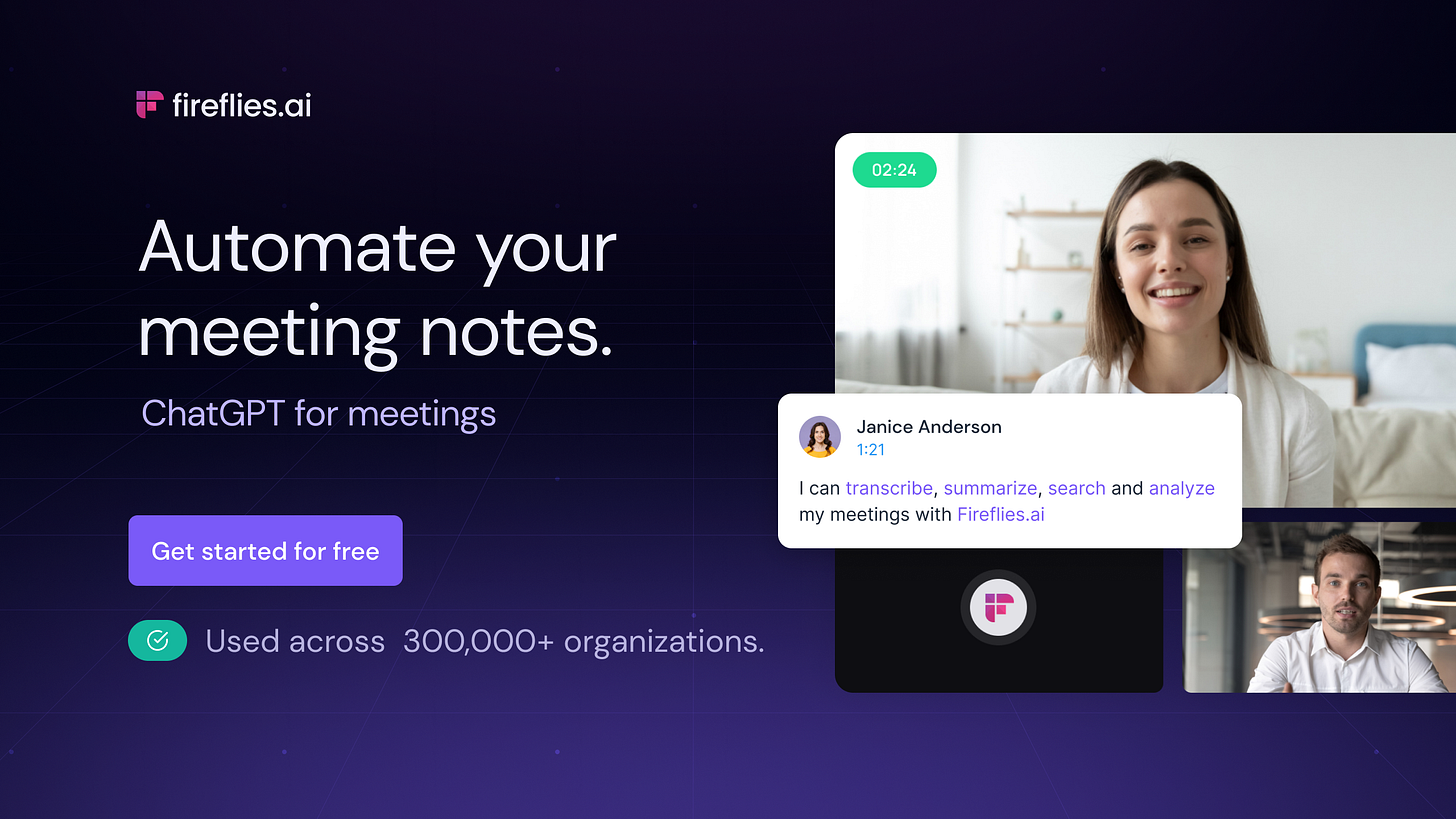
Fireflies — an AI assistant that can summarize & transcribe your meetings, analyze voice conversations, do in-depth searches for info across all your Meets & Zoom calls & more. You will never have to write anything from your meetings down again, Fireflies is your second brain for meetings.
For the extra-busy creators reading this — you can ask your VA to summarize the details of the meetings using Fireflies & send you a short list of things to keep top of mind.
This way your VA doesn’t have to re-watch meetings for hours & you can have peace of mind, knowing you didn’t miss anything important.
Keep your mailbox updated with practical knowledge & key news from the AI industry!
Ultra - A World Without Inboxes

Ultra — this is a very special AI email assistant, as it’s specifically made to extract the actionable steps from your inbox, create to-do’s, and summarize emails sent to you.
If you want to never touch your inbox again — ask your VA to sign up for Ultra on your behalf & manage your email. It may sound like overkill, but you’ll be confident that only the MOST important messages are going to reach you.
Now, we’ll show you how to easily create a Custom GPT Virtual Assistant — this is perfect if you have very specific tasks to accomplish — like replicate the tone of voice & writing style of a blog, or hefty data analysis.
How To Create Your Own Virtual Assistant GPT
Training your own VA GPT may sound hard, but lucky for us — OpenAI made it really simple. Creating a custom GPT is like giving specific instructions to GPT-4, you can fine-tune this powerful AI to do your tasks efficiently.
With a customized-to-your-needs GPT, you can write content faster, analyze data efficiently, generate high-quality business replies instantly & create SOPs that will make your life more structured.
A real Virtual Assistant costs on average $1000/month, whereas ChatGPT Premium lets you create your own fine-tuned AI, powered by the latest & greatest GPT-4 model for only $20/month!
Here’s the exact step-by-step process to easily create your own fine-tuned GPT that can do the tedious tasks for you:

Get more from Creators' AI in the Substack app
Available for iOS and Android
- Follow the actions in the GIF below:
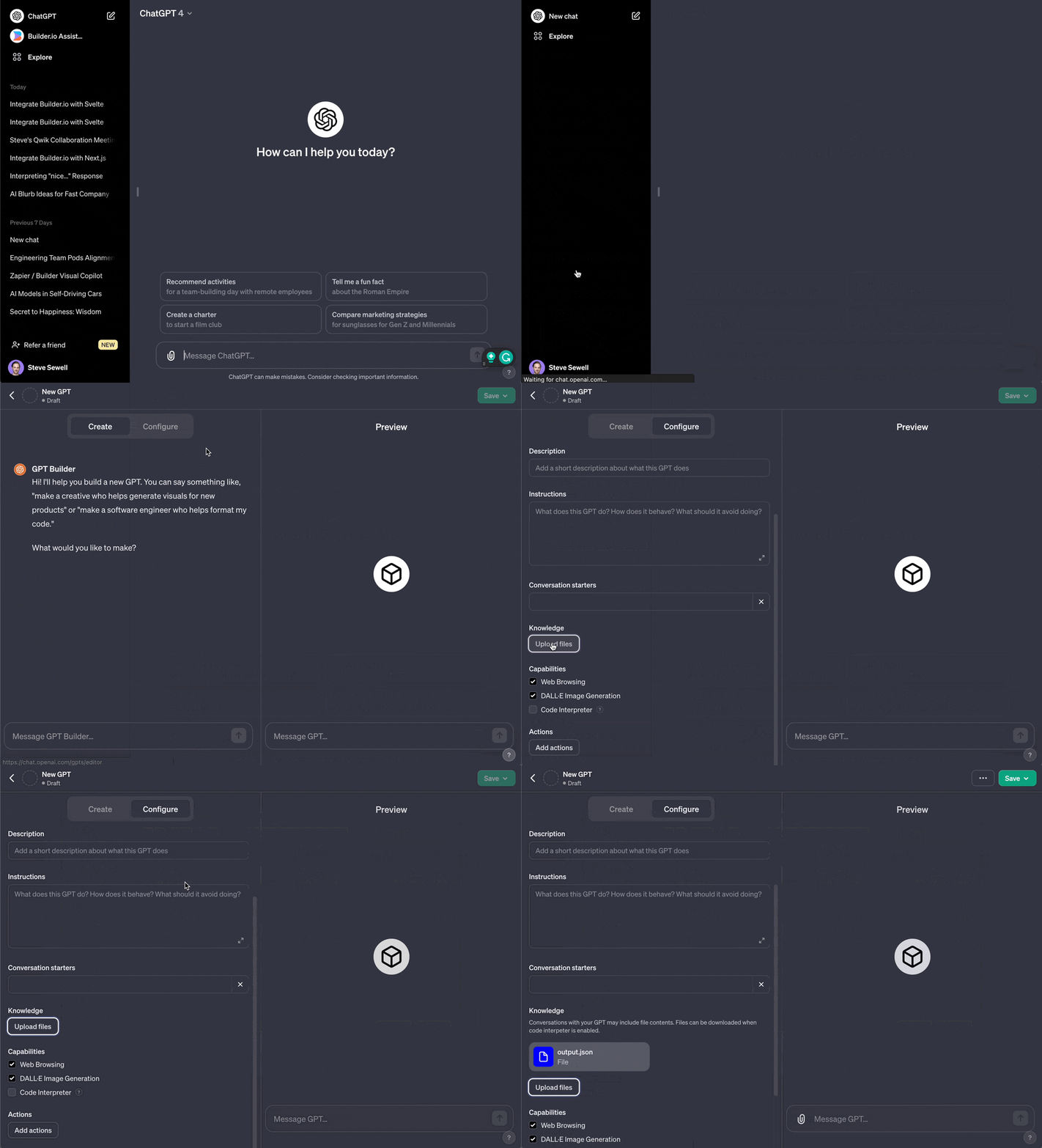
- Once you’re in the menu of “New GPT”, you can hit the “Upload Files” button to feed the GPT some specific data. This could be information on what type of content it should write, like previous blog posts so it can learn your tone of voice & style, or any data it should analyze — whatever the case may be, context is crucial for GPT.
Note: You need ChatGPT Premium to create your own custom GPTs.
P.S — if you’re a busy creator, just forward this guide to your VA, it’s simple to follow.
- Next, in the “Instructions” field, you need to do some prompt engineering (it’s much easier than it sounds). For example, you want to write stellar content for your blog. You’d want to first upload a couple of previous blog posts in PDF format, and in “instructions” you’d say something along the lines of:
You are now my Virtual Assistant. I run a blog post called “Catching Up With The Simpsons”, where I give my subscribers the rundown on the latest Simpsons episodes.

In the uploaded documents you will find previous blog posts, I want you to internalize the tone of voice, writing style, language & word usage, structure and always write in the same way whenever you are prompted to write anything.

Our website is “https://adayinthelifeofhomer.com”. Analyze every single newsletter on this website just like you did with the uploaded files.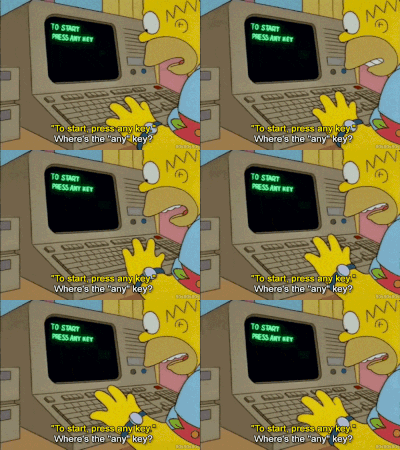
```
Remember: The more specific your instructions, the better the results your VA GPT will give you. More is always more — overcommunicate the instructions!
```
- Make sure you’ve enabled “Code Interpreter” and “Web Browsing” in the bottom left, so the GPT can read your files & visit your site. You should experiment with this custom VA GPT as much as possible, as only you can fine-tune it properly to your own needs (or your VA can do it for you!)
- Then, add a cool description like “Homer Can’t Write So I Exist”, add a profile picture if you’d like, name your virtual assistant GPT and then hit “Create” in the top left & give it a spin! Ask it a question or for it to write something, like 5 ideas for a blog post.

Voilà! You now have a custom VA GPT that can help you do anything you instructed. If the outputs are poor — then you just need to tinker with the instructions and be more specific. And if you have no ideas on what the VA GPT can do for you — just think of something that you do every day for more than an hour that annoys you, and ask the GPT how it can help you do less of that!
AI will never be able to truly replace the human capability of logic, empathy, reasoning and writing, which is why I recommend you outsource even the custom VA GPT to a human VA, so they can proofread and edit the outputs!

Homer can now finally focus on the important things, like relaxing until dinner time, knowing full well his robot AI assistant & human sidekick handle the smaller things for him — how awesome is that?
And if you’re curious about the plethora of custom GPTs that exist — you should check out our post on 23 GPTS for marketing & startups here:
Summary
We covered the benefits of leveraging AI for outsourcing your tasks, how integrating AI tools into your virtual assistant’s workflow can help you get more done in less time, and how to build your very own custom virtual assistant GPT.
Here’s a quick recap:
- Explore and integrate AI tools like Clockwise, Fireflies, and Ultra into your workflow to save tens of hours of managing your inbox, re-watching calls, writing content, and scheduling meetings for you and/or your VA.
- Train your AI assistant using specific instructions and data relevant to your business for customized content writing, data analysis & more.
- Outsource your tasks to your Virtual Assistant and introduce the aforementioned AI tools to your VA — this way, you get the best of both worlds, human & robot!
Do you have a (human) Virtual Assistant? What tasks did you outsource to them?
This article was first published in the Creators AI newsletter. View the original edition.