FloraAI: Creative Workflow System | Review & Guide
How to Take Full Control of Content Creation
Hi there!
Content creation went off the rails in 2025. Now we spend more time switching between AI tools than actually creating something. By the way, when was the last time you stuck with just one tool?
Today’s tool doesn’t seek to make our lives easier, but more meaningful. That’s the idea behind FloraAI, a platform from creators for creators who want to go all-in on design, without endlessly jumping between tools.
In this post, we will unpack what that really means, see if it’s got all the tricks of the trade, how companies can save time with it, and what cool things it can actually do.
Let’s get started!
This and many other practical posts with AI use cases are available exclusively to our subscribers.
What’s what?
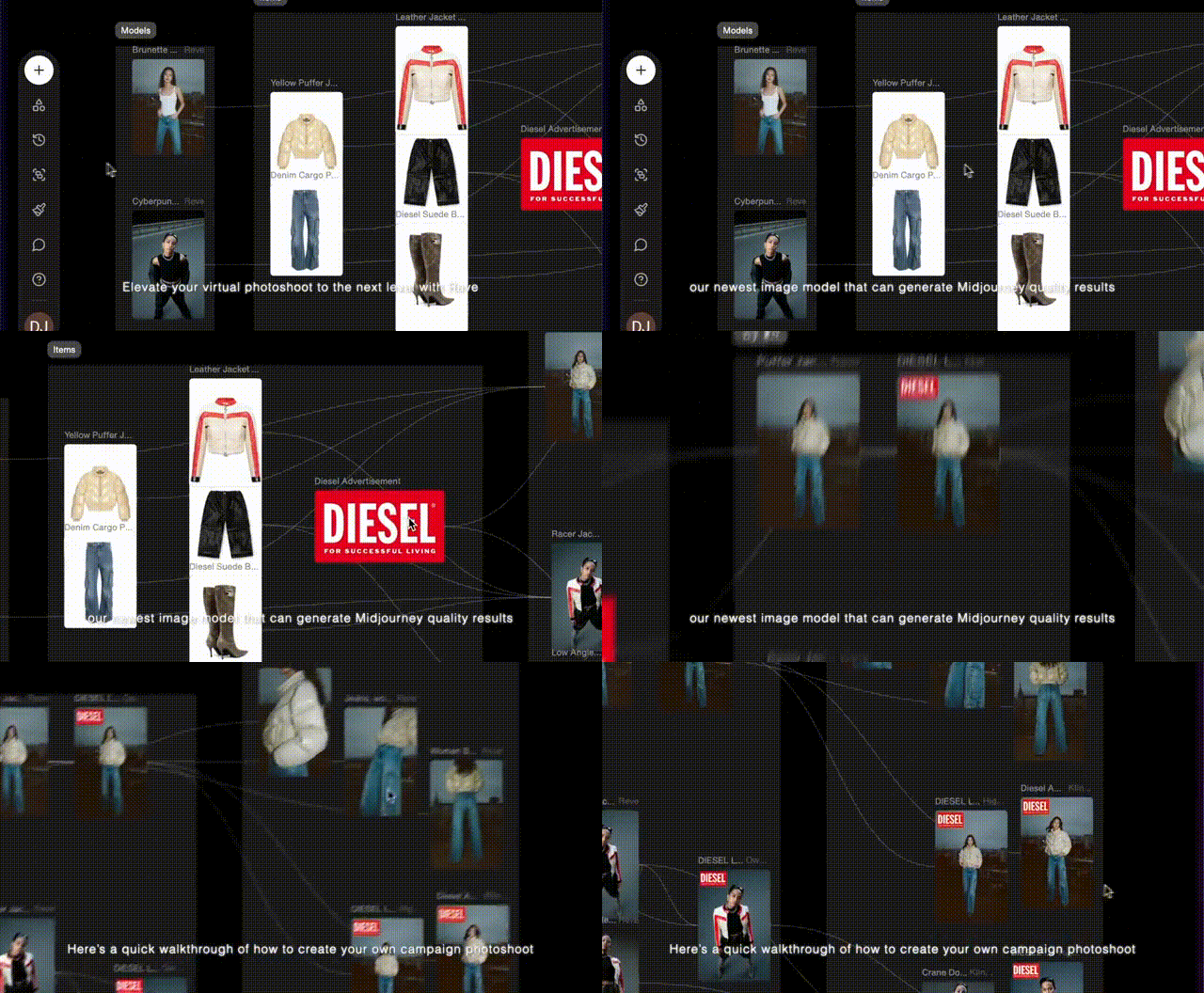
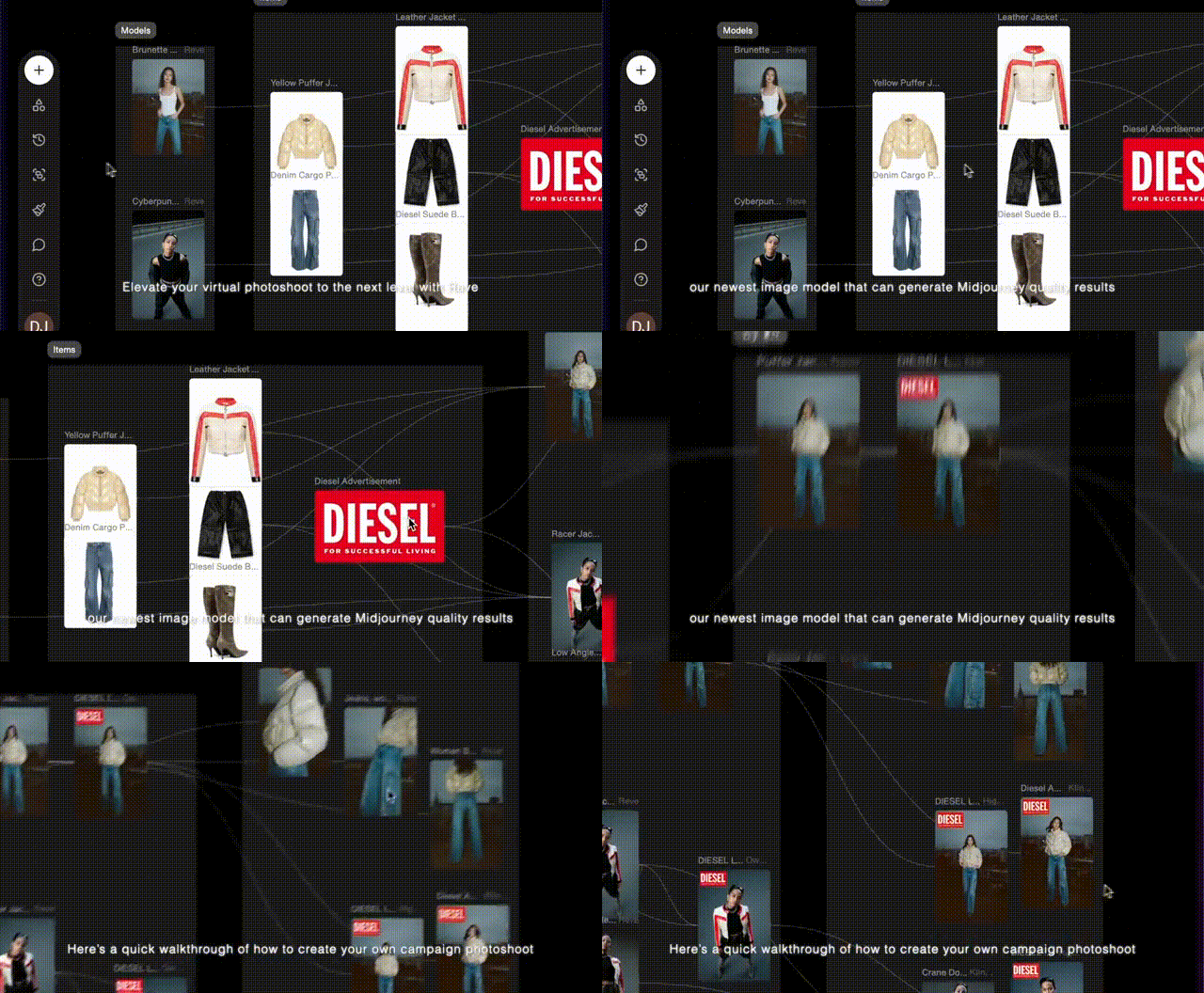
Flora is an intelligent canvas that offers an “infinite space”, aimed at naturally simplifying and expanding creative work.
Flora AI allows you to create images, videos, and work on text like building blocks in one place, connecting different AI tools altogether.
Founded as an independent startup by Weber Wong, Flora launched with a manifesto declaring that AI-based creative tools must be more than mere toys for churning out junk art. Wong compares it to the evolution of music composition: while Mozart “required a full orchestra to perform his music,” today a musician can do it all from a garage in New Jersey with Ableton — producing everything solo and uploading it to SoundCloud.”
Let’s take a look at the main features
The founders raised the bar, claiming it to be the first AI-powered creative workflow system. Are we entering a new era of creative tools? After the boom of endless AI tools made for the tiniest tasks, the trend seems to be reversing. We’re narrowing down again.
- The interface shapes something between Figma and Miro — an interactive place that lets you manipulate content as if it were a set of live objects.
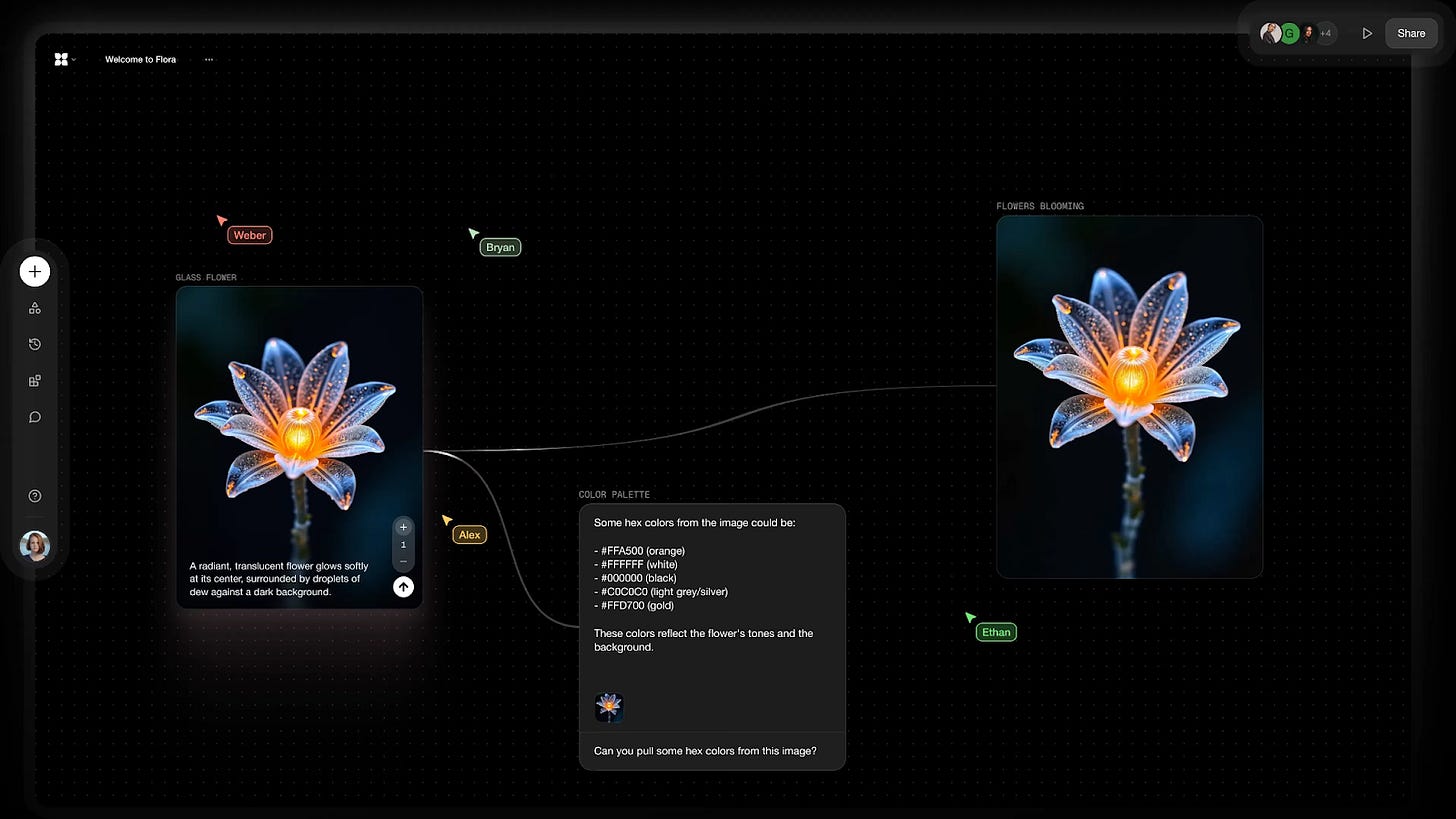
- Flora AI is literally a hub. It connects to a wide range of AI text, image, and video generation models, including Claude 3, GPT-5, Flux Pro 1.1, Kling, Higgsfield AI, and many others.
Read more about Higgsfield to create Pinterest-style videos.
- It supports real-time collaboration through a built-in commenting system for sharing feedback within the team project.
- FloraAI can format the presentation and spreadsheet formats.
- You can assemble different formats — a text and an image into one video, for example.
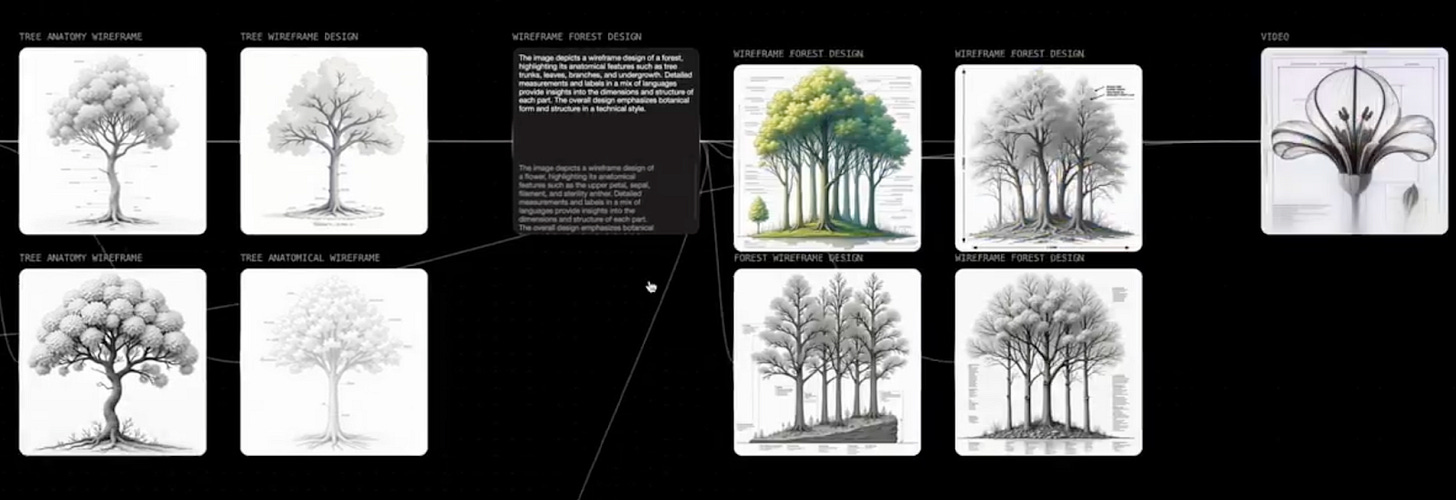
- The node-based system provides a visual logic of content generation.
The result is a unified creative flow. In this space, you can see where an idea begins, if it shifts in the right direction, and how strategy evolves. As someone who has worked in content creation, I can’t wait to find out if I can finally stop switching gears. Everything stays connected, so no idea gets lost halfway through the process.
Platform Comparison
The market for tools like this is still young. To get a better sense of Flora’s strengths, let’s compare it with a few familiar tools for content creation.
!function(){"use strict";window.addEventListener("message",(function(e){if(void 0!==e.data["datawrapper-height"]){var t=document.querySelectorAll("iframe");for(var a in e.data["datawrapper-height"])for(var r=0;r<t.length;r++){if(t[r].contentWindow===e.source)t[r].style.height=e.data["datawrapper-height"][a]+"px"}}}))}();
- Flora AI — The learning curve takes time due to the node-based system and lack of templates, but it provides all-out creative control.
- MidJourney — Quick and easy, but limited to images.
- ComfyUI — Maximum control, but it is made for more advanced tasks such as building complex pipelines for generating images, videos, and 3D content.
- Phygital+ — No-code prototyping with templates and fast startup. Makes the node interface more intuitive, which makes this tool the closest fit to FloraAI. However, it still relies on template solutions that, according to Flora’s creators, ultimately limit creative control.
How to Create Video Ads with Flora AI
One of the biggest challenges for teams is maintaining a smooth creative process. Let’s create an ad flow to see how Flora helps with that.
- Open the site: florafauna.ai
- Register using standard form or sign in with Google or Microsoft.
- Create a new project. This is the space where you’ll collect generation blocks.
There are three main types of blocks:
- Text Block — for writing and copy
- Image Block — for generating images
- Video Block — for creating and editing videos
Since we’re working with limited credits, we’ll try a few options but keep it smart. Example: We are a handmade brand of candles, and we need video advertising for Instagram, keeping it vibey.
Step 1: Picking the Concept
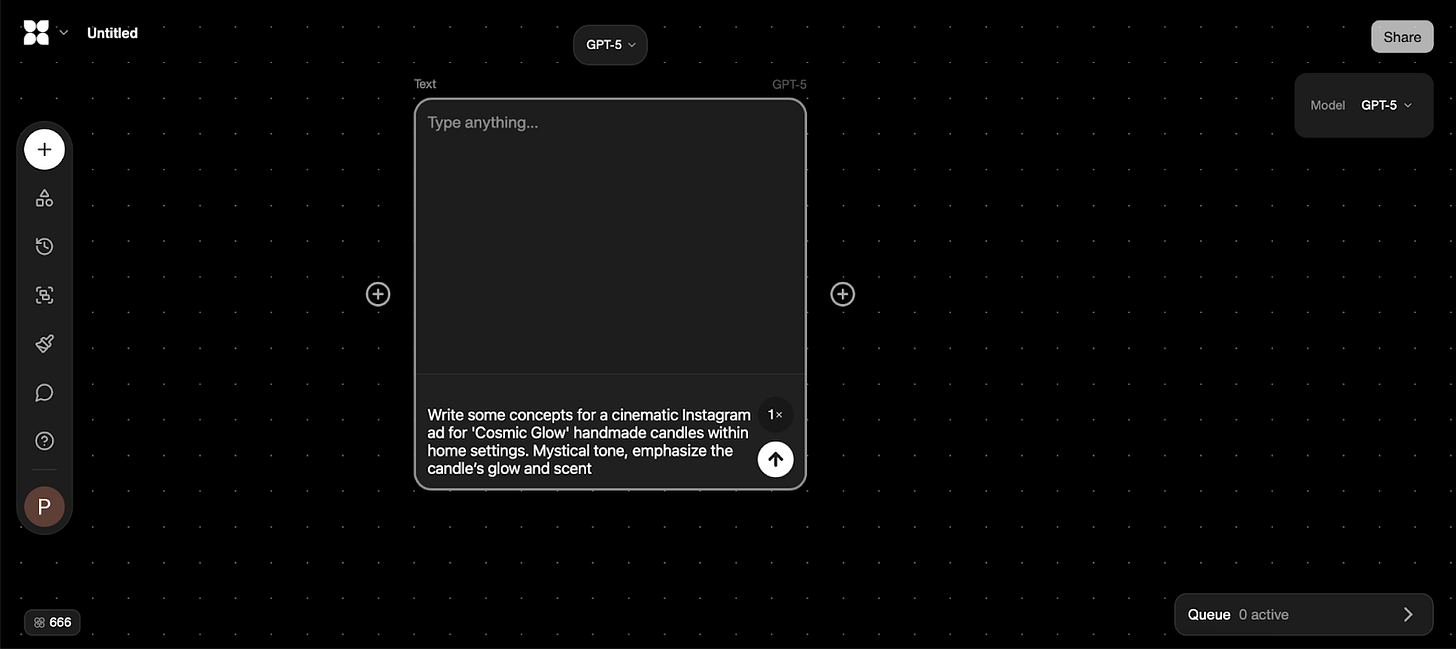
- Double-tap the canvas to pop open a Text Block.
- Pick a model. I have chosen ChatGPT-5 as it does not burn through credits.
- Drop in a prompt: Write some concepts for a cinematic Instagram ad for ‘Cosmic Glow’ handmade candles within home settings. Mystical tone, to emphasize the candle’s glow.
- Hit Generate — voilà, ideas are ready!
- One concept “the Rain-Glass Kitchen Nocturne” attracts me the most. To pick this one, from the first text block’s output drag the “plus” (edge) to add a new Text Block.
- Enter a prompt “Select the Rain-Glass Kitchen Nocturne concept”.
- Hit Generate, and Flora refines it.
Step 2: Making an Image
Once you’ve generated your text ideas, it’s time to choose one:
- From the second text block’s output, drag an edge to add a new Photo Generation node.
- Choose a model again — Flux Dev in my case.
- Set the format. Horizontal format is trending on Instagram, so I’m going with that.
- Generate the image and check out the result.
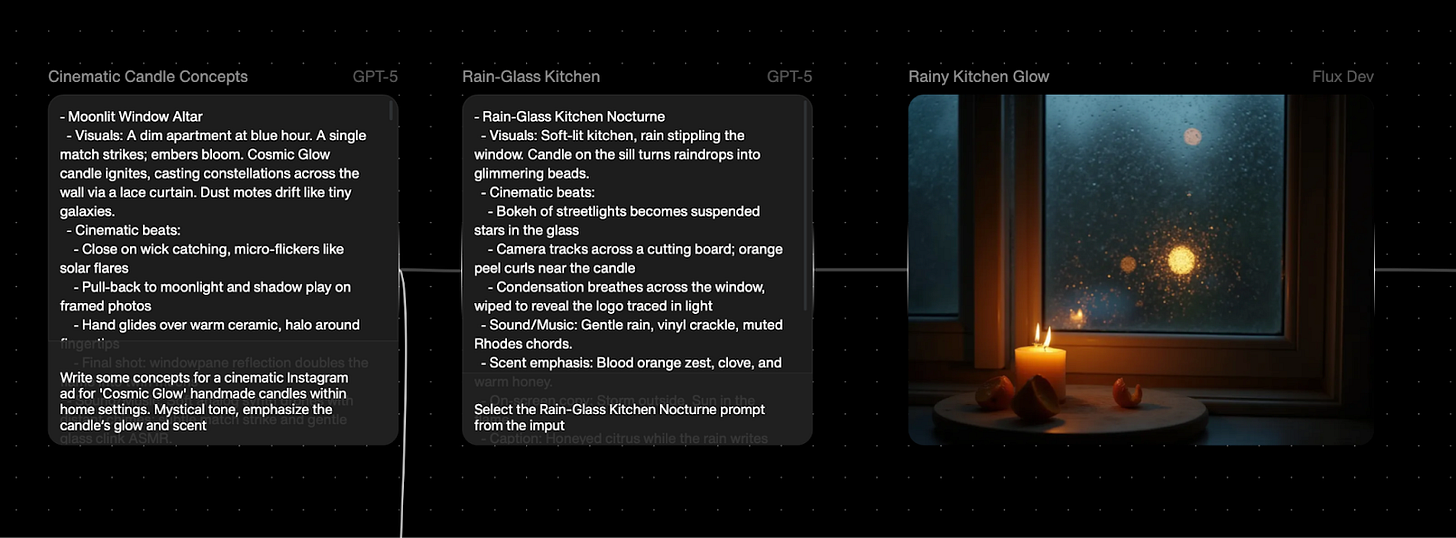
The result is quite satisfying. But if we are brainstorming, we can try another concept the same way.
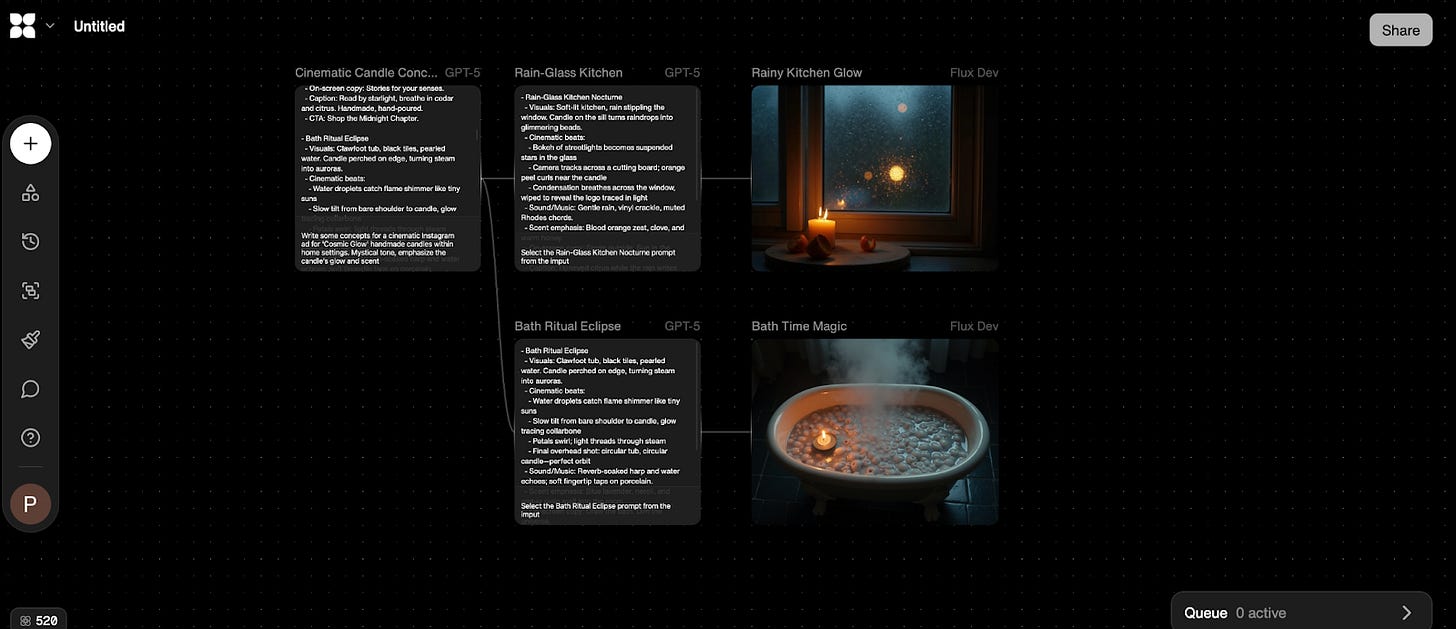
It doesn’t really hit the mark, so we continue with the first image.
Step 3: Bringing It to Life with Video
- Drag an edge from the image output to a Video Generation node.
- Select Gen 4 (relatively quick and cheap) among the suggested models (pay attention to the credits cost).
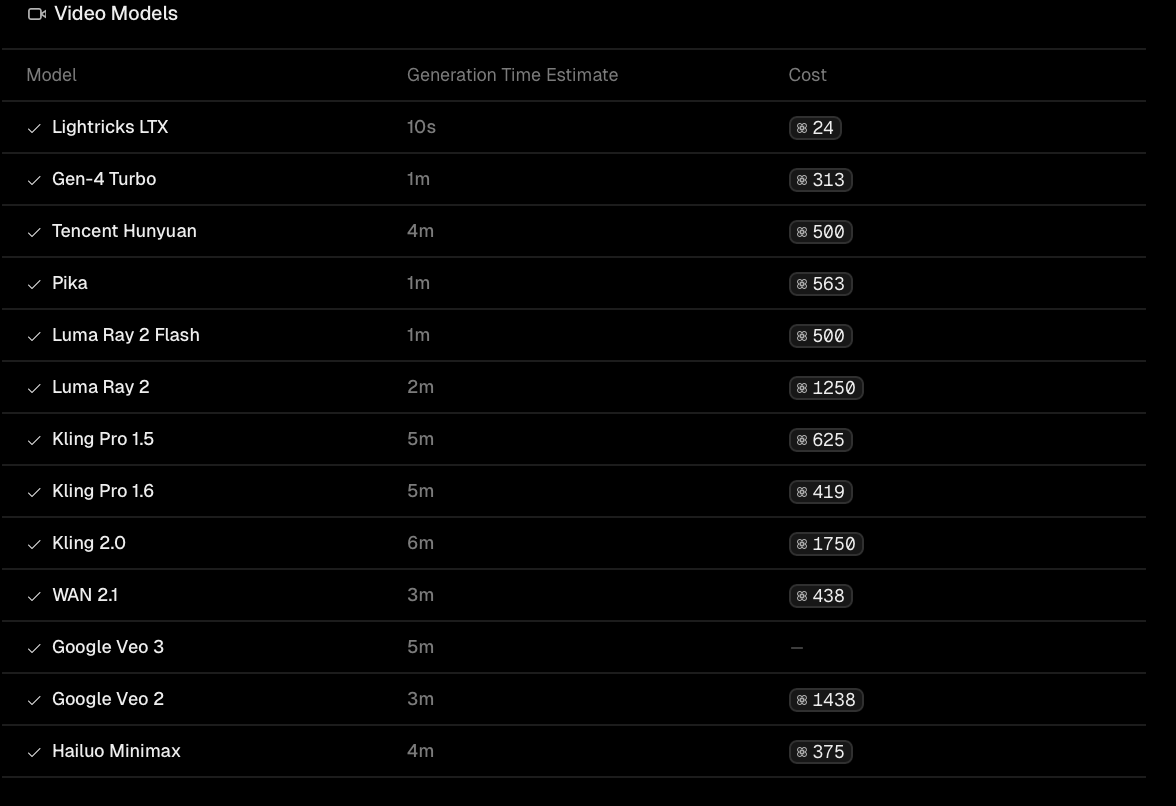
- Keep the horizontal format if you like it.
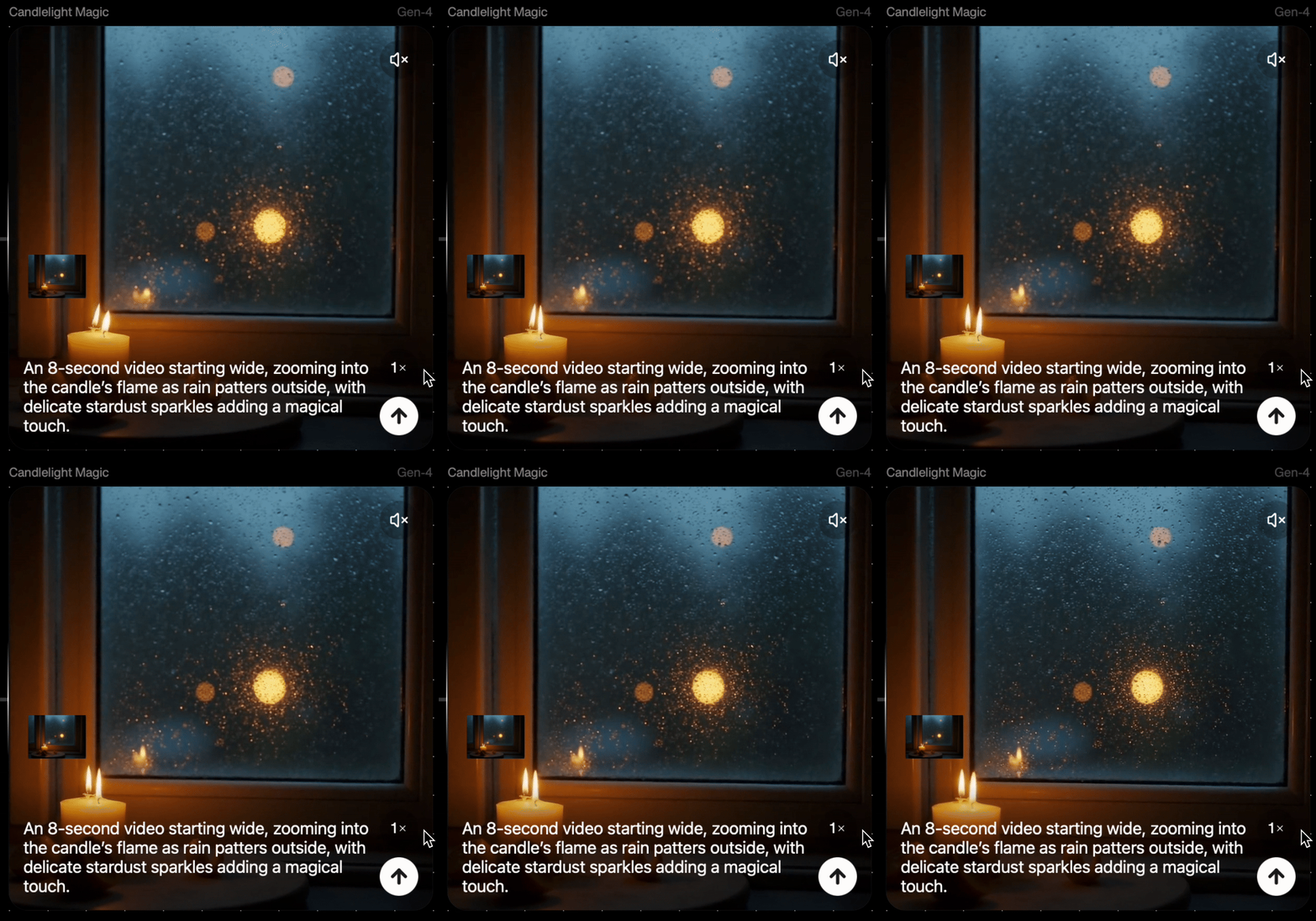
- And a video that brings the candle’s glow is ready!
Saving the video requires a paid plan, but the process is pretty clear. You’ll end up with a ready-to-use ad.
Bonus Ideas:
Some ideas can’t be overlooked, and you should definitely try them at FloraAI.
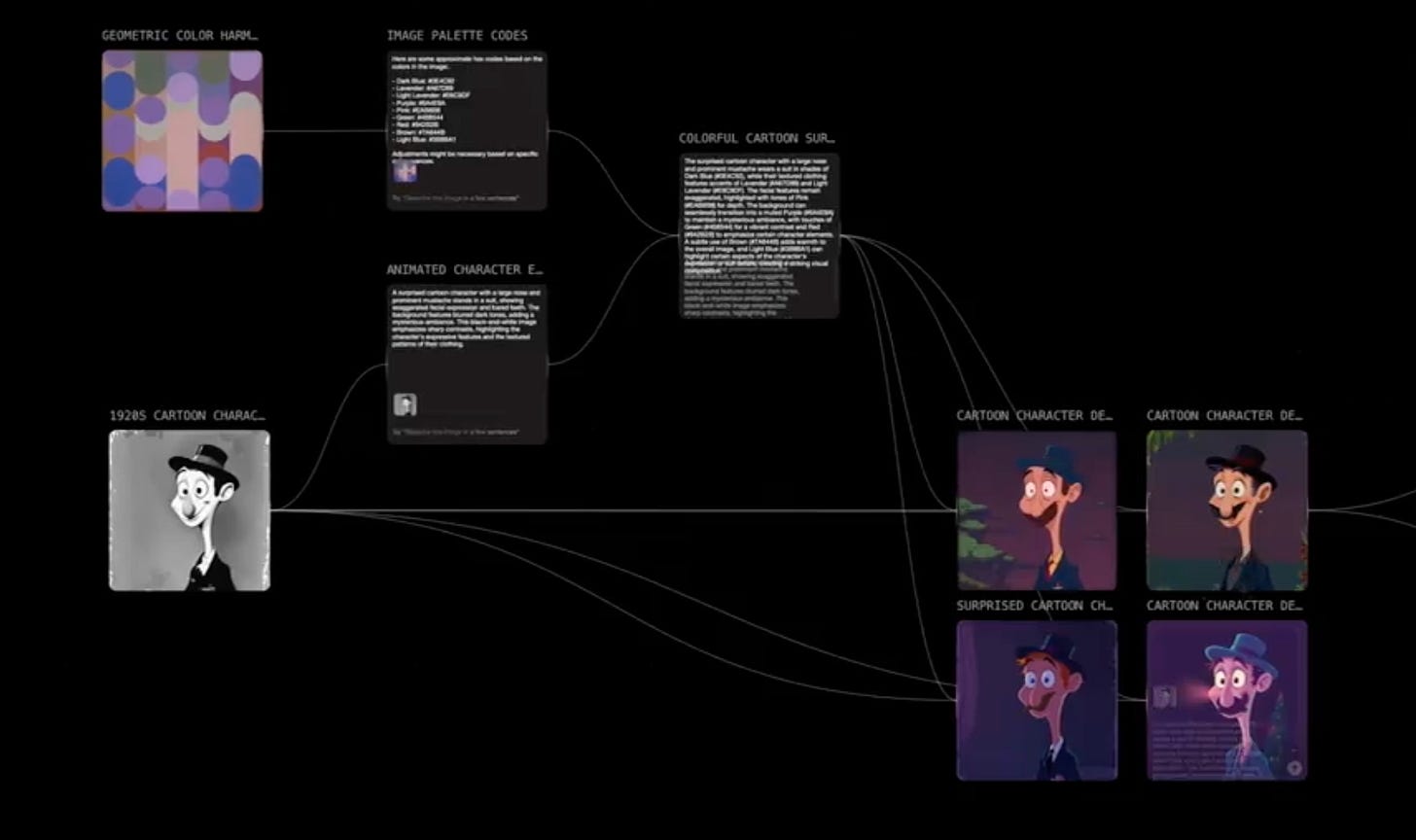
Recolor Black-and-White Image
Vintage product photos or your personal photos can be instantly recolored in many variations.
- Provide a color reference and ask AI to pull the hex codes out of the picture.
- Upload your B/W product image to an Image Input Node.
- Write a prompt or ask Flora to do it. For example
> “Recolor this product image using the reference color palette: #DE4C92. Preserve original shadows and details.”
- Connect to Flux Dev Node for generation. Generate variations in parallel for different palettes.
Source: @EHuanglu/X
Design Branded Icons and Animate Them Instantly
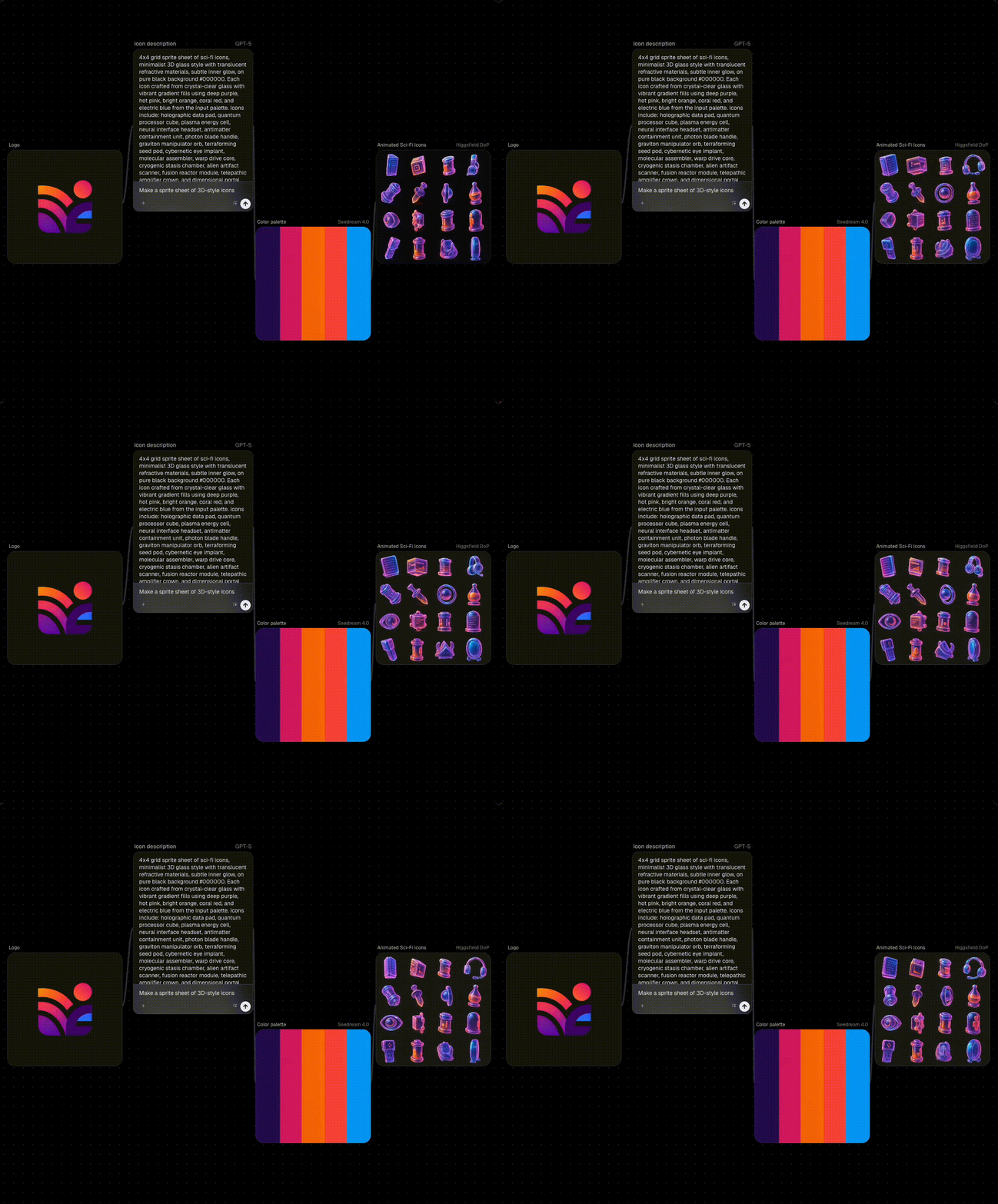
Craft custom icons for your product brand and then animate them directly.
Source: florafauna.ai
- All you need is to add as many brand assets as possible: logo, signature color palette, or any symbolic visual that defines your identity. Or ask for it.
- Add a Text Node and prompt Flora to generate icons inspired by your brand.
For example:
Generate 16 icons in a consistent 4×4 grid — data pads, photon blades, and other sci-fi tools — all reflecting this brand’s visual language.- From your generated icons, connect the Image Node to a Video Node (Higgsfield 4.0) and use a prompt like:
“Animate the icons with subtle glow pulses, smooth rotations, and soft transitions in a 5-second seamless loop.”Create 360° Interactive Product Models
Source: florafauna.ai
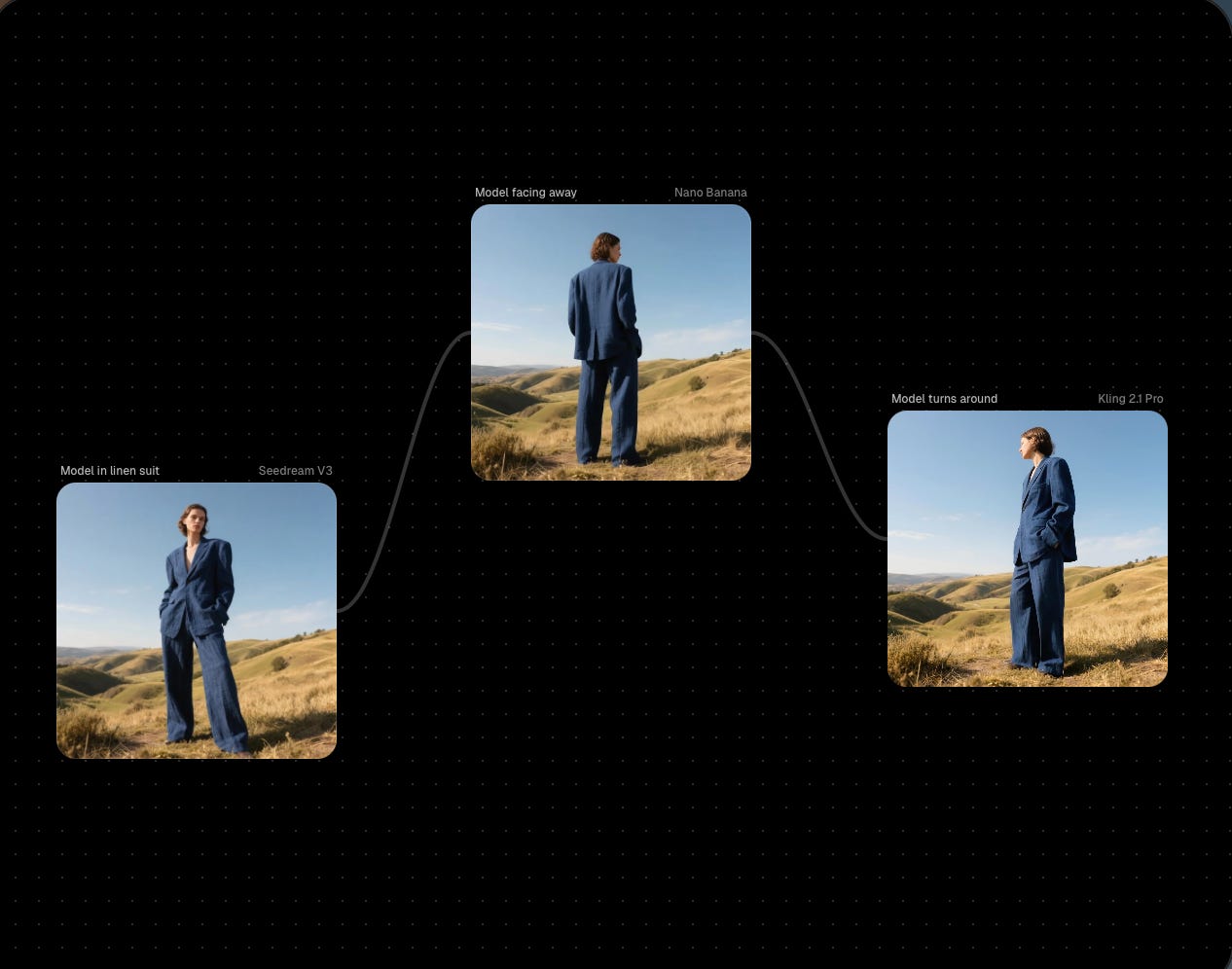
- Upload a product photo to an Image Input Node.
- Add Text Node:
“Generate 4 consistent views: front, side, back, ¾ angle of this model in the dress, on a neutral runway background.”- Connect to Video Node (Kling):
“Animate a smooth 360° rotation, with subtle fabric movement and spotlights.”According to the FloraAI tutorials, even two pictures of the front and rear views of the object will be enough to make it rotate.
Sharing is caring! Refer someone who started a learning Journey in AI!
Upload LoRAs for o3D Icon Prototyping
Flora’s update lets you upload LoRA files (.safetensors) for hyper-consistent generations. Here is another viral case that you can try to create 3D icons.
- Download the model for skeuomorphic isometric 3D icons from Hugging Face.
- Upload the .safetensor file to Flora AI via the LoRA Node.
- Add Text Node:
“a kangaroo on a red desert terrain, RBNBICN, icon, white background, isometric perspective” to generate the image.”- Connect to Video Node (Kling):
“Animate the kangaroo in a smooth, slow bounce, lifting slightly off the base and gently landing back. Add a soft tail movement for balance and a subtle wiggle to the green cactus plants as if reacting to the motion.“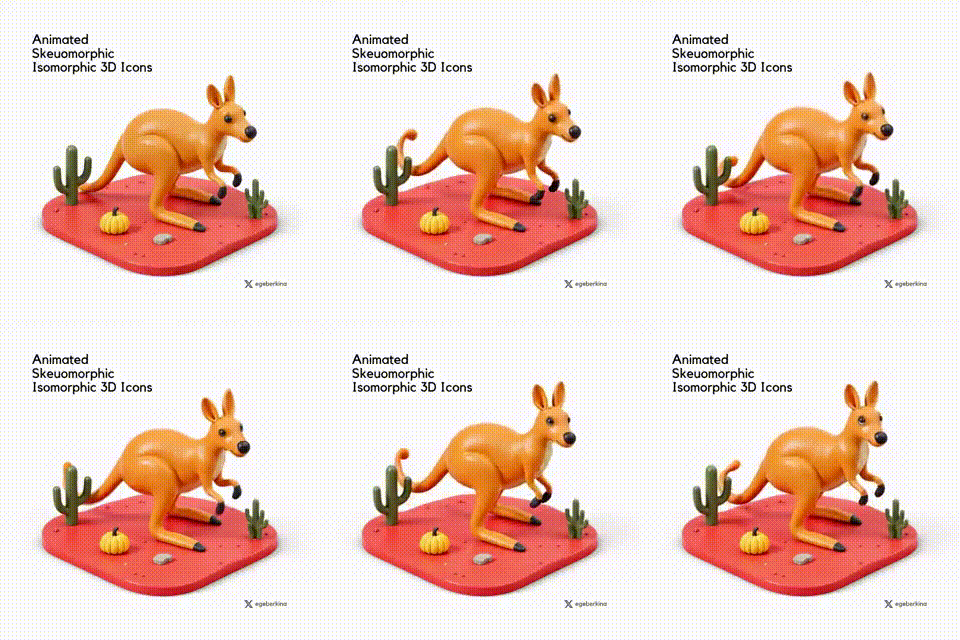
Source: @egeberkina/X
5. Evolve Concepts from Sketch with Endless Tweaks
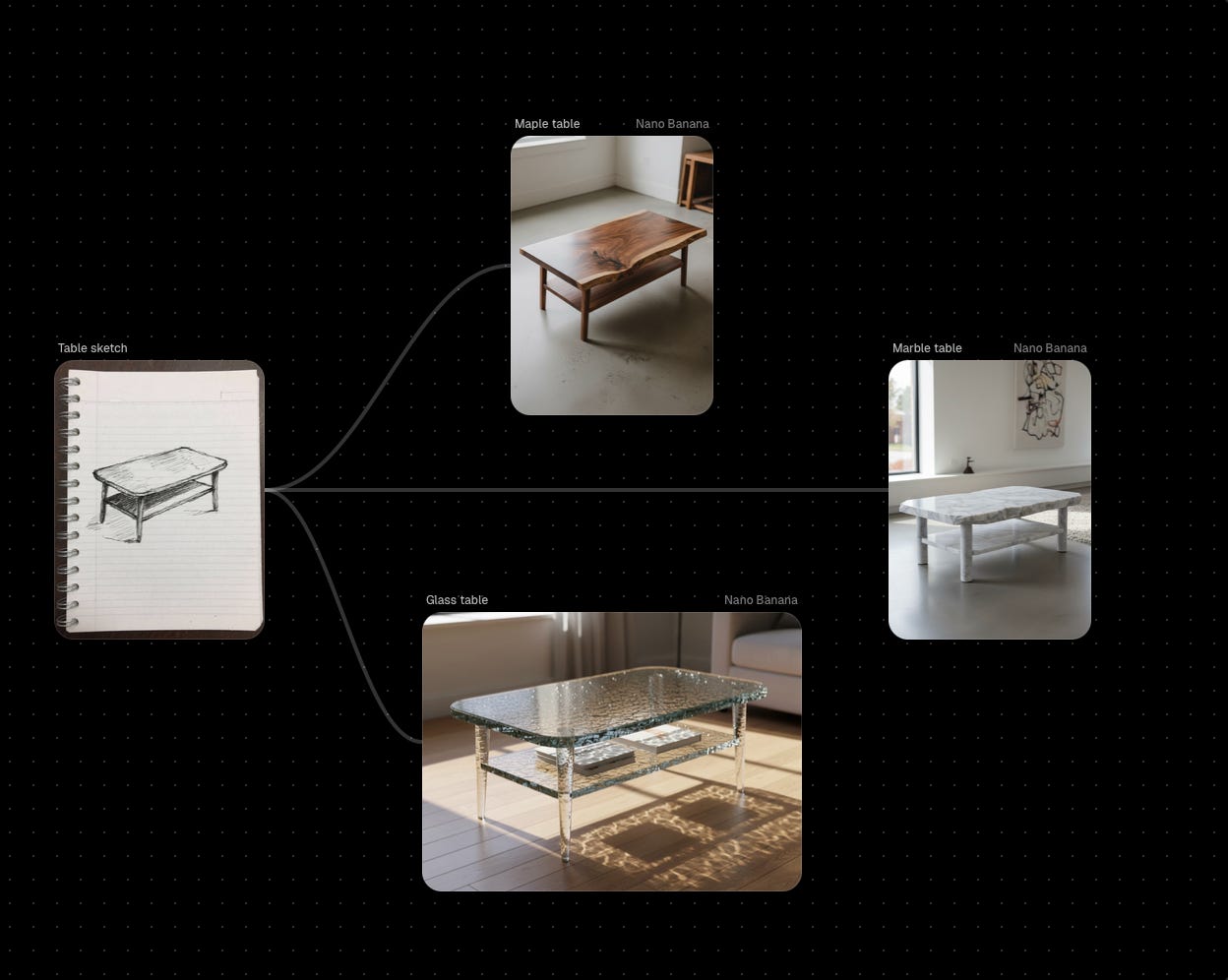
Imagine you have a rough product sketch and you can transform it into a variety of styles. You can infinitely refine concepts like from minimalist chairs to baroque ones, testing materials and scales in real-time.
- Upload sketch to Image Input Node.
- Use Text Node:
“Transform this table sketch into a rendered design: minimalist wood, then glass, then in modern design.”- Connect to Image Enhancement Node (Flux): Generate BIG-scale outputs for high-res previews.
Source: florafauna.ai
Source: @EHuanglu/X
All videos, photos, 3D generations, text, color choices, and rotations were made in one single workflow with no more running between apps. Like this, we save a lot of time figuring out whether an idea actually works, quickly dropping what doesn’t and moving forward.
Pricing
There is a free plan with 500 monthly credits. For those who want more, the subscription starts at $16 per month.
Pro
- For $16 per seat/month
- Full editor access for images, video, and text generation.
- 10,000 text, 1,000 image, and 100 video generations per seat each month.
- Access to all 40+ integrated AI models.
Agency Standard
- $48 per seat/month
- Built for high-output creative workflows.
- 40K text, 4K image, and 400 video generations per seat each month.
- Offers 80K monthly credits per seat.
Agency Elite
- $96 per seat /month
- Geared toward enterprise-level teams and power users.
- 120K text, 12K image, and 1.2K video generations per seat each month.
- Provides 240K monthly credits per seat, with the best bulk discount across all tiers.
Enterprise
- Custom pricing
- Bespoke workflows and priority support
- Custom credit limits
- Custom AI workflows
Does FloraAI really break the mold?
Among the platforms developed by technical specialists with clear algorithms, I see Flora AI’s strength in its agency-like workflow, combining creation and editing in one non-linear platform without the need for custom code. It’s like a sandbox where you can shape your ideas any way you want.
It’s fair to note that Flora isn’t revolutionary in terms of photo or video generation; those capabilities are borrowed from other platforms. However, what makes it different is how it brings everything together into one cohesive content workflow. It offers true creative control without the chaos and far simpler steps than ComfyUI. While it might not be as instantly accessible as Phygital+ or as visually flashy as MidJourney, for creative studios that value time and control, Flora AI could come in handy.
Check out our latest posts on Video Models for Creators:
Have you already used the FloraAI? Tell us what you think!
This article was first published in the Creators AI newsletter. View the original edition.