Higgsfield AI Tutorial: Style Control of your Videos
Review & Clip Creation Guide

What if you could control camera angles in an AI-generated video just like a real film director? Higgsfield made it happen. And it earned them a $1B valuation.
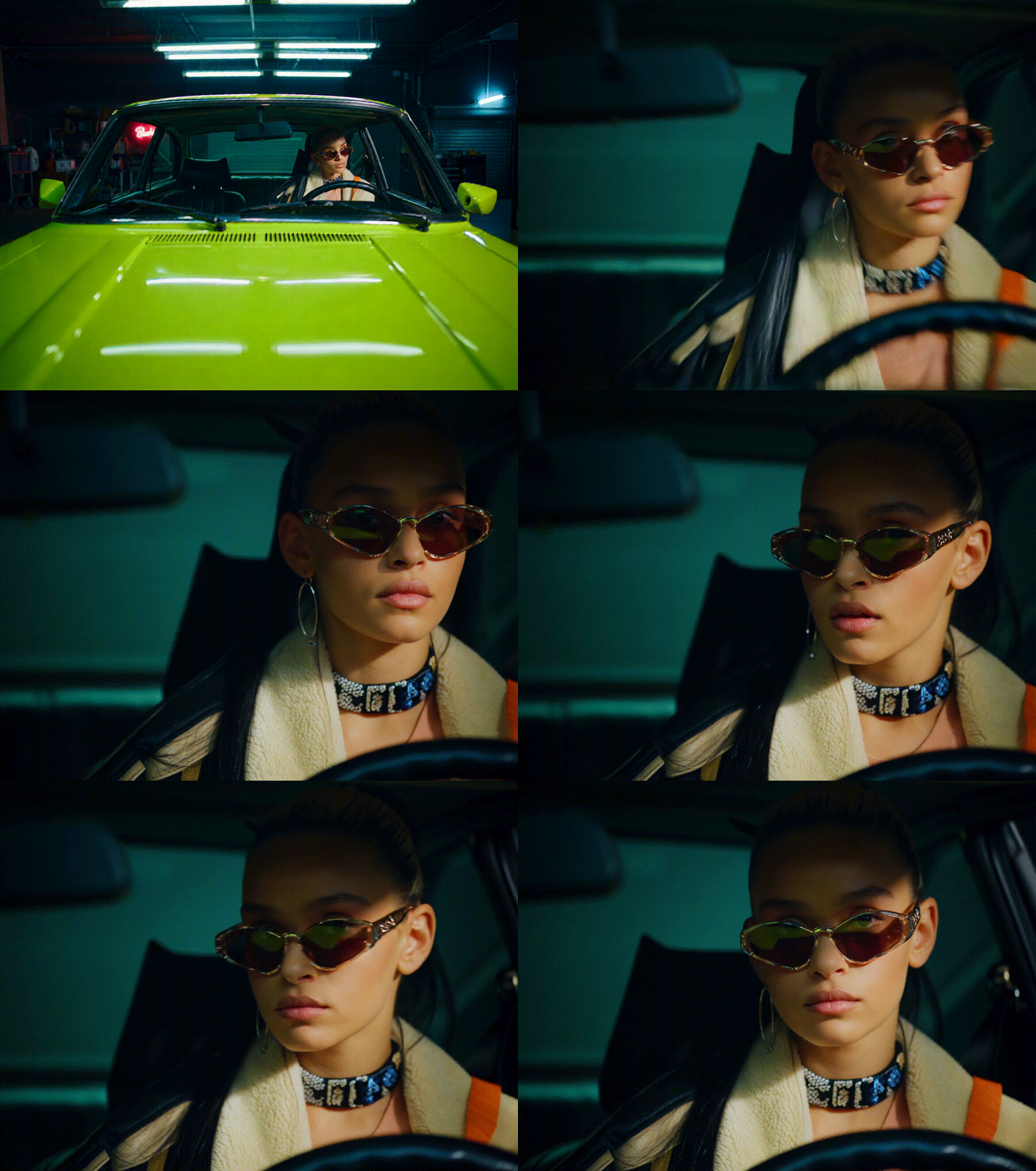
Source: higgsfield.ai
In this tutorial, we will explore the nature, features, and capabilities of Higgsfield: how you can control camera movement, animate a classic painting, and make a little experiment with a visual “DNA spiral” animation using camera motion prompts.
What is Higgsfield
The Higgsfield model can generate 3–5 second MP4 clips featuring lifelike movement, sophisticated camera dynamics, and refined visual effects. It is not surprising anymore, but I still mention that you don’t need advanced skills or expensive software to use it.
Behind the model stands the startup Higgsfield AI, founded by Alexander Mashrabov and Kazakh AI researcher Yerzat Dulat. The team successfully raised $15 million in funding to help creators and creative professionals produce cinematic and controllable videos.
The company specializes in cinematic motion control technology, with its flagship model DoP I2V-01 powering both their web studio and mobile application, Diffuse.
Okay, Features
The founders promise us some advanced techniques, so what is hidden inside?
Сamera styles library
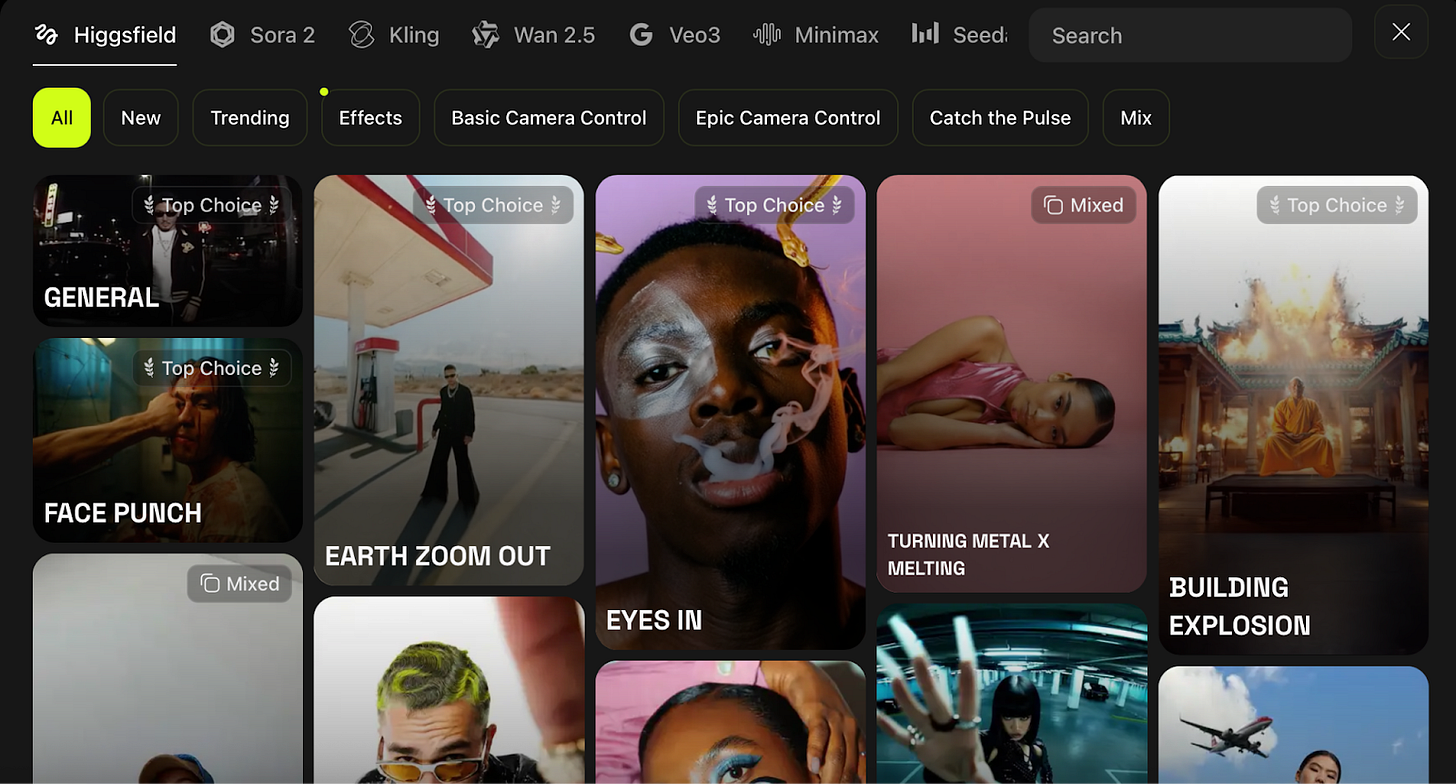
It feels like a character customization menu for camera movement: over 50 presets, including dolly-in/out, whip pans, and crash zooms, whip-pan, FPV drone, bullet-time, and other movements. All these definitely sprinkle in some realistic camera dynamics that make short clips look professional.
Mix Feature
It lets us combine these camera movements with no post-editing needed. Choose moves like crash zoom followed by dolly-out to add motion storytelling.
Visual Style Presets
To define the mood or tone of your video, the model provides one-click filters such as VHS, Super 8mm, cinematic, or abstract.
Scene Style Transfer
You can recreate the atmosphere of known cinematic scenes with the lighting and color tone.
AI Image Creation
You can control details and style for branding and storytelling, just choose high-quality reference photos or an in-depth prompt.
Check how Higgsfield converts a meme into a movie scene — click on me
Speak Feature
Transforms text to speech and syncs it with facial movement, as if creating your avatar.
Ads Creation
Generates product ad videos from your photo. Choose between standard or turbo models and select a commercial-style template.
Subscribe to keep up with latest AI tools for Creators & Founders
Limitations
- Duration Cap
Videos are limited to 5 seconds maximum, it is really short and sweet.
- Resolution
Currently outputs at 720p only.
- Credit Expiration
Monthly credits do not roll over.
Is it really unique?
Unlike Runway, Pika Labs, and OpenAI, in Higgsfield AI, we take over the full camera control. The technology allows you to create complex camera movements from a single image and add some text queries, such as bumps, sharp zooms, overhead shots, and body.
Higgsfield AI’s Integration
Indeed, the model does not exist in isolation. What is great for your art journey is that the platform allows integration with other AI video models such as Kling, WAN, Google Veo, and Nano Banana. Especially significant was the announcement of full access to Sora 2 and Sora 2 Pro, featuring multi-scenes, precise sound synchronization, and cinematic 1080p.
More about Sora:
Kling + Higgsfield
Access: directly within the Higgsfield platform (Premium and Pro plans).
Difference from Higgsfield: Kling focuses on fluid animations and realistic physics. It produces smooth object dynamics, textures, and particle effects.
Complementarity: this combination allows Kling to build the movement inside the scene, and Higgsfield to control the movement of the camera itself.
Google Veo 3 + Higgsfield
Access: directly within the Higgsfield platform (Pro, Ultimate, and Creator plans).
Difference from Higgsfield: Veo 3 generates longer, story-driven videos (up to 30 s) with synchronized sound and natural lighting.
Complementarity: Veo 3 delivers the visual realism and sound layer, while Higgsfield can refine the perspective and transitions.
Higgsfield AI vs Pika 1.6
Access: Not on the Higgsfield platform, but has free access as well.
Difference from Higgsfield: Pika targets quick social media edits with real-time remixing.
Best for: Pika provides less expressive effects, but as well as Higgsfield does good for fast creative clips and templates. Higgsfield works better when you need that polished camera feel.
Higgsfield AI Pricing Structure
Credits are the main resource. It all comes down to how many credits you have in your plan and how many transactions you consume. I got 40 free daily credits when I signed up. The free plan lets us test the platform without payment.
Credit costs:
Images cost between 0.25 to 5 credits, depending on the model and quality settings:
- Higgsfield Soul Image: 0.25 credits
- GPT Image Low quality: 1 credit
- GPT Image Medium quality: 2 credits
- GPT Image High quality: 5 credits
- Flux Kontext Max: 1.5 credits
Videos cost 20-50 credits based on duration and settings. Voice and sound generation costs 1 credit per use.
Paid Plans:
- Basic Plan: $9/month
- with 150 credits a month
- 2 concurrent generations
- Pro Plan: ~$17.4-29/month (depends on the discount)
- with 600 credits a month
- Lip Sync studio
- Priority access to features
- Ultimate Plan: ~$29.4-49/month (depends on the discount)
- with 1200 credits a month
- All features
- Сreator Plan: ~$149-249/month (depends on the discount)
- with 6000 credits a month
- Highest credit limit
- All features +discounts on additional credits
Even in the free version, the network saves content without watermarks.
We can’t exist without you. Thanks for sharing Creators' AI’s work!
# How to Use Higgsfield AI: A Step-by-Step Guide
They say Higgsfield is able to turn a still image into a cinematic shot. Let’s see how it works.
Where to find: https://www.higgsfield.ai
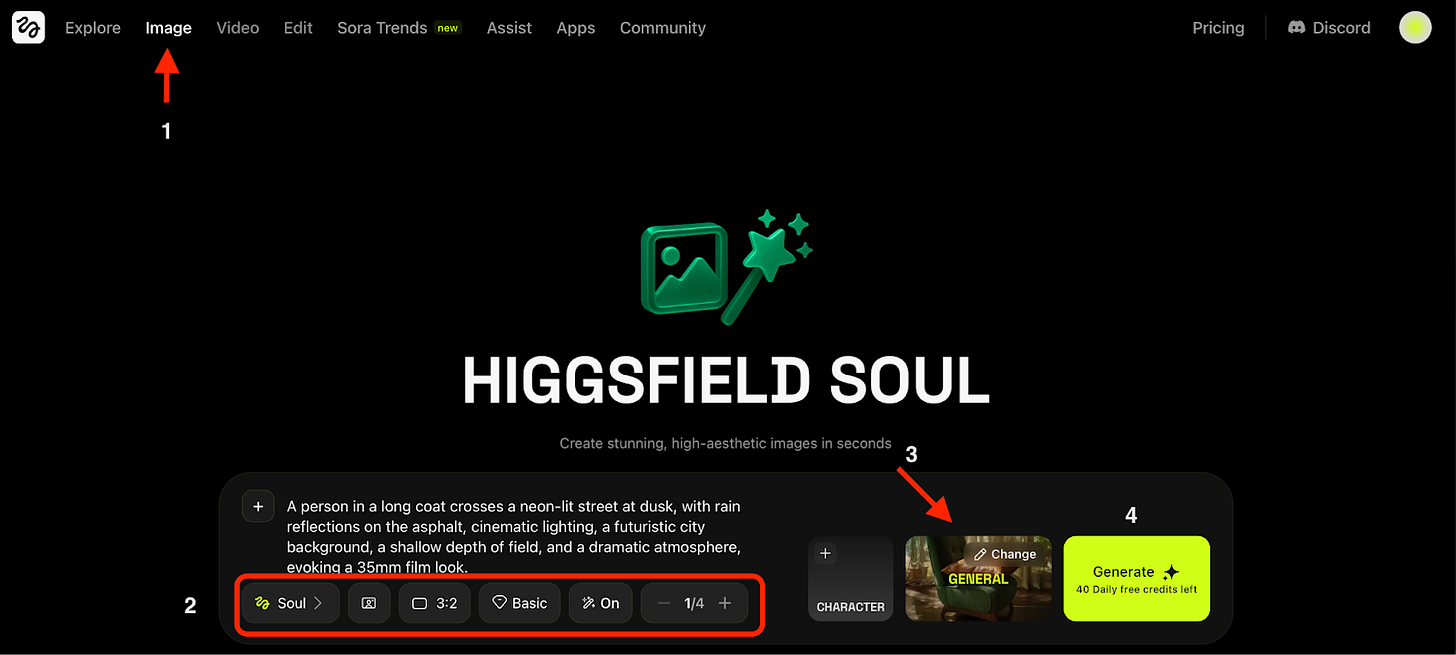
- Go to Create → Image.
- Select a model: Higgsfield or WAN 2.2. Other models are available only with a premium plan.
- Choose Visual Styles if needed. There are MANY options including cctv, iphone, street view, quiet luxury and other modern aesthetics.
- Enter a Prompt: “A man standing in a hoodie and a jacket over it, surrounded by people who are blurred as in a photo effect, while he stays in focus. Shot from above with a professional camera.”
- Set the quality (Medium or High).
- Choose the orientation.
- Toggle Enhance on or off. This lets the model automatically refine your prompt for a better image, if you need help.
- Click Generate.
For me, Image generation took about 2 minutes.
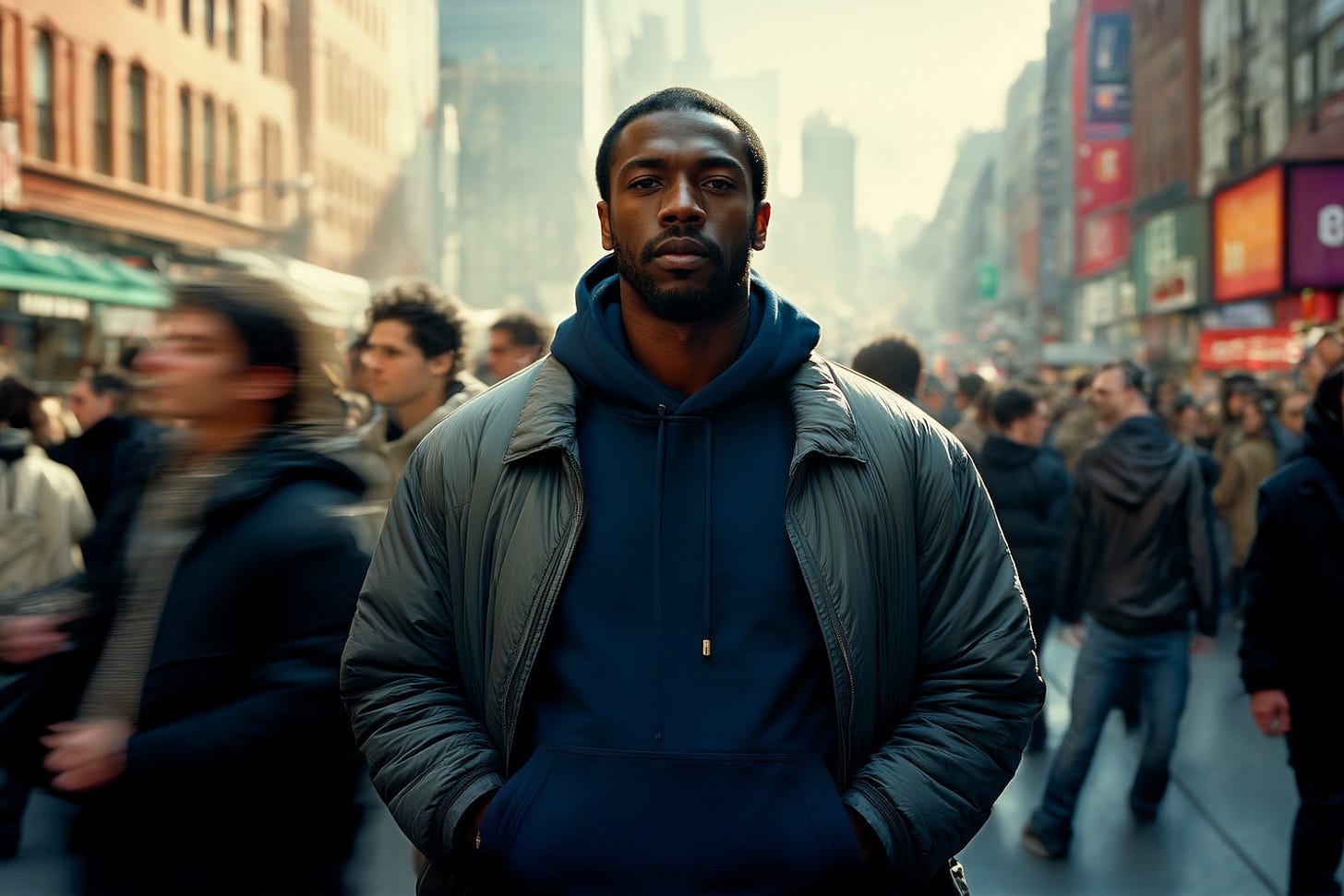
Not bad! Once the image is ready, you can either save it or click Create Video from Image.
- Go to Animate → Video.
- Select a model: Lite, Standard, Turbo.
• Lite - basic quality, six times slower than Standard. • Standard - best balance between quality and speed. • Turbo - medium quality, about 1.5× faster than Standard. Note: only Lite is available in the free plan.
- In the Camera Motion section, I chose up to two presets: Double Dolly + Orbit.
- Add a short text prompt: A man in a hoodie and jacket goes in the middle of a busy street. He slightly moves to the rhythm of the music with blurred people passing by. The camera performs a smooth double dolly and orbit movement, keeping him in focus. Shot from above with shallow depth of field, 35mm film look, dramatic mood.
- Set the duration (3 or 5 seconds) and seed.
- Click Generate.
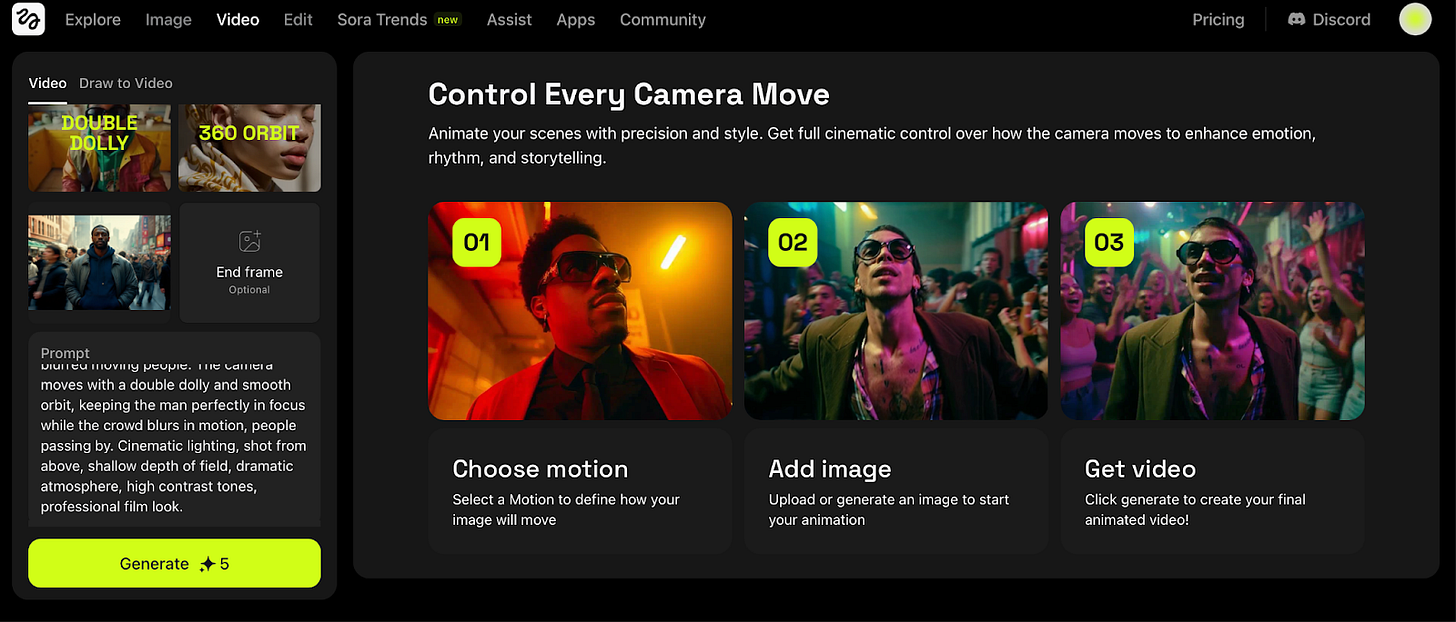
What we have here: smooth camera motion and great lighting, though AI quirks remain. After I hit “Generate,” the model showed an estimated wait time of 45(!) minutes. In reality, it took around five, but the aftertaste lingered.
The “DNA Spiral” Animation
Let’s try something more abstract — a glowing DNA spiral animated through camera movement.
- Go to Create → Video.
- Add a reference picture.
- Enter a text prompt to generate a video: A glowing DNA spiral made of light particles in a dark space, depth of field, cinematic lighting, camera orbiting around the spiral.
- Choose the model.
- Set the Camera motion to Orbit-360 + Dolly-in.
- Duration: 5 seconds.
- Click Generate.
Much better!
Bringing a classic painting to life
Higgsfield also allows you to animate artworks.
- Go to Create → Video.
- Upload an image. For example, Botticelli’s The Birth of Venus.
- Choose a model.
- In the Camera Motion section, select Bullet Time to create a soft “frozen moment” effect.
- Add a prompt describing the desired atmosphere: Subtle light movement, gentle breeze effect, soft camera zoom-out, bringing the scene to life.
- Set the duration to 5 seconds.
- Click Generate.
Honestly, it looks great as a revival of a masterpiece.
You can also integrate effects: pour silver over your character, make him ignite or breathe fire, and even turn into flowers.
Conclusion
You’ve seen the results. I used the free plan, so you’re looking at what the platform delivers without paying. The bugs and imperfections you see here are part of the free experience.
The examples on Higgsfield’s website look better because they use paid plans with higher quality settings. Your results will improve if you upgrade.
Higgsfield is trying to focus on aesthetic and realistic pictures. It does not try to do everything, so if you need cinematic dynamics in a Pinterest style without equipment or technical skills, this tool works. Higgsfield can be a handy tool for filmmakers, marketers, and bloggers.
Have you already tried to create your own clips? Share in the comments!
This article was first published in the Creators AI newsletter. View the original edition.