How Creators Use AI Tools for EdTech Business
+ Guide on Creating Online Course with AI

Hi!
We've been writing extensively about how AI helps us gain new skills and develop existing ones. But what about using machine learning to train other users? That's what we're going to talk about today.
In today's edition:
- How creators are using AI for EdTech Business
- Creating courses using ChatGPT & Canva
- Useful prompts for creating courses
- What AI Tools will be helpful for you
AI Cases for EdTech Business

First of all, I have to say one important thing: I am highly skeptical about many online course creators. Some influencers abuse the trust of their audience and create products that are not very useful (to put it mildly). ~~Like teaching how to build AI Agency without experience of building one~~ I think you are well aware of such cases. This problem concerns not only deceived users but also the AI industry. After all, unscrupulous creators reduce trust in the whole AI world.
I wish there were less of that in our world.
At the same time, we need to be able to separate attitude and moral evaluation from analyzing business models and their effectiveness. Even if we don't like a particular course or creator, nothing prevents us from using their tools and approaches to create something really cool and valuable. And here's why you should use AI to create courses: (even if you have no experience)
- The fastest and most scalable way to share your knowledge. If you haven't done any teaching but you have skills you want to share, this would be the easiest option.
- An opportunity to learn something new and become more immersed in a topic. Nothing teaches a person better than teaching others. You can gain additional knowledge, pump up your brand, and familiarize yourself with new platforms.
- Generating passive income. Unlike creating videos for YouTube Shorts or TikTok using AI, online courses require much less attention and generate income without too much labor.
Now, let's look at our case and figure out how we can use it.
Keep your mailbox updated with practical knowledge & key news from the AI industry!
Dave Espino | 106,925 Students on Udemy using ChatGPT

Our first case study is Dave Espino. Dave has been involved in internet marketing since 1999 when he wrote his first ebook and created a website to promote it. Since then, he's created over 90 courses on various topics (mainly marketing, AI, and small business-related), and in recent years, he's frequently used AI Tools to create projects.
Last year, Dave participated in a podcast on YouTube in which he shared his experience of reaching over 104,000 students (Now that number has gone up a little bit) on Udemy and how he achieved this. He said that ChatGPT and other platforms that automate the creation of plans, videos, and slides played a significant role.
Dave doesn't share his income, so let's approximate how much he earns creating AI-based online courses. One of his recent courses is “Self-Guided Learning With ChatGPT.” It costs $44.99 and has over 1,000 students.
So, as you can guess, the math here is pretty simple.

Well, maybe it's not so simple because you have to calculate the commission, tax fees, etc. But the point should be clear: such short online courses bring a very good income, especially if you consider that after creating and launching on Udemy, you don't need to do anything.
Here are a few key things I can highlight from Dave's case study:
- Dave chooses broad topics and devotes many specific courses to them. This is a good approach for using content strategy generation with chatbots.
- He creates videos but uses text-based content and simple design in his courses. By the way, these are very easy to generate using ChatGPT and Canva.
- Many of his courses are built around quickly and easily obtaining a new source of income (or improving an existing one), which definitely draws an audience.
So yes, it's brilliantly simple. You need to choose a niche, prepare text content, supplement it with visuals, upload the result of your work on Udemy, and start earning. But this is all in general terms.
And how exactly to act, we'll analyze below.
More case studies of creators who create courses can be found here:
Creators’ AI could be a valuable gift for your friend, colleague, or family member. Gifting books is bright, but giving an AI newsletter is a superb move 😎
How to Build Your Own Course with AI
If we're creating our own course, it is important to decide which tools will be the basis for the whole work. In this newsletter, I suggest using ChatGPT and Canva. Let's go.
But if you find these tools don't fit your needs, you can use any of the others.
ChatGPT & Prompts
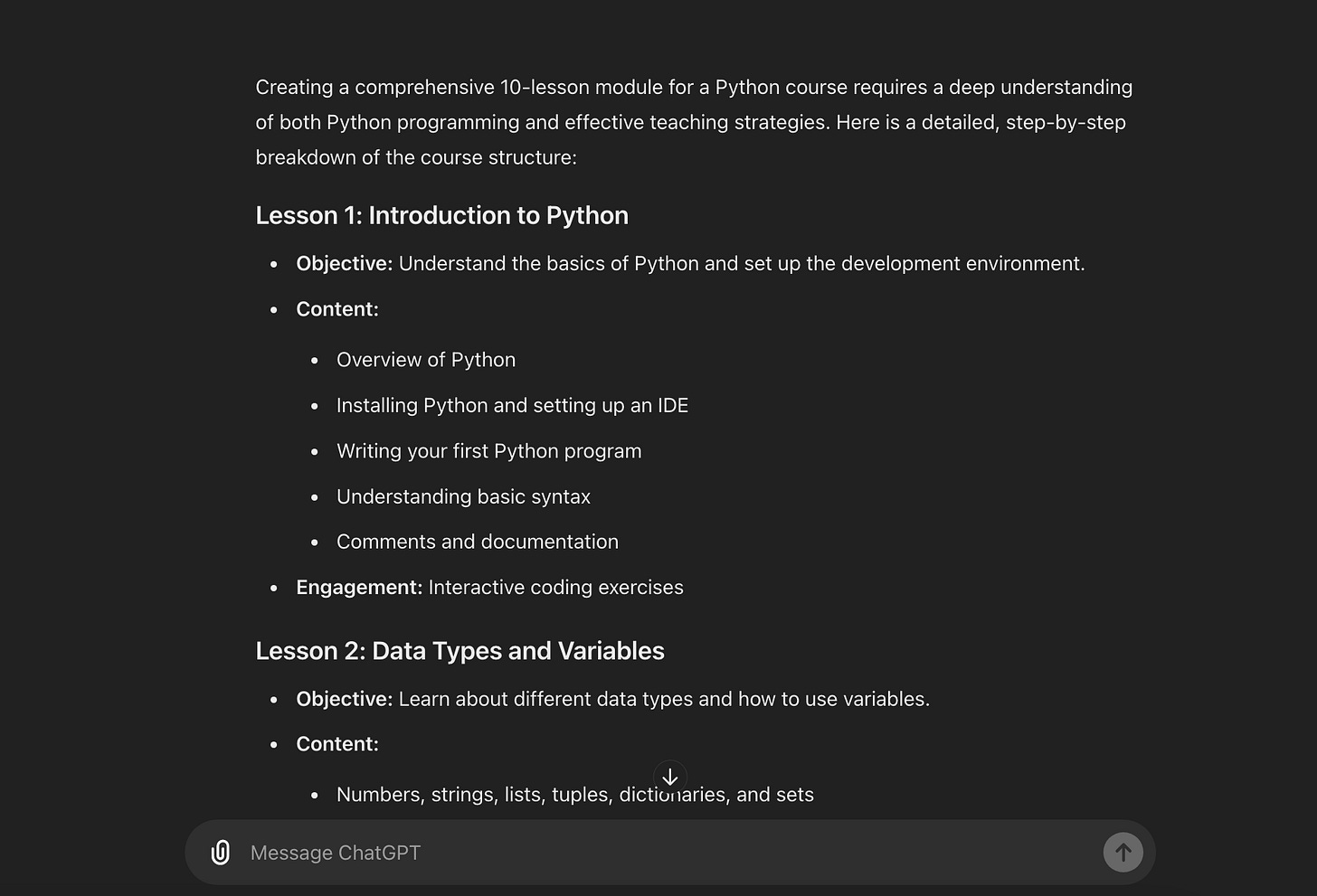
Python is just an example. Don't teach others what you don't understand yourself.
For Course Outline Creation
"Create a detailed course outline for a course on [topic] with five modules and three lessons per module. It should be for beginners.""Write clear learning objectives for a course module on [topic]."Write a compelling course description for a course on [topic] targeting [audience]."If you are having trouble coming up with a course topic, you can also ask ChatGPT for help. For example, with this prompt: “Give me 10 online course ideas for people interested in [niche].”
Content Creation Prompts
Course Сontent:
“Сreate content for a [topic] course, it should be for beginners. Give me the table of contents first”Then can you this one: “now write point 1.1” (And from there, just change the numbers)
Script Writing:
"Write a script for a video lesson on [topic]."Quiz Creation:
"Create 10 multiple-choice questions for a quiz on [topic]."Exercise Creation:
"Develop a practical exercise for students to apply what they've learned about [topic]."Case Study Creation:
"Create a case study related to [topic] for students to analyze."If you're a bit lazy and want to get everything at once, you can also use more comprehensive prompts. An example of one of these is below:
Create a 10-lesson module for a [topic] course that involves covering various aspects, including strategy, content creation, optimization, and engagement.After that, you will have an almost finished product.
Additional Prompts
Here are some more prompts to improve your online course.
Student Engagement:
"How can I increase student engagement in an online course on [topic]?"Course Delivery:
"What are the pros and cons of delivering an online course through [platform]?"Course Evaluation:
"How can I gather feedback from students to improve my online course?"Want to use ChatGPT like a pro? With this newsletter, you will learn 30 new use cases and prompts:
Sharing is caring! Refer someone who started a learning Journey in AI!
Canva & Design
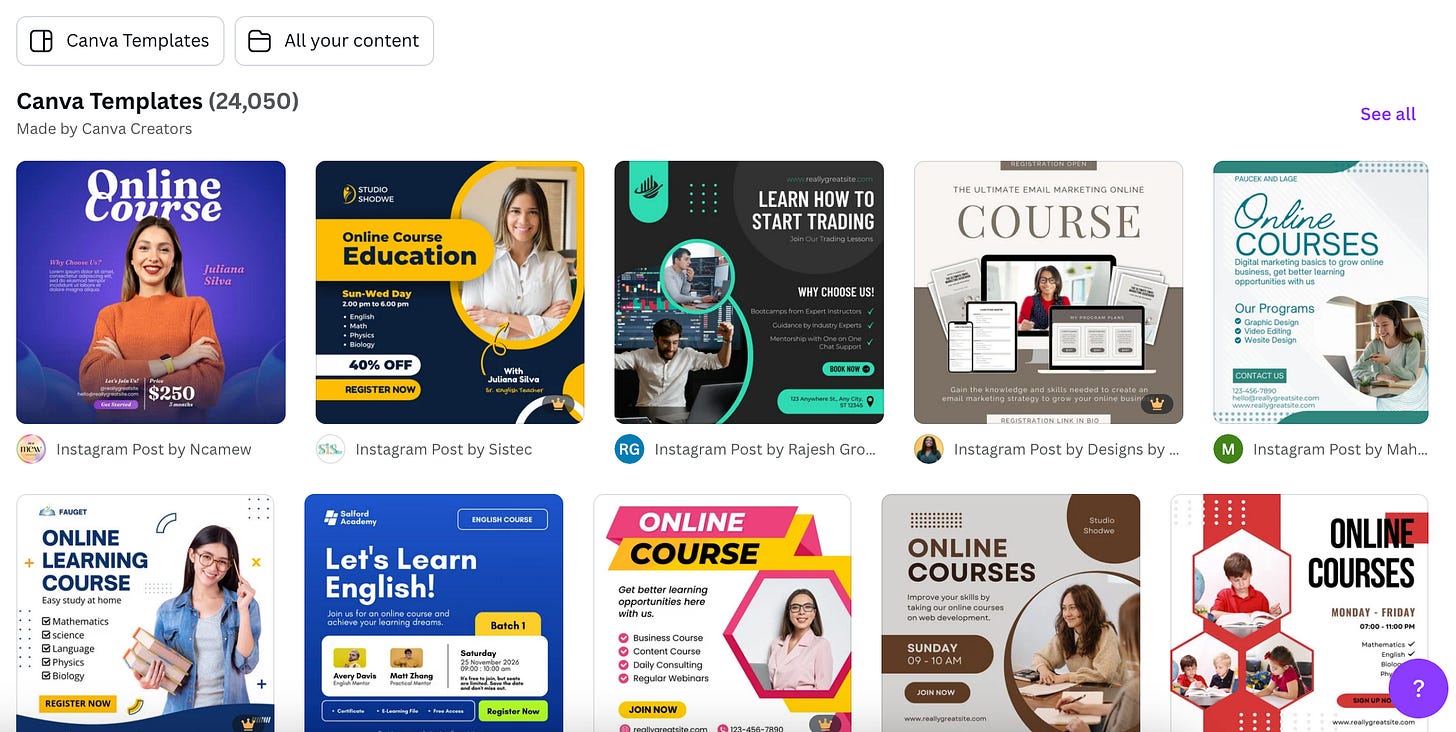
There are dozens of templates for your future course here.
I’d say visuals are just as important as the content of the course itself. Fortunately, we have Canva. It’s one of the most intuitive platforms that provides a massive range of templates for creating courses.
All that is required of us is to choose the most suitable one.
Here are a few steps you need to follow:
- Go to Canva website and register a free account or log in if you already have one.
- Type “Course” into the search bar and choose the template you like best.
- Customize the template with your course's color palette, fonts, and logo. This will ensure consistency across all your materials.
- Now, simply transfer the text generated by ChatGPT to the template on Canva.
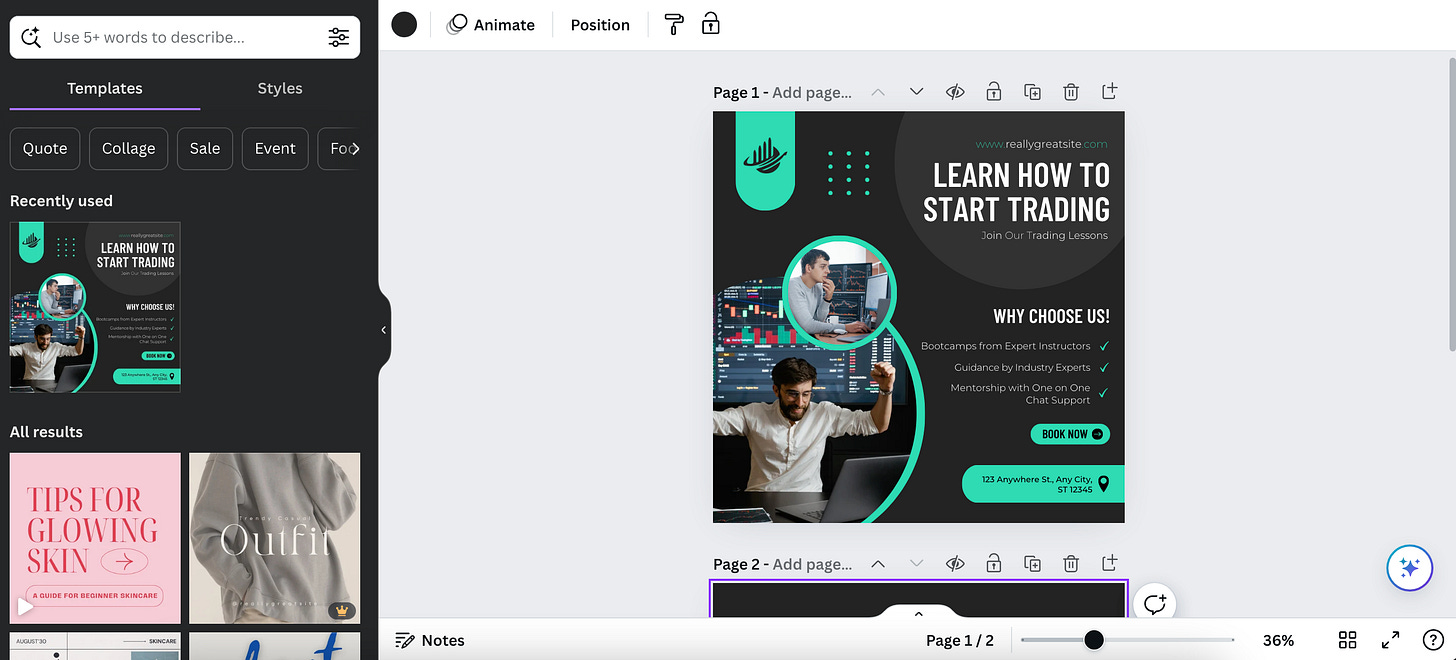
And I'll just give you a few more little tips.
- Use Canvas presentation templates to create eye-catching slides. Customize your templates by adding your own text, images, and brand elements.
- Don't ignore the extensive library of icons, images, and illustrations to enhance your content. This will make your course unique and engaging.
- Use AI to create infographics that will simplify complex information and make your content more diverse.
Once your slides, worksheets, and other materials are ready, export them in the appropriate format (e.g., PDF for worksheets, PNG for images).
It's done. All you have to do now is log into your Udemy pre-instructor account and upload your first course. You should spend a little time here customizing the sections and preparing a detailed description of what the customer will receive.
And you can also use ChatGPT for that.
Additional Tools You May Need
To make your course really useful, I recommend using a few more AI Tools. They will optimize some tasks and make your life even a little easier.
Capsule enables you to capture and share knowledge effortlessly by recording, editing, and organizing video content, perfect for creating comprehensive course materials.
HeyGen takes your script and generates lifelike voiceovers, ensuring that your lessons are both engaging and accessible.
Clueso provides an AI-driven platform for creating interactive learning experiences, allowing you to build quizzes, flashcards, and other interactive elements to reinforce learning.
Tango simplifies the creation of step-by-step guides and tutorials by automatically generating screenshots and instructions as you demonstrate tasks, ideal for technical courses.
LearnExperts helps you design and structure your courses by analyzing content and providing recommendations to optimize learning pathways.
Lastly, SummarAIze offers advanced summarization capabilities, enabling you to create concise overviews of complex topics and helping students grasp essential information quickly.
Final Thoughts
Let me lecture a little bit.
Teaching someone new skills is a pretty big responsibility. Many people love to learn new things, and when it comes to knowledge that will help them earn more money or improve their lives, they will definitely turn to you. At this point, it's important to assess your strengths and realize what you have to offer.
That's why I highly recommend teaching people something you're pretty good at yourself. If you find that niche, I believe you will not only make good money on Udemy, but you will also make our world a little better!
What do you think about Education with AI? Tell us in the comments!
This article was first published in the Creators AI newsletter. View the original edition.