How I Use ChatGPT for Learning
+ Prompts and Tools that will help you learn new subjects and languages

👋 Hey, I’m Stepan and welcome to a ✨ subscriber-only edition ✨ of Creators’ AI. By subscribing, you directly support Creators' AI's mission to deliver top AI insights & practical knowledge without ads or clutter. Your subscription allows us to grow our dedicated team and curate the most important AI Tools, Stories, and Tutorials in one place. - Stepan
The Universal Weapon to Fight Ignorance
AI is really good for studying. Whether you want to develop your work skills, prepare for an exam, or just want to learn something new, you can quickly gain the knowledge you need with the right prompts.
It works for me, and I believe it will work for you. To prove it, today, I will show you how to use ChatGPT and other AI tools to learn almost any skill.

Let's start by confirming that the concept of learning with ChatGPT is not a story from an over-enthusiastic blogger with a set of referral links in the description below the video (I think you know what I'm talking about). Here's a case study from a Reddit user who used AI to prepare for the exam and a few lessons we can learn from it.
Keep your mailbox updated with practical knowledge & key news from the AI industry!
Skip 12 Weeks of Lectures but Pass The Exam with a 94%

Our case study about exams. A Reddit user, 151N, missed all the classes in a semester for personal reasons. This is about 12 weeks, in each of which he missed 2-3 hours of classes. Three days before the exam, the student realized he knew nothing about the subject and had no time to prepare. And that's what he did.
- He logged into his Echo360 account and copied the lecture notes.
- Then 151N pasted the copied data into ChatGPT and used the following prompt:
Analyze this lecture and use your algorithms to decide which information would be relevant as an exam, Make a list.The finished text was too long, so the student used a Paraphraser to summarize the nearly 8,000-word average to 1,000 words that ChatGPT could analyze.
- He then asked ChatGPT to analyze the transcript and highlight the main points.
This process took him about 4-5 hours to collect all the lectures' theses and key points and verify the information received.
Share this post with friends, especially those interested in AI Insights!
- The next day, he asked the chatbot to define every term listed as the significant "point" in every lecture, only using the course textbook and the summarized transcript.
- And on the last day, he read the summarized information from ChatGPT, simulating the exam.
As a result, 151N passed the exam with 94%, even though he didn't attend a lecture and only studied for three days. And there was no cheating. He simply used the chatbot to structure the available information and learn quickly.
The important lesson to learn from this case study is about inputs. ChatGPT doesn't always understand what result you want to achieve, so I suggest feeding it your textbooks, references and other data sources.
That way you'll be sure you're getting the information you need.
Of course, the 151N case only partially shows algorithms' possibilities. Let's look at the best prompts and tools I have prepared to reveal this topic further. I use most of them for myself regularly, but I've also prepared a few new ones for you. They'll be good for those who want to dive deeper into the subject of AI as a personal tutor.
Learn Any Skill Using ChatGPT: Prompts & AI Tools
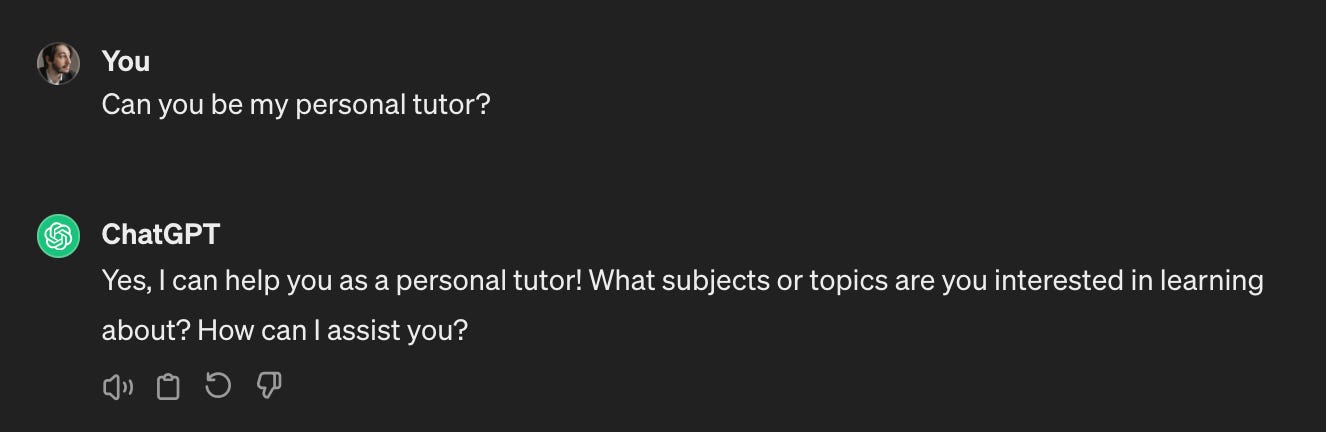
If we're talking about general approaches to learning anything with AI, I distinguish several conventional directions for communicating with chatbots. And, to be honest, a lot here depends on your imagination. Some prompts may not seem specific enough to you, but you can always refine them for your query.
What topics would these prompts be suitable for:
- Learning languages
- Understanding the sciences and humanities
- Preparation for university and professional exams
- Explanation of complicated concepts
- Mastering programming languages
- Self-testing
And any other complex topic you've long wanted to master but didn't know where to start. Just don't take it as a compulsory activity and freely communicate with the chatbot on a topic that interests you.
Craft a Personalized Study Plan
If you are worried about looming deadlines and fear you won't have time for anything, simply ask ChatGPT to create the best schedule for you. Tell it what tasks take up your time, how much you work, and how much time you are willing to spend studying.
The following prompt will do the trick:
Taking into account my exam dates, semester schedule, and the subjects I need to focus on, create a comprehensive study plan for the next [timeframe].This helps you prioritize effectively and distribute your workload.
By the way, this prompt is good not only for studying, but also for creating a convenient daily schedule.
Break Down Complex Concepts
A new topic or subject is always a headache. Because of the abundance of information and new terms, it is easy to get lost. To prevent this from happening, the best solution is to structure the information into small and understandable theses.
For example, like this:
Break down [topic] into smaller, easier-to-understand parts. Use analogies and real-life examples to simplify the concept and make it relatable.For instance, ask it to:
Explain the concept of photosynthesis using an analogy to a factory, and include real-world examples of plants using photosynthesis.Creators’ AI could be a valuable gift for your friend, colleague, or family member. Gifting books is bright, but giving an AI newsletter is a superb move 😎
Master Key Information
Continuing the previous topic, you will still be challenged to learn the material when you understand the subject. To make it easier for you to remember key points, try using this:
Turn the main points of [chapter/article] into a bulleted list with keywords for easy memorization.You can also ask for:
Create a mind map summarizing the key concepts of [topic].Apply Your Knowledge
Don't just memorize; understand it. Here's a prompt that will help with that:
Give me 5 practice problems related to [topic] with step-by-step solutions.This helps solidify your understanding and identify areas needing improvement.
Deepen Understanding with Comparisons
Lastly, a rather unusual prompt has nevertheless often helped me out. If you are studying a complex topic with several overlapping and synonymous terms, you can ask the chatbot to compare different concepts.
Here's how to do it:
Compare and contrast [concept 1] and [concept 2]. Highlight the key differences and any overlapping aspects."This clarifies connections and helps differentiate between similar ideas.And that's what you can do with ChatGPT (or part of its features). But remember that the chatbot is a powerful tool, but it's only a tool. Success rests on your ability to be discerning and utilize information actively, not just passively absorbing it.
Additional AI Tools for Studying
We live in the age of AI, so of course, an essential topic like education is not limited to ChatGPT. When you've had enough of chatbot by OpenAI, I suggest you turn to a few more useful tools that will simplify how you expand your knowledge.
Jenni AI
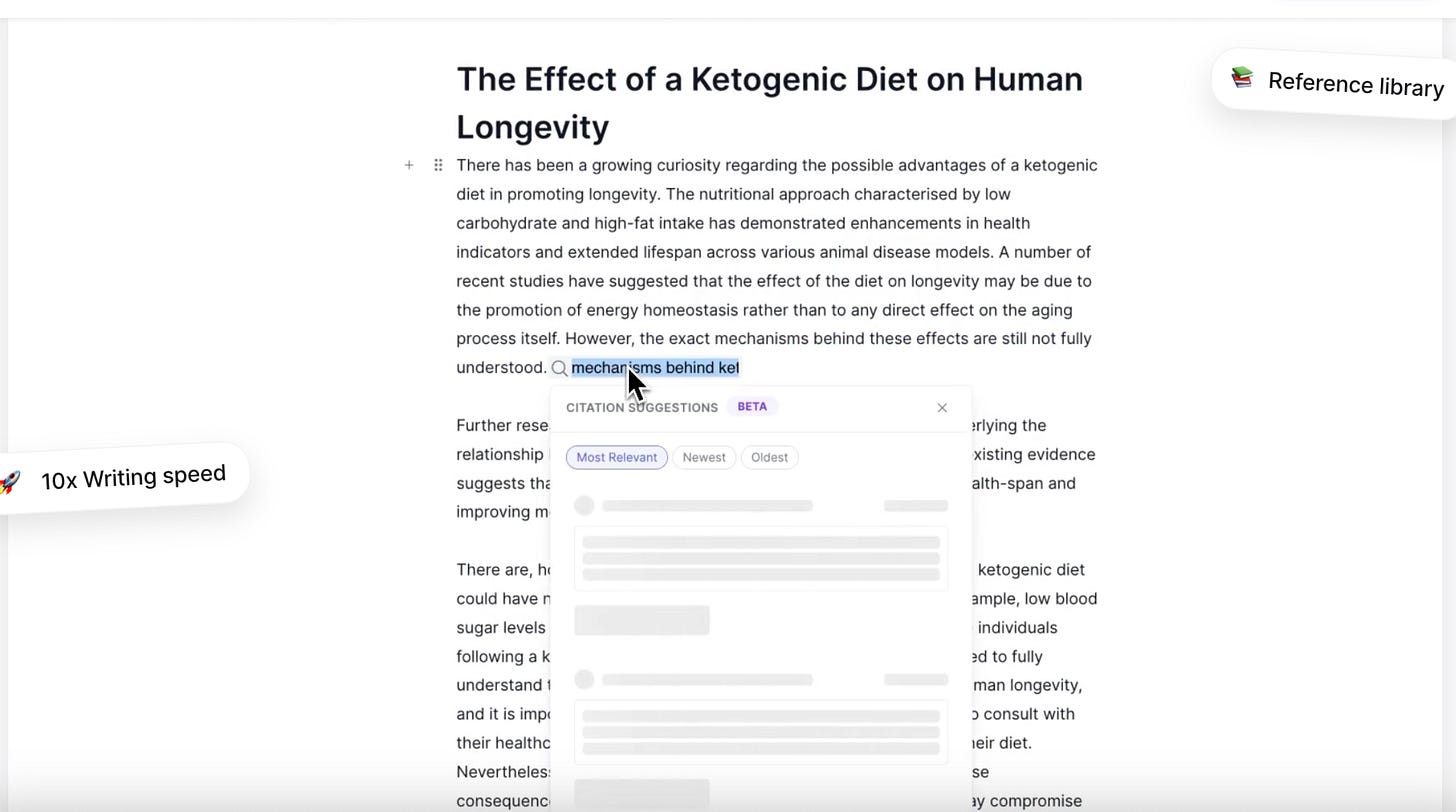
Jenni AI is a writing assistant designed to support academic writing. It helps students, researchers, and academics enhance the quality of their essays, articles, and papers. This AI streamlines the research process, assists with citations, helps craft opposing solid arguments, and offers suggestions for improving grammar and style.
The platform is particularly useful for non-native English speakers who want to strengthen their writing skills.
QuillBot
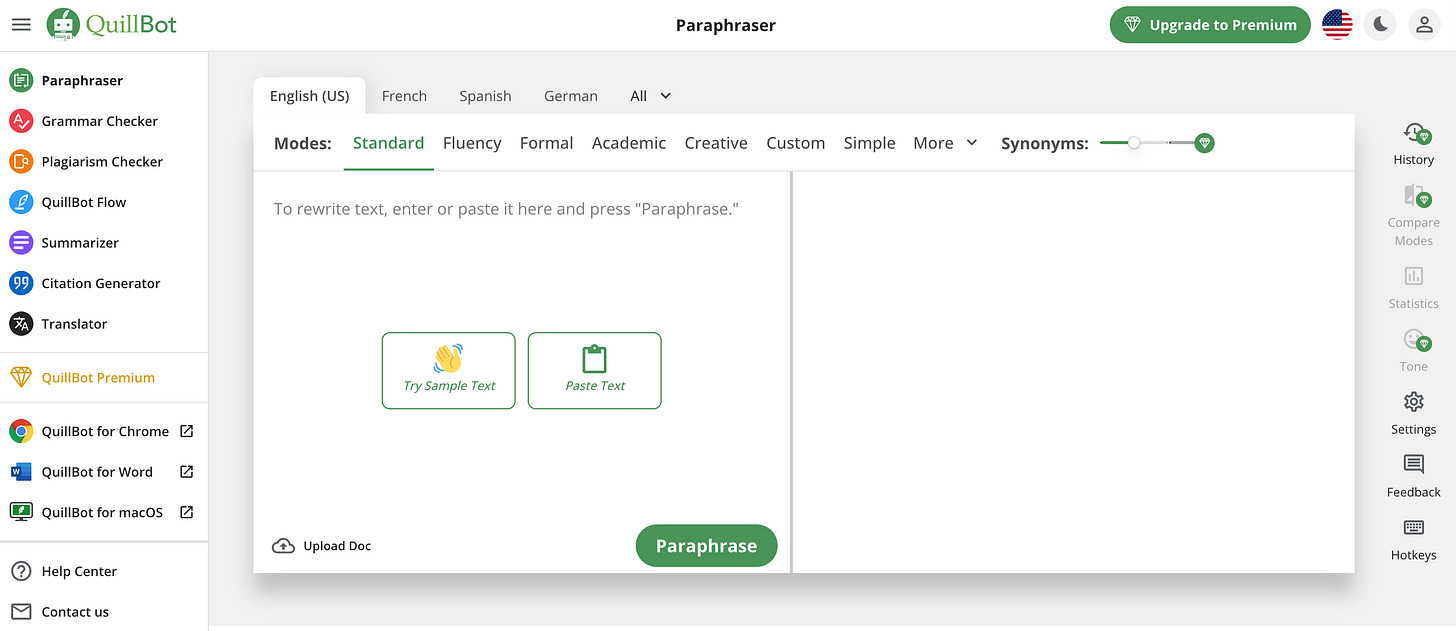
QuillBot is an AI-powered writing assistant tool focusing heavily on paraphrasing and sentence restructuring. It can also rephrase and summarize text and check your work for grammar errors. You can use it as a web-based tool, a Chrome extension, and even as a mobile keyboard app.
A similar tool was used by the student in our case study today.
Brainly
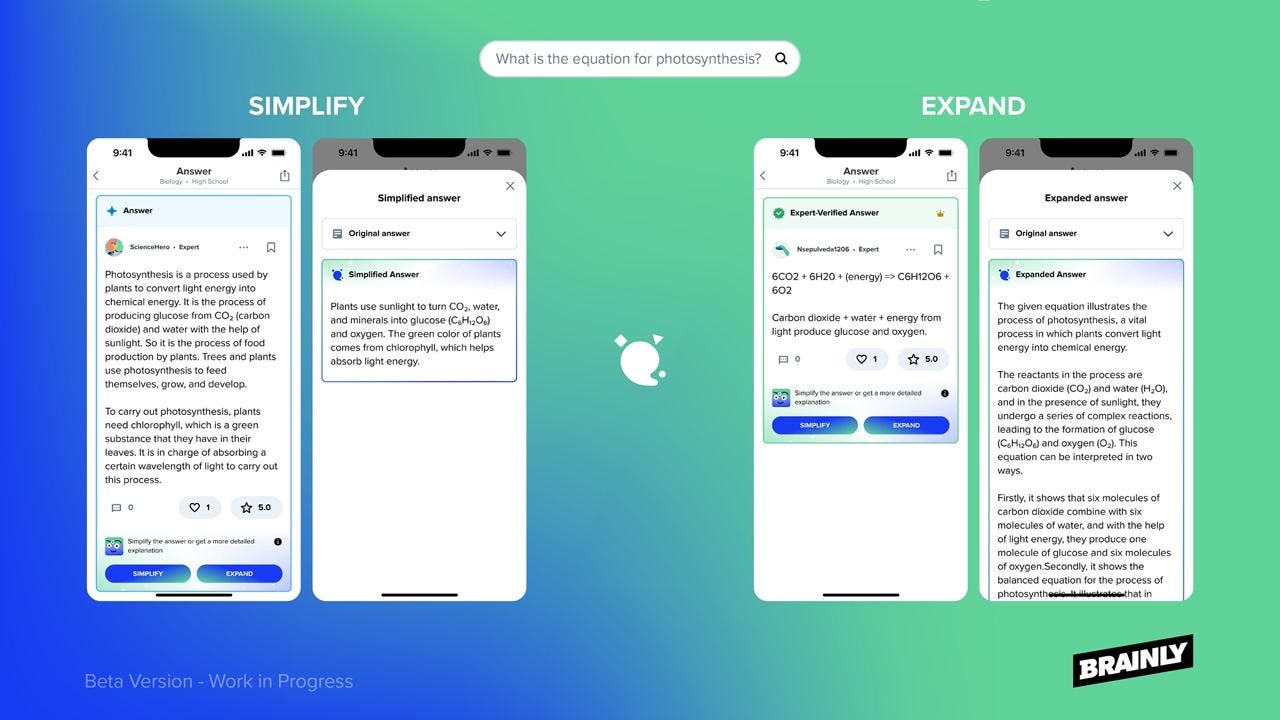
Brainly is a global learning community where students and educators gather to ask questions and share knowledge. It draws its strength from crowdsourcing, offering multiple perspectives and answers to users' questions.
Brainly incorporates AI-powered features like Snap to Solve (letting users photograph questions for quick solutions), an AI Tutor for instant support, and AI-generated answers to ensure students always get the help they need.
Knowji
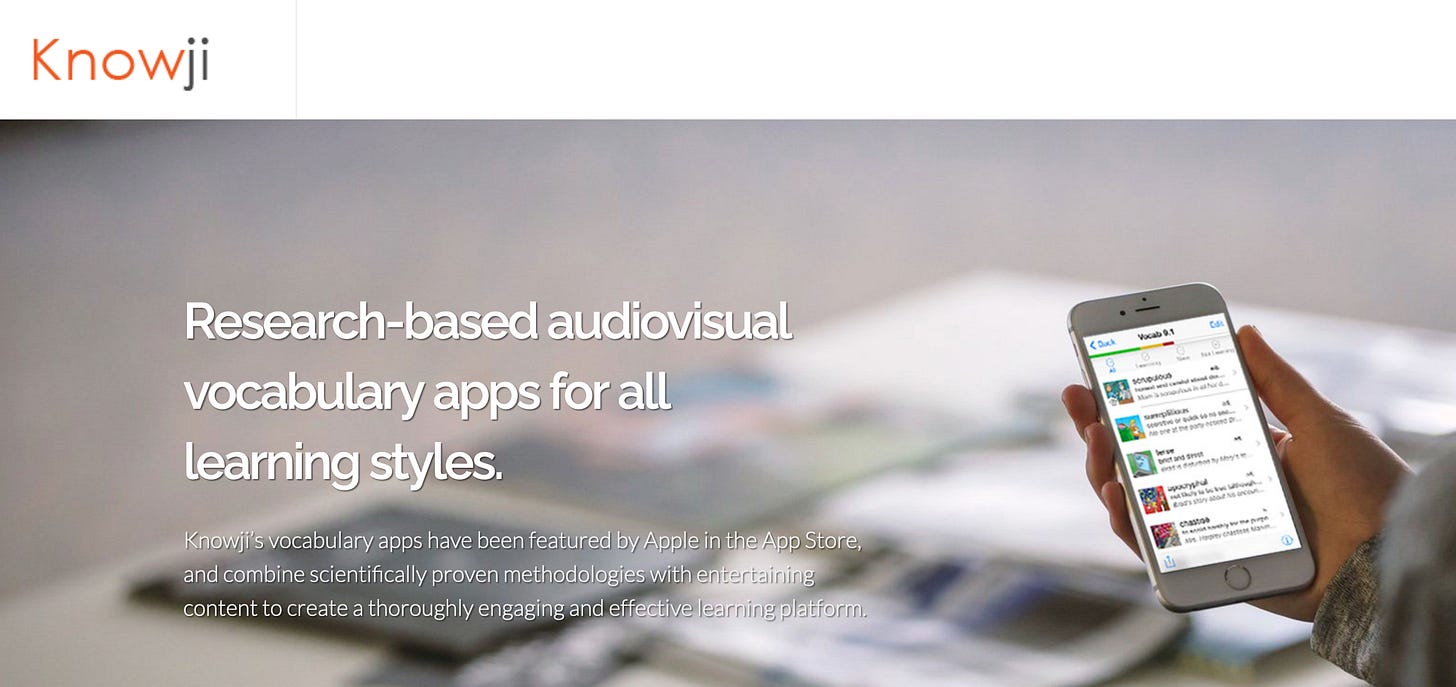
Knowji is a vocabulary platform that uses content and scientifically proven methods to make learning new words effective. The solution features a built-in memory coach that tracks your progress and ensures the words you study become firmly placed in your long-term memory.
It employs a spaced repetition algorithm, which brings back words right before you forget them, aiding in strong retention. Knowji also offers four modes to keep you engaged, making the learning experience feel like a game.
Audiopen.ai
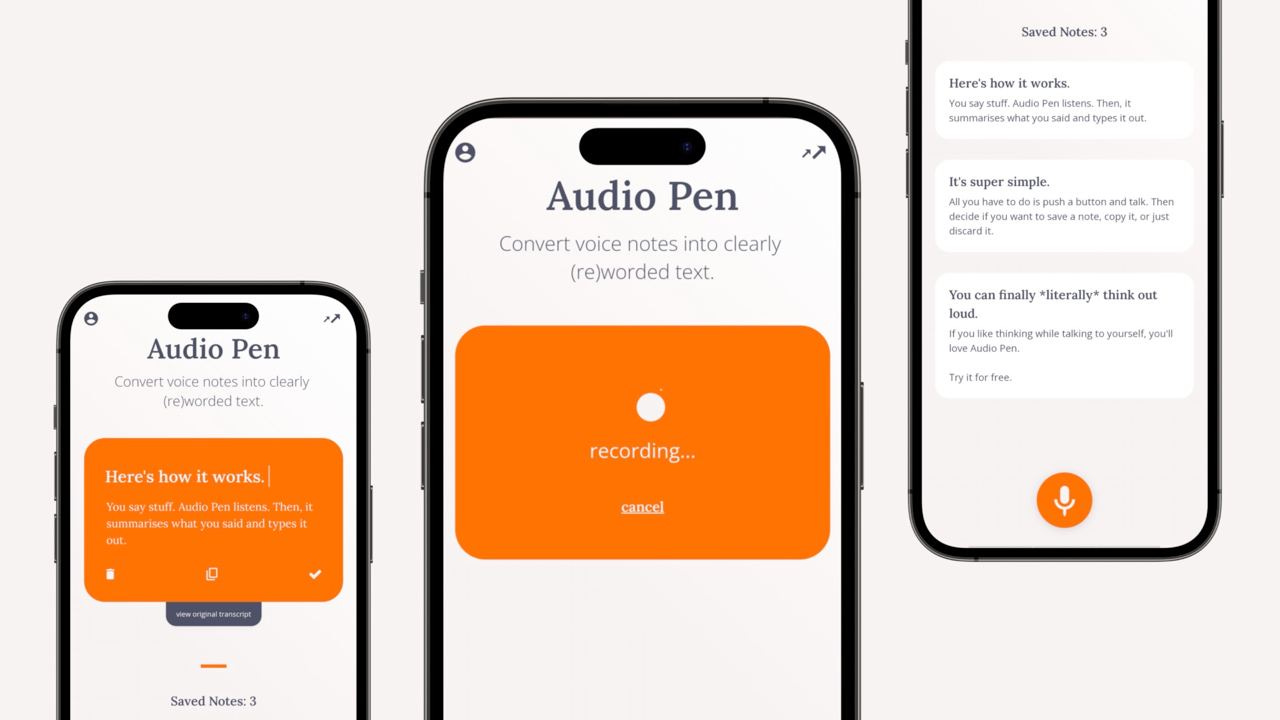
Audiopen.ai is an AI-driven tool designed to streamline the process of turning your spoken thoughts into structured text. If you prefer to brainstorm out loud or think verbally, AudioPen.ai acts like an assistant who transcribes and summarizes your ideas.
It's great for creating meeting notes, memos, emails, and even drafts of longer pieces. With its advanced processing, AudioPen.ai removes filler words and repetitions, making clear and concise text ready for sharing or further editing.
Final Tips
I don't think the topic of studying with GPT and AI Tools needs profound conclusions. You will most likely make them yourself when you put a few prompts into practice. So I'm going to give you some tips that I follow myself.
- Be specific: The more specific your prompts, the more tailored ChatGPT's responses will be. Instead of "Tell me about the Civil War,” try "What were the primary causes of the American Civil War? Explain 3 of them in detail."
- Quiz Yourself: Turn ChatGPT into a quiz generator. Ask it to create multiple-choice or short-answer questions on specific topics from your material.
- Role-Play: Turn historical events or scientific concepts into role-playing scenarios. Ask ChatGPT to play the role of a historical figure or an expert and engage in dialogue with it, deepening your understanding of events or subject matter.
- Use It As A Debate Partner: Sharpen your argumentative skills by asking ChatGPT to present the opposite viewpoint on a topic you're studying. Counter these arguments to practice defending your point of view.
- Don't just trust: While ChatGPT is informative, it's not perfect. Always double-check the information it provides with a trusted source, such as a textbook or a quick Google search.
These are simple rules that will make learning with GPT (I believe) even more productive. Wishing you all the best in your future studies!
What do you think about AI for studying? Tell us in the comments!
This article was first published in the Creators AI newsletter. View the original edition.