How to Create Cinema-Grade Videos Using AI
Kling AI Tutorial
Hi !👋
Look at this old guy in the desert with a plane chasing him. Looks something straight out of a Hollywood thriller but you won't believe that this video is crafted using AI. I mean everything from the smoke of airplane, the dust and moving landscape, everything is just perfect✨
And the best thing is that you could create it too, simply by using Kling AI. So, today we will be having a detailed look at Kling AI, its working and how to master it.
In this post:
- What is Kling AI? ⚒️
- How to start creating with Kling AI? 😎
- Kling AI Prompt Guide 📕
- Image-to-Video 📹
- Kling AI vs SORA?🤔
What is Kling AI
The competitor of Sora is here, Chinese developers have launched their latest AI that is able to create super realistic videos by simply giving a prompt and the results are unbelievably good. It has the ability to create Cinema Grade HD videos that will revolutionize video making. Anything you could think of, just give it a prompt and it'll provide you with a video that looks like it came out of a $10,000 camera.
If you still don't trust my word on it, see yourself what CEO of AI driven Postcheetah, Mark Gadala had to say about it.
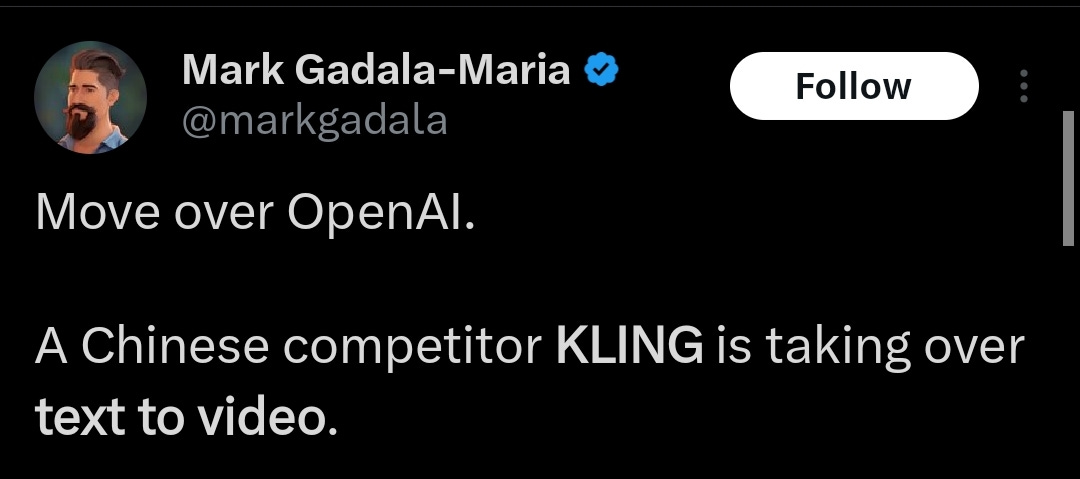
Everyone knew that AI is growing at an insane pace, but nobody imagined that we would get to see this crazy stuff that isn't even related to Open AI.
If you want to learn more about crazy tech stuff and how it could make your lives much easier, make sure you subscribe to our newsletter.
Once they announced that Kling AI is coming people went insane and wanted to try out how well it could perform. And what would've been a better test than to replicate a playstation game that takes years to develop.
But this Chinese model stunned the world by creating a video similar to an intense battleground footage of a survival game 🎮
Revolutionize Filmmaking
We saw the potential, it's insane but when an artist got his hands on it, he produced unimaginable results from it. E.Hungalu is a filmmaker from Singapore and upon giving a try to Kling, he was completely stunned. He created some hyper realistic footage like the old man one in the start, and he said that it'll revolutionize the Filmmaking industry because now you could get your unimaginable thoughts into visual reality.

How To Use
Well, it's enough to talk about its quality and unimaginable potential. Now, let's come to the real deal. How you could use and master it.
As I mentioned earlier, it was created by Chinese developers so all the interface was in Chinese and instead of web they started from an app. Since the news came out, everyone is ambitious to try it out but there's a bigger problem than language barrier. To log into the app, you are required to put in a Chinese phone number.
Well that's not a problem now, they've launched a global version of it's web that's much easier to operate. Just go to https://www.klingai.com/, on the upper right corner, you'll find the sign in button, just put in your email, set a password and boom you're good to go.
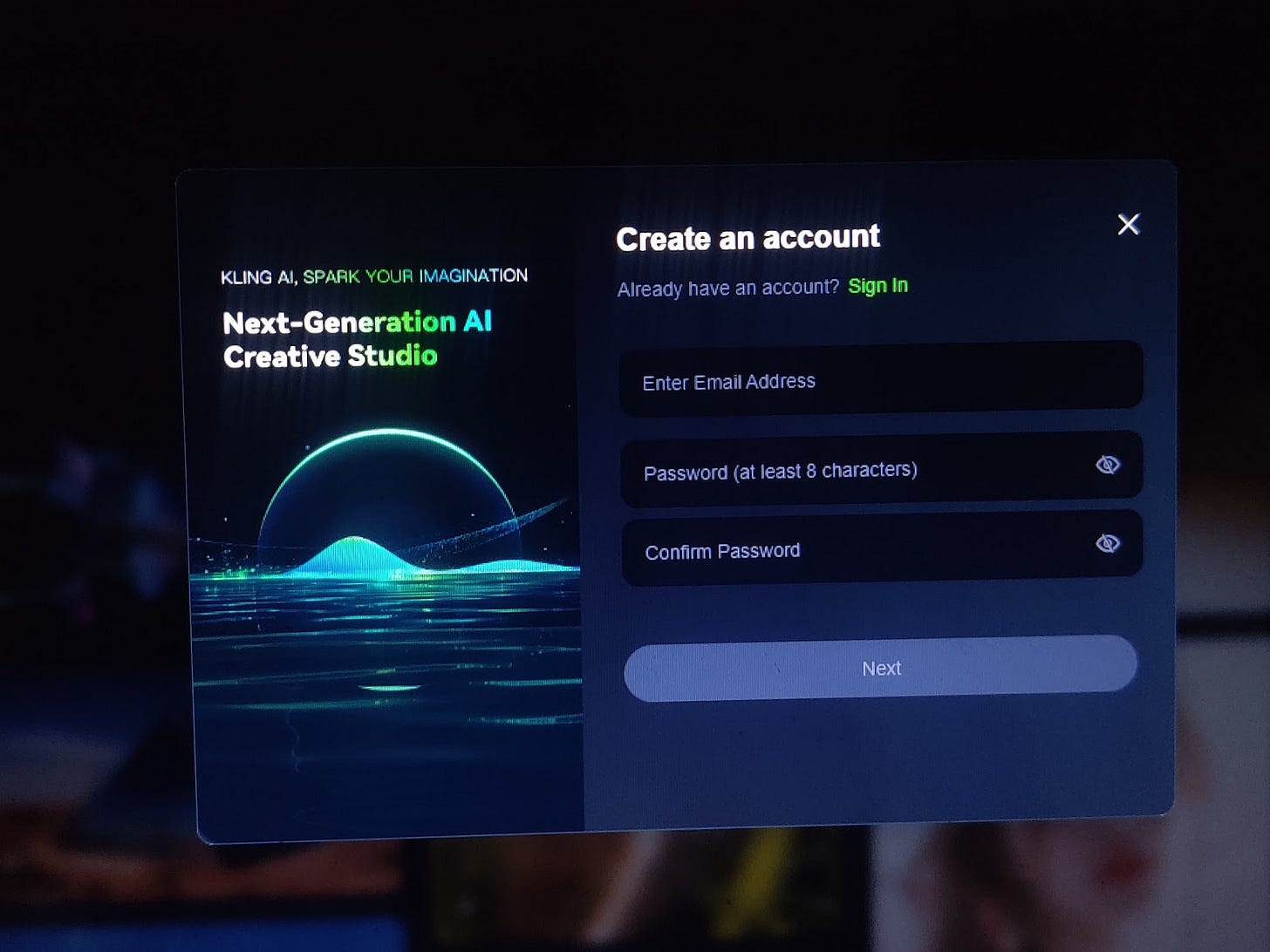
Start working with Kling AI
Once you sign in, the process of video generation works in two ways. First is the conventional one in which we give it a prompt and it will create a video accordingly. And we have shown you some examples of it in the newsletter already.
As you can see in the picture below, firstly you need to give a prompt, alongside you could select your desired modes too. Then just like a video producer, you could take the control in your hands by adjusting aspect ratios, length, angles and even the moment of camera.
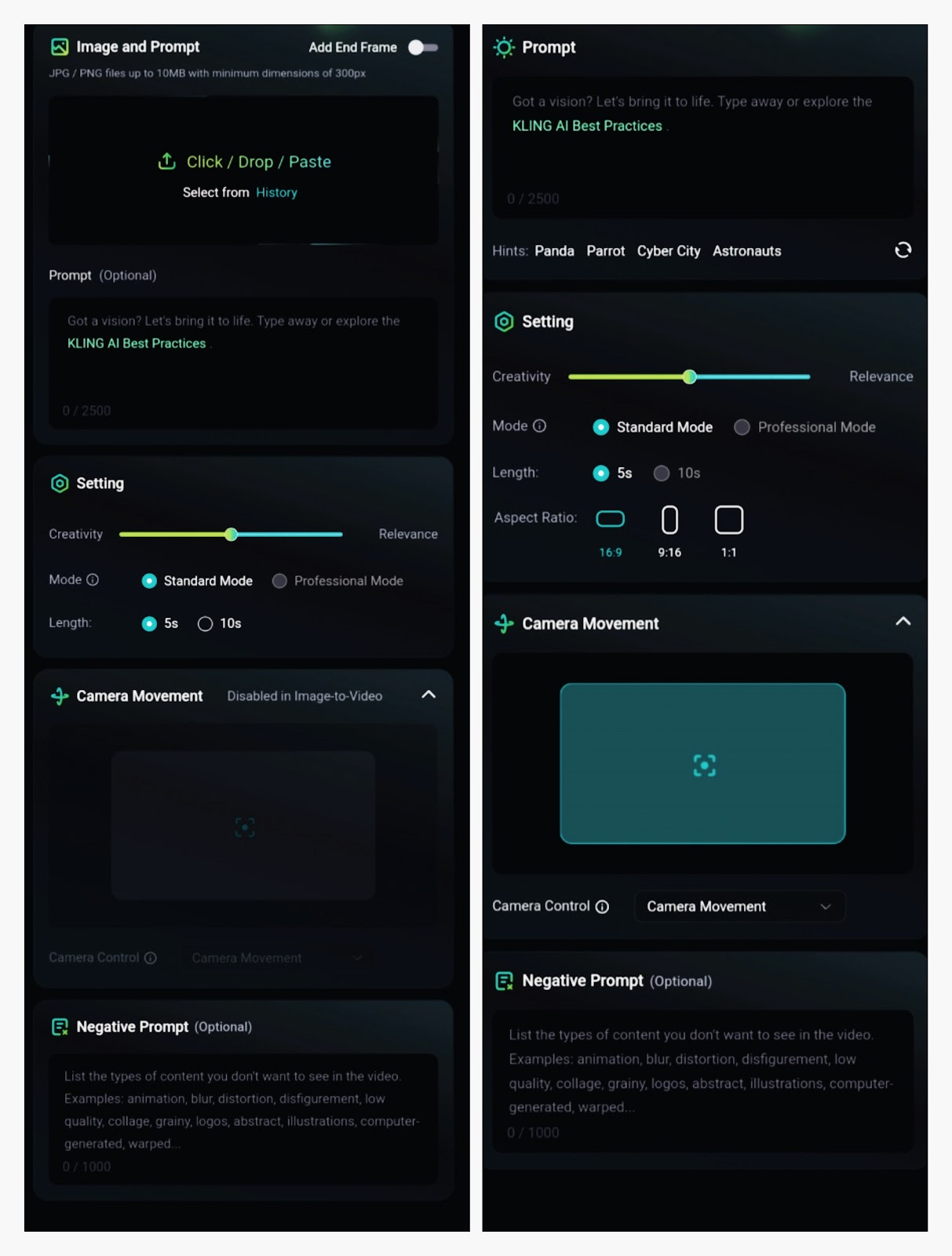
Let's assume you want to see “a huge mirror pyramid in the desert reflecting the surrounding environment” you've made all the adjustments and here's the results that you'll get:
Learn more about Kling AI prompts here.
Another way to operate is to give it an image with a prompt. Similarly you could adjust camera angles and aspect ratios. And if there's something that you don't want to see in your video, you could put that in the negative prompt section. Have a look at this creator Vkuoo who made a video out of that disaster girl picture by giving Kling multiple prompts.
Just see how well it's handling the angles, expressions and everything:
Kling AI Prompt Guide
Kling AI Prompt Structure:
Subject(Subject Description) + Subject Movement + Scene(Scene Description) + (Camera Language + Lighting + Atmosphere) -- optionalLet's break down each component:
Subject: The main focus of your video (e.g., people, animals, objects) Subject Description: Details about the subject's appearance and posture Subject Movement: How the subject moves in the 5-10 second video Scene: The environment where the action takes place Scene Description: Details about the setting
Optional elements:
Camera Language: How the camera captures the scene Lighting: The type and quality of light in the scene Atmosphere: The overall mood or feeling of the video
Basic Prompt - "A giant panda is reading a book in a café."
Enhanced Prompt - "A giant panda, wearing black-rimmed glasses, is reading a book in a café. The book rests on a table where a steaming cup of coffee sits beside it, next to the café's window."
Advanced Prompt - "Shot in medium range, with a blurred background and atmospheric lighting, a giant panda, adorned with black-rimmed glasses, is seen reading a book in a café. The book lies on a table, accompanied by a steaming cup of coffee, next to the cafe windows. Movie-level color palette."
Gift our all-encompassing AI newsletter and open a world of possibilities for someone you really care about.
Kling vs. Sora
When it comes to text to video AI, there's tons of models available like Pika, Pictory, Runaway and many more. But the most potential competitor out there is Open AI’s Sora.
Both these models sound similar but upon comparison we will clearly see how they're created to cater different types of users. Let's have a look at their similarities and differences.
Similarities
- Both models are exceptional at transforming text into high-quality videos.
- Both use complex AI techniques to produce realistic and visually appealing videos.
- Capable of generating videos with impressive resolution and frame rates.
Differences
- Kling AI can produce longer videos up to 2 minutes compared to Sora's maximum limit of 1 minute
- Kling AI often emphasizes 3D reconstruction and physics simulation, resulting in more realistic and dynamic videos.
- Kling AI is available to users now, while Sora's access has been more restricted.
- Sora has a more artistic and cinematic style. While Kling’s output is realistic and often hyper-realistic.
- Kling’s particular strength is generating large-scale environments and complex scenes, while Sora has a great grip on character animations.
Wrapping Up
So, let's come to the hard part, which one is better, Kling Or Sora?🤔 I believe that it's a bit early to pass any potential judgment, because Kling has recently launched its global version while Sora is still not accessible. So, I'll leave that to you, check out our blogs around Open AI’s Sora, compare and see what works the best for you👌🏻
Call yourself a Tech Geek but still hasn't subscribed to our newsletter? Well, you're missing out a lot. Give subscription icon a click, and get everything around hot AI topics delivered straight to your dm
This article was first published in the Creators AI newsletter. View the original edition.