Image Editing & Generation with ChatGPT
A Guide on Mastering The Latest OpenAI’s Feature
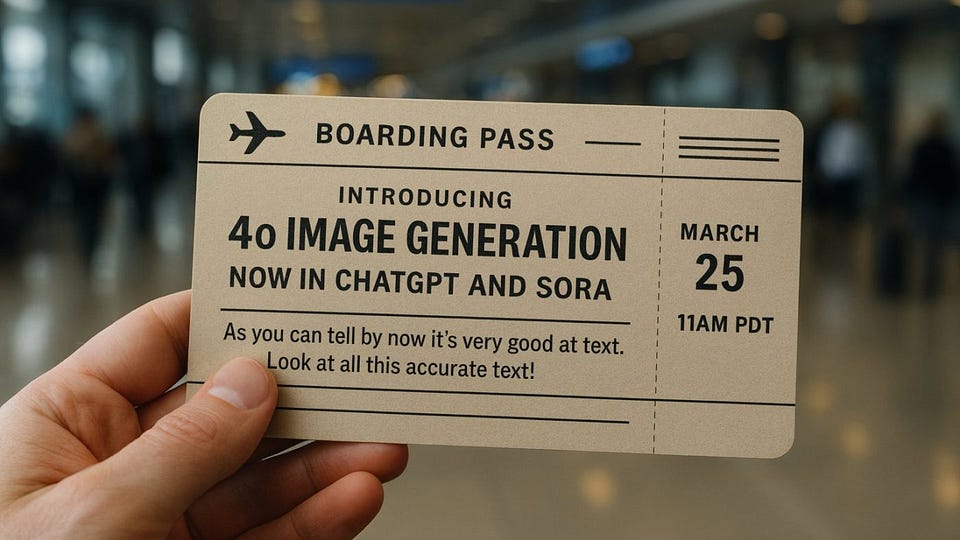
Okay, as promised, 4o Image Generation.
But I think you've already seen Ghilbi and Disney-style characters (if not, just open your feed on any social media). So, I suggest digging deeper into image generation and understanding how to master OpenAI’s latest feature.
In this issue, we cover everything you need to know:
- Overview for 4o Image Generation & Comparison with Gemini
- Usage Scenarios, Pro Tips & Tutorials
- Advanced Use Cases with Additional AI Tools
Are Designers Done?
Get 20% OFF Full Access subscription!
GPT-4o Image Generation | Vibe Marketing?
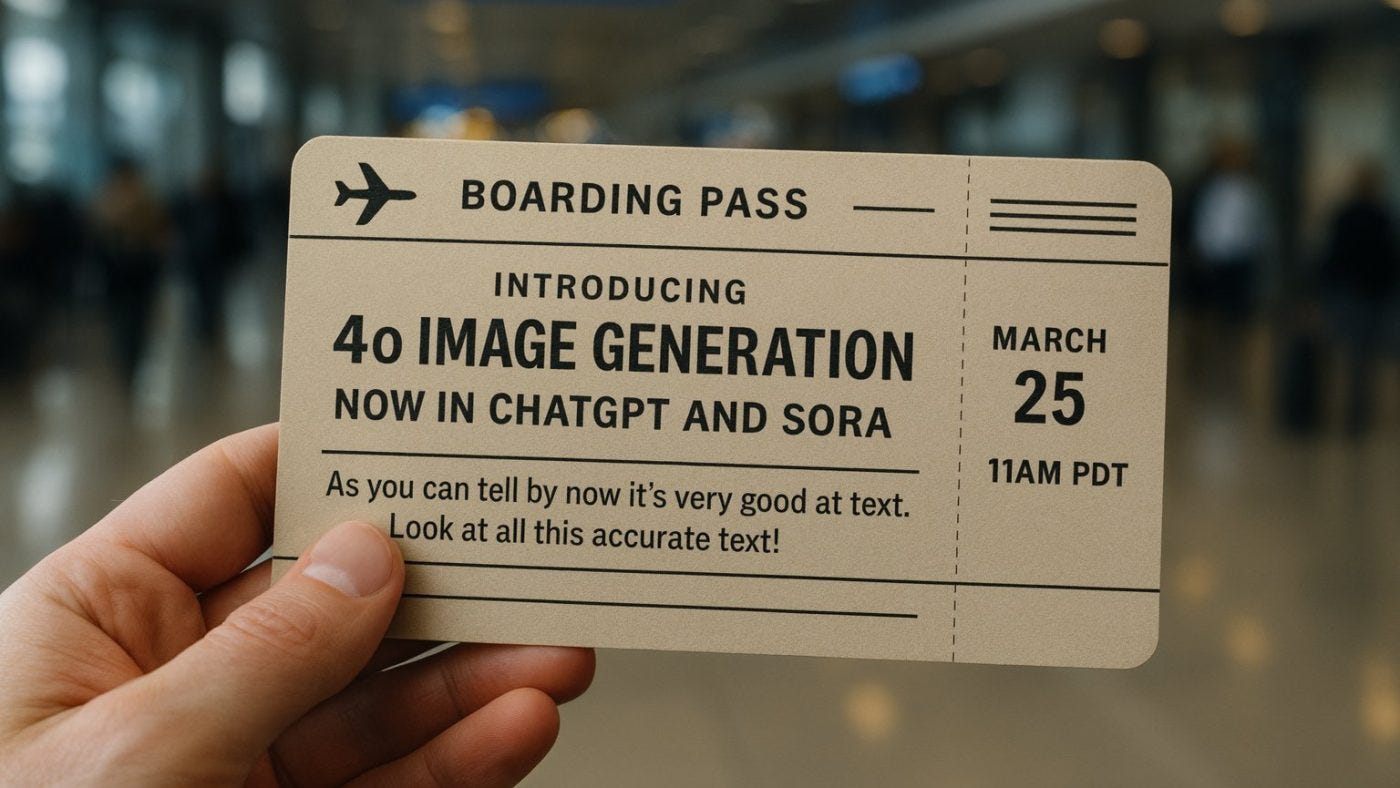
4o Image Generation is the latest update for the ChatGPT. It allows you to create images from any prompts inside the chatbot interface. The feature is part of GPT-4o, meaning the AI that answers your questions can now create (or edit) pictures.
But while few people can be surprised by this aspect, the actual results impress everyone. Key things of GPT‑4o are clear in testing and user feedback:
Photorealistic Detail & Styles: It can generate realistic images (some outputs could pass for real photos) and stylized art. It adapts to your style and nails the visual details, like lighting and perspective.
Accurate Text in Images: GPT‑4o can render text correctly within an image, unlike other models that jumble letters. This allows for the creation of logos, memes, or infographics with legible labels.
Complex Scene Understanding: Give AI a detailed scenario, and it will compose all those pieces coherently. The model does a good job following elaborate prompts with many specifics.
Strong Memory and Consistency: Because it operates within ChatGPT, GPT‑4o has the conversation’s context at hand. It can build upon previous images and instructions.
All of this is pretty important.
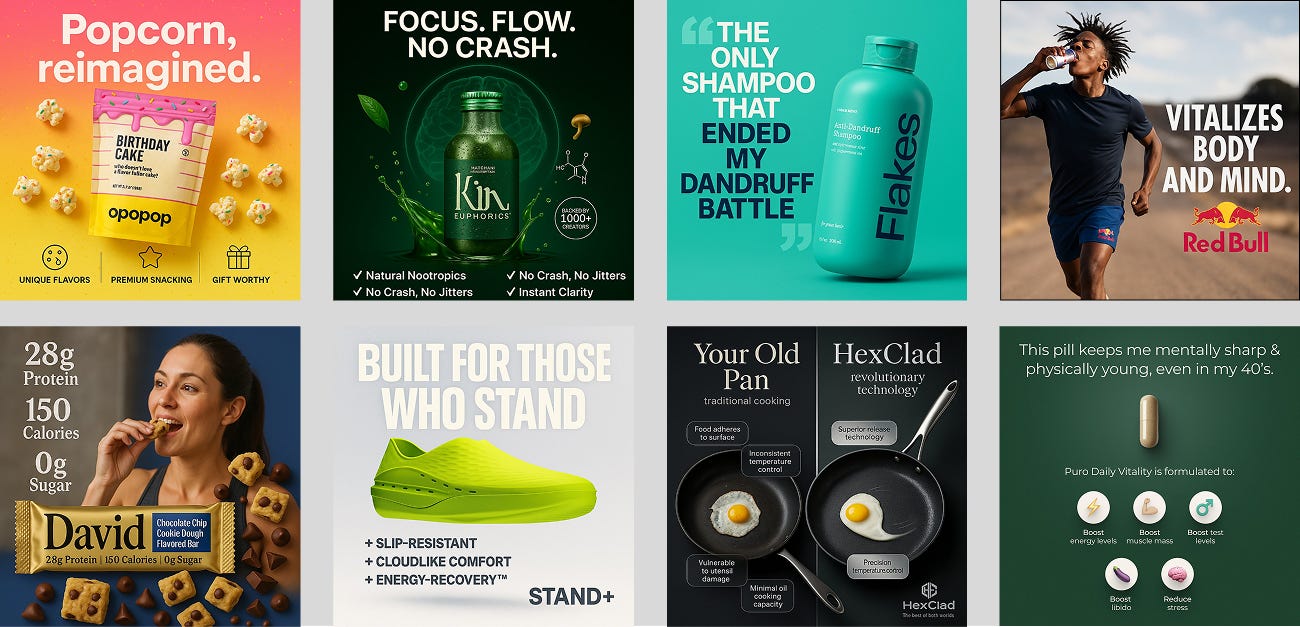
Just a few examples of what the updated ChatGPT can do. Each of these images requires no more than a couple of prompts at most.
I said a similar thing when we discussed Image Editor by Google: Tools like this save most people from using designer services and apps like Photoshop and Figma. And it's just a massive opening for designers and marketers, paving the way for vibe marketing.
But more on that later.
ChatGPT vs Gemini’s Image Editor

It’s also worth noting that Google first entered this game with its image-editing AI. A few weeks before OpenAI’s update, Google released an image generation feature in its Gemini 2.0 model. So, I think we should compare them.
From a user experience standpoint, Gemini has some advantages. For one, it’s fast: Gemini feels more responsive, cranking out images and applying edits quicker than GPT‑4o, in my experience. It’s also entirely consistent when you ask for changes. Gemini tends to use the edit reliably without altering unrelated parts of the image.
However, GPT‑4o seems to win in terms of detail and prompt understanding. The images from ChatGPT often have a richer, more refined look, and it interprets nuanced requests more faithfully (especially for imaginative or complex prompts).
In short, Google’s tool is great for quick edits, but GPT‑4o delivers a bit more wow in the results and often grasps precisely what you meant with less back-and-forth.
Share this post with friends, especially those interested in AI Insights!
Practical Usage Scenarios
Next, I propose to proceed as follows:
We'll bypass generating cartoon characters from photos and go straight to practical usage scenarios. Starting by figuring out what will be helpful and won't require additional tools.
And then, we'll dive into the plane where image generation can become the foundation for serious projects. In this case, we will supplement ChatGPT with various apps to make the experience even more impressive and engaging.
Simple Design for Real Things
GPT-4o finally cracks a long-standing problem with AI images: legible text. So now, it can generate graphics like storefront signs, posters or even multi-item restaurant menus with all the wording correct and nicely styled.
Just use prompts like this:
Create a short menu with prices for a bar with 10 unusual drinks.Make an image for this menu. The text should be black on beige cardboardAnd that's what we got: the model response and the image. Look’s nice and clean.
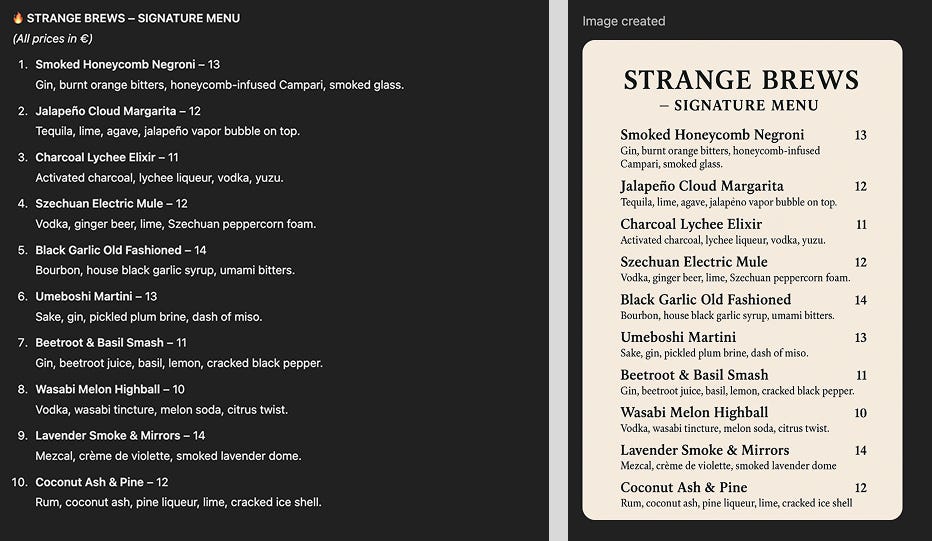
You can do the same for any sign or poster: give the exact wording and any design cues (fonts, colors, style inspiration). GPT-4o excels at this kind of task, likely because it leverages its language understanding to place each word accurately.
This feature can be a game-changer for graphic designers, product advertisers, and small business owners. ChatGPT ensures the text is not gibberish (unlike many generative art tools). While a human designer might still polish the layout, it provides a solid starting visual with correctly spelled content.
Elements for your Apps & Websites
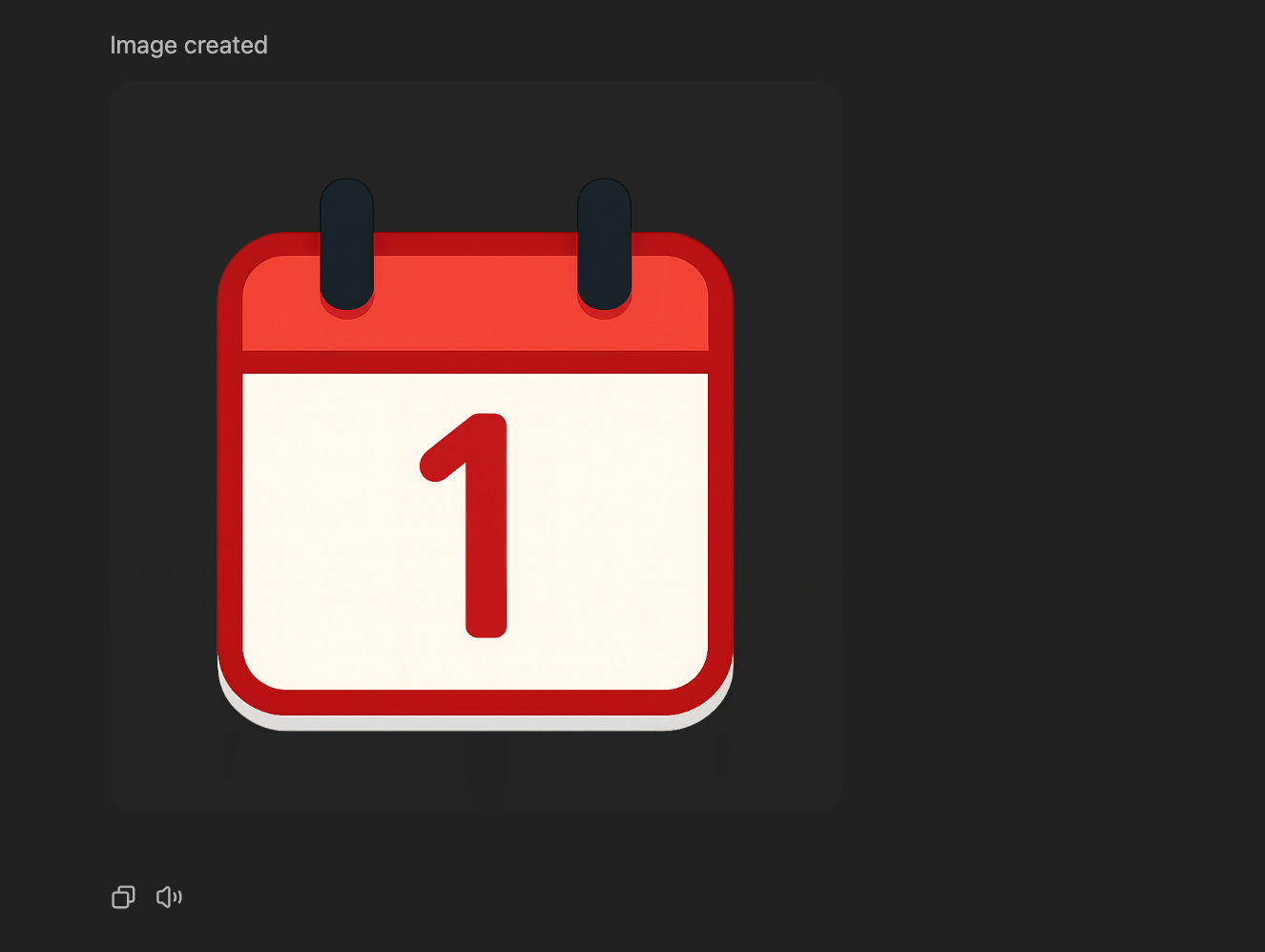
Moving from the physical to the digital world.
As I said earlier, ChatGPT can now generate logos, icons, and images. But it can also change the background to be transparent and edit them. This is very handy if you're sketching out the layout of a future app or want to test your ideas.
Use some kind of prompt like this:
Generate a red calendar icon for the mobile app. It should be simple and square and have a transparent backgroundThe result is above.
Random Prompts Into Ads
Thanks to creator and brand designer Gizem Akdag for the next case study idea.
She pointed out that Image Generation is suitable for creating professional ads from a single promt. It works very simple.
- Upload any image and add a prompt.
The content can be anything you want:
Creative ad from the 80s, AdidasThe original photo and the result:
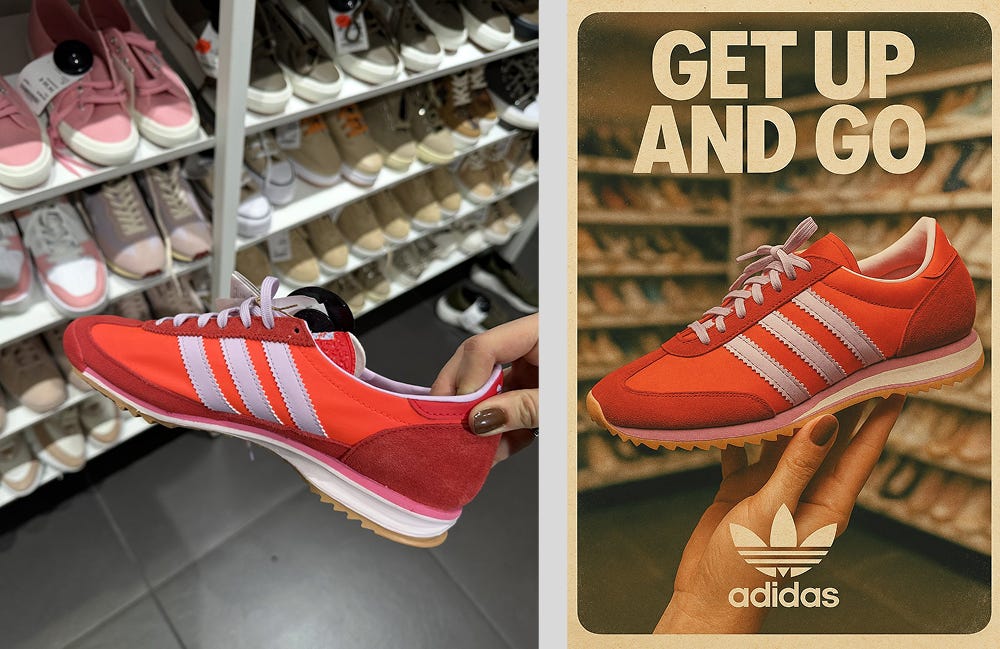
It’s kind of obvious, but I’ll say it.
This use case is for small businesses looking to boost their marketing without a dedicated design team, freelance marketers, and social media managers who need to produce professional-quality ad visuals quickly.
Creators’ AI could be a valuable gift for your friend, colleague, or family member. Gifting books is bright, but giving an AI newsletter is a superb move 😎
UGC & Video Ads in Minutes
Continuing with the advertising theme, let's move on to a more scenario where we'll need an additional AI tool.
As you can see from the video above, you can now use ChatGPT to create your own digital version of yourself (or a popular personality, but we definitely don't recommend that!) and use it to promote products.
There are many solutions for this purpose, which we wrote about earlier. But perhaps the easiest is to use Arcads. It absorbs your images and scripts and then generates a full-fledged video with voiceover.
The progress of the video generation is particularly good.
To do this:
- Upload a photo of the person and product to ChatGPT
- Type the following prompt:
“Make him/her hold the product”- Write a script for the commercial (you can also generate it before you close the chatbot)
- Give the input data to the Arcads model
- Wait for generation
Easy and simple.
No actors, no filming, no lengthy approvals, and a bunch of tedious routines.
Talking Videos with Lip-Sync
Thanks to Olivia Moore, AI partner at a16z, for the following use case scenario.
The other day, she showed at X how ChatGPT with Hedra Labs can be used to create talking videos with lip sync. Now we can not only make Ghibli-style characters ourselves, but we can also record entire podcasts in this format.
This combo brings characters to life. Hedra Labs offers a lip-sync animation tool that can take a still image (say, a character’s face) and an audio clip or script, and then animate the image’s mouth and expressions to make it talk or sing.
How to do it*:*
- Use GPT-4o to generate the character or portrait you want – for instance, a Ghibli-style avatar or even a photorealistic headshot of a fictional person.
- Prepare the audio or text that you want this character to speak.
- In Hedra’s tool, upload the image and either upload an audio file or type in a script (which Hedra will convert to speech).
- Hit the generate button
Hedra handles the heavy lifting: it animates the image to lip-sync the speech and even adds natural head movements and expressions.
With this approach, you can generate a spokesperson or character with ChatGPT and then have it deliver your message. Startups can use this for quick promo videos; educators can create talking historical figures for a lesson, and content creators can literally “puppet” any drawn character with their voice or an AI voice.
This is incredibly cheap compared to traditional animation or video production.
3D Models from AI Images
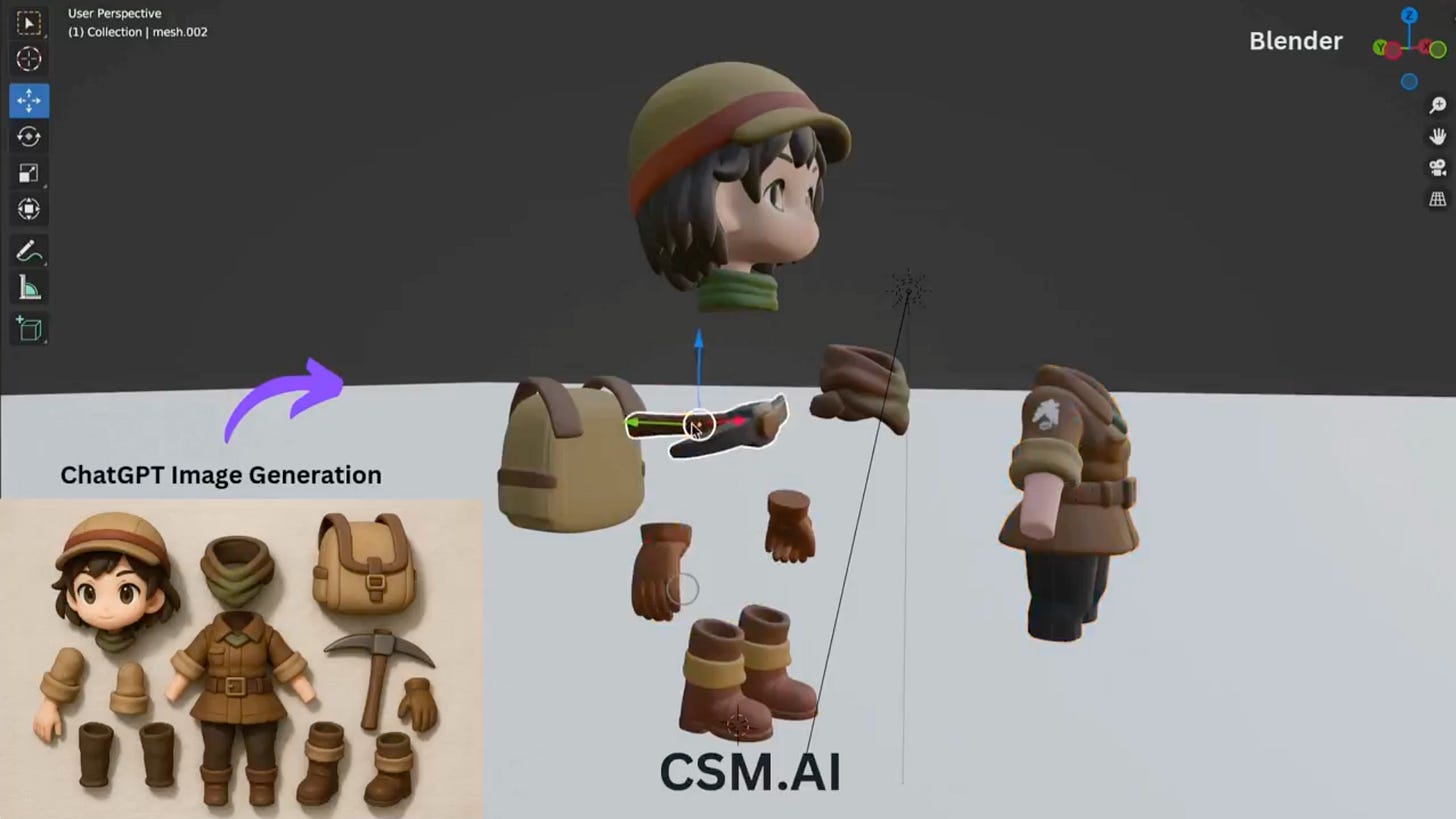
This one is for the 3D artists and game developers out there. GPT-4o can generate reference images of characters or objects, and with the help of Common Sense Machines (CSM) tools, you can convert those into actual 3D models in Blender.
The team at CSM demonstrated a workflow of getting “a 3D asset of a styled character” via GPT-4o and then using their part-based AI tool to automatically generate 3D parts from that image and assemble them in Blender. In 10 minutes, they had a textured 3D character ready for further tweaks.
How to do it:
- First, prompt GPT-4o with something like “concept art of a toy-like robot with all its parts laid out.” Essentially, asking for an image that shows the front, side, and components (this helps the next step)
- Once you have that image, feed it into CSM’s 3D tool (their platform 3d.csm.ai). The tool analyzes the 2D depiction, generates corresponding 3D geometry for each part, and then combines them.
- Finally, import those parts into Blender (CSM provides an addon or script for this). The result is a rough but workable 3D model that matches the image concept
- From there, you can use Blender to refine geometry, adjust materials, or rig the model for animation.
Artists usually spend hours modeling from scratch or interpreting concept art. Game developers can quickly prototype assets. It’s also great for product design: generate an image of a gadget idea, then get a 3D version to examine or 3D print.
While the technology is still early, it showcases a future where AI could be part of an entire 3D creation pipeline.
Turning Images into Vectors
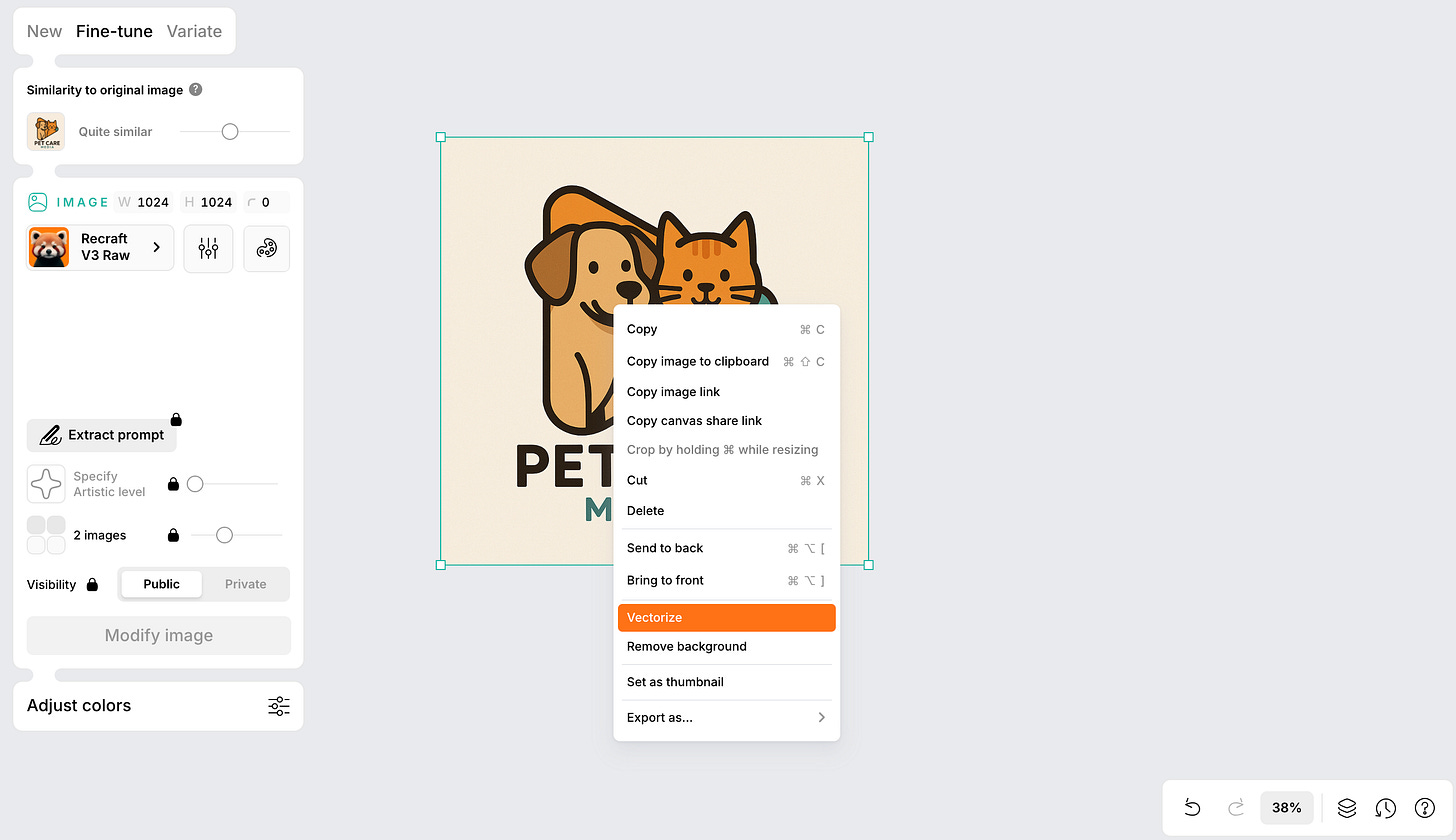
One limitation of ChatGPT’s native images is that they’re raster. Of course, you can ask it to generate SVG, but the result is unlikely to please you (OpenAI still has room to grow).
So, what if you need a vector graphic that can be scaled or edited in Illustrator?
Enter Recraft. The workflow is straightforward: generate your image in GPT-4o, import it into Recraft’s web app, and use its Vectorize function.
For example, I created a logo for a media about pets and pet care. Recraft converted the AI-generated bitmap into an SVG with separate shapes and layers in seconds. I exported it and opened it in Figma, where every element was adjustable.
To do the same:
- Use ChatGPT to make the initial design (it could be a logo, icon, or illustration – more straightforward, high-contrast images work best for clean vectors).
- Download the image
- Go to recraft.ai
- Upload the image
- Hit the vectorize option and let the tool do its magic
Once done, export it as SVG and refine it as needed in your vector editor.
Why it’s useful:
This combo is a massive time-saver for designers. With ChatGPT's help, you can brainstorm graphics and make them editable. No more manually tracing artwork to make it scalable. Entrepreneurs prototyping logos or product graphics can also get an editable vector in minutes. The fidelity is surprisingly good.
Essentially, ChatGPT + Recraft means AI-generated art isn’t a dead end; you can integrate it into actual design workflows.
Final Thoughts
The fantastic thing about parsing 4o Image Generation is that no matter how much time you spend, you can't cover every use case. Every time I explore a fresh topic about AI tools, I take to social media to see how other creators react.
Typically, after 15-20 minutes, the unique ideas run out, and the feed starts repeating roughly the same thing from different people. But that wasn't the case. Every time I opened the X, a new example came to my attention.
So, we're definitely only scratching the surface.
Another thing that made me happy is that the interesting designs were suggested by ordinary users and creators without deep expertise, not by professionals in their field. This proves that the new feature is helpful for the broadest audience.
As for Image Generation with ChatGPT itself, it feels like the least raw product by OpenAI. Yes, sometimes you may see a bad font or missing fingers (I've only had that happen once), but just one correction will fix the situation. That’s pretty cool.
And it feels like the future right now.
What ideas have you come up with? Tell us in the comments!
Share this edition with your friends!
This article was first published in the Creators AI newsletter. View the original edition.