LLM-based Tools That Will Save You Hours (Part 2)
Make Time For Family, Hack Your Productivity & Goblins?

Hey Creators 👋
This post is the awaited part 2 of our last edition – “What Are LLMs & How They Can Save You 800 Hours This Year”, which you can read here if you haven’t already:
In today’s newsletter, we’ll be finishing up on the best LLM-based tools to:
- Add More Time To Your Day — the most powerful calendar & time management tools available.
- Browse Like You’re From The Future — intelligent webpilots that cut your browsing time in half.
- Hack Your Productivity — 4x your productivity using tools that interlink & bring order to your notes.
Do you have a minute to participate in our Subscription Giveaway and make our newsletter even better? Take a quick survey and tell us about your experience & participate in the free Giveaway of a Premium Subscription for 6 months.
Can’t Make Time For Your Family?
Let’s be honest, balancing work and life is difficult. Most of us struggle to find the time to spend with our families, for leisure and rest. Fortunately enough, LLM-based calendar tools can efficiently time block your day so that you have time for everything – meetings, family, leisure, sleep, and deep work.
These tools can actually show you where your free time really lies, and if you don’t have any — it will create it.

These intelligent tools understand your preferences and priorities, helping to arrange your commitments in a way that maximizes efficiency — they can handle the back-and-forth of scheduling meetings, suggest optimal times for your appointments based on your habits, and even remind you of important family events.
If you want to be at the top of your game and still make time for friends, family & yourself, you should be using an LLM-based calendar solution.
Let’s explore the best calendar & time management tools that can give you time to do the things you love, with the people you love!

Get more from Creators' AI in the Substack app
Available for iOS and Android
Motion

Motion - this tool not only schedules your meetings but also suggests the best times for deep work based on your productivity patterns, ensuring you get the most out of your workday.
Mayday
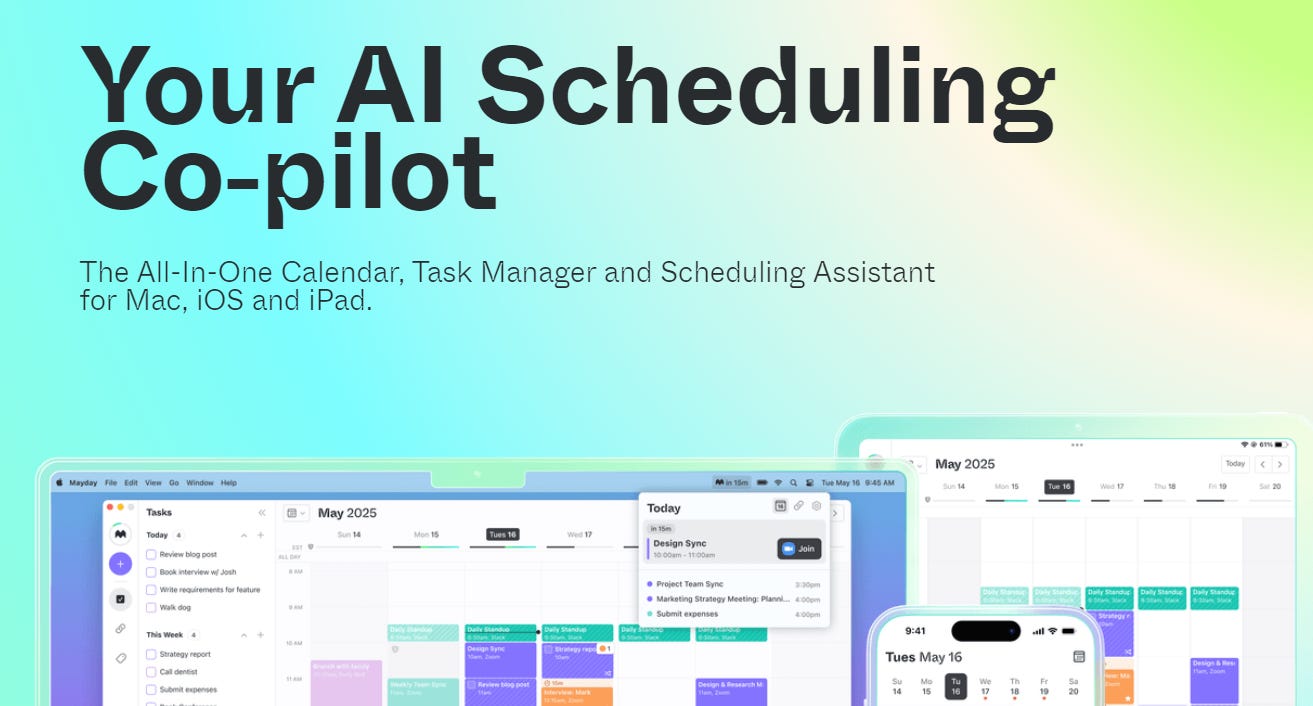
Mayday - perfect for those who need to manage multiple calendars, Mayday coordinates your personal and professional life seamlessly, ensuring you never double-book or overlook a family dinner again.
Share this with your friends and colleagues, especially if they are AI-savvy!
Clara

Clara - doubling as a VA and scheduling assistant, Clara manages email communications and schedules meetings, integrating perfectly with your existing tools to keep your days smooth and your schedule clear.
By integrating these LLM-powered tools into your life, you can reclaim more time for your family without sacrificing your energy & productivity.
Creators’ AI Subscription is the best gift for Creators diving into AI.
Hack Your Productivity
Whether it's streamlining project management or accelerating your daily tasks, these tools not only suggest the best way to tackle your to-do list but actively assist in getting it done quicker, helping you manage & interconnect your knowledge and turn braindumps into actionable to-do lists.
Saner.AI
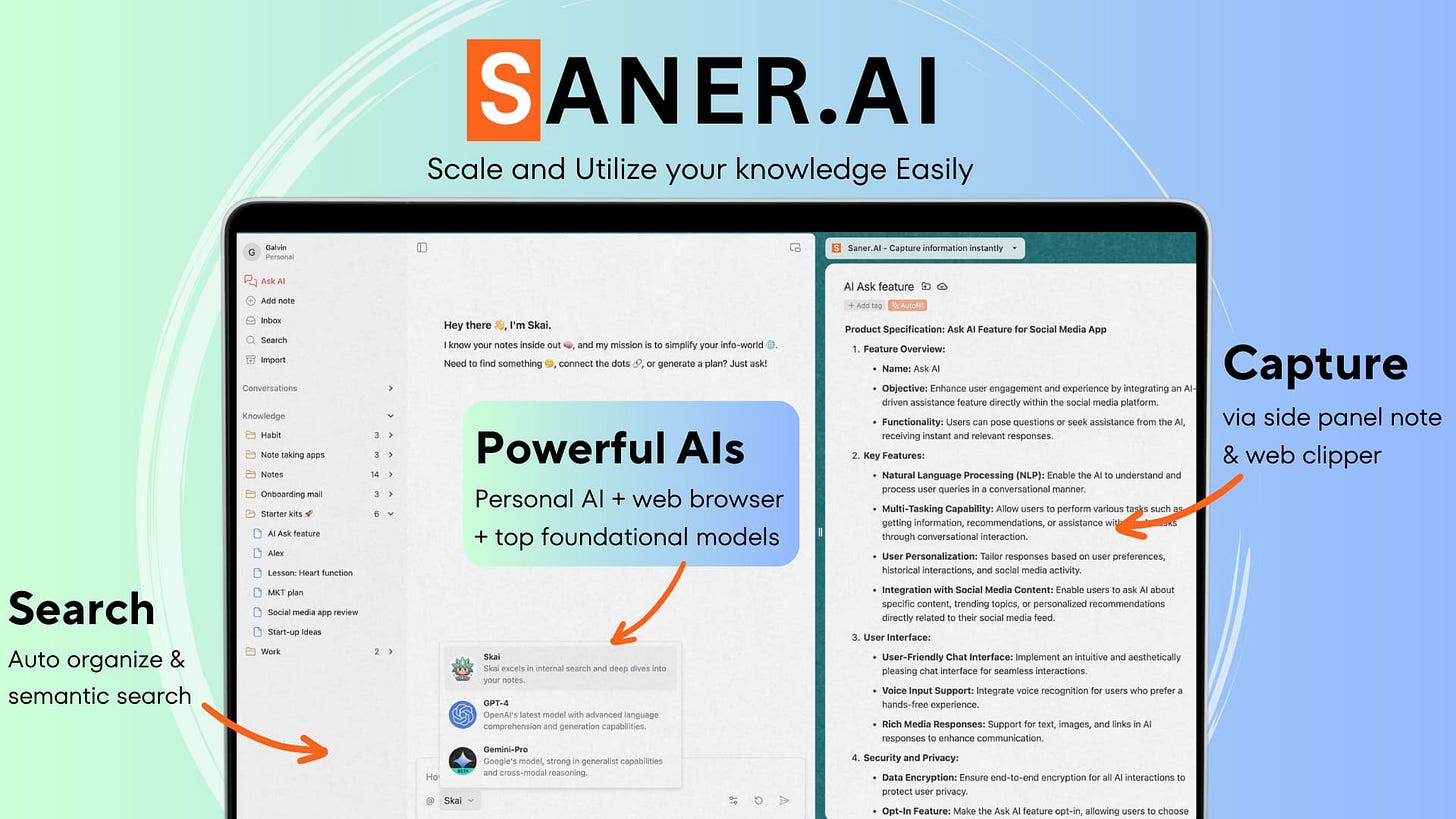
Saner.AI – an AI note-taking app that helps you note efficiently, recall easily & develop new insights without constantly switching contexts. This is the latest & greatest Notion AI alternative, already proving to be a worthy competitor. Saner functions really well as a PKM (personal knowledge management) system and the LLM integration (and the ability to switch between them!) is very helpful.
This tool is awesome for managing your personal knowledge, researching a topic & brainstorming, I enjoyed using the free version, but a lot of their best features are held behind a paywall, — try the free version and see if you like it!
Mem.AI
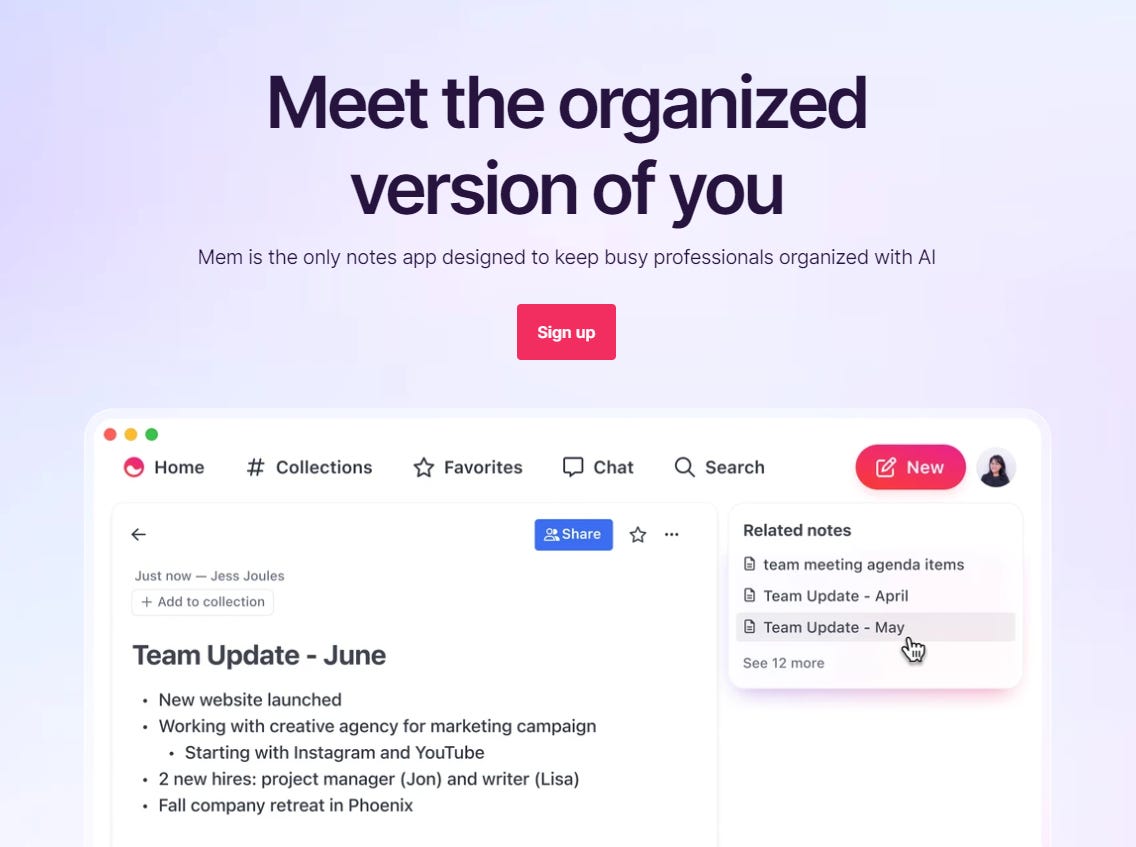
Mem.AI is another LLM-powered note-taking tool and offers more “organizational” features than Notion AI, such as custom collections for your notes, and AI recommendations, it even relates past notes to your new ones without any of your own input!
This is a cool tool to help you understand your brain a bit better, find the hidden relations between tasks & topics.
Goblin.tools
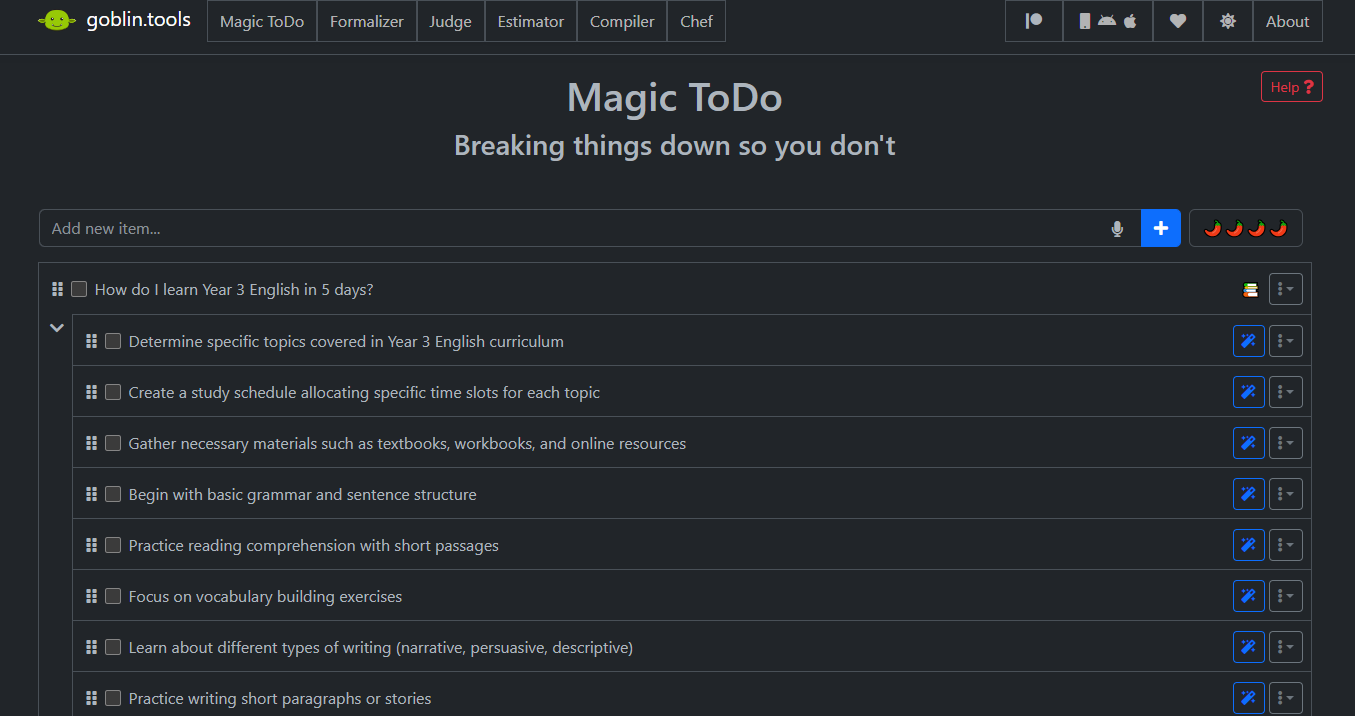
Goblin.tools — an LLM-based task management tool that uses AI to break down large and overwhelming tasks into manageable portions, simplifying the process of managing complex projects. If you’re stuck and just want clarity — this tool is great.
Create a to-do list, crystallize large tasks into bite-sized ones, analyze your tone of voice, and compile your brain dump into a list of tasks – this is an absolute hidden gem!
Keep your mailbox updated with practical knowledge & key news from the AI industry!
Webpilots – The Better Way To Browse
Now here’s the real kicker — would you want a personal assistant that can summarize any YouTube video, book, article, or document, right in your browser? That's what LLM-based Webpilots do—they transform your browsing experience by reading the information on any site you have opened and doing as you ask!
How Webpilots Can Boost Your Efficiency:
- Quick Summaries - from YouTube videos to entire books, Webpilots can provide concise summaries in moments, allowing you to grasp essential details without spending hours reading or watching.
- Enhanced Search - these tools go beyond traditional search engines by understanding the context of your queries and providing more targeted and relevant results, these results oftentimes surpass those of LLM-powered search engines, since webpilots can gather non-mainstream and harder-to-find information, even from a specific site.
- Prompt Assistance - Need quick facts or a brief overview of a topic? Just type a prompt, and your Webpilot will fetch and condense the information for you, making research a breeze. Open any research paper and ask away!
Whether you're curious about a very specific topic that you can’t find info on or a professional preparing for meetings, Webpilots streamline your internet use, saving you valuable time.
Check out the top webpilots you can use right now:
MaxAI
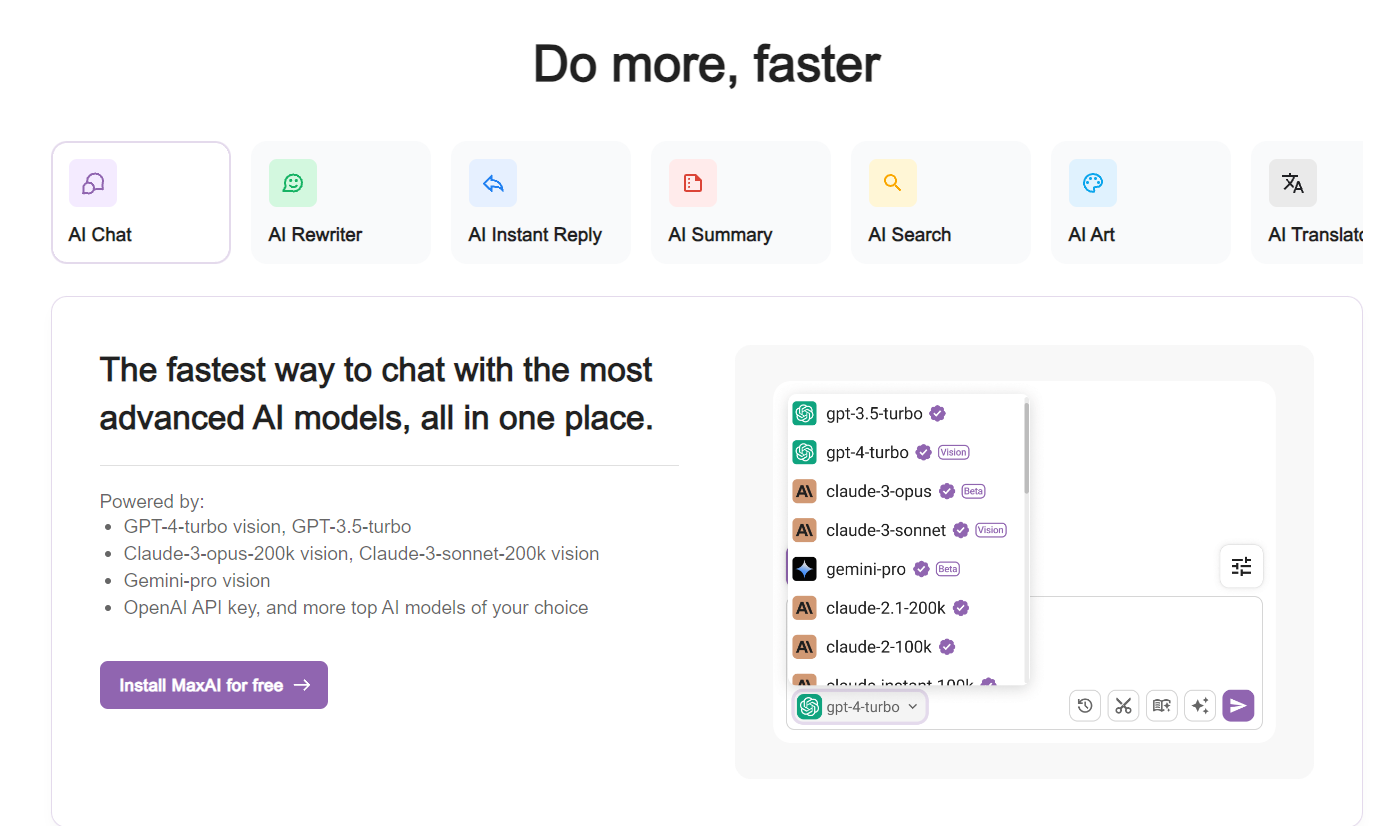
MaxAI — a simple webpilot, offering powerful summarization tools that make learning and information gathering faster than ever.
With MaxAI, you can actually change the LLM technology on the fly, every popular LLM is available for use — and in case you’re confused on the “best” AI modules, then check out our post here, where we extensively benchmarked the best models:
Webpilot
Webpilot AI — a more complex, yet at the same time bare bones “webpilot”, capable of writing and finding information easily.
While their GPT 4 plugin is absolutely stellar and nothing comes even CLOSE, their standalone webpilot is lackluster compared to MaxAI & Harpa, still, it’s worth noting if you spend at least an hour a day researching.
Harpa.AI

Harpa AI — this one is my personal favorite — it’s got a non-intrusive UI and easy toggle, features include YouTube summaries, chat with your YouTube video, article writing, page summarizing, generating replies to emails (that mimic your style), and more!
Harpa is a true AI Automation Agent, giving you hundreds of ways to optimize your browsing — want to read a pdf in 10 seconds flat? Ask for a 5-point summary.
If you haven’t read Part 1, where we explained simply how LLMs work & the best LLM-based tools that can manage your inbox & cut your time spent on search & research in half, here’s the post:
TL;DR
In our last post, we explained LLMs in simple terms & found the best tools to up your search game & manage your inbox (almost) hands-free.
In today’s Part 2, we found the rest — the BEST LLM-based tools to browse like you’re from the future, hack your productivity, and make time for family, deep work & leisure.
Here’s the gist:
- +1 Hour With Your Family — use tools like Motion, Mayday & Clara to efficiently manage your calendar, allowing you to make time for your family, leisure, meetings & deep work, all with the click of a few buttons.
- Hack Your Productivity— leverage LLM-based tools like Notion.so, Mem.AI, and Goblin.tools to 4x your productivity. These tools can create to-do lists from braindumps, interlink your notes without any of your own input & bring order to your notes.
- Browse Like You’re In 2055 — intelligent webpilots like MaxAI, Harpa AI, and Webpilot AI can help you navigate the internet like you’re living in the future, wasting ZERO time on watching hour-long YouTube videos or reading lengthy articles, with just a single click and you have what you ask for!
Have you used any of the tools we mentioned in parts 1 & 2? What did you use them for? Let us know in the comments!
This article was first published in the Creators AI newsletter. View the original edition.