NotebookLM Updated Guide: Work & Learning Tips
NotebookLM 2025 Guide
Hello friends!
I’ve been noticing more and more creators calling NotebookLM their favorite tool for learning, synthesizing, and understanding information.
Since our last post about NotebookLM, the tool has gotten way smarter and picked up a bunch of new features… and it’s still free.
So if you’ve already used the tool, today we’ll look at some interesting tips that’ll help you squeeze even more out of it.
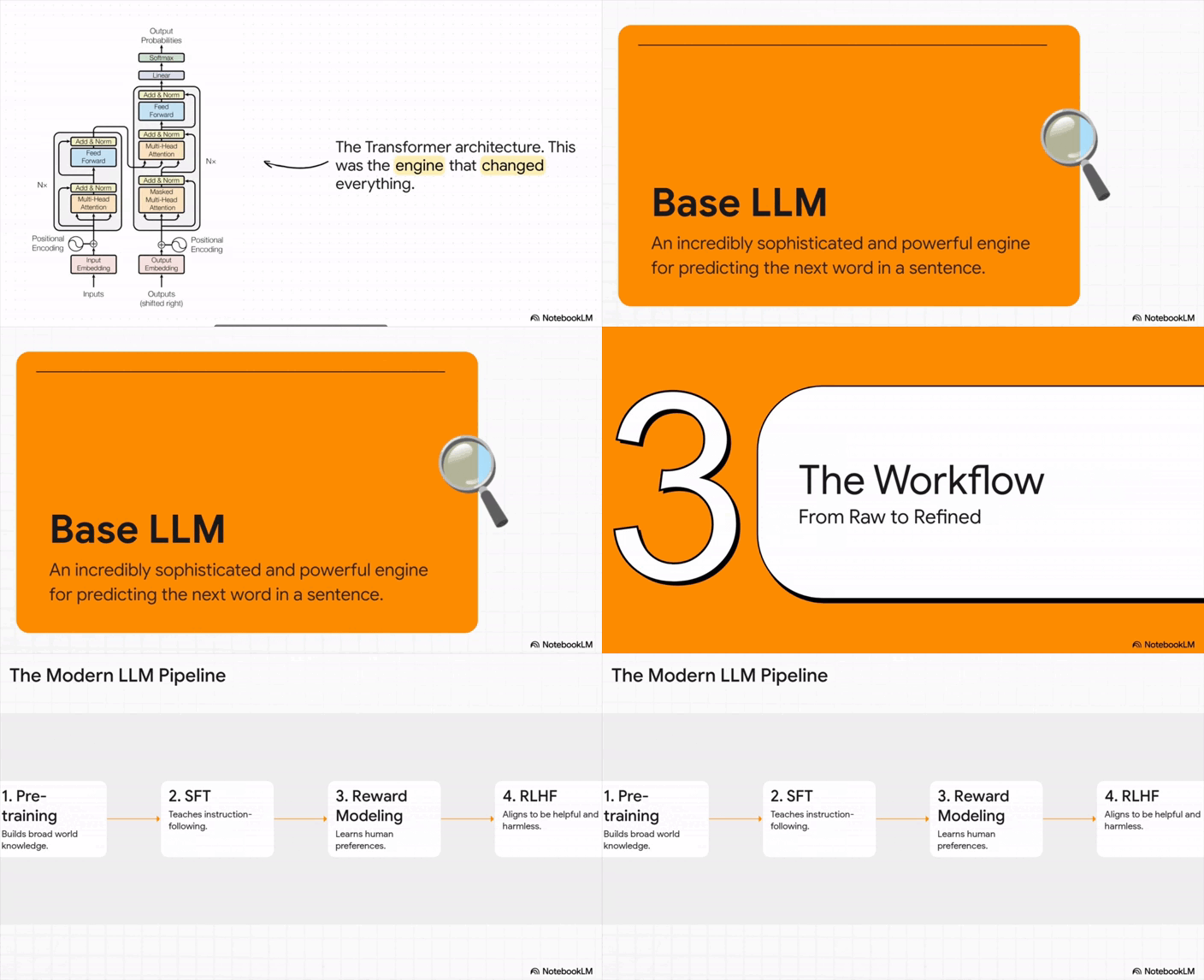
And if this is your first time hearing about NotebookLM, honestly, I’m jealous (look down, NotebookLM whipped up this 20-minute presentation purely from the sources I uploaded. You can’t hear it here, but it explains everything just like a teacher)

In this piece, we’ll discover:
- What NotebookLM is and how it wipes out hallucinations.
- A quick-start guide to all the key features.
- Real workflows to help you pick up new skills way faster.
Keep your mailbox updated with practical knowledge & key news from the AI industry!
What is NotebookLM?
NotebookLM is a super handy AI research assistant from Google built on Gemini AI. You can upload up to 50 sources at once and let the tool turn your materials into summaries, structured insights, and even podcast-style audio overviews.
Early NotebookLLM started as a simple scratchpad, just a quick place to drop ideas and test things. But it’s grown a lot since then. The devs added auto visuals, a step-by-step learning mode, and reusable notebooks, and that completely changed its vibe. It’s no longer just a note-taking tool. It’s basically your own personal course builder you can use for free.
To make it even clearer: for example, I can do simple things like upload a PDF manual for my washing machine and ask about a specific issue. In several seconds, it gives me the answer on how to fix it. Or learn a complex topic like LLMs much faster in one conversation with visuals.
Key advantages:
1. Work with different types of files
Upload articles, PDFs, website links, pictures, audio, YouTube videos (you don’t even need a manual transcription), handwritten text, and go on. You also don’t need to worry about mixing up languages, as NotebookLM handles multilingual sources and keeps them all in one structured workspace.
2. Verified information + fresh ideas
I know you are tired of AI models hallucinating, but NotebookLM grounds every response in the documents you provide and always cites the exact source. If something isn’t in your materials, it tells you directly. It can also suggest new angles, hypotheses, or topics to explore, but always strictly based on your uploaded content.
All this is possible because it’s built on RAG — Retrieval-Augmented Generation. In plain English, that means:
- NotebookLM doesn’t just guess answers from what it already knows (no more “Sorry, you were right” 🥴).
- Then it uses that information to generate summaries.
- And can also combine and cross-reference multiple sources.
3. Direct answers inside the chat
You are aware of the concept. Just ask questions, and NotebookLM comes with answers. If you need something more in-depth, keep asking, and it will highlight connections between documents, compare ideas, or help you dive into complex topics without losing context.
!function(){"use strict";window.addEventListener("message",(function(e){if(void 0!==e.data["datawrapper-height"]){var t=document.querySelectorAll("iframe");for(var a in e.data["datawrapper-height"])for(var r=0;r<t.length;r++){if(t[r].contentWindow===e.source)t[r].style.height=e.data["datawrapper-height"][a]+"px"}}}))}();
Just take a look at the table – the difference in words in the context window is huge. Use every bit of it!
How you can use NotebookLM in real projects
Unlike Cursor, which can also analyze files, NotebookLM is very user-friendly. You don’t have to explain your folder structure or give a whole brief on how things connect.
I’ll break down how to set it up inside the tool, what customizations to tweak, and how to make sure nothing gets lost as you feed in new info. My goal is to show you how to not just save time or get a one-off win, but build a workflow that runs like clockwork.
I’ll start with a few quick things you can try, and then I’ll take you through a practical workflow.
Research & Material Analysis
- Upload articles or books, and let NotebookLM pull out overlaps, differences, and author takeaways.
- Turn textbooks and courses into personalized summaries.
- Build quizzes with different difficulty levels and run a practice exam right in chat based on your uni or school prep.
- Find gaps in your materials and get suggestions on what to dive into next.
- You can ask NotebookLM to show links between ideas you might’ve missed.
Content Creation
- See what competitors are doing, spot gaps, and find angles to stand out. Upload competitor materials, ask NotebookLM to find overlaps, and spot untouched angles you can highlight.
- To detect emerging trends, upload fresh research or reports to highlight hot topics or buzzworthy trends.
- Update old content and ask to flag out what can be refreshed, expanded, or linked to new posts.
- Take comments, questions, or feedback from your customers, readers, whatever, and make structured Q&A guides.
Use cases for work & freelance
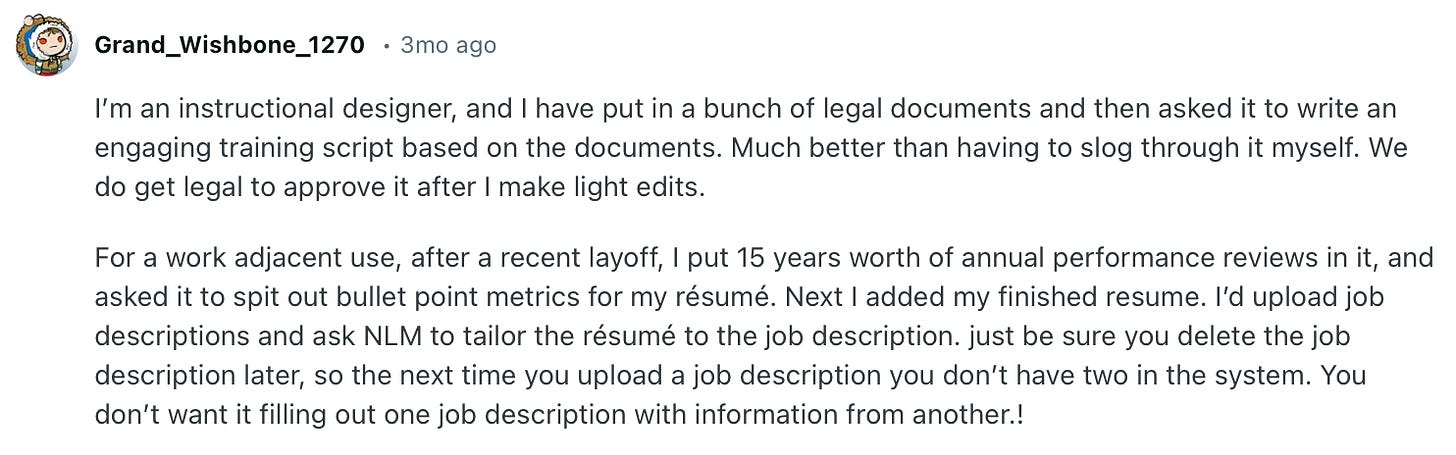
Looking for a job can be killing, but NLM can ease things up.
- Upload meeting notes, completed tasks, or reports, and ask it to summarize progress, highlight issues, and suggest growth points.
- Upload all client data (past meetings, interaction history, requests) and ask NotebookLM to make a quick brief of key points and upcoming tasks.
- Upload multiple client records and ask NotebookLM to find patterns, common requests, or shared pain points.
- Upload project reports or results and ask it to highlight successes, systematize them, and generate reusable case studies.
- Upload transcripts of best/worst client meetings and ask NotebookLM to extract winning approaches and mistakes for team training.
Btw, do not hesitate to ask millions of questions after:
* Which clients or projects present opportunities for upselling, cross-selling, or long-term engagement based on historical interactions?
* Which client issues keep occurring, and how can we proactively address them?
* Which approaches led to the best outcomes, and which didn’t work?
Personal

What a sweet case
- Whether you’re exploring cooking, taking pictures, or developing projects with artificial intelligence, you can fast-track your progress by pulling together lessons, discussion boards, and specialist insights inside NotebookLM.
How to start and make your work as effective as possible
Recently, in one of the Weekly Digests, I recommended checking out the Stanford lecture on how to build Large Language Models (LLMs). Well, I decided to take my own advice and give it a try to showcase how to work with NotebookLM.
Ready to speedrun learning how to make LLMs?
The lecture contains almost two hours of clear knowledge, which can get pretty dry if I just watch it straight through. So I want to turn it into gamifying learning that has always worked wonders, and NotebookLM makes that possible. It means that it can break the lecture into bite-sized pieces, create quizzes, flashcards, summaries, and even mind maps (Quizlet on steroids).
1. Sign in & create a notebook
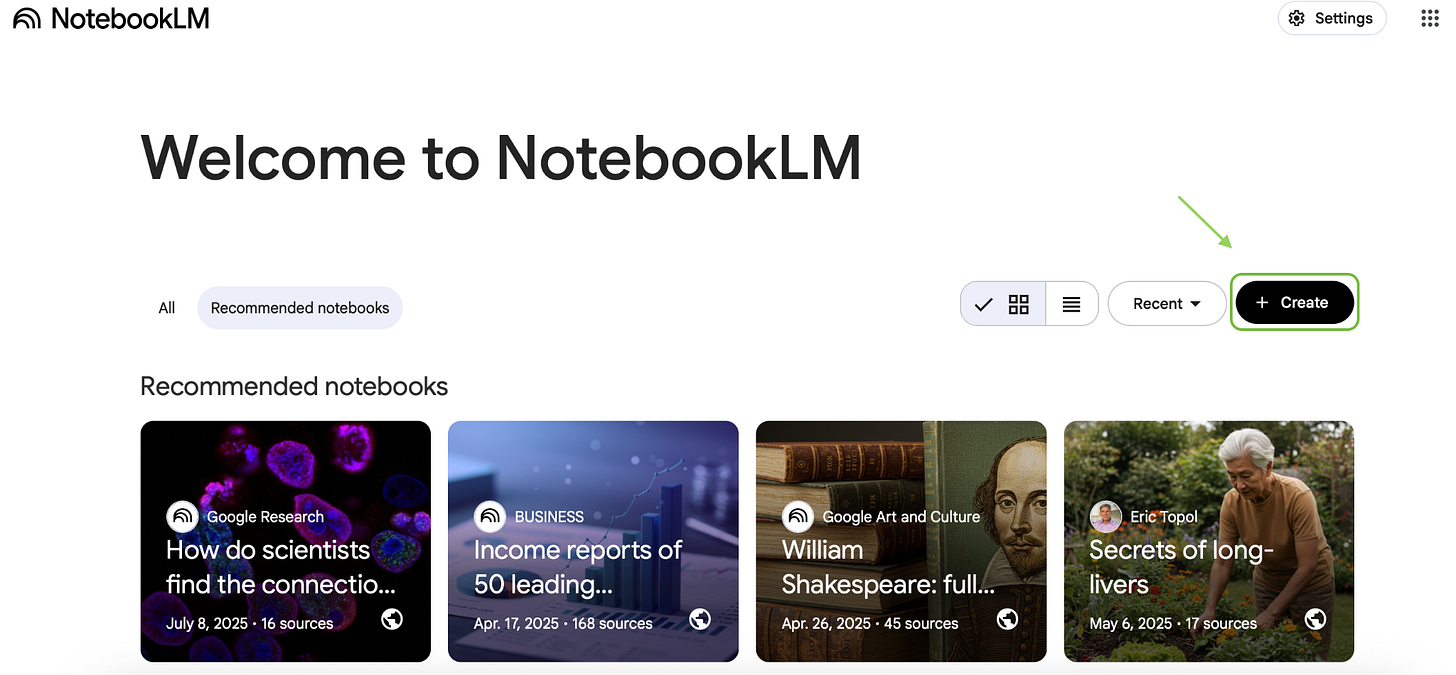
Head to the NotebookLM website and sign in with your Google account. Once you’re in, click “Create”. There, all your notes, sources, and projects are stored.
2. Add more resources
So we have the video, but is that really enough for something this complicated? We might need more info. There are two ways to get it:
1. Open Perplexity or Atlas and type the topic we want to explore
Grab the resources they surface.
That could be:
- Books
- Articles or research papers
- Videos on YouTube or Social media
- blogs
As a first sweep to cover a massive topic without drowning in tabs, this step works great.
2. Make it directly inside the NotebookLM
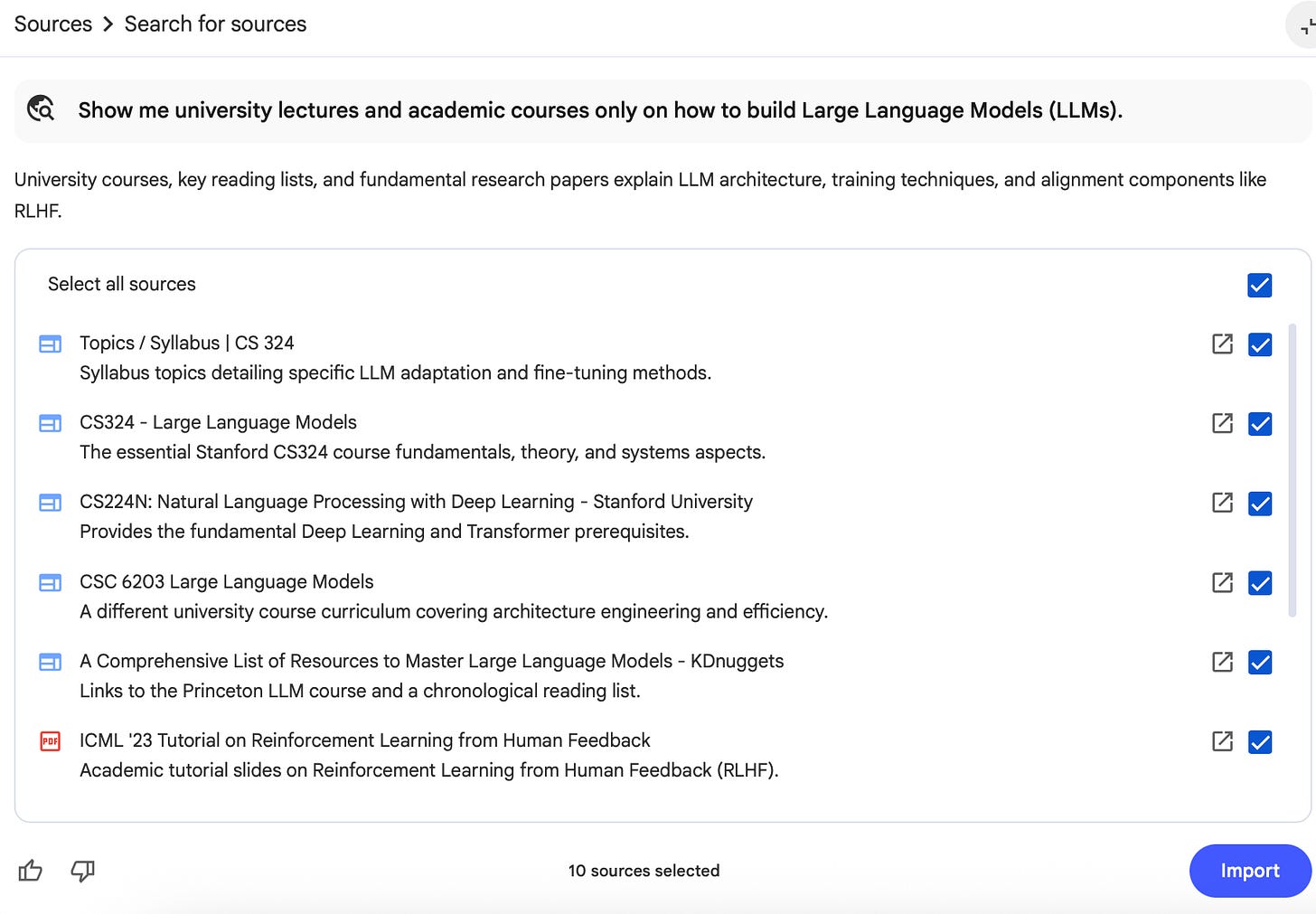
Method 1
Show me university lectures and academic courses onlyTo get off to a flying start, we definitely need more from Stanford CS lectures, MIT deep learning classes, NYU, Berkeley, etc.
These give us the real foundations, and they are still explained by professors who are used to teaching beginners. Perfect for building the first mental map of how LLMs work without drowning.
Method 2
Give me peer-reviewed research papers and conference summariesThat way, we can track how the field is actually shifting, what’s trending (we do love trends), and what experts are currently talking about.
Method 3
Show me engineering blog posts from real ML teams such as Google Research, OpenAI, ClaudeThis is where theory becomes actual practice. These posts walk you through: training pipelines, GPU setups, data curation, and evals. Basically, it gathers all the behind-the-scenes reality of shipping LLM.
Ask a source depending on your needs. If you are looking for something more simple, go for “YouTube videos only” or “Linkedin posts only”.
3. Upload your sources
After digging around, we probably got buried under sources (you can add up to 50 per notebook!). Research papers can feel like punishment, but hey, it only took us about 10 minutes to pull everything together.
So I want to begin gradually:
- Kick things off by feeding it simple questions.
1. Give me a quick summary of all the main concepts from this lecture2. Pull together the key ideas from the video and articles in one place- Then connect this to something I already know.
Explain the LLM training from the Stanford lecture by comparing it to how a sales funnel worksIt will help me feel a process I’ve already seen, just in another domain.
- For solid outputs, I give NotebookLM a detailed prompt:
I want to build an LLM. Give me a step-by-step guide based on the Stanford lecture, with examples and practical tips for each stage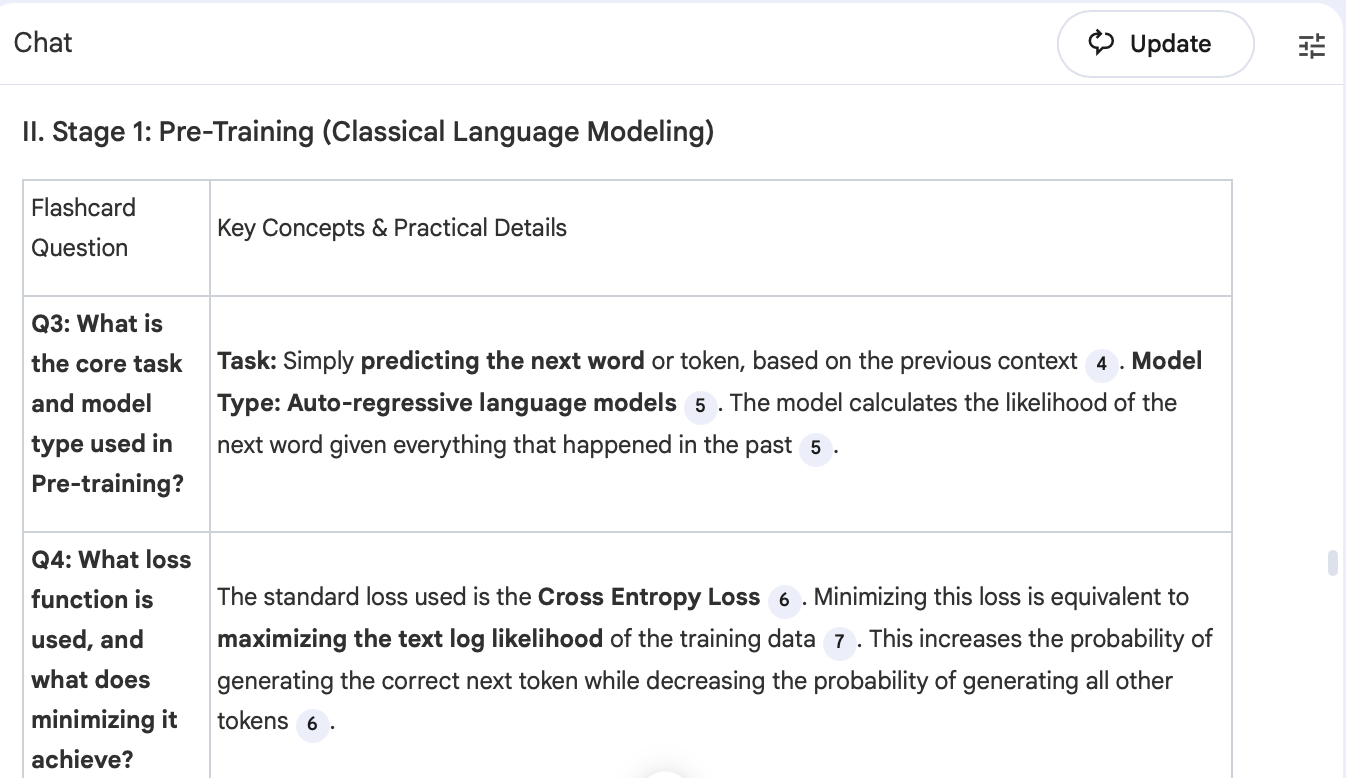
You can also toss things like:
Explain this topic in 4 passes: beginner → intermediate → advanced → expertOr make it easier for you with:
Give me the simplest possible explanation of [insert your word]I find it gold, because you get a roadmap without any random facts. And when you finally have basic information, you can make it more entertaining.
Method 1
Ask NotebookLM:
Explain the LLM training pipeline as if you’re pitching a movie plotAt the uni, we were always told to make associations and think in pictures. And what’s better than a movie plot to show the perfect example of how something unfolds? It turns a boring process into something you actually remember.
Method 2
Most lectures drown you in detail, but as usual, only a small slice truly matters.
From the entire Stanford lecture, tell me the 20% of ideas that give me 80% of the understanding of LLM trainingThis is the Pareto Principle for learning complex topics (which I used to implement a lot at the university). It cuts away the noise and leaves you with a handful of concepts that actually move the needle.
Method 3
A lot of beginners struggle because their mind is already filled with myths and guesses.
So, have NotebookLM surface those blind spots directly.
Create a map of the biggest misconceptions beginners have about training LLMs, and explain what causes each misconceptionThis gives us a clear overview of which ideas most people get wrong, like “more data = always better” (I hope you know this, right? 😉), and why those misunderstandings appear in the first place. It’s like debugging your brain before you even start learning.
4. Time to try built-in tools
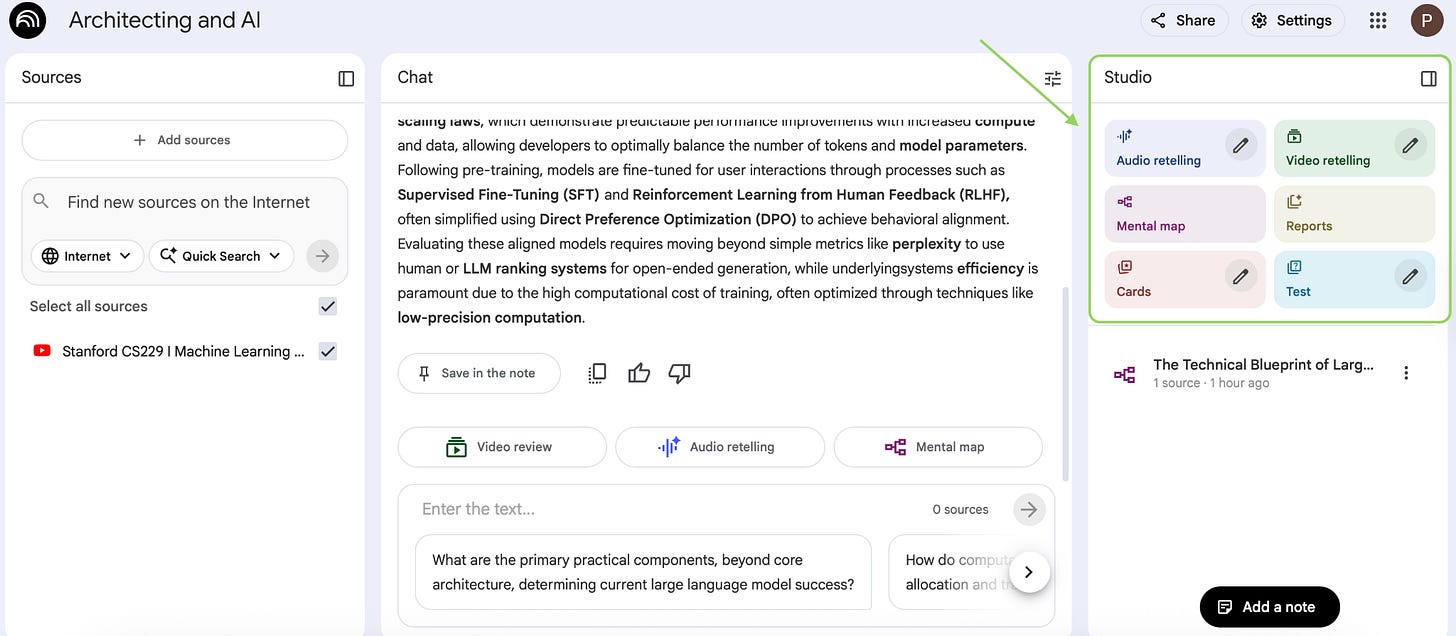
Once the context is revealed, I can generate my learning materials.
Everything is super intuitive, because we can pick the amount of cards, the difficulty level, the language for podcasts and presentations. We take over the full control of our notes.
Maps
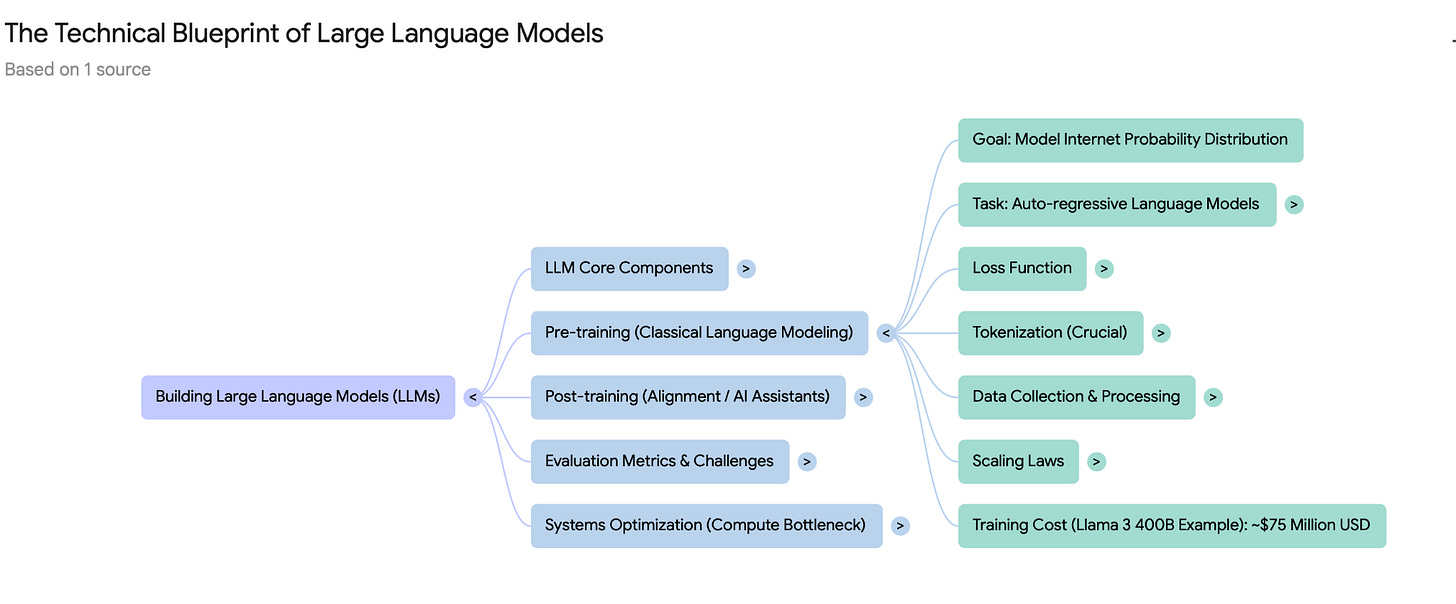
As I mentioned, you can build a map of myths, but you can also create a classic concept map.
Audio overviews
NotebookLM can turn our sources into a podcast-style summary. Whatever we’re doing, we can listen to our own podcast with the ideal run-through.
Method 1
As we took a university lecture, let’s reform it into an awkward student and patient scientist energy conversation.
Create a casual back-and-forth between a confused university student and a relaxed ML researcher. The student should openly admit what they don’t understand about the LLM training pipeline, and the researcher should break it down in a friendly, no-jargon toneI like it, because
- It is super handy, and it gives me a classroom vibe.
- Explanations feel like a casual chat, not a lecture.
- It is great for early learning when everything sounds scary.
Method 2
Not a comparison, but two practitioners venting about everything that went sideways.
Make two ML engineers swap real-world ‘war stories’ from training LLMs with the bugs, the stupid mistakes, the things they wish they knew earlier- It shows what actually breaks in the pipeline.
- The stories stick in your memory way better than formulas.
- Reminds us that in real life, things rarely go in a straight line.
Video overviews
Sometimes, even after reading and listening, you just need someone to explain stuff in pictures. NotebookLM helps us with AI-generated slides + narration.
Method 1
Walk me through the LLM training pipeline: start with the basics I need first, then core components, then workflows, and finally, what I can learn laterExample slide flow:
- Slide 1: “What is pretraining?”
- Slide 2: “Core Components” (tokenization, embeddings, LLM, and so on)
- Slide 3: “Basic Workflow”
- Slide 4: “Next steps for deeper learning.”
Method 2
Compare approaches for training LLMs (pros, cons, cost, complexity) so I can pick the best pathVisual tables spell things out loud and clear, making it way easier to pick our move. We’re not out here training our own LLM, obviously, but this still gives us the ultimate toolkit to analyze how big companies do it, and what tricks they’re hiding behind the curtain.
Make flashcards more practical
Flashcards aren’t just for vocab, but they can test real understanding.
Method 1

Generate flashcards for tricky or closely related terms in LLMs buiduing, and have me summarize each distinction in just one clear sentenceMethod 2
If you wanna move fast, let your mistakes teach you.
Quiz me on typical beginner mistakes such as chunk size, embeddings, retrieval issues and and their descriptionQuizzes
I like to treat them as the final exam, where you really put yourself to the test and prove you’ve actually learned the stuff.
Method 1
Think about what might go sideways before it actually does (because we know that there are always failures). You can try to spot the traps and get why they happen.
Create a quiz that helps me understand the most common failure modes when training an LLM from scratchMethode 2
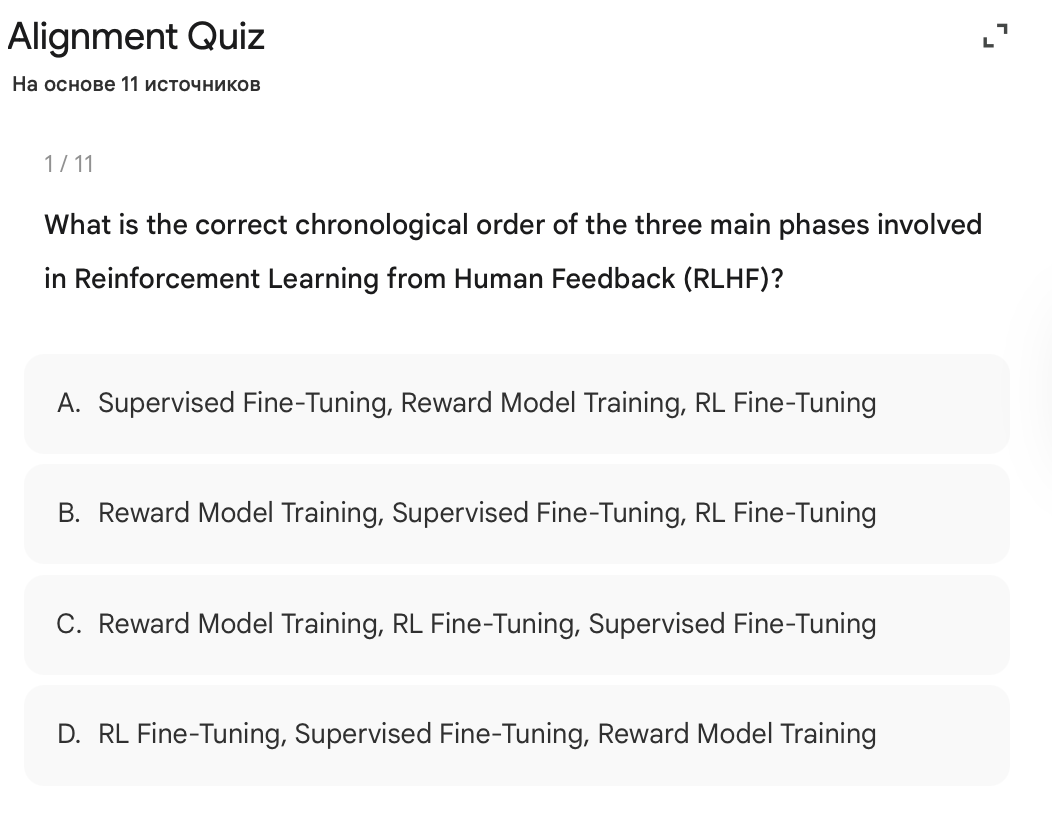
Make questions that combine multiple LLM training concepts: tokenization, embeddings, attention, optimization, evaluation and so onAfter going through podcasts, flashcards, and presentations, I can definitely answer is A (this sequence correctly begins with a base instruction-tuned model, then learns human preferences, and finally optimizes the policy against those preferences)!
P.S. I still feel like I’m swamped under a ton of info, even though I already know most of the terms and have a good grasp of the topic. But the best part is that it’s all neatly tucked away in structured flashcards, tables, and podcasts that I can jump back to anytime and find exactly what I need. I know it’s rough, but the whole process feels chill and enjoyable.
6. Save, organize & iterate
Whenever you get a useful answer, click “Save to note”, and it becomes part of your notebook. You can add your own notes too. Later, you can generate new structured documents based on saved notes.
What is more, with Nano Banana or Gemini Canvas, you can turn your notes into charts, flow diagrams, infographics, and more.
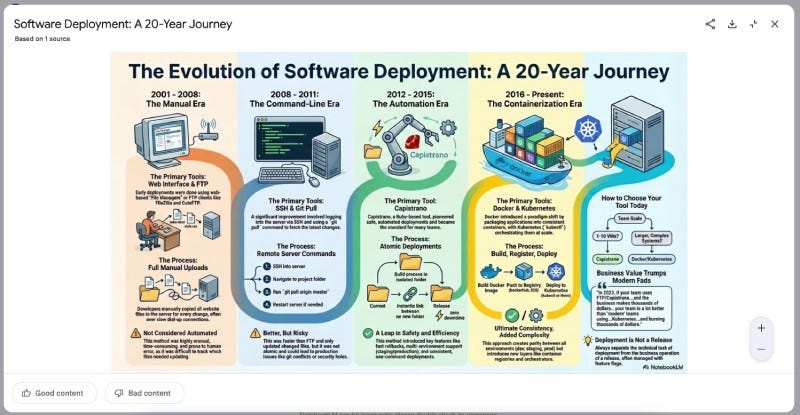
An example of an instant infographic from another user
Conclusion
I can’t help using it for all the complicated stuff that I face. NotebookLM basically molds itself around the gaps in your knowledge.
The real deal is building a roadmap that fits you by figuring out what’s already clicking, pinpointing exactly where you’re stuck, and checking if you can actually do the thing.
When you feed it your own files and resources, all the random internet garbage disappears. Studying will always be a part of our lives, and we’re living in times when AI tools smash through what our brains can normally handle, making it possible to master complicated stuff way quicker.
Are you using NotebookLM too? We’d love to hear your hidden tricks! They might save someone hours.
This article was first published in the Creators AI newsletter. View the original edition.