
OpenAI's New Models Overview & Prompting Guide
GPT4.1, o3 & o4mini
OpenAI doesn't calm down and keeps throwing new models at us. This week, the company showed a whole family of GPT-4.1 (with an emphasis on coding), as well as the most capable models to date, o3 and o4-mini.
However, the naming problem is still here (Sam Altman promises to fix it this summer), so it is very easy to get confused. Let's break it down.
In this post:
- Explanation for OpenAI's Latest Updates
- How to Access & Who Needs The Latest Models
- Prompting Guide with Tips & Prompts
Get 20% OFF Full Access subscription!
GPT-4.1 | Overview & Explanation

The week began with the release of the GPT-4.1. This is not one model but a family of three. They are direct successors to the GPT-4o, which users typically use for basic tasks and web searches.
Quick Overview:
- GPT-4.1: The flagship model with the highest capabilities
- GPT-4.1 Mini: A balanced middle option
- GPT-4.1 Nano: A smaller, faster, and more affordable option
The main features of these models are coding and instruction following.
OpenAI has specifically optimized these models to excel at writing, understanding, and fixing code. This isn't just a minor upgrade: according to Windsurf (an AI coding tool and one of OpenAI's partners), GPT-4.1 is about 60% better than its predecessor at coding tasks.
Here's an example of how GPT-4.1 does a better job of generating apps:
Apparently, the company didn’t want to ignore all the hype around vibe coding. So these models can be a good help for those who want to create apps.
The Memory Upgrade
One of the most impressive features of GPT-4.1 is its massive memory upgrade. The model can process up to one million tokens in a single conversation, which is roughly 750,000 words, or longer than the entire "Lord of the Rings" series.
This means you can have much more natural, flowing conversations with the AI without it forgetting what you discussed earlier. You can share large documents, extensive code bases, or detailed project requirements all at once, and GPT-4.1 can keep track of everything.
When combined with primitives like the Responses API, you can create more useful agents for software engineering, extracting insights from documents, resolving customer requests with minimal hand-holding, and performing other complex tasks.
OpenAI’s o3 & o4-mini | Best For Reasoning

Just days after the GPT-4.1 release, OpenAI doubled down by launching two new reasoning models: o3 and o4-mini. While GPT-4.1 focuses on coding and instruction following, these new reasoning models take a different approach to AI problem-solving.
And this update is no less significant. Let’s check why + Prompting Guide & Availability info inside 👇
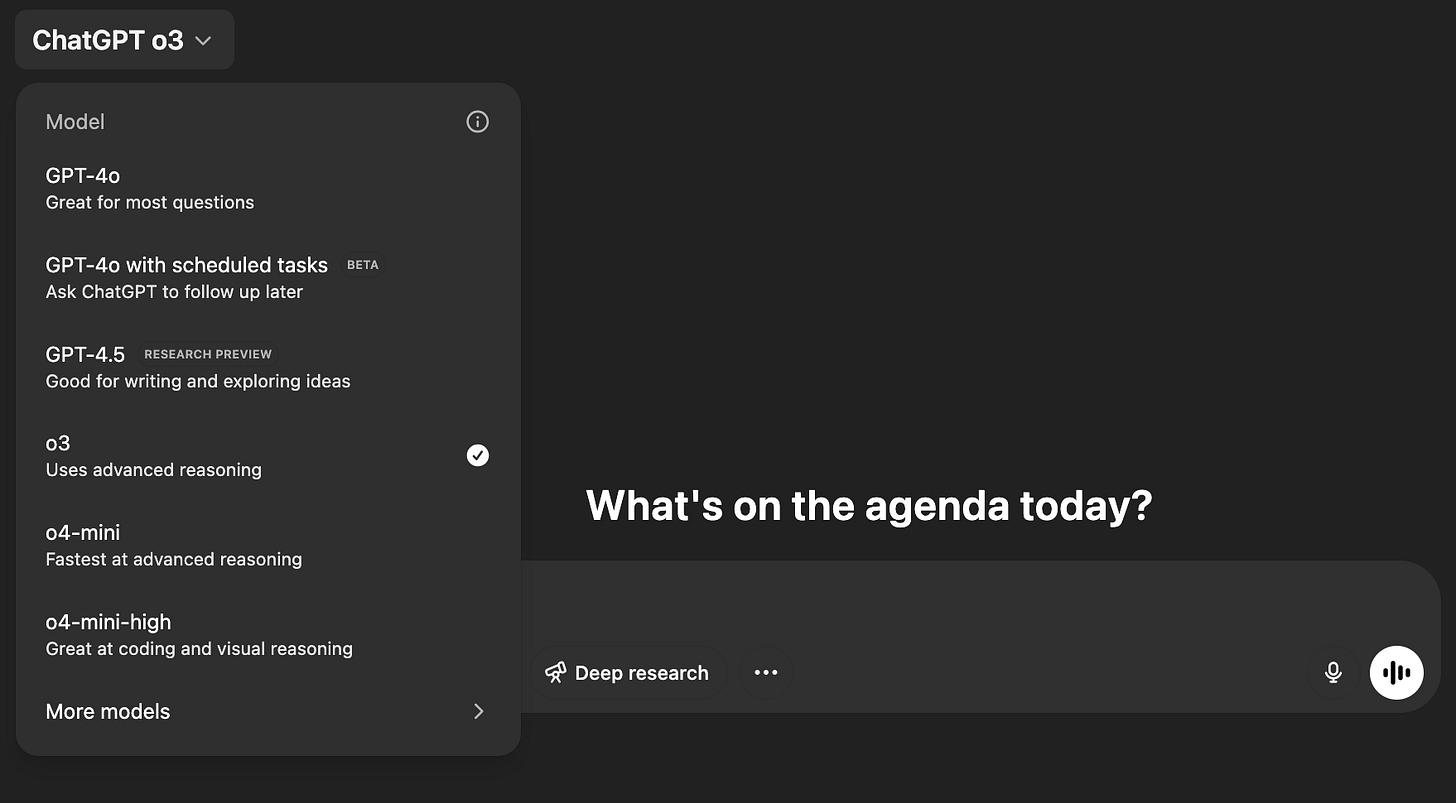
As with the o3-mini (which is already available to all Plus subscribers), reasoning models take a more human-like approach. The new lineup has two options:
- o3: OpenAI's most powerful reasoning model ever, designed for complex analysis and problem-solving
- o4-mini: A smaller, faster, and more cost-efficient version that still delivers impressive performance
These models replace their predecessors: o1 and o3-mini.
And while GPT-4.1 excels at code, the most exciting feature of these new reasoning models is their ability to "think with images." This means they can:
- Analyze images as part of their reasoning process
- Work with sketches, diagrams, and whiteboard drawings
- Zoom in, rotate, or otherwise manipulate images to understand them better
- Incorporate visual information directly into their problem-solving
For the first time, these reasoning models can use all of ChatGPT's tools simultaneously, including web browsing to find current information, Python coding to build apps, and image generation to create visuals.
This means you can ask a complex question that requires multiple steps and different types of analysis, and the model will choose which tools to use and when.
Here’s how it works:
When and Which One to Choose?
Although o3 and o4-mini have a lot in common, it is quite easy to choose which model to use. The developers themselves say that o3 is a bit better at handling complex queries that require multifaceted analysis and do not have obvious responses.
At the same time, o4-mini is suitable for quick and economical reasoning.
Share this post with friends, especially those interested in AI Insights!
Prompting Guide for The Latest Models
These updates bring major changes to the way OpenAI models work, reason, and perceive information. And, while they still understand natural language, the literate approach to prompting has changed.
Below you will find a prompting guide for the new models. It is primarily suitable for GPT-4.1, but will also be useful for other AI models (including Gemini, Claude, DeepSeek, etc.).
To make it easier for you to navigate, here is the content of the guide:
- Set the Stage with a Role or Persona
- Be Specific with Instructions and Desired Output
- Provide Context or Data (Leverage the Long Memory)
- Encourage Step-by-Step Thinking (Chain-of-Thought Prompting)
- Guide Multi-Step Tasks with Persistence and Planning
Before we get into specific techniques, I suggest we look at a general tip from OpenAI on prompting. The company recommends using the following structure when working with GPT-4.1:
# Role and Objective

# Instructions

## Sub-categories for more detailed instructions

# Reasoning Steps

# Output Format

# Examples
## Example 1

# Context

# Final instructions and prompt to think step by step
1. Set the Stage with a Role or Persona
One of the simplest ways to guide GPT-4.1 is to tell it who it is or what role it's playing in your prompt. This gives the model context about the perspective and tone it should adopt.
OpenAI’s guides suggest starting your prompt by defining a clear role or objective for the AI. For example:
You are an engineering agent. Please keep going until the user’s query is completely resolved before ending your turn and yielding back to the user.Or
You are a helpful customer service agent, helping users efficiently fulfill their requests while adhering closely to provided guidelines.This sets both the role and the desired approach. By setting the stage in this way, you prime GPT-4.1 to respond with the appropriate expertise and attitude.
2. Be Specific with Instructions and Desired Output
GPT-4.1 excels at following instructions, so don't be shy about spelling out exactly what you want. In fact, it’s recommended to make your instructions as specific and clear as possible.
Instead of hoping the AI “gets” what style or format you need, explicitly tell it.
This can include the tone of voice, the length or format of the answer, and any dos or don’ts. Because GPT-4.1 is more literal, it won’t assume what you don’t specify but will diligently obey what you specify.
A good approach is to list your requirements or rules.
You are a full-stack JavaScript developer.
Write an Express.js route handler for POST `/register` that:
- Accepts JSON input with `username`, `email`, and `password`.
- Validates the email format and password length (min 8 characters).
- Returns a JSON response `{"success": true}` on success, or `{"error": "..."}`
  with an appropriate message on failure, using proper HTTP status codes.
Or (for non-tech users)
Write a LinkedIn post announcing [company's new feature or some news]. Tone: professional but upbeat. Length: 3-4 sentences. Include: a call-to-action asking readers to comment.This prompt clearly defines tone, length, and the inclusion of a specific call-to-action, so the model knows exactly how to format the post.
Creators’ AI could be a valuable gift for your friend, colleague, or family member. Gifting books is bright, but giving an AI newsletter is a superb move 😎
3. Provide Context or Data (Leverage the Long Memory)
If you want GPT-4.1 to consider specific information (like your own notes, an article, or a content brief), include it in your prompt. GPT-4.1 has an enormous capacity to take up to about 1 million tokens of text in context.
You can feed in huge documents or multiple sources.
For example, you might provide a chunk of user feedback or a product description and then ask for a summary or suggestions. Always clearly separate or label the context from your question, so GPT-4.1 knows what content to use.
You can even say something like “Using the information above, do X…” to signal that it should ground its answer in the provided text.
Given the notes below about our target audience, suggest three blog topics that would appeal to them.Here you'd paste your audience notes below the prompt. The phrasing tells GPT-4.1 to use that specific context for its ideas.
Using the provided article, write a one-paragraph summary. Only use facts from that article; don't add information from elsewhere.This explicitly instructs the model to rely only on the given text. It's a safeguard against the AI mixing in outside knowledge or guesses not found in your article.
Because GPT-4.1 can handle so much context, you can give it all the background it needs. If something is essential for the task, include it rather than expecting the AI to know it.
4. Encourage Step-by-Step Thinking (Chain-of-Thought Prompting)
For complex problems or planning tasks, it helps to have GPT-4.1 work through the solution one step at a time. You can literally tell the model to “think step by step” or to outline a solution in stages.
This approach, known as chain-of-thought prompting, often leads to more structured answers. Using it is excellent for multi-part questions, strategy brainstorming, or any scenario where a linear approach is practical.
GPT-4.1 will follow your lead and organize its response into a sequence of logical steps or a numbered list, rather than jumping straight to a brief answer.
Outline a marketing plan for launching a new product step by step. Start by researching the target audience, then cover branding, promotion strategies, and post-launch follow-up.By explicitly requesting an outline step-by-step, the model will likely produce a list of steps: step 1 – research, step 2 – branding, and so on, covering each phase in detail.
Think step-by-step: How can I reduce costs for my online store? Consider different areas like marketing, operations, and suppliers one by one.Prompting with "Think step-by-step” signals the AI to break down the cost-saving ideas by category, ensuring it addresses each area methodically.
These prompts lead GPT-4.1 to essentially "show its work" in the answer. You’ll get a more detailed response that tackles the question from multiple angles, which can be very useful for understanding or brainstorming complex issues.
5. Guide Multi-Step Tasks with Persistence and Planning
Sometimes, you want GPT-4.1 to handle a task that has multiple parts or requires some initiative. By default, the model might answer briefly and stop, especially if it treats the prompt as a single question.
But you can prompt it to act more like an agent that carries out a multi-step mission on its own. The idea is to encourage the AI to keep working through the entire task, use available information rather than guessing.
Three handy instructions can achieve this:
- Don't stop too soon (Persistence): Tell the model to continue until the job is done. This prevents it from giving you half an answer when you needed a whole process.
- No guessing unknowns: If some information is missing, instruct them to ask you or skip that part instead of making something up. This way, you avoid hallucinated details.
- Plan first: Ask the model to outline or think through the steps before executing complex tasks. This is like telling it to pause and plan, which can lead to a more coherent final result.
Here’s how you might put it into a prompt:
You are a content assistant. Write a detailed blog post about our product launch – include an outline and the full post. Do not finish until you've provided both a clear outline and the complete article. If you realize any detail is missing, ask me for the info instead of guessing. Plan your writing before you start the draft.This prompt sets multiple expectations: the AI should produce multiple outputs in one go, not invent facts if unsure, and start by outlining. The model will “push through” to deliver everything requested, rather than stopping after a single part.)
Create a Facebook ad copy and a short email announcement for our new feature. Make sure you complete both tasks before ending your answer.Explicitly listing two output signals tells the model that its answer isn't done until both pieces are provided. It's a simple way to enforce persistence in a multi-part request.
By stacking instructions like this, you transform GPT-4.1 from a passive responder into an active problem-solver that carries out your entire ask.
Final Tips: Use Examples, Formatting, and Iterate
- Show, don't just tell (provide examples): If you have a certain style or format in mind, give GPT-4.1 a brief example. For instance, show a one-sentence example of the tone you like, or a dummy output snippet. The model will learn from it and mimic the style in its answer.
- Structure your prompt clearly: Organize information with headings, lists, or separators. You might label sections like "Background:", "Instructions:", "Goal:" etc., just like we've done in the examples above. Using clear formatting helps the model parse your prompt effectively.
- Avoid conflicting instructions: Make sure your prompt’s instructions all point in the same direction. If you accidentally tell the model both "be brief" and "give lots of detail," it won't know which to do.
- Iterate and refine: Even with great prompts, you may need a few tries to get the perfect output. This is normal. If the result isn't spot-on, tweak your prompt and rerun it. You can add a missing detail, clarify an instruction, or give a better example.
Availability | Where You Can (or Can't) Use Them
GPT-4.1
GPT-4.1 is only available through OpenAI's API (the system developers use to build apps) and not directly through ChatGPT. You'll experience these improvements through third-party applications and tools integrating the new models.
Microsoft has already announced that GPT-4.1 is available through its Azure AI service, and GitHub is also integrating the new models into its developer tools.
You can also try it on OpenAI’s Playground.
o3 & o4-mini
Unlike GPT-4.1, which is API-only, the reasoning models are available now for:
- ChatGPT Plus, Pro, and Team subscribers
- Developers through OpenAI's API
- Free users can try o4-mini by selecting the "Think" option before submitting queries
Enterprise and Education customers will gain access next week, and a more powerful version called o3-pro will soon be available exclusively for ChatGPT Pro subscribers.
Who Should Use The Latest Models?
Well, it's been a busy week (and it's not over yet!). To recap a bit, let's discuss who needs these updates.
The GPT-4.1 family release is primarily an update for app developers. OpenAI has clearly taken another step toward what the company calls “agent-based software engineering.”
Eventually, such systems will be able to build complete solutions independently, but for now, it's a good tool for creators (with an emphasis on coding), entrepreneurs, and startup founders. This explains why GPT-4.1 is only available as part of the API.
The audience for o3 and o4-mini is much broader. Reasoning models can make AI a more capable and transparent thinking partner if you're using AI for creative projects, business analysis, or just satisfying your curiosity.
So I encourage you to give them a try.
Share this edition with your friends!
This article was first published in the Creators AI newsletter. View the original edition.