OpenAI's Sora Is Finally Here
You can now try the most anticipated video generator
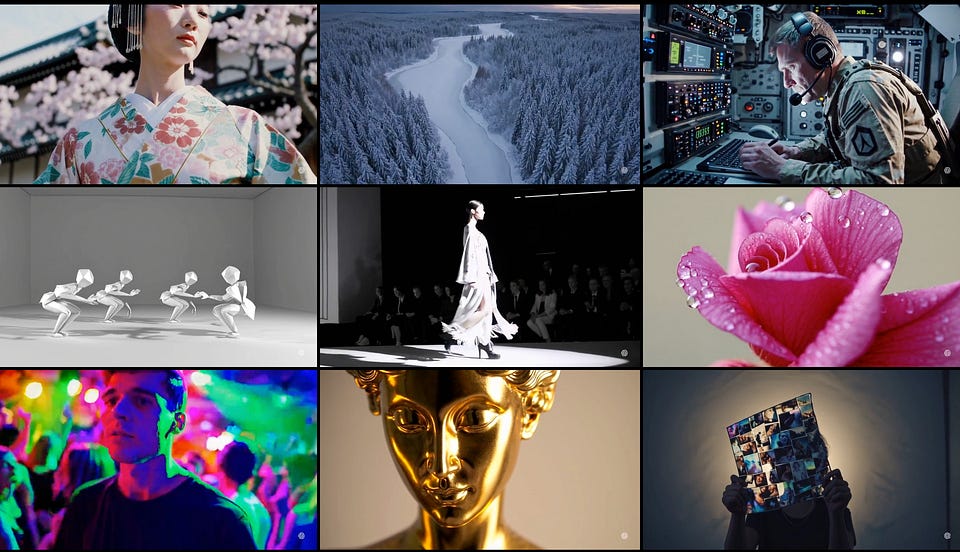
Almost a year after the reveal, OpenAI opened access to its video generation model. And on this occasion, we've compiled everything you need to know about Sora.
In today's issue:
- What is Sora and How to Try It
- Usage Scenarios for the New Video Generator
- Best Alternative Platforms
Keep your mailbox updated with practical knowledge & key news from the AI industry!
What is Sora?
Sora is a new text-to-video model. It allows you to create almost any video using short-written prompts or images. The first version of Sora was introduced by OpenAI back in February of this year, but it was only a test version and was not widely available.
Over the year, the company has been tweaking and improving Sora. It is now faster, and more accurate and comes out under the name Sora Turbo.

In addition to refining the model, OpenAI has also developed interfaces to make working with text, images, and video easier. Internally, a set of tools is provided to specify the exact input data for each frame. In addition, the company has launched Featured and Recent feeds sections that are updated with creations from the community. These can be used as a source of inspiration for your projects.
Users with a ChatGPT Plus or Pro subscription can try the new model now.
As for restrictions and security, it's pretty much business as usual. Sora doesn’t generate sexualized and violent content, and it also labels metadata with the C2PA standard. This makes it easy to determine that a video was created with AI.
How to Try It
As part of the public release of Sora, OpenAI has launched the Sora.com website, where you can access the model. At the time of writing this post, the platform is supported in the US and other countries but is not available in Europe and the UK (due to regulatory restrictions). Check out the full list of countries here.
If your country is on the list of supported countries, you’ll need a ChatGPT Plus or ChatGPT Pro to use the model. While both will give you access, the number of features differs.
ChatGPT Plus ($20/mo):
- Up to 50 videos (1,000 credits)
- Up to 720p resolution
- Up to 5s duration for one video
ChatGPT Pro ($200/mo):
- Up to 500 videos (10,000 credits)
- Up to 1080p resolution
- Up to 20s duration with five concurrent generations
- Download without watermarks
The other day, we сovered a ChatGPT Pro subscription. If you want to see if it is worth your $200 a month, follow this link:
Sharing is caring! Refer someone who started a learning Journey in AI!
Quick Walkthrough | Tutorial
You will automatically be taken to the Featured page when you log in.
Here, you can watch videos created by other users, find out what prompt was used to make them, and save your favorites.
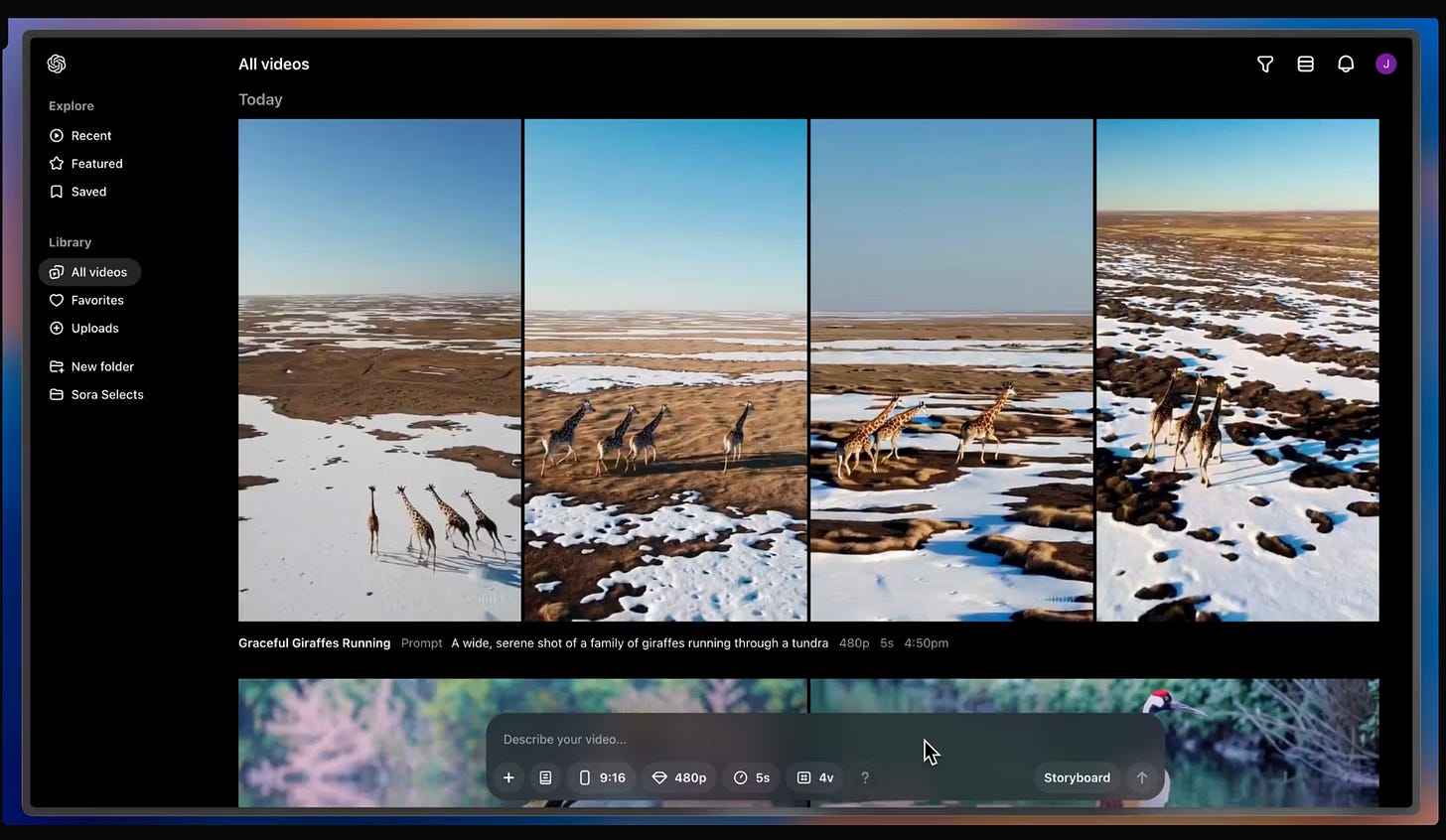
To create your own video, enter a prompt at the bottom of the screen. You'll see a field for entering text, as well as additional features.
Among them are the options to:
- Upload Image.
- Select Preset (Sora now supports five options)
- Change Aspect Ratio (16:9, 1:1 or 9:16)
- Increase Resolution (480p, 720p and 1080p for ChatGPT Pro)
- Increase Duration (5s, 10s, 15s, and 20s)
- Change Variation (for generating multiple versions of the video)
The video may take longer to generate, depending on your chosen settings. After selecting all the settings, you’ll see how many credits will be used.
All you have to do next is click “Create video.”
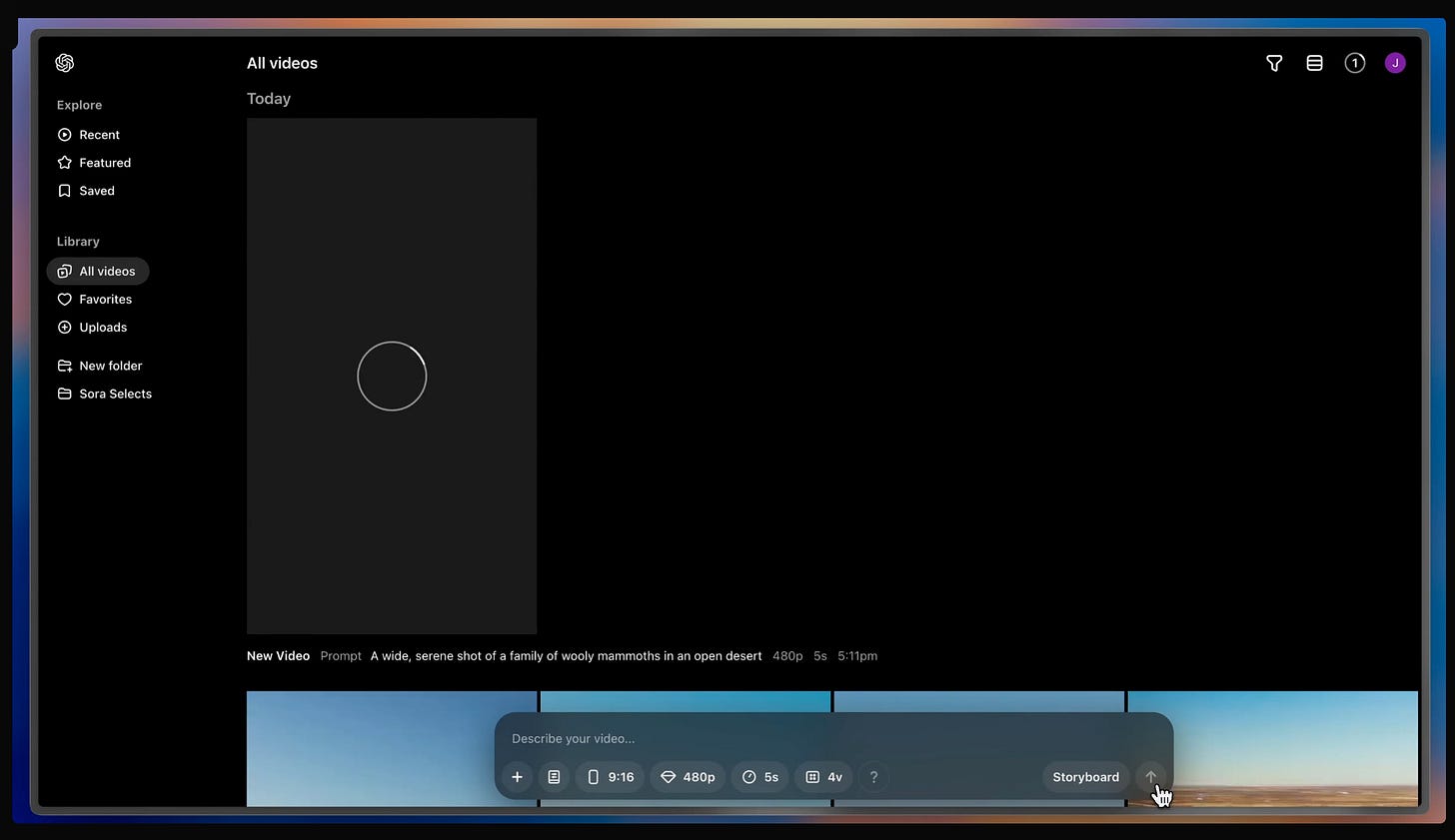
After that, the generation will start and your video will appear in your Library.
Only you will have access to this section.
If you selected several variations before generation, you’ll see up to 4 versions of your video. You can choose the one you like the most and make changes in the built-in editor. Clicking the video will take you into the lightbox.
Here you can:

- Edit your prompt
- View and edit the storyboard for the video
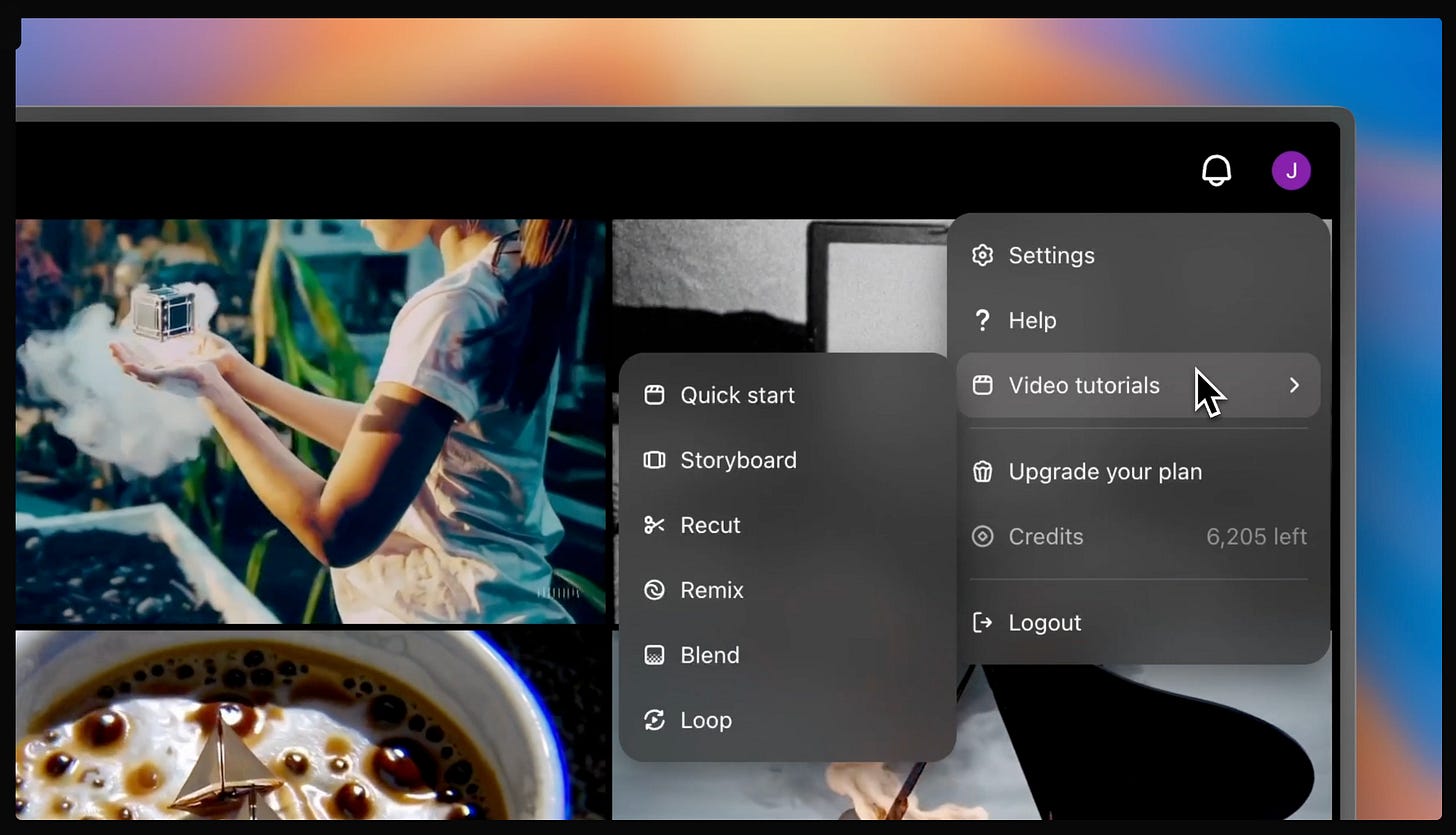
- Trim and extend the video in a new storyboard
- Describe changes and create new videos based on this one
- Seamlessly transition between this video and another one
- Create a seamless loop of the video
To finish your work after the changes, click “Download” on the top of the screen.
For users who want to dive deeper into video generation, OpenAI also has created a section with video tutorials.
Usage Scenarios
As you might have realized by now, Sora's capabilities are limited.
Even with a Pro subscription, which allows you to create up to 500 videos per month, you won't be able to generate a video with a resolution higher than 1080p and a duration of more than 20 seconds. This brings us to the fact that creating long videos for blogs or, even more so, movies won't be possible just yet.
But Sora still has practical application scenarios. Here are a few ideas:
Additions to Shorts & TikTok Videos
If you're not experienced in video editing or want a few extra ideas, this tool can be a great help. For example, with Sora, you can create an intro and outro for every video on TikTok or Shorts. It will also be helpful in storyboarding or pre-visualization in creative projects.
Stock Videos
Sora can simplify the process of getting stock footage by generating custom videos based on specific requirements. This will significantly reduce your costs and time spent searching through existing libraries.
Ads Creation
For creatives, Sora can be a good way to create customized video ads. Instead of shooting multiple short videos, for example, for different regions where a product sells, you can generate everything you need in minutes.
Share this post with friends, especially those interested in AI Insights!
The Best Sora’s Alternatives
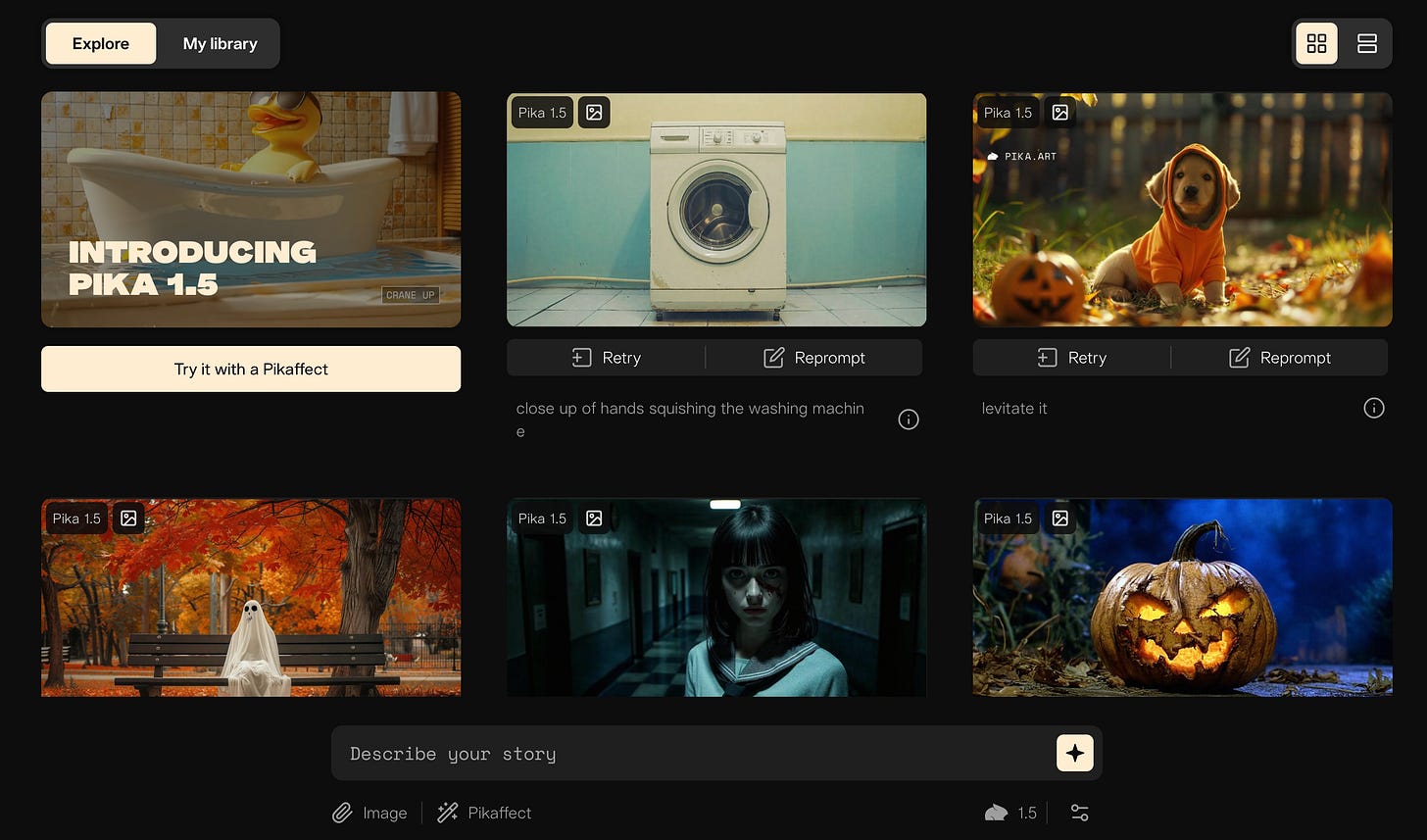
The fact is, back in February, Sora was something awe-inspiring and extraordinary. But that's not the case right now (although it's pretty hard to argue that it's the most eagerly awaited AI product). Over this year, we've gotten dozens of video generators, among them many cool tools. And they can easily compete with OpenAI's video generator to get the title of the best.
Here are a few platforms that I personally consider favorites:
Pika is an AI-powered platform for creating short video clips from text or image inputs. It offers multiple styles, including 3D animation and cinematic formats, making it ideal for social media content and quick visualizations.
Here's our tutorial on Pika Labs:
Kling AI is an advanced video generator capable of producing high-quality videos up to two minutes long at 1080p resolution and 30 fps. It features realistic motion simulation through a 3D spatiotemporal joint attention mechanism, accurate physical world simulation, and concept combination for creating unique scenarios.
Dealing with Kling AI may take a lot of work. Luckily, we have a post for that task:
Dream Machine by Luma is a user-friendly tool that excels in creating realistic simulations and animating static images. It offers fast video generation, natural language understanding, and a redesigned interface for easier collaboration and remixing of creations.
Runway is a comprehensive AI toolkit that provides access to a wide range of pre-trained models for various creative applications. It features a user-friendly interface, real-time interaction with AI models, integration with popular creative tools, and cloud-based processing, making it accessible to both beginners and professionals.
Arguably, Runway is the most advanced video creation tool right now.
These tools may be helpful for those who, for whatever reason, do not like Sora or, for example, users whose countries are not currently supported. Also, account creation is currently unavailable due to extremely high demand. So, if you've long wanted to try AI video generation but can't use Sora, the above platforms would be a good choice.
Share this edition with your friends!
This article was first published in the Creators AI newsletter. View the original edition.