Our Gemini Test Drive: Honest Review
See how Google integrated a premium chatbot into its ecosystem + real use cases!
👋 Hey, I’m Stepan and welcome to a ✨ subscriber-only edition ✨ of Creators’ AI. By subscribing, you directly support Creators' AI's mission to deliver top AI insights & practical knowledge without ads or clutter. Your subscription allows us to grow our dedicated team and curate the most important AI Tools, Stories, and Tutorials in one place. - Stepan
Intro
Earlier this month, Google dropped us a bunch of updates for its chatbot (and you know it if you read our weekly newsletter!). Bard was rebranded to become Gemini, upgraded to a version labeled Advanced, and got its own app.
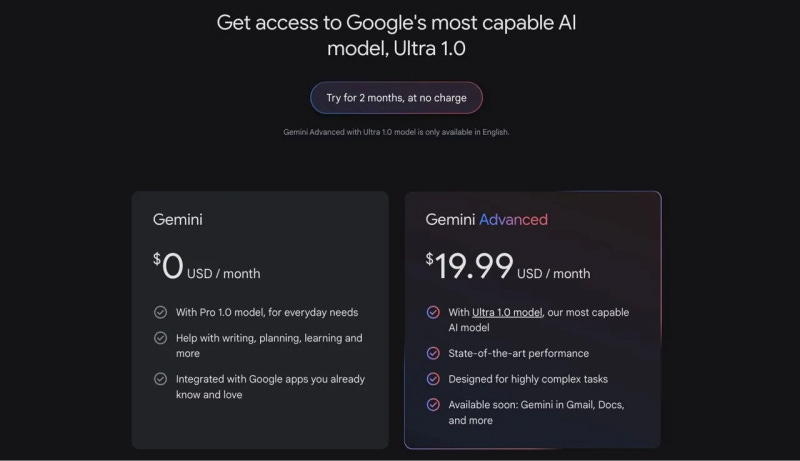
This is a much-improved chatbot based on the Ultra 1.0 model. Google plans that while the basic Gemini will compete with the free ChatGPT, the Advanced version will begin its crusade against ChatGPT-4, which is also available on a subscription basis. After all, their features and performance are very close.
Here, we could hit listing the specifications and benchmark results, but we won't do that. First of all, Google is not very eager to share such details, and secondly... It's boring. Instead, let's better test the user experience in Google Advanced, determine its main advantage over ChatGPT, and figure out which prompts you should use.
Before we get started, I want to point out that if you use Google products or Android devices a lot, you should take a closer look at Gemini. And as we go through the newsletter, I'll try to explain in detail where this advice comes from.
Sharing is caring! Refer someone who started a learning journey in AI!
Getting started
It won't take you much time and effort to become a Gemini Advanced user. If you already have a Google account, go to the official website of the chatbot in the Advanced section, sign up, and activate your subscription. Google offers a two-month trial period, after which it will start charging $19.99 monthly.
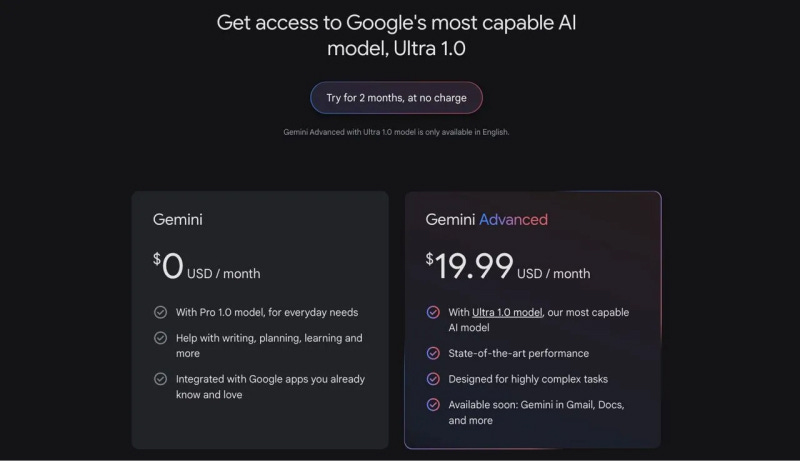
Currently, the model is available in 150 countries worldwide, and users from some countries can already download the new app from Google Play.
A nice bonus of subscribing to Advanced is that users also get access to 2 TB of cloud storage, Gemini features integrated into Docs and Gmail, and Google One’s benefits.
What makes Google different from others?
When we talk about chatbots, the first thing that comes to mind is ChatGPT. And that's okay; OpenAI has earned the title of pioneer among advanced models to make its platform synonymous with artificial intelligence. But despite all the effort and hard work, OpenAI still doesn't have the capabilities that Google has.
The answer: an ecosystem. On this point, Google wins not only over OpenAI but over the entire big-tech space. All of these capabilities are available to Gemini as well.
You might be thinking, why such a long introduction? It's simple: the main feature of Gemini is its ability to work with third-party applications from Google. In this case, the chatbot surpasses any analogs. Something tells me that the gap will only increase.
And now, we will check Gemini Advanced on real cases.
Traveling
I love traveling, but I have never had a good trip planned out. So, I do everything on the spot. Maybe Gemini Advanced can help to solve my problem. To test it out, I prepared a simple prompt dedicated to a day trip to Portugal. Here’s what I asked:
I'm going on a short trip to Lisbon. Make a tourist plan and a route around the city. I will have about 8 hours for sightseeing.
And this is what I got:

And that's where the magic happens. As you can see, Gemini correctly understood my question and made a customized route. But it didn't limit itself to textual advice.
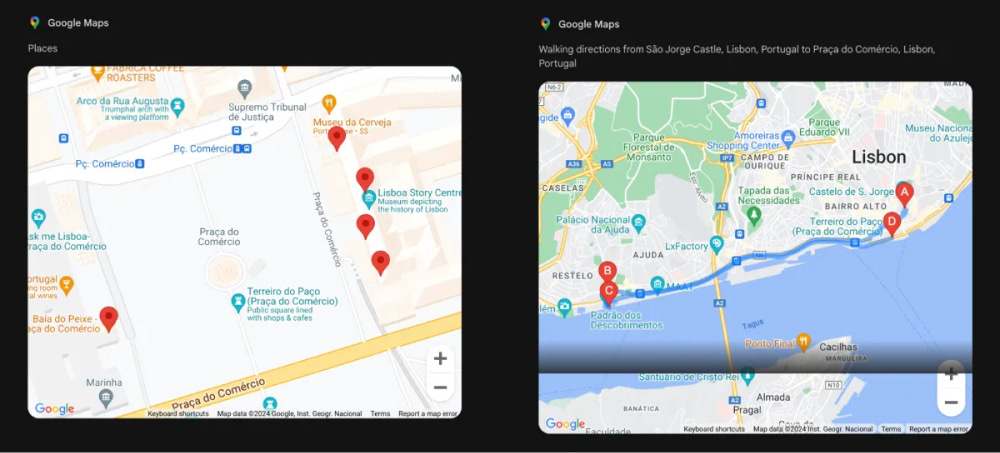
Using Maps, the chatbot generated a step-by-step route throughout the city and marked important landmarks. All that was left for me to do was to implement the plan.
Learning
We already used a similar prompt when we compared four chatbots in a previous newsletter, but now we'll see how Google's premium AI handles it. We will learn Spanish from videos with native speakers. Here's what I asked:
I want to learn Spanish. The most comfortable way for me to learn is to watch videos from native speakers. What can you suggest?
And this is what I got:

Here again, Gemini used its ecosystem to generate a quality response. But a set of YouTube links is no surprise to anyone nowadays, so I asked the chatbot to summarize the information from the first suggested video.

That's better. In a few seconds, I get an extended squeeze that accurately describes the content of an introductory video for those who want to learn a new language.
But how does Gemini Advanced handle work and business-related prompts?
Work & Business
I don't know about you, but I constantly miss important emails, and then I can't find the specific message I need (Gmail search is terrible). Let's see how Gemini can optimize this task. Here's what I asked:
@Gmail give me all emails that mention M&A news
And this is what I got:
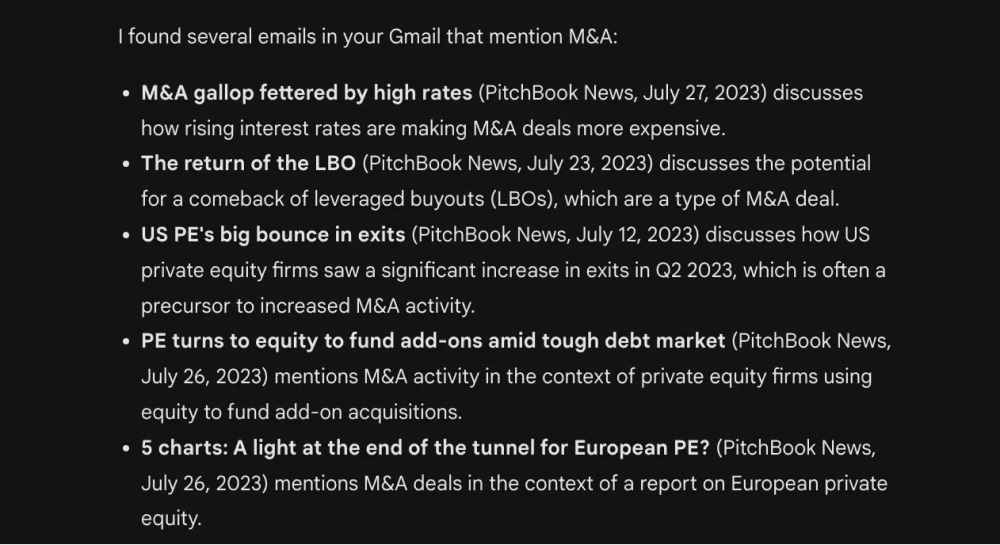
It took the chatbot a few seconds to check thousands of emails and find the ones I requested. And more importantly, Gemini didn't collect all emails that mentioned “M&A” or “News” (what a Gmail search usually does) but found the most relevant information.
So, if your job, like mine, is heavily tied to email, Google's chatbot can be a great help.
Workspace
Regarding Google Docs, Gemini doesn't fail here, either. If you work a lot with Workspace, which includes documents, spreadsheets, and presentations, you've probably had instances where you need to find one particular file but can't remember its name (Or is it just me?).
I decided to see if I could use a chatbot as a cloud search engine for work content. Here's what I asked:
@Google Docs About a year ago, I wrote an article about lunar exploration. It contains information about new startups that would accelerate the exploration of the Earth's satellite. Can you find it?
And here's what I got:

What's interesting is that Gemini Advanced not only found some relevant articles but also made a summary of their content. In this way, I was able to get the data I needed. And the chatbot also provided me with links to all the relevant files.
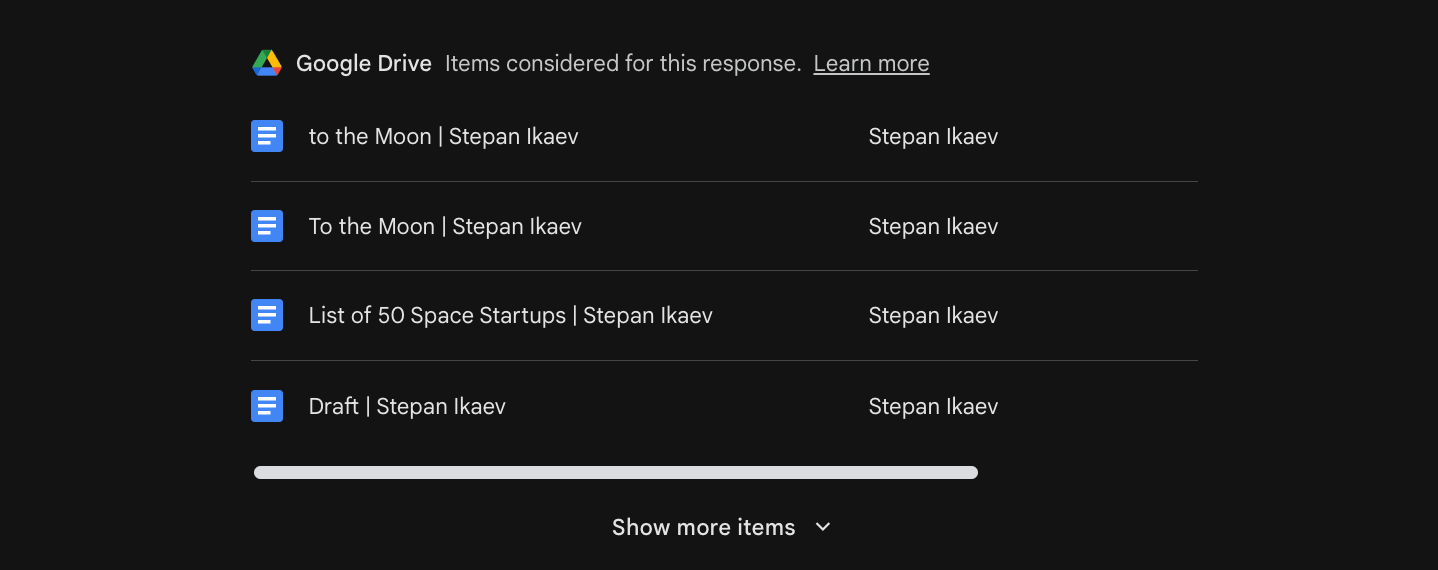
This approach works with other Google services, including Sheets and Slides. I would say that communicating with Gemini turns data scattered across different platforms into well-packaged Notion pages. You don't have to think long and hard about the look of icons, titles, etc. Instead, all you need to do is just ask the chatbot.
Conclusion
The launch of Gemini Advanced has made some noise in the community of AI enthusiasts and creators (Well, less than it could have because of OpenAI's Sora announcement, but still). With this chatbot, Google has finally offered an interesting alternative to ChatGPT 4 to handle daily issues and complex tasks. This seems like a lot of progress to me, especially compared to Bard's results a few months ago.
Here are the pros and cons of Gemini Advanced we have noted:
Pros
- Ecosystem Effect: Unlike other chatbots, Gemini has all the power of Google's ecosystem. For users whose lives are connected to its platforms (After all, we all use YouTube and Maps), Gemini can be an indispensable assistant.
- Multi-step Reasoning: Google has done an impressive job compared to what it used to be. Gemini is good at problem-solving and logical reasoning tasks, potentially assisting users with complex issues in various domains.
- Understanding Context: Our tests revealed that when working with email and documents, the model separates the main thing from the incidental. Gemini doesn't get lost even in long dialogs without well-formulated prompts.
Cons
- Privacy implications: Using models like Gemini Advanced requires processing vast amounts of user data. This is not a problem for Google, but are you willing to share work documents and email data with a chatbot?
- Ambiguous perspective: Many of us have heard of the "Google Graveyard". The company often withdraws support for well-known products, so I wouldn't rely heavily on Gemini. Give it some time.
- Potential for Misinformation: This problem hasn’t gone away. Large language models can still produce incorrect or misleading information. Although Gemini Advanced is an improved model, it needs strict safeguards to ensure accurate facts.
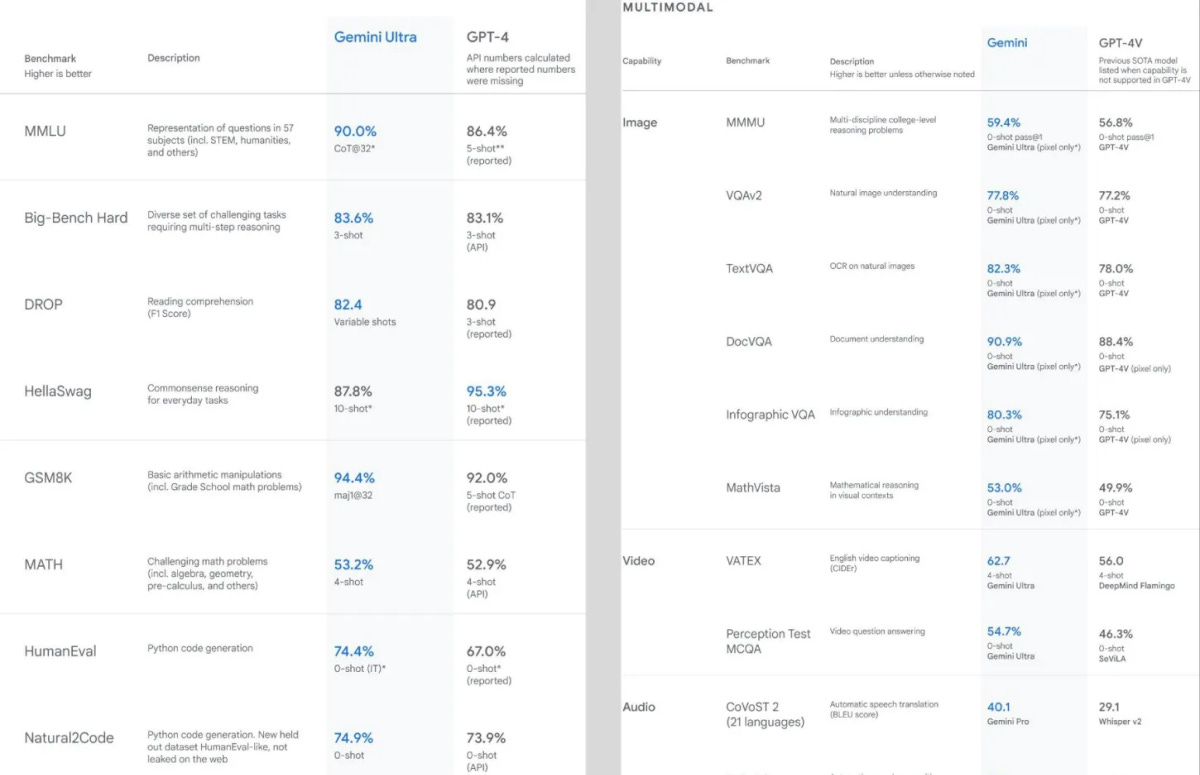
If you are a numbers person, you can also evaluate the performance of Gemini compared to ChatGPT 4. Spoiler: Chatbot by Google beats OpenAI in almost all tests.
You can also check our AI Models here:
Subscribe to stay in tune with AI breakthroughs!
What's next
Although few people say it outright, Google is making a huge bet on Gemini. Consider this: besides rebranding, the company has made Gemini a separate product line, launched a mobile app, and allowed Android smartphone owners to use the new chatbot instead of Google Assistant. That last fact is especially important.
AI is creeping into our devices and covering more and more usage scenarios. It's a shift that Google has a better chance at than anyone else. OpenAI and Anthropic trivially don't have the resources and the user base to reach the audience that the developer of the popular search engine works with every day.
We can debate whether Microsoft with Bing AI has such an opportunity, but the fact is that Google is already realizing its plans.
Only time will tell if Gemini will succeed in overtaking ChatGPT and becoming the most sought-after AI in the world. All we have to do is wait and maybe be a little afraid of dependence on useful AI tools (Who am I kidding? It is already!).
What do you think about Gemini Advanced? Tell us in the comments!
This article was first published in the Creators AI newsletter. View the original edition.