Quick Tutorial NotebookLM 2024
Analyze & Synthesize any data with this Free AI
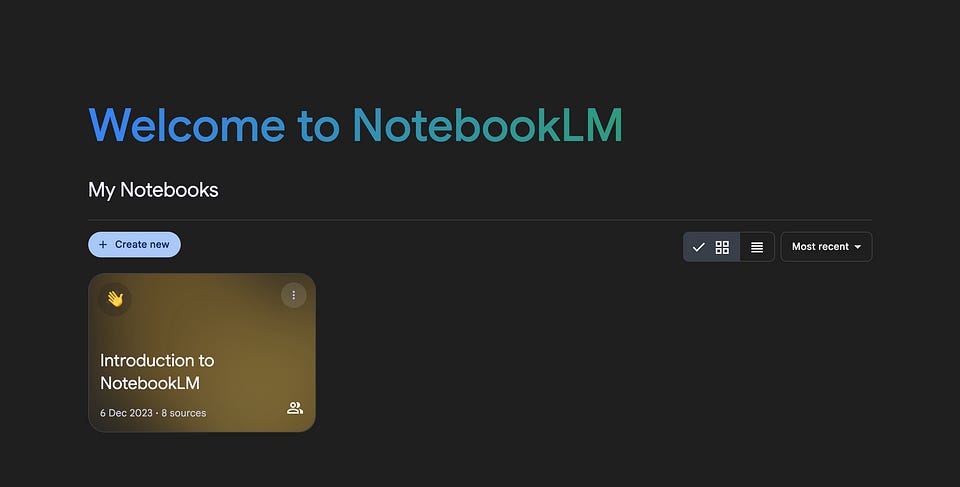
For some time now, I've wanted to tell you about one of my favorite AI tools for work. But you know, new OpenAI releases, Amazon models, and more have forced a focus on larger products.
Fortunately, Google just recently updated NotebookLM and gave me an excuse to dedicate a post to it. So, let's discuss one of the most valuable products for creators, entrepreneurs, analysts, and researchers!
In this issue:
- What is NotebookLM and its Usage Scenarios
- Quick Tutorials and Useful Prompts
- Personal Experience of a few months with this AI tool
Keep your mailbox updated with practical knowledge & key news from the AI industry!
What Is NotebookLM? (Not a Gimmick!)

NotebookLM is Google's tool for analyzing and summarizing data from various sources. It now uses the latest Gemini 2.0 Flash (an update released less than a week ago) and allows users to upload websites, YouTube videos, audio files, and documents like PDFs and Google Docs. Once uploaded, NotebookLM analyzes content to generate summaries and key topics, making it easier to understand complex material.
The tool includes a chat interface where you can ask questions about the uploaded content and receive context-sensitive answers that link to specific sections of the original documents. This feature lets you quickly validate AI and create tutorials, marketing reports, FAQ sections, and even podcasts.
The main difference (and its killer feature) with ChatGPT, Perplexity, Grok and others is that NotebookLM only addresses the data you have provided. So you don't have to fear that the AI will make up some fact. And if you have any doubts regarding the veracity, you can quickly check the information via the attached links.
If you follow AI Influencers (we've covered which ones are noteworthy here), you've probably heard of NotebookLM as a fun thing that generates podcasts. Honestly, that definition annoys me a bit, because it's capable of so much more.
Here are a few scenarios for different audiences:
- Content Repurposing: Creators can upload existing blog posts or YouTube videos from competitors and ask NotebookLM to analyze key topics for social media posts, streamlining the content creation process. If you have a topic or niche that you have no way to approach, this is the fastest way.
- Report Analysis & Research: Analysts can upload lengthy reports (e.g., annual business reports) and request concise analyses or executive summaries, saving valuable time in information processing. It can also retrieve specific facts with links on demand, which makes their job much easier.
- Study Aid: Students can upload lecture notes or academic papers to highlight key findings and create study guides, which enhances their learning efficiency. And, again, no speculation and no unnecessary advice. All information will be used from the training materials provided.
- Mind Mapping: Unlike ChatGPT and others, NotebookLM has everything you need to intelligently manage your sources. Writers can use it to develop stories (and not get tangled up in all the intricacies), and researchers can build their reports from scratch.
And that's us only scratching the surface. I know it's impossible to list all the use cases, so here are some examples from Reddit users:
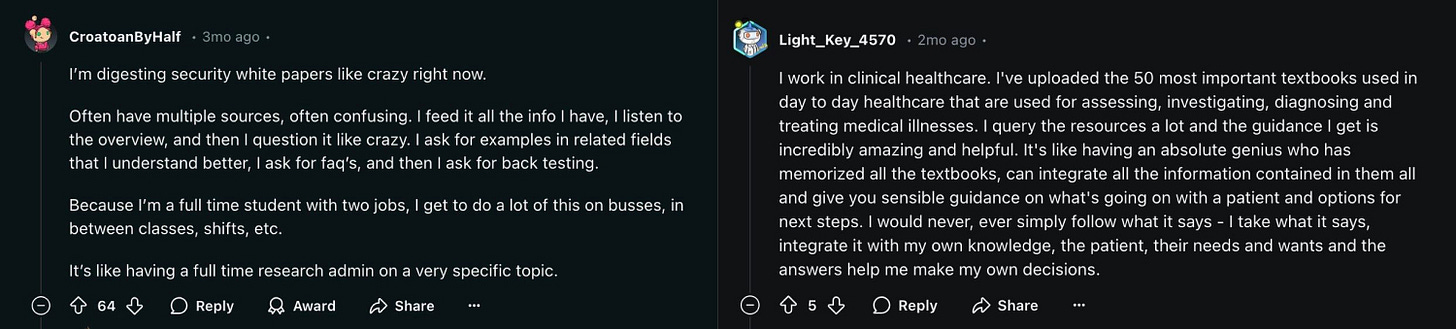
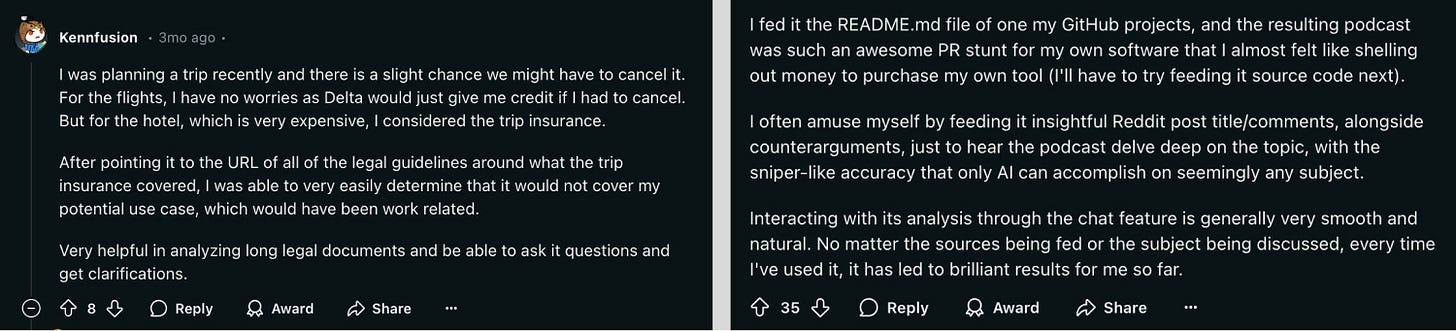
Content Synthesis
One of the features I would like to single out separately. It's especially good for those who have to work with a lot of complex content (let's agree that we all do in one way or another). I'm talking about synthesizing your content, including YouTube videos.

If you want to learn a complex topic through video—from learning new practical skills to quantum physics—this platform can make the process faster and clearer. You can upload links to multiple YouTube videos at once and use the following prompt:
Cover [your topic] for a non technical peopleThen you can read the summary of all the videos at once or, yes, even generate a podcast, save it and to listen during the walk. Given that NotebookLM only works with the content provided, you'll be more confident in the quality than with any other AI.
I adore this feature!
Limitations & Disadvantages
You can always find cons, but thankfully there aren't very many here.
- If the PDFs have an overly complex layout, the AI may miss some important pieces of data. This doesn't happen often, but you should keep it in mind.
- Fresh YouTube videos are not always supported. For some unknown reason, the platform sometimes refuses to transcribe them.
- Right now, it supports podcast generation with two hosts (they always have the same voices). Over time, this gets a bit tiresome and starts to get annoying.
- The current limit is 500,000 words per source or up to 200MB for local uploads.
I recently had the opportunity to be a case of “Report Analysis and Research”. A few weeks earlier, I received a request from an entrepreneur planning to launch a startup accelerator. But before that, he needed a detailed market overview. I'll let you know how I did this task using NotebookLM a little further on.
For now, let's walk through how NotebookLM works.
Spoiler: it's pretty simple.
How To You Use NotebookLM | Tutorial & Prompts
So here's a step-by-step process for getting started with NotebookLM.
Step 1: Accessing
- Sign In: Go to the NotebookLM website and sign in using your Google account.
- Create a New Notebook: Click on the "New Notebook" button to start your project.
As of last week, Google also offers a subscription called NotebookLM Plus. It provides noticeably more features, but my experience has shown that the platform's free version will suffice for most people.
Step 2: Uploading Sources
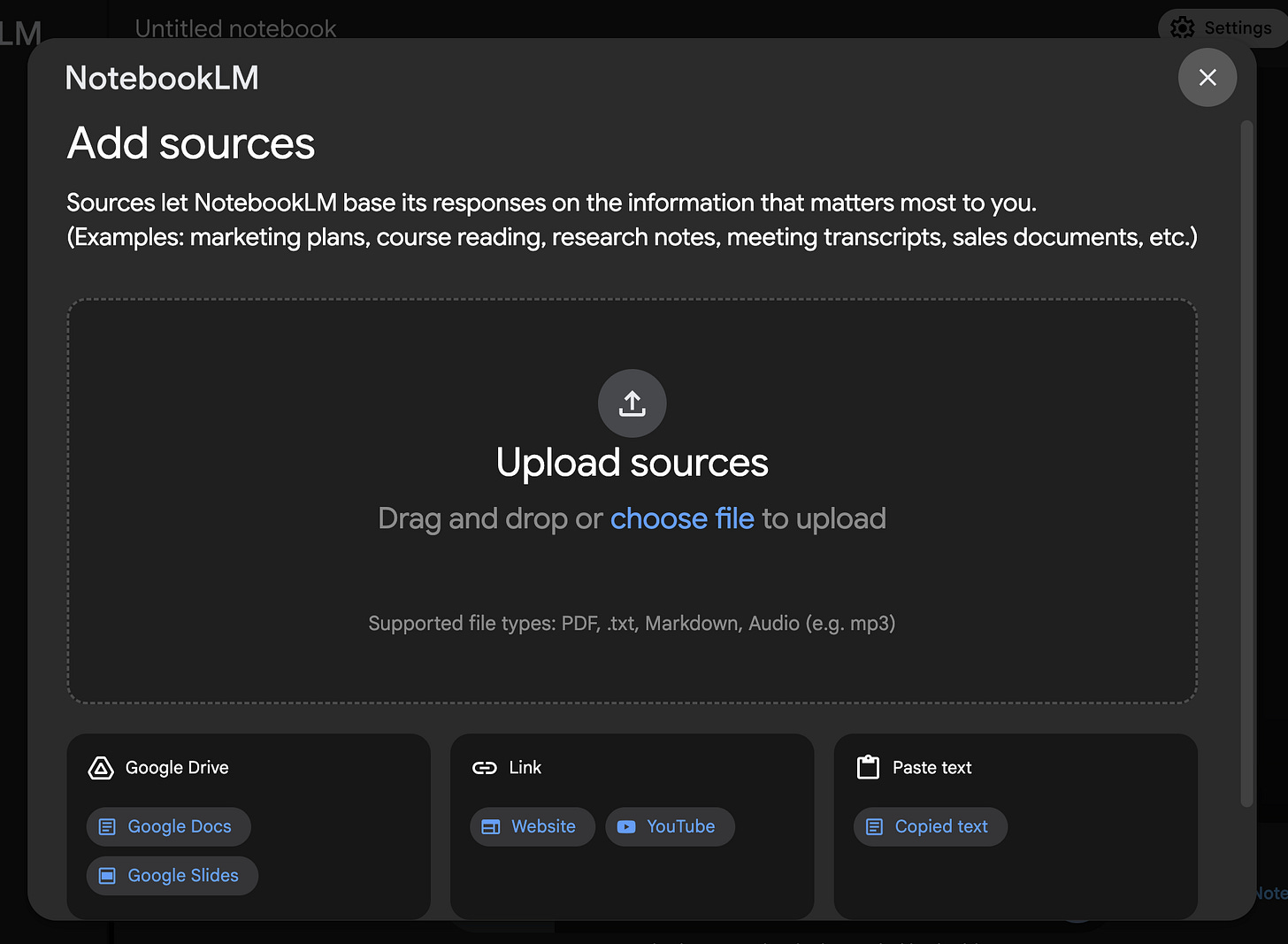
- Add Your Content: You can upload documents such as PDFs, Google Docs, or text files. Click on the "Add Source" button and choose your files from Google Drive or your local storage.
- Web Pages and Copied Text: You can also add information from web pages by pasting URLs or by copying text directly into NotebookLM.
Step 3: Organizing Your Notebook
- Naming Your Notebook: After creating it, give your notebook a descriptive name that reflects its content.
- Review Sample Notebooks: Explore sample notebooks available in the tool to understand how to structure your notes effectively.
Step 4: Generating Content | Prompts
- Define Your Output: Before generating content, specify what you want. For instance, ask for a summary, a script, or key points from the uploaded sources.
This is the main part, which can be talked about for a very long time. In order not to make it too long, below I give you 10 prompts for different tasks that you can use to test the capabilities of the platform.
Summary Opinion Prompt:
Thoroughly review the source documents to distill all the various opinions into a clear, focused viewpoint on [topic]. Provide examples to support your opinion.Synthesize Information
Given the uploaded documents, synthesize the key themes and insights related to [specific topic].Create a Study Guide
Transform the information from these sources into a study guide format, highlighting key concepts and definitions.Draft an Outline:
Based on the notes and sources provided, draft an outline for a report or presentation on [topic].Comparative Analysis
Compare and contrast the viewpoints presented in these documents regarding [specific issue]. What are the main similarities and differences?Content Calendar Creation
Help me develop a content calendar for our marketing campaigns over the next three months, focusing on [insert themes or topics].Implications Prompt
"Discuss the implications of [specific finding or trend] as presented in the uploaded documents. What might this mean for [related field or industry]?"First Draft Prompt
Help me create a first draft based on these notes about [insert subject]. Focus on clarity and coherence while integrating key insights.Podcast Script Prompt
Transform the provided input text into an engaging podcast script. Identify key topics and interesting anecdotes to drive discussion. [insert input text]Meeting Preparation
Prepare a list of discussion points and anticipated questions for an upcoming meeting about [project or topic], based on these documents.You can also use suggested questions. NotebookLM provides some based on your sources, which can help guide your exploration of the material.
Step 5: Finalizing Your Work
- Exporting or Share Content: Once you have generated the desired content, you can export it for use in presentations, reports, or podcasts. And you can also share the chat with your friends or coworkers.
Share this post with friends, especially those interested in AI Insights!
My Experience
So, as I said, I recently had the task of preparing a report on the topic of startup accelerator prospects in Central Asia. The important conditions were to find out:
- How relevant such a project is for this region
- Whether there is a demand for a highly specialized accelerator
- Whether there is a possibility of government support
- Are there enough relevant startups in Central Asia?
The difficulty was that we weren’t talking about a significant region like the US and Europe, where dozens of agencies offer accurate data. In Central Asia, there is much less of this. Therefore, we have to use all the information we have.
And this is how NotebookLM helped me.
I gathered eight publicly available reports (in total, they contained more than 750 pages) and uploaded them to the platform to speed up getting started. Having flipped through them earlier, I knew there was quite a bit of helpful information, but I needed to learn some things.
So after uploading them, I entered the following prompts:
What are the opportunities and challenges for the startup ecosystem in Central Asia?What startup accelerators are already operating in this region? Describe all the projects to me using the data from the uploaded files.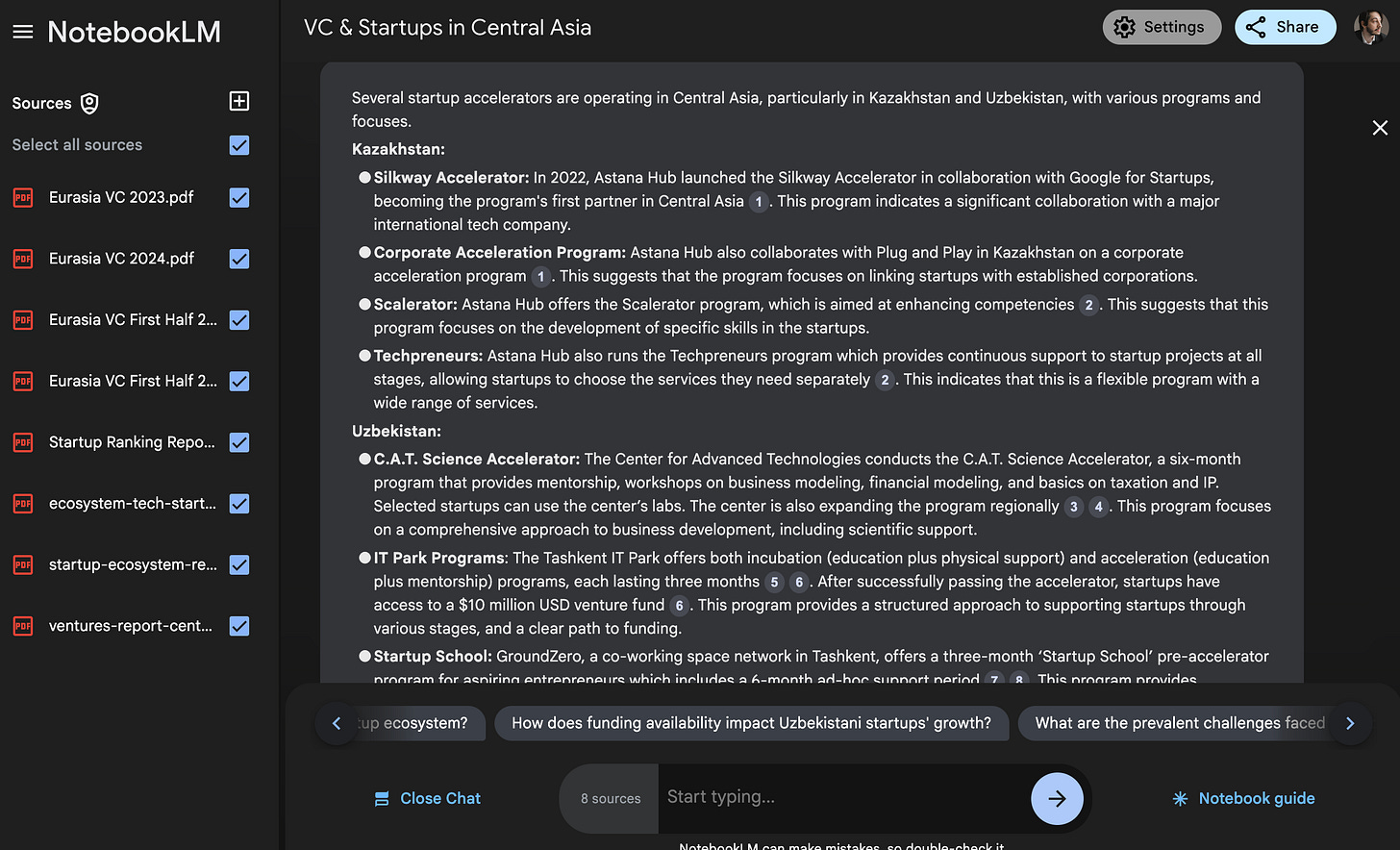
Tell me about the key startup deals in Central Asia. List the known details of each, including the amount invested and the parties involved.List the key startup deals in Central Asia. The list should include known data about each round, including the amount of investment and participants.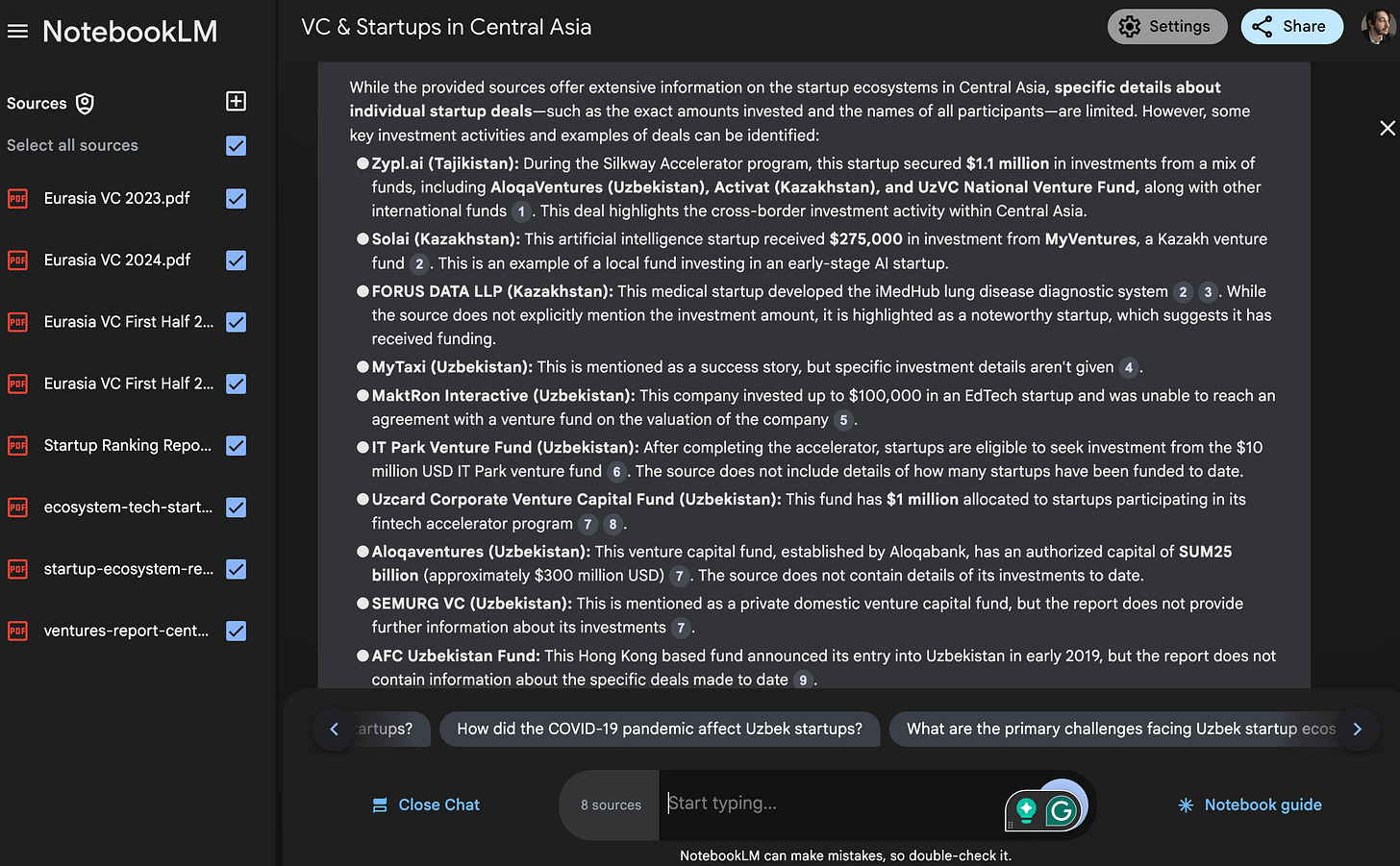
As you can see in the screenshots above, I got a full-fledged summary with detailed answers and links to every fact. Estimating how much time I saved is pretty hard, but past experience suggests it takes me a day to analyze starter sources. In the case of this tool, I spent about an hour, including time, to double-check the suggested data.
So, if you haven't tried NotebookLM yet, just give it a chance. After all, you will get almost all the features for free.
Share this edition with your friends!
This article was first published in the Creators AI newsletter. View the original edition.