Stable Diffusion 3 is Free for Everyone
Leading AI for Texttoimage is Free Open Source Again
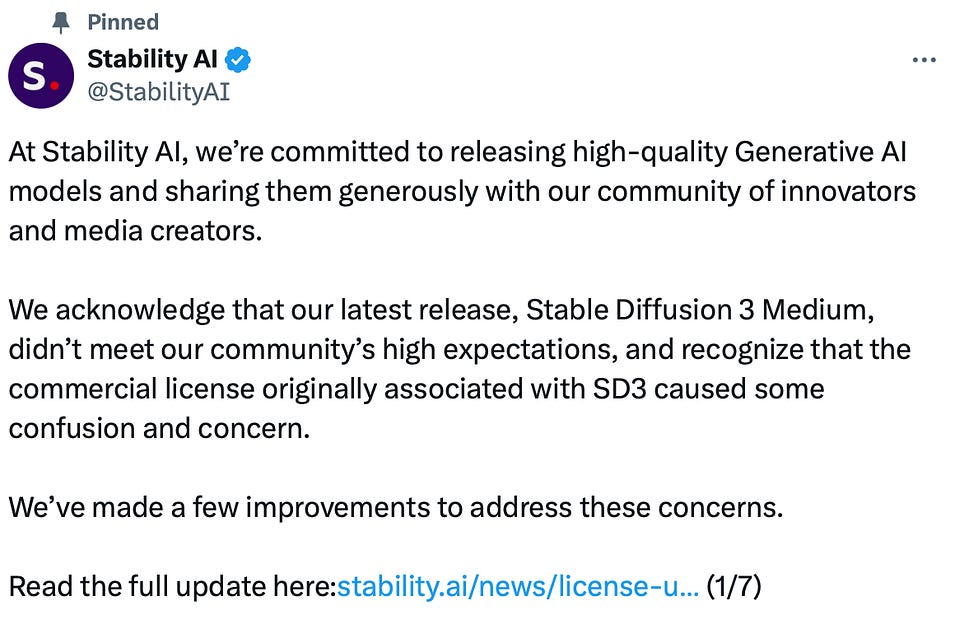
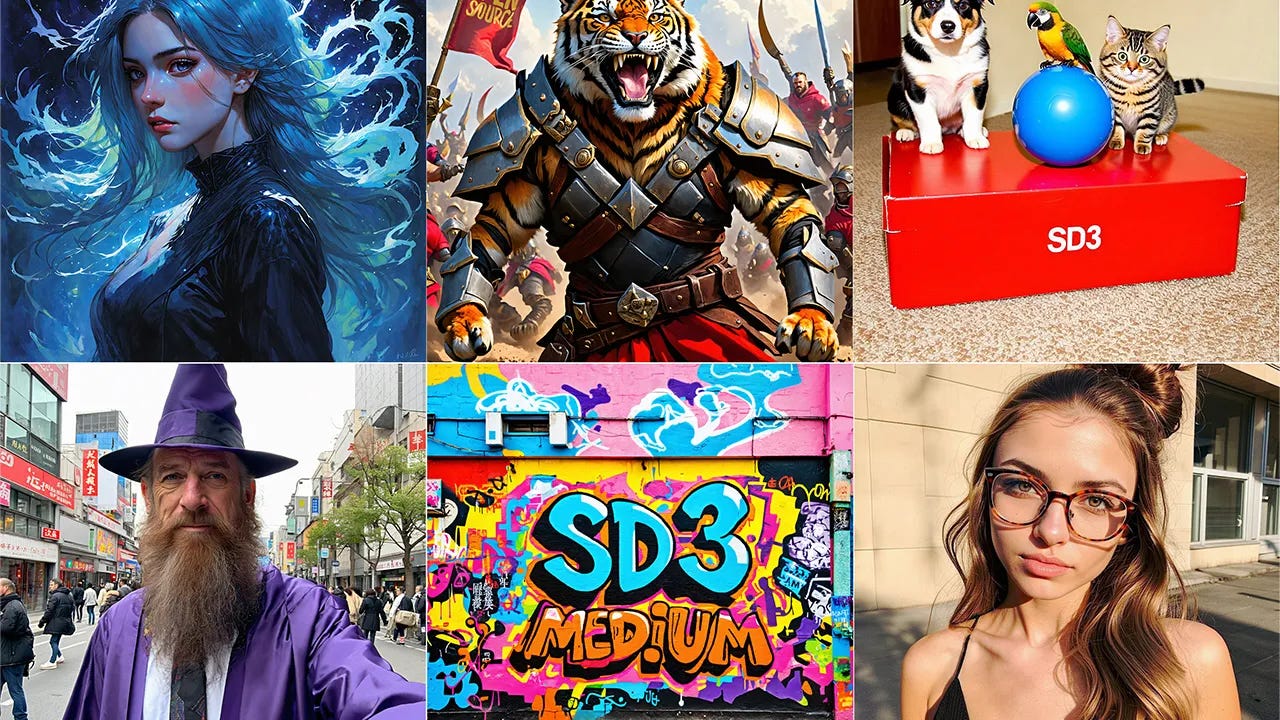
April 2024: Stability AI announced the availability of Stable Diffusion 3 and Stable Diffusion 3 Turbo via an API on the Stability AI Developer Platform.
An important note is that access to the API was paid, which caused a mixed reaction from the community expecting an open release.
Finally, on the 5th of July, Stability AI made SD3 free even if you're using it for research, personal projects, or even commercial purposes. But if your business makes over $1 million a year and you incorporate their models into your products or services, you'll need to get a paid Enterprise license.

Fans are thrilled, but it was not always the case. The company was heavily criticized and even almost canceled.
Today you’ll learn everything about the New Community License and events preceding its realease, and get the instruction how to use SD 3 API with almost NO code.
Stay updated on AI trends - subscribe to our newsletter today!
Why the Buzz: the Epic Downfall and Revival
Just six months ago $1B Stability AI was not stable at all.
The previous release was met rather cool because the use of the model API became paid. And this was contrary to the principles the company had so actively promoted.
First, three key developers quit, and the company burned through $100 million, spending $8-10 million monthly. Founder Emad Mostaque made misleading claims, lied about their tech opportunities, and disappeared after conflicts with investors.
I've been watching the events unfold with interest and I thought it was the end.
But they turned things around by raising $80 million from investors like Sean Parker and Eric Schmidt, reducing $400 million in debts.
New CEO Prem Akkaraju from Weta Digital (digital visual effects) and Sean Parker as executive board chairman led the revival. Guess they needed someone used to dealing with special effects and make-believe to regain the trust.
After all, revenue jumped to $44.2 million by monetizing AI models and offering consulting services.
Stability AI’s journey shows that with the right moves, even troubled companies can rebound.
3 Key Points of the New License
As I said, SD 3 is free for everyone—unless you're making the big bucks. Then, it's pay up time!
Except for that, there are a couple of improvements may be useful for developers and creators:
- Safety Classifier: Includes a tool to automatically filter out unwanted images, which can be adjusted based on user feedback. Important because it protects viewers from offensive images.
- Ethical Use: Encourages users to follow ethical guidelines and legal usage under the Creative ML OpenRAIL-M license. Important because it promotes the responsible and legal use of AI, maintaining trust and respecting intellectual property rights.
Share the article with your fella designer–I’m sure he’ll thank you.
How & Where to Use Stable Diffusion (No Code)
Learn more about the latest release and get the instruction on how to use API at the snap of your fingers:
You can dive right in with tools like NightCafe, DreamStudio, and Artbreeder without writing a single line of code. Plus, join the communities on Discord such as the Stable Diffusion and Distillery.dev, where you can share your creations and get tips from fellow creators.
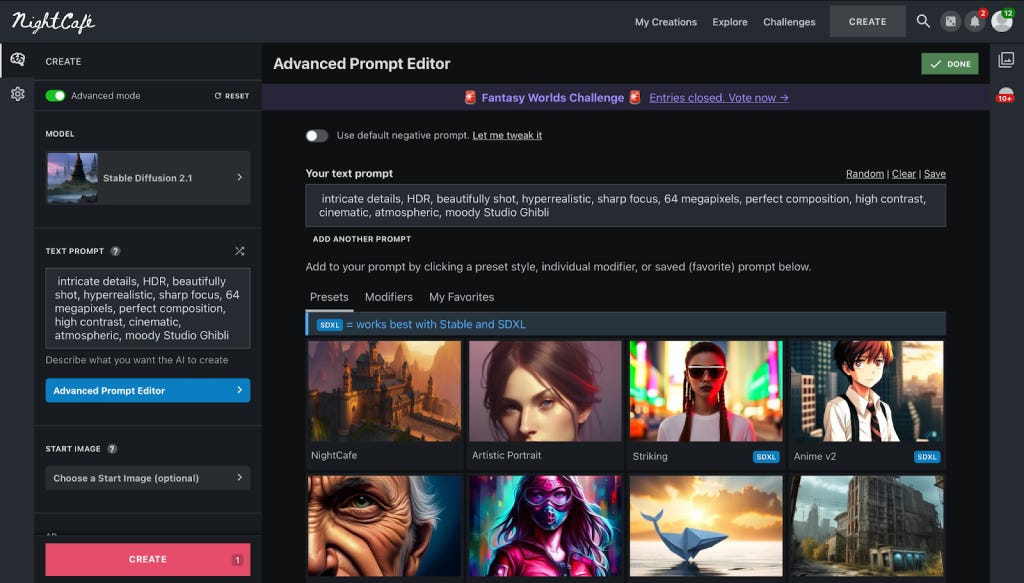
It's as easy as pie, and you don't even need a recipe!
We wrote about Stability AI’s rival Open AI latest release here:
How to Integrate Free ApI in 5 Minutes (Low Code)
Super Simple Guide to Using SD3 API in Canva
Canva with 180 million users in more than 150 countries, is a nice place to try yourself in AI image generation and working with APIs.
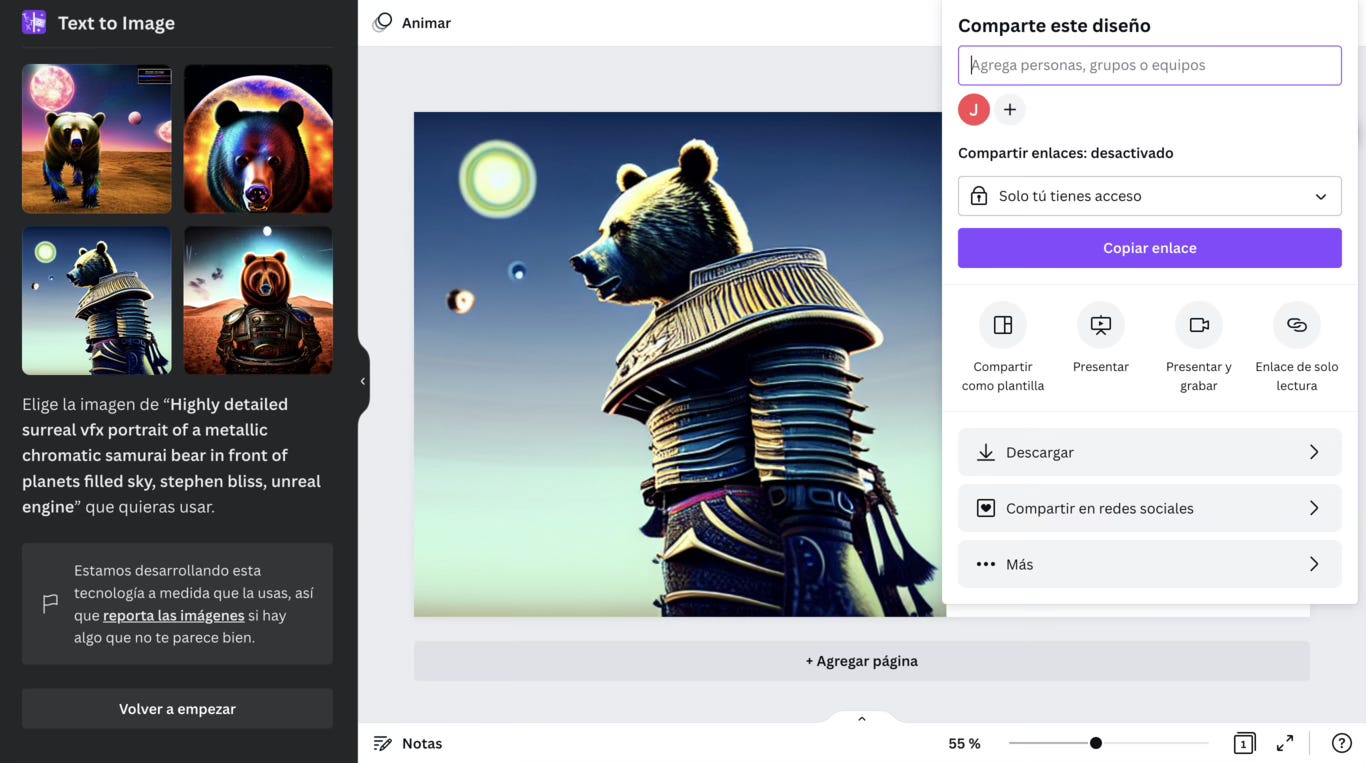
With my instruction, implementing an SD API into Canva is easier than choosing a template for your creative.
- Sign Up for SD3 API
- Go to the Stable Diffusion 3 website.
- Create an account.
- Obtain your API key from the dashboard.
- Prepare Your Canva Design
- Open Canva and start a new design or open an existing one.
- Decide which elements you want to automate using the SD3 API.
- Access Canva Developer Tools
- Visit the Canva developer platform.
- Create a new app.
- Connect to SD3 API
- Use your SD3 API key in your app to connect to the SD3 service.
- For API documentation and integration details, visit the Stability AI Developer Platform.
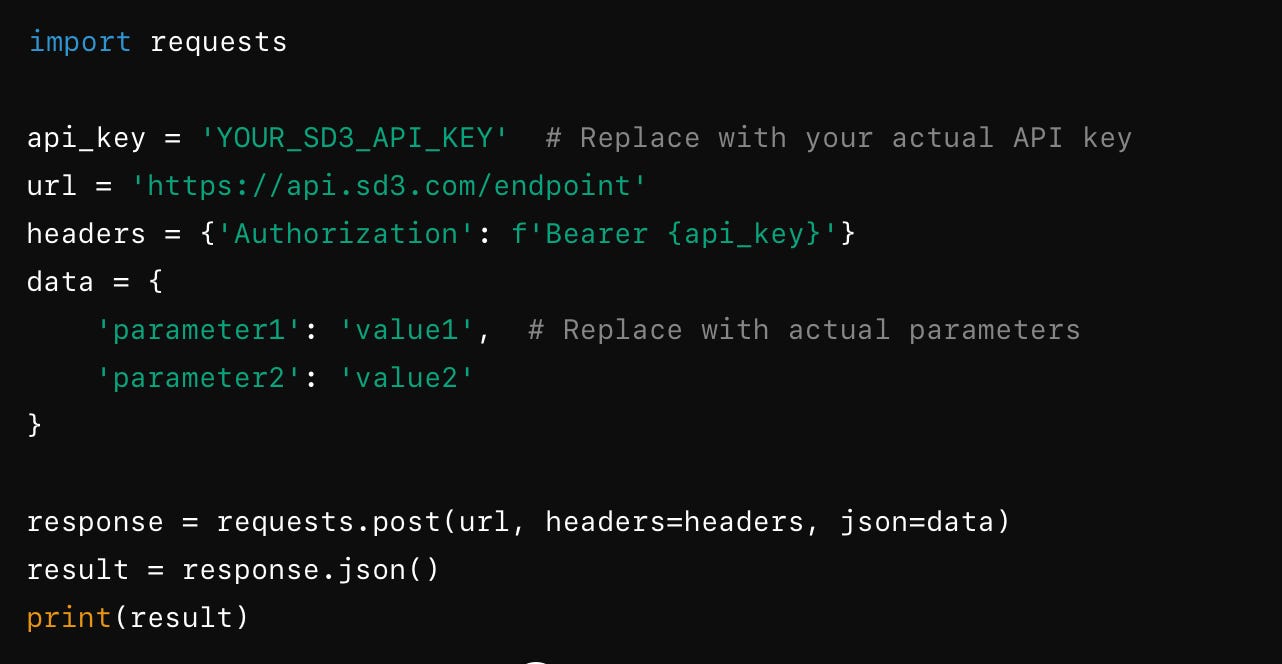
- Write a Simple Script
- Create a new Python file.
Use this basic example to call the SD3 API:
Read about no-code solutions in this article:
- Automate Canva Tasks with API Results
- Use the results from the SD3 API in your Canva design.
- For example, if the SD3 API provides image URLs, use Canva’s API to place these images in your design.
Quick Tips
- API Documentation: Check the SD3 API documentation and Canva API documentation for detailed instructions.
- Security: Keep your API keys safe and do not share them.
- Learning: If you're new to APIs, consider taking a basic online course on using APIs.
This one will fit:
Subscribe to our newsletter for the latest updates and insights on text-to-image technology!
Why Do We Need Open Source AI so much? Final Thoughts
Ever tried fixing a car with the hood welded shut? That's life without open source—one big, frustrating black box.
Open-source software, on the other hand, is like a car with the hood wide open. You can see how it works and make changes. This transparency builds trust and solves problems quickly. It's also cost-effective, saving money on licensing fees and allowing businesses to focus on innovation.
Open-source communities are super collaborative, with developers worldwide contributing to rapid improvements and new features. This makes open-source projects evolve faster than proprietary ones.
Find our newsletter insightful? Gift a subscription to your friend!
Without open source, we’d be drivers with no clue how to fix our cars. But with it, we're mechanics, free to maintain and improve our own vehicles. It’s all about freedom, control, and pushing technology forward together.
Watch Ilya Sutskever, co-founder and chief scientist of OpenAI, and make your own conclusions:
With its Open Source free API, Stability AI is again competing for 1st place in the race among text-to-image generation AIs.
I think we'll be seeing a lot of new and exciting things soon. So, let’s follow together!
This article was first published in the Creators AI newsletter. View the original edition.