The n8n Playbook for AI Apps and Agents
Builders Must Have Tool in 2025
You've probably heard about n8n everywhere by now. GitHub repos, Twitter threads, YouTube tutorials, etc. AI consultants and tech bloggers are all talking about it as the big automation tool and even some startups now describe their n8n automations not just as workflows, but as full-blown “AI Agents”. They’re building agentic workflows that learn, adapt, and make decisions on their own. But here's what most content misses: the gap between "*this demo looks cool*" and "*this is actually running my business operations.*"
I've been researching workflow automation tools, and what struck me about n8n is how real companies are using it to solve actual problems. Not toy examples or proof-of-concepts, but production systems handling so many operations daily.
The Production Reality Gap
Most YouTube videos about AI automations follow a similar pattern: connecting two services, demonstrating a simple trigger-action flow, and labeling it as automation. But reality is different. It's messy. Data comes in weird formats, APIs fail and customers send edge cases you never planned for.
Think of it like the difference between a coding tutorial and maintaining a production codebase. The tutorial shows you how to build a todo app. Production shows you how to handle 10,000 concurrent users when your database decides to take a break! n8n's strength is actually handling this messiness at scale.
Now let me walk you through two real cases that helped me understand n8n
Enjoy Reading Creators’ AI? Stay Subscribed
Case Study 1: AI-Powered Passport Photo Validation System
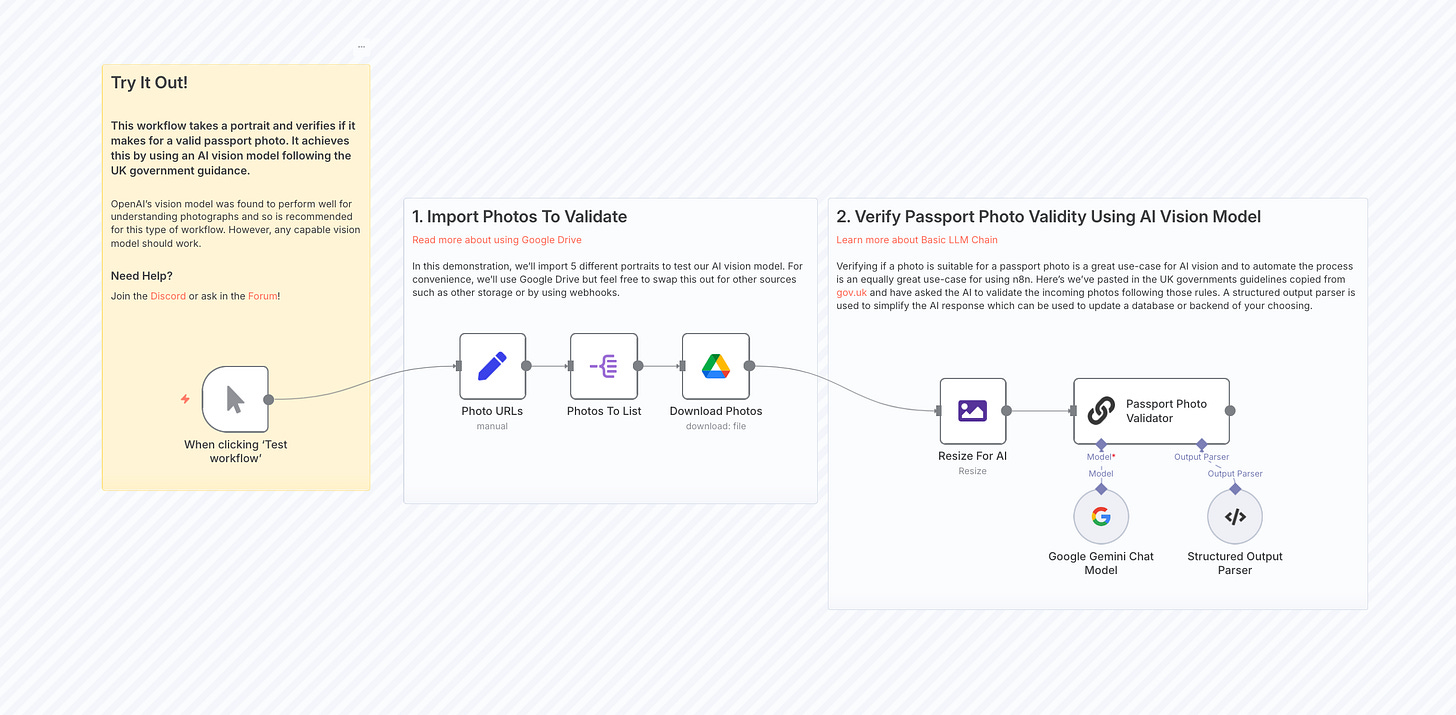
Manual passport photo validation is time-consuming and error-prone. Organizations that process visa applications, passport renewals, or identity verification need to check hundreds of photos daily against specific government criteria. As we know, human reviewers are inconsistent and the process creates bottlenecks.
This n8n workflow uses multimodal LLMs with AI vision to check if user-submitted portraits meet the criteria for valid passport photos. This automates a task that would be difficult to code and demanding for humans to do at scale.
The workflow integrates several AI capabilities:
- Computer vision for image analysis and quality assessment
- Rule-based validation against UK government passport photo requirements
- Structured output generation for integration with other systems
- Batch processing for handling multiple submissions simultaneously
Here’s how the workflow uses AI and n8n effectively:
- Image Processing Pipeline: Downloads photos from Google Drive, resizes them for optimal AI processing, and prepares them for analysis
- AI Analysis: Uses Google Gemini's multimodal capabilities to analyze images against detailed government criteria
- Structured Output: Formats AI responses into consistent JSON schema for downstream processing
- Quality Validation: Checks for technical requirements (resolution, file size, background color) and compliance requirements (facial expression, positioning, accessories)
This use case highlights how n8n acts as the central logic layer and not just passing data between services, but managing a structured, multi-step automation. It handles everything from file monitoring and preprocessing, to calling Google Gemini for multimodal analysis, to applying rule-based validation logic using its built-in nodes. This shows how n8n can coordinate AI services, implement validation workflows, and maintain data consistency, all without writing custom code.
Check out the template of this workflow here
Case Study 2: AI-Powered Newsletter Intelligence System
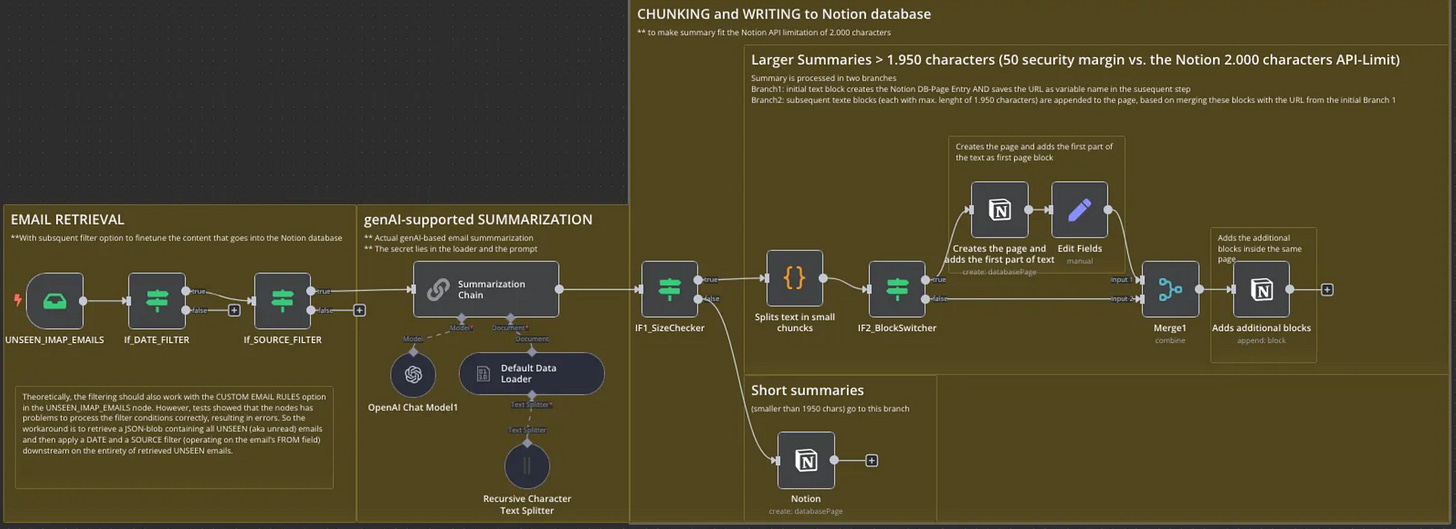
This case study perfectly demonstrates n8n's evolution from simple automation to intelligent workflow orchestration. Developer Syrom built a comprehensive newsletter processing system that showcases both AI integration and complex production challenges.
The problem their business faced was information overload from multiple AI newsletters. Sound familiar? If you’re subscribed to more than two, you probably feel it too. Reading, analyzing, and organizing insights from dozens of newsletters was consuming hours weekly with no systematic way to retrieve information later.
The solution was an automated system that processes newsletters, generates intelligent summaries, and stores them in a searchable Notion database with proper metadata and formatting.
This solution isn't just "read email, save to database." The workflow handles multiple challenging requirements:
- Email filtering and validation
- AI-powered summarization with specific formatting rules
- Notion's 2000-character API limitation requiring text chunking
- Metadata preservation across processing steps
- Error handling for various data formats and edge cases
What makes this case study valuable is how it demonstrates real production thinking. Syrom solved actual technical constraints that anyone implementing similar workflows would encounter.
Step-by-Step Tutorial: The Newsletter Intelligence System
Now let me show you exactly how Syrom's AI newsletter system works. This workflow demonstrates advanced n8n patterns you'll need for complex automation projects.
The Complete Architecture
This workflow has two main phases:
- Email Retrieval and AI Summarization (9 nodes)
- Notion Database Writing with Text Chunking (8 nodes)
This separation is crucial for production systems. Each phase handles different types of failures and has different performance characteristics.
Phase 1: Email Processing and AI Summarization
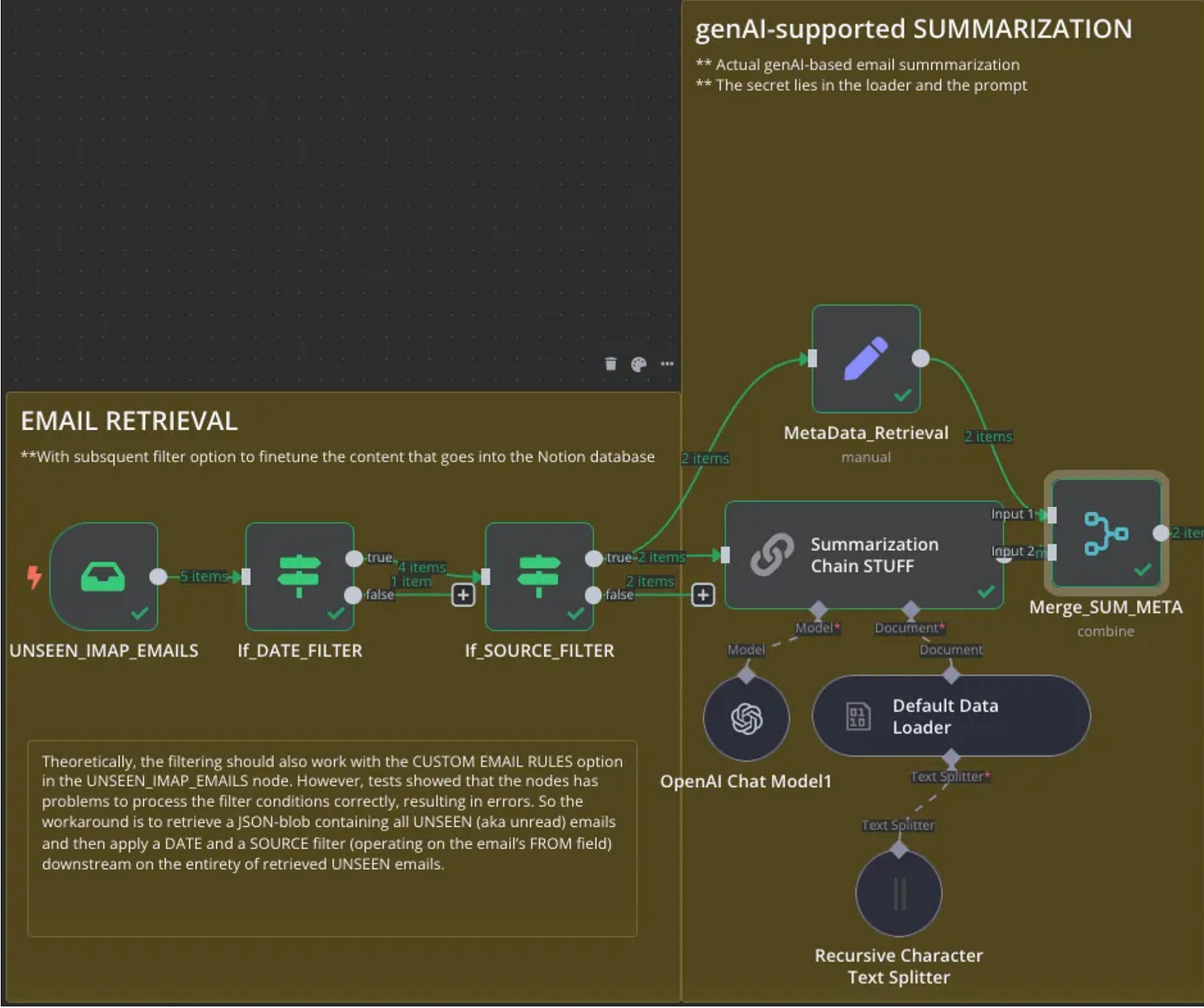
##### Step 1: Email Retrieval
The workflow starts with an IMAP trigger node configured to read unread emails. Here's what makes this production-ready:
- Credential Management: IMAP credentials stored securely in n8n's credential system
- Action Configuration: "Mark as Read" prevents processing the same email twice
- Custom Rules: Filters for "UNSEEN" emails only
- Attachment Handling: Disabled since only text content is needed
The output shows exactly what data is available, subject lines, sender information, plain text content, and metadata. This transparency is crucial for debugging complex workflows.
##### Step 2: Date Filtering
IMAP is the protocol that is used to fetch emails and it has built-in date filtering, but it's often unreliable and works differently across email services. Instead of depending on that, Syrom filtered the emails after retrieving them in n8n, using simple date checks that work every time:
// The condition checks each email's date against a threshold
{{ $json.date }} after 2024-12-29T00:00:00
This approach is more reliable than IMAP server-side filtering and gives you precise control over the date logic.
##### Step 3: Source Filtering
A second IF node filters emails based on sender addresses using OR logic:
- AlphaSignal newsletters
- Horizon AI updates
- Last Week in AI summaries
- The Neuron reports
This whitelist approach ensures only trusted sources get processed, preventing spam or irrelevant emails from consuming AI tokens.
##### Step 4: AI Summarization Chain
The workflow uses n8n's LangChain integration with a specific prompt designed for newsletter processing:
Capture a concise summary of the newsletter in bullet point format.
Maintain information on product names, company names and original URLs by enforcing these rules for every bullet point:
- maintain names of companies and products as in the original text.
- include minimum one link with the URL to the original source for this information. If you cannot find any such URL for the item, specify "[NO LINK FOUND]". Do not invent any URL yourself that is not in the original text.
- Delete bullet points that contain obvious advertising or that reference the newsletter itself, e.g. explaining how to unsubscribe from the newsletter.
The AI summarization requires four connected n8n nodes that work together to process email content:
- OpenAI Chat Model: Provides the language model (GPT-4 mini for cost efficiency)
- Document Loader: Formats the email text for the summarization chain
- Text Splitter: Handles long emails that might exceed context windows
Summarization Chain: Processes the content using the custom prompt
Phase 2: Notion Database Integration
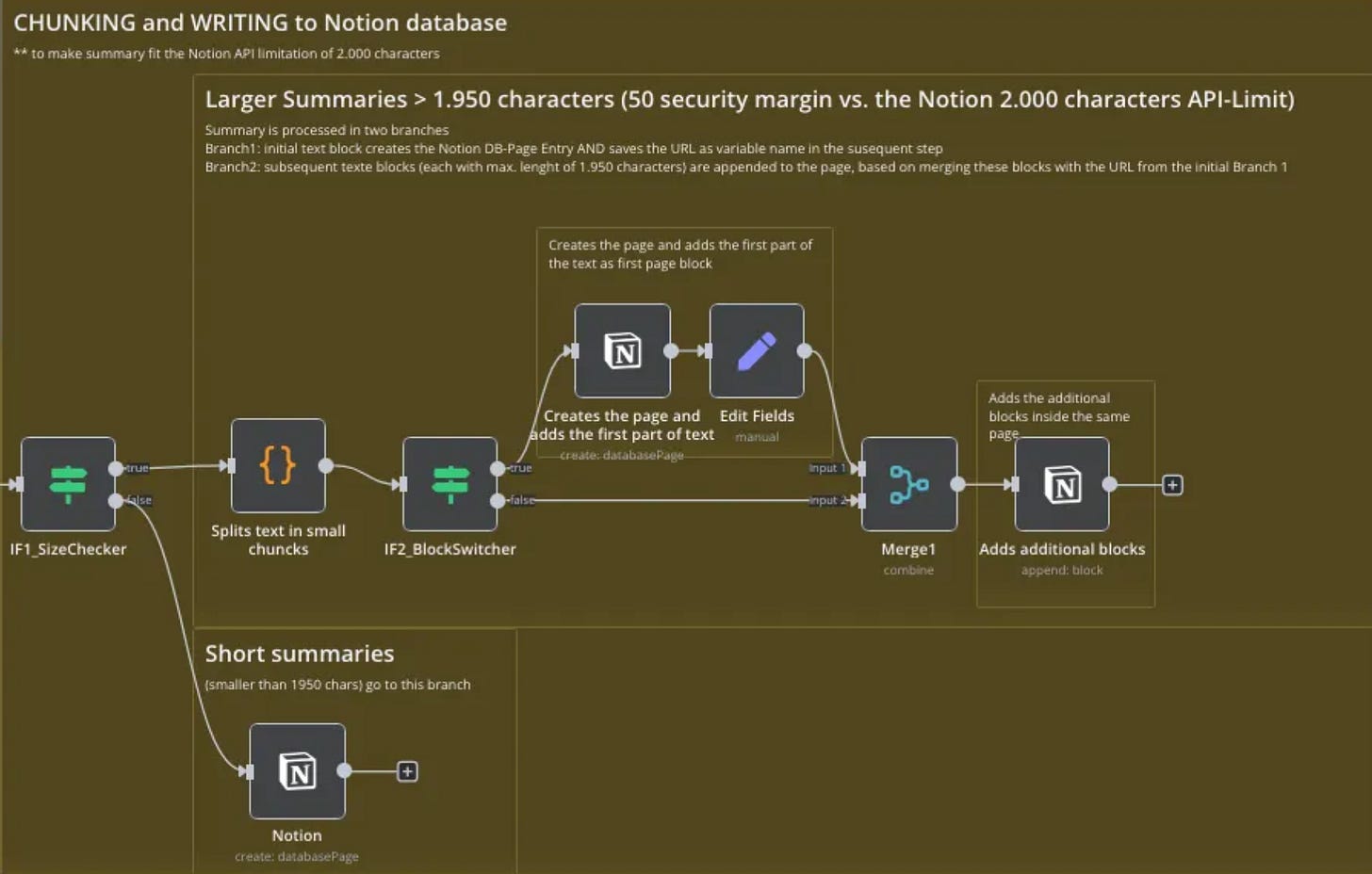
Notion's API has a 2000-character limit for text blocks, but AI summaries can be longer. Syrom's solution demonstrates advanced n8n techniques.
##### Step 5: Content Length Analysis
An IF node checks each summary's length:
{{ $json.response.text.length() }} larger than 1950The 50-character buffer prevents edge cases where character encoding might cause issues.
##### Step 6-A: Short Content Path
Summaries under 1950 characters follow a simple path, direct creation of a Notion database page with:
- Title: Email sender name
- NL\_Date: Email date
- NL\_GLANCE: First 35 words of summary for quick preview
- Full Summary: Complete text as a single block
##### Step 6-B: Long Content Path
Longer summaries require advanced processing:
- Text Chunking: JavaScript code splits text into 1950-character segments while preserving metadata
- Block Identification: Each chunk tagged as "firstBlock" (true/false) for proper handling
- Page Creation: First block creates the Notion page and returns a URL
- URL Storage: The page URL saved for referencing additional blocks
- Block Appending: Remaining chunks appended to the same page using the stored URL
The JavaScript Chunking Logic:
let result = [];
$input.all().forEach((item, index) => {
  let firstBlock = true;
  const text = item.json.response.text;
  const fromEmail = $('IF1_SizeChecker').all()[index].json.from;
  const emailDate = $('IF1_SizeChecker').all()[index].json.date;

  for (let i = 0; i < text.length; i += 1950) {
    result.push({
      "textSubString": text.substring(i, i + 1950),
      "firstBlock": firstBlock,
      "from": fromEmail,
      "date": emailDate
    });
    firstBlock = false;
  }
});
return result;
This code reflects real-world best practices; it protects data quality, works smoothly with multiple emails at once, and ensures the workflow stays stable and reliable.
Real-World Results
This system processes dozens of newsletters weekly, creating a searchable knowledge base. The AI summaries maintain important details while filtering marketing content, and the Notion integration provides both quick previews and full content access.
The workflow shows how modern automation combines traditional rule-based logic with AI decision-making. The AI handles content analysis while workflow rules ensure reliable operation.
This workflow is part of a larger automation system. For a deeper look, check out this three-part article series that explains the full setup.
Share if you found this useful
n8n Templates: Pre-Built Automation for Common Business Processes
n8n templates are ready-made workflows that you can import directly into your n8n instance and customize for your specific needs. Think of them as automation blueprints, they handle the complex node connections and logic, so you only need to add your credentials and adjust parameters for your use case.
Templates serve two main purposes: they dramatically reduce development time for common automation scenarios, and they demonstrate best practices for workflow design. Instead of building everything from scratch, you can start with proven patterns and modify them as needed.
To use a template, you simply copy the provided JSON code, import it into n8n through the workflow interface, and configure it with your API credentials and specific parameters. Most templates include documentation explaining what each node does and what customization options are available.
Recommended Templates to Start With
If you’re not sure where to start, check out the following most used templates.
These days, everyone’s creating content, bloggers, marketers, solopreneurs, even dev teams, and the challenges like coming up with fresh ideas and staying consistent without burning out are very real. One of the most useful templates I’ve seen is thisDeepSeek R1 + WordPress automation. It lets you feed a prompt into DeepSeek R1, get a full post back, clean it up with some formatting steps, and then publish directly to your WordPress site.
If content is part of your workflow, I’d suggest starting here. It’ll save you hours.
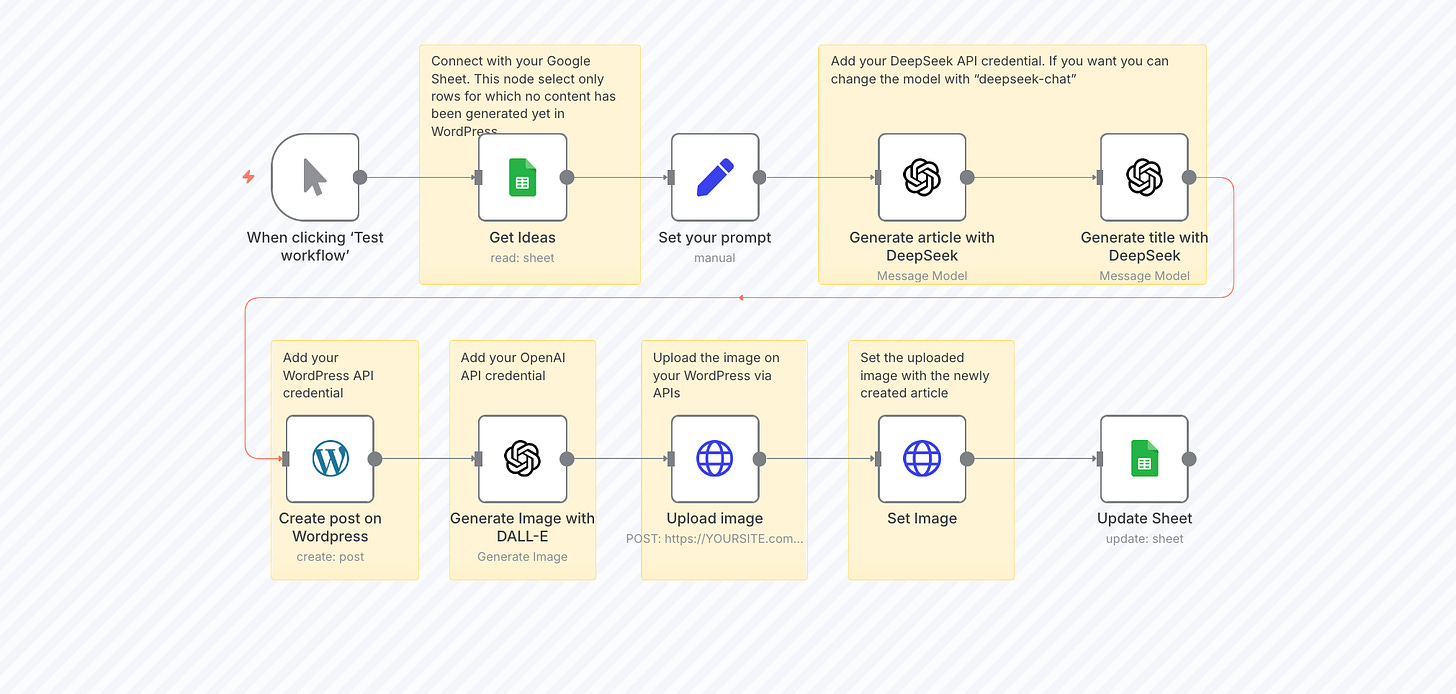
If you’re looking for more practical templates related to content creation, check out the example in this article.
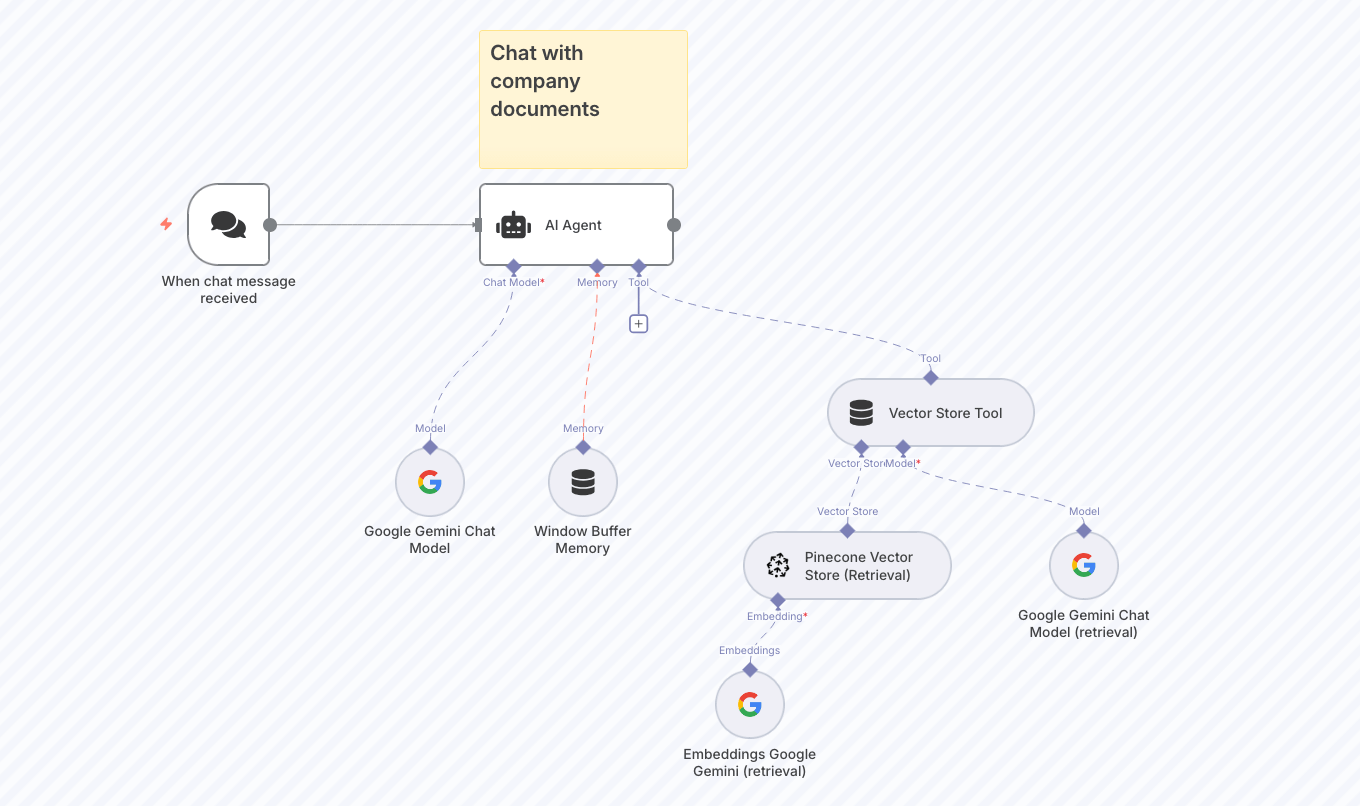
Another powerful template to consider is RAG Chatbot for Company Documents. It’s designed to solve a common problem: finding the right information quickly in a sea of company documents.
This workflow creates a chatbot that understands and answers questions based on your own files by connecting Google Drive with Gemini AI. Instead of wasting time searching through folders or emails, your team can get instant, accurate answers.
Where to Find Quality n8n Templates
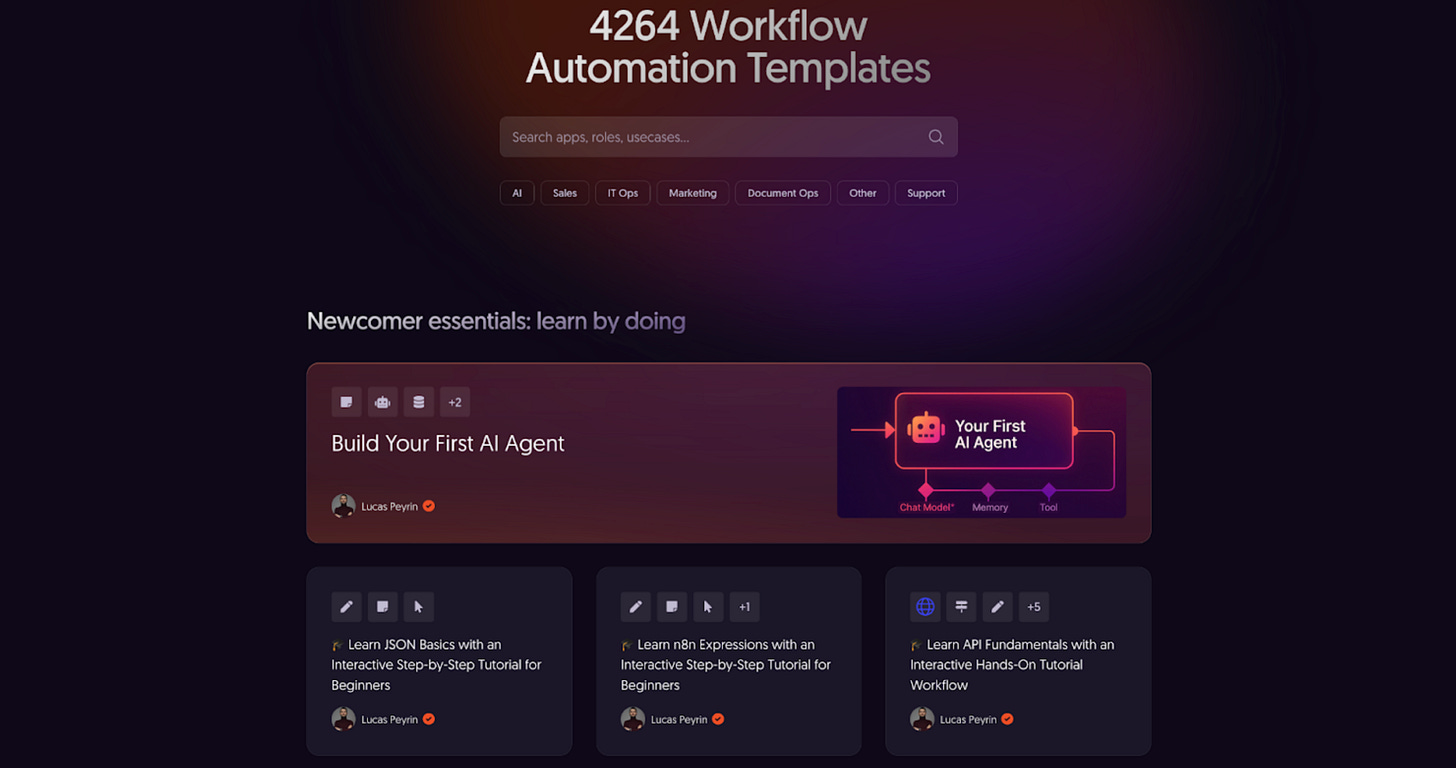
n8n's Official Workflow Gallery is the primary repository with over 4,000 community workflows. Use the search and filter functions to find templates matching your industry or specific use case.
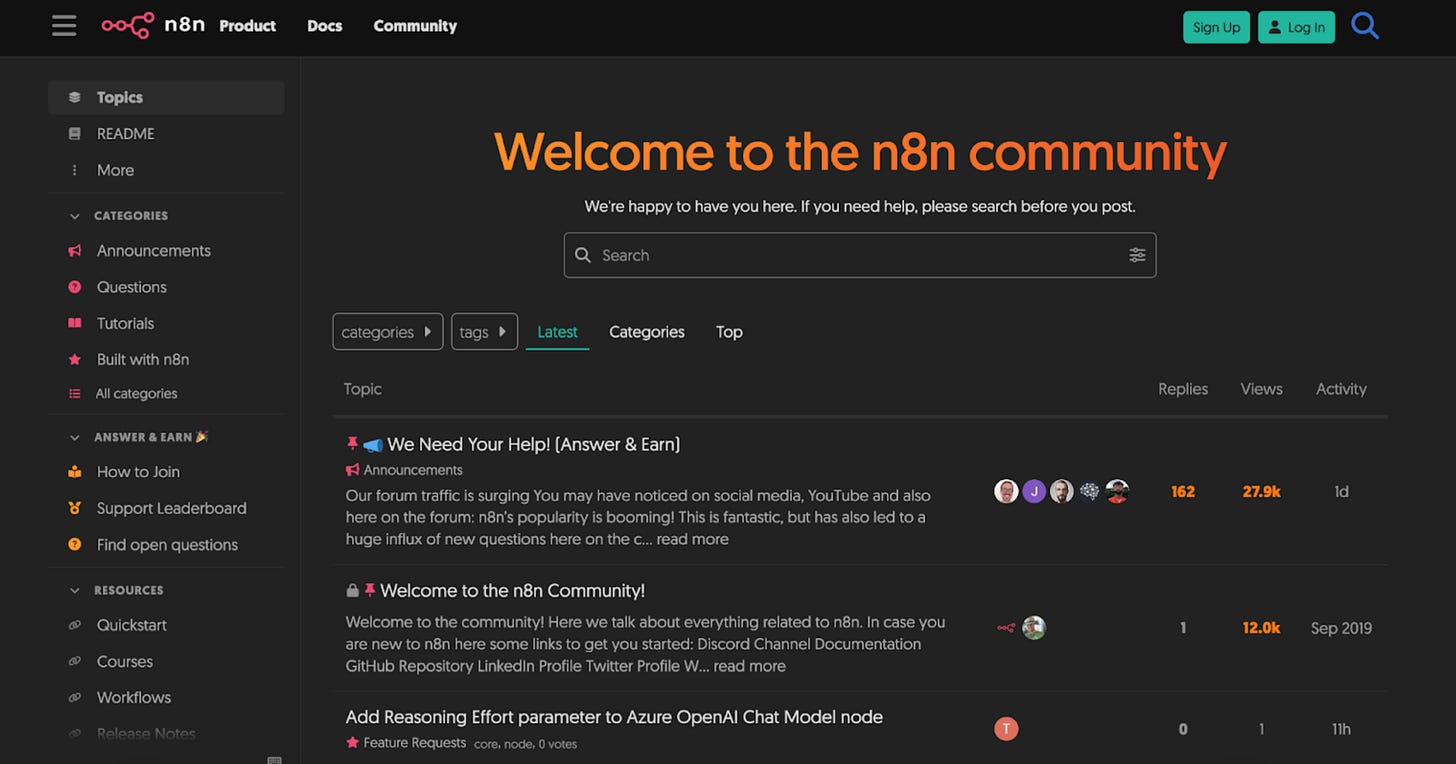
n8n Community Forum contains detailed discussions about template implementations, common issues, and customization approaches. The community often shares improved versions of existing templates.
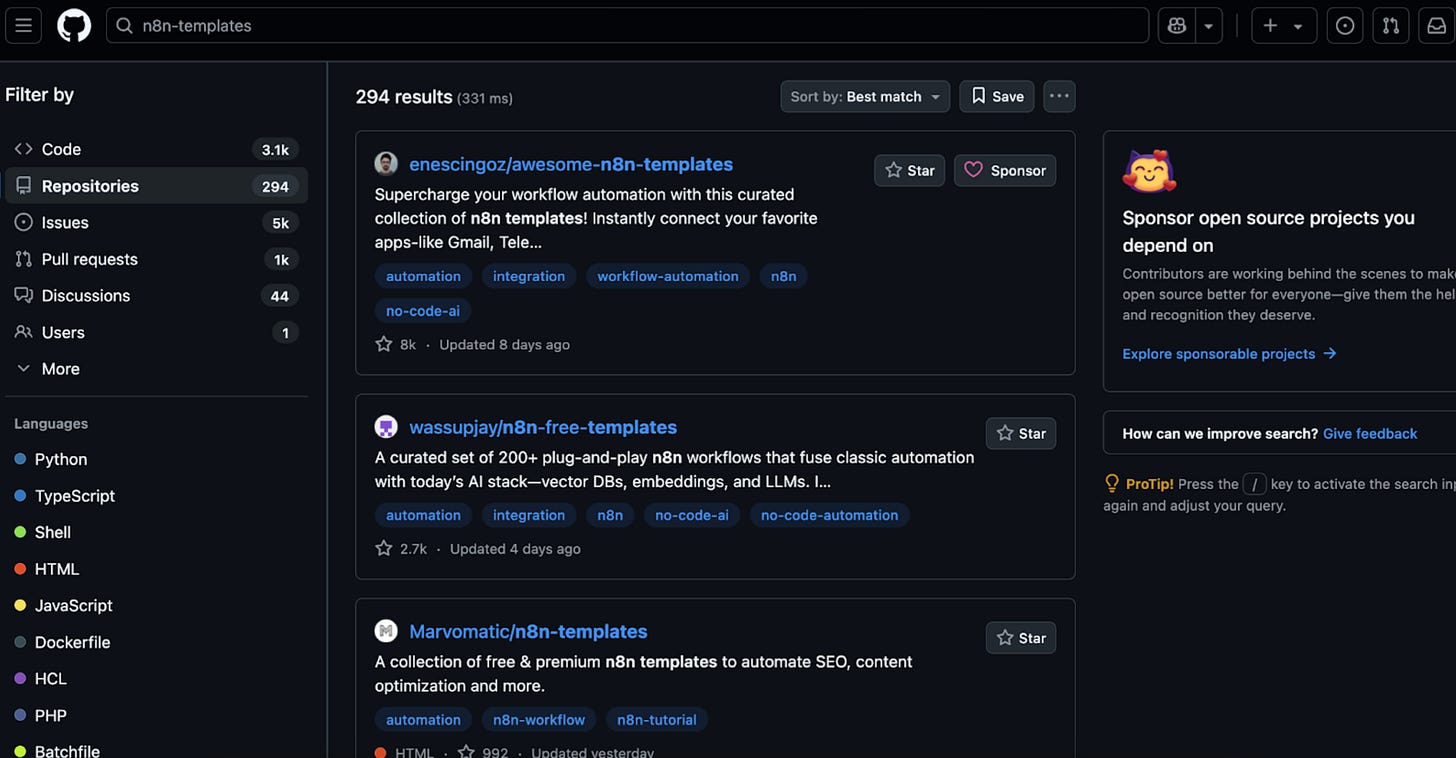
GitHub Repositories host more complex, production-tested workflows. Search for "*n8n-workflows*" or "*n8n-templates*" to find curated collections maintained by practitioners and consulting firms.
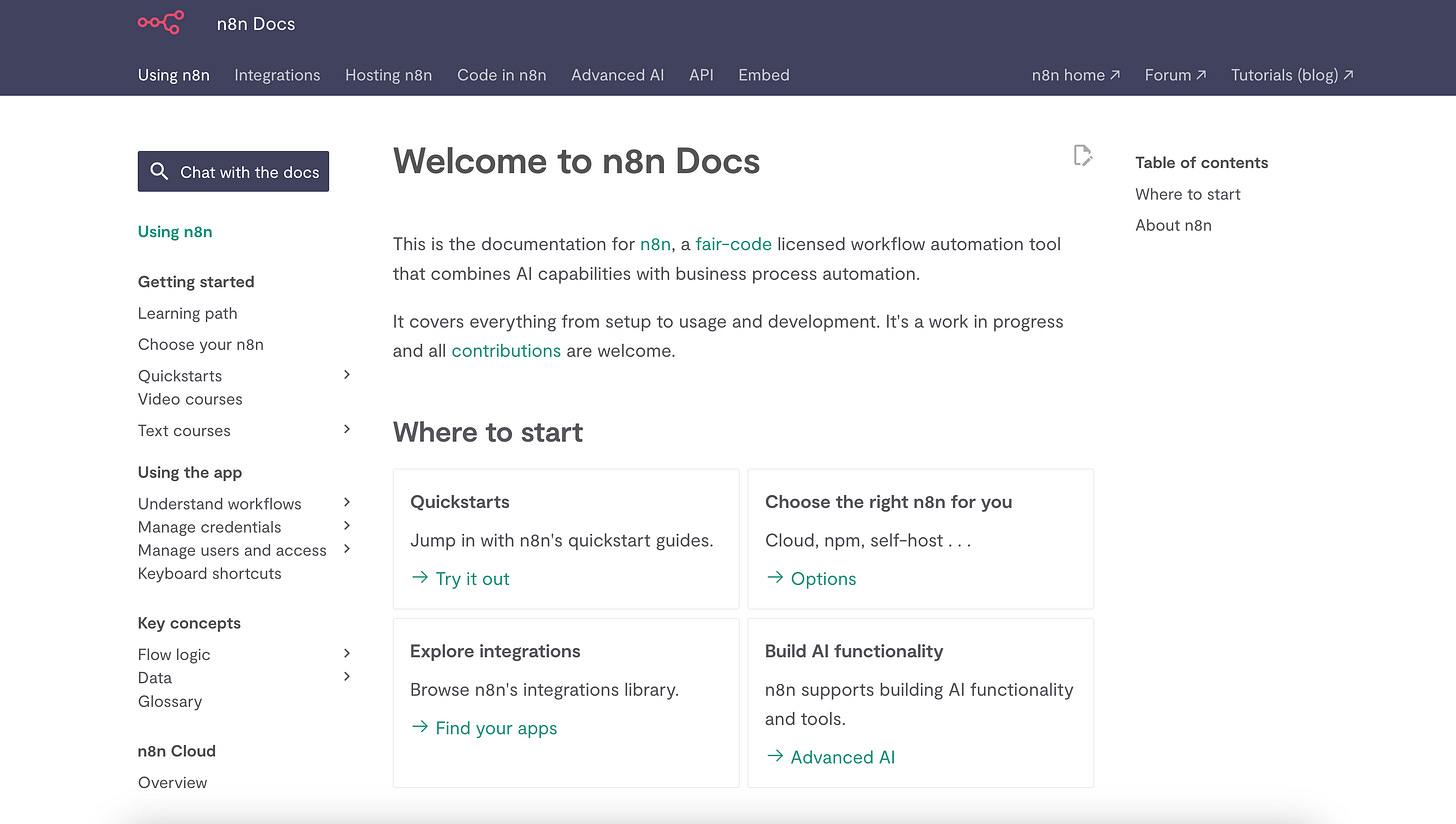
n8n Documentation includes official examples and starter templates for common integrations, particularly useful when you're working with specific services or APIs.
When evaluating templates, prioritize those that include error handling, credential management, and clear documentation, these indicate more mature, production-ready workflows.
read this blog post about how to build AI agents using n8n
Wrapping Up
We're moving from rigid rule-based systems to adaptive intelligent systems. But not replacing human oversight! The most successful implementations combine AI decision-making with human-defined boundaries.
That’s what makes n8n stand out. You get the power of AI agents making smart decisions all within workflows you control. Compared to tools like Zapier or Make, n8n offers much more flexibility. You can build custom logic, call APIs, process data, and even integrate AI tools directly into your flows.
So if you’re feeling the limits of traditional automation, or you’re spending too much time stitching tools together, try n8n. It’s built for people who want to move fast and stay in control. And the best part is that you don’t have to be a developer to get real value from it.
Want to dive deeper into AI automation and workflow optimization? Check out our other posts where we break down the latest developments in AI tools and automation strategies.
This article was first published in the Creators AI newsletter. View the original edition.