Upgrade Your Workspace & Toolset with AI
Are you still using Google Suite and Microsoft Office? Try out these AI tools!
Not many things annoy me as much as the inconvenient Google Suite and Microsoft Office: endless spreadsheets in Excel, dozens of drafts in Docs, confusing endless folders, and more. Sometimes, it feels like I spend all my work time for nothing. So, I decided to solve this problem by using AI.
I found many tools to improve (or replace) Docs, Sheets, and Slides, tested them, and chose some of the best ones. And now I can't wait to share the results with you.
In this newsletter:
- Tools to upgrade replace Google Suite and Microsoft Office
- Extensions for your text, sheets, and slides platforms
- Tips & Tricks for optimizing your workspace with AI
Let's get started!
Keep your mailbox updated with practical knowledge & key news from the AI industry!

Upgrades and Alternatives for Docs & Word
Working with documents touches almost everyone. Some write and edit articles, some prepare for speeches, and some just use Docs or Word to take notes. Either way, it's the foundation. And since it's the basics, we will use the basic tools (but not without surprises).
So, to improve our document experience, we don't have to abandon Google Docs and Microsoft Word immediately. For beginners, we can use a few tools that greatly upgrade these apps. The following platforms will be suitable for this purpose.
Wordtune
Main feature: Offers diverse ways to improve flow, impact, and adjust tone (formal or casual).
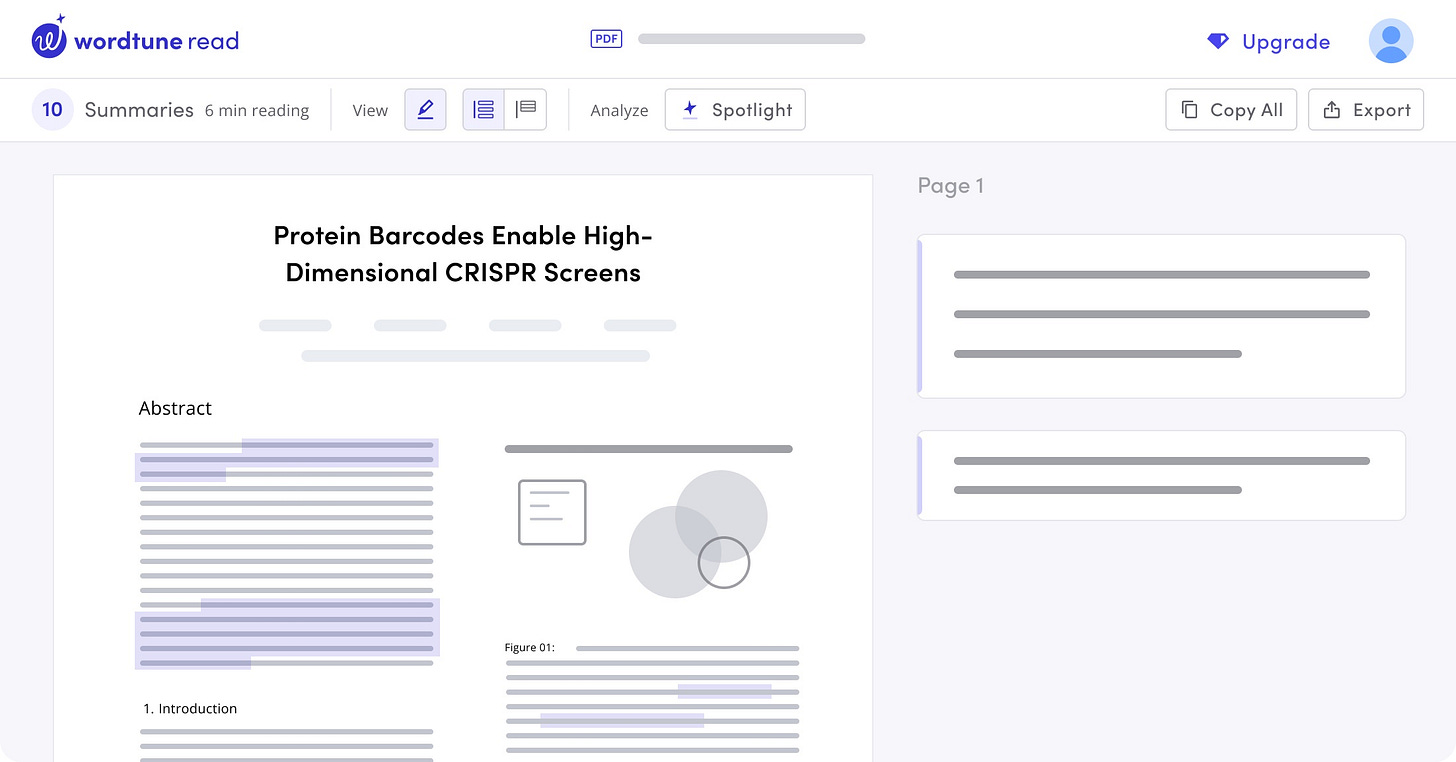
Wordtune is like your creative writing partner. It helps you find fresh ways to express yourself and offers unique phrasing options to make the writing more engaging and impactful.
Sudowrite
Main feature: It can take a small piece of writing and expand it into longer passages, adding descriptions or exploring different narrative directions.

Sudowrite is a writing platform specifically designed for creative writers. It helps authors brainstorm ideas, overcome writer's block, expand their writing, and refine their style. Sudowrite aims to be a collaborative partner in the creative writing process.
With this tool, you can get rid of blank page syndrome once and for all. Which is a serious problem for Google Docs users (yep, I know what I'm talking about).
Speaking of which, Docs and Word have recently supported chatbot integration from Google and Microsoft. For example, you can now call Gemini Advanced right inside your document and ask it to improve your text or finish a thought.
If you don't like Gemini (it really does say silly things a lot), you can also try out "GPT for Docs." It's an extension that generates new content, summarizes information, and clarifies your writing. The solution works not only in Docs but also in other Suite apps, including Sheets and Slides.
Full Alternatives
As for abandoning Docs and Word, we can find a whole scattering of great AI platforms. We can use these applications first and foremost:

Initially, these platforms were positioned as add-ons to text editors, but over time, they have grown to include all the necessary features for working with documents. You can build your article or report right inside one of these apps, enhance it with algorithms, and then export it to the platform you need.
Addition tool: Grammarly
We have mentioned this platform many times in our newsletter, but nothing will stop us from doing it again. Think of Grammarly as your meticulous writing coach. It catches all those embarrassing typos, suggests better word choices, and helps ensure your writing is clear and error-free.
Over the past few years, Grammarly has evolved from a small tool to a full-fledged writing assistant. It now helps you come up with texts from scratch, control the tone of voice, and keep your narrative consistent.
Share this post with friends, especially those interested in AI Insights!
AI Alternative for Notion
This is a short switcheroo to an off-the-wall guest on our list: Notion. Many people opt for this app when they get tired of the clutter of Google Docs. Notion is really good because it includes elements of a text editor and allows you to build a vast database.
It also has AI that helps lay out articles and design pages. However, Notion has two fundamental flaws: performance issues when processing large amounts of information and high costs when used by teams.
There is one answer to this problem: Obsidian with AI Assistant.

Obsidian offers the same basic Notion features - from taking notes to creating layered documents - but with deeper AI integration. This plugin brings the power of GPT 3.5 and GPT-4 directly into your Obsidian workspace. It allows you to:
- Get AI-written summaries, outlines, variations on a piece of writing, and more.
- Receive answers to complex questions referencing the content of your Obsidian vault.
- Seamlessly translate sections of your notes into other languages.
- Get visuals based on your text descriptions (If you integrate with image-generating AIs).
Upgrades and Alternatives for Sheets | Excel
If anything makes me really angry, it's spreadsheets.
Those columns, taglines, formatting, and formulas are annoying. But if we can automate the process of filling cells and the layout of the whole visual, our work (and life, by the way) will become noticeably easier. Here is what I can offer you on this topic.
Arcwise
Arcwise works as an add-on to your spreadsheets. It's a platform with a built-in chatbot that allows you to quickly analyze documents and, through natural language communication, produce full-fledged reports in seconds.
Here's an example of how it works:
Zoho Sheet with Zia
Zoho Sheet is a cloud-based platform within the Zoho Office Suite, offering familiar features like formulas, charts, and collaboration tools. It stands out with its integration across the Zoho ecosystem and its AI assistant, Zia. This model can analyze your data, answer questions in natural language, and assist with data cleaning.
Additionally, Zoho Sheet allows integration with OpenAI's models, enabling text generation and translation within your spreadsheets. However, specific AI features depend on your subscription plan.
Promptloop
PromptLoop is another AI-powered solution designed for Sheet and Excel. However, this service focuses on market research and data analysis within spreadsheets. It scrapes information from websites directly into your file with a few clicks.
Here's a short tutorial on Promptloop by its creator Peter Mangan:
PromptLoop will be great for things like product research, price comparisons, or competitor analysis. And it also integrates with other AI platforms like OpenAI to access even more text generation, translation, and analysis capabilities.
Creators’ AI could be a valuable gift for your friend, colleague, or family member. Gifting books is bright, but giving an AI newsletter is a superb move 😎
Upgrades and Alternatives for Slides | PowerPoint
Okay, if spreadsheets I hate with all my soul, then presentations... Generally speaking, they are fine. However, when working on a new slide, it's often very difficult to avoid the blank page syndrome, think about a really good design that matches the content, and create a competent structure. But all this is easily solved with automation.
Slides AI
Slides AI is a simple but clear platform for users of any level. It allows you to create presentations from text or a topic, generates multiple layouts, and supports over 100 languages. What's nice is that the service also works as an extension for Google Slides, so you won't need to add third-party software to figure out the new interface.
Here's a demo of the app:
Gamma AI
Despite the fact that Gamma is designed not only for presentations but also for documents and websites, I want to talk about this particular tool. My tests showed that it has the most exciting templates, and the AI model used by the developers guessed my wishes most often. Plus, this service is very easy to use.
Here’s an example of what you can get with this platform:
Slidebean
Slidebean is a slightly more professional tool than the past two. This solution doesn't try to cover all usage scenarios but instead focuses on just one group of users—startup funders. And that's exactly why Slidebean is the best AI-powered pitch deck generator.
If you've just started your startup journey and don't have much experience yet, Slidebean can be not only a good tool but also a helpful assistant.
Final Thoughts
While preparing this post, I realized that I was trapped in some kind of information bubble. Even though I spend a lot of time tracking AI tools, new models, and products, I have forgotten that my own approaches are gradually becoming obsolete. And it's imperceptibly starting to annoy and push me away from the tasks.
At the same time, the tools we discussed today can breathe new life into your daily routine. So, I highly recommend trying out at least a few of them. If these apps don't become your game-changers, they will definitely make your work days a little more interesting!
What do you think about AI replacements for Suite and Office? Tell us in the comments!
This article was first published in the Creators AI newsletter. View the original edition.