Why Vibe Coding Is Important
The New No Code but with AI
Have you heard of “vibe coding”? The term had no meaning just a month ago, but now it's almost a mainstream trend among AI creators. There are dozens of threads on X, discussions on YC podcasts, and projects that are generating tangible revenue.
So, let's get to the bottom of it.
In today’s issue:
- What is Vibe Coding
- How the New Approach Affects Software Development
- Real-Life Cases (including one which makes $52k/mo)
- Quick Tutorial on How to Become Vibe Coder
Keep your mailbox updated with practical knowledge & key news from the AI industry!
What Is “Vibe Coding”?
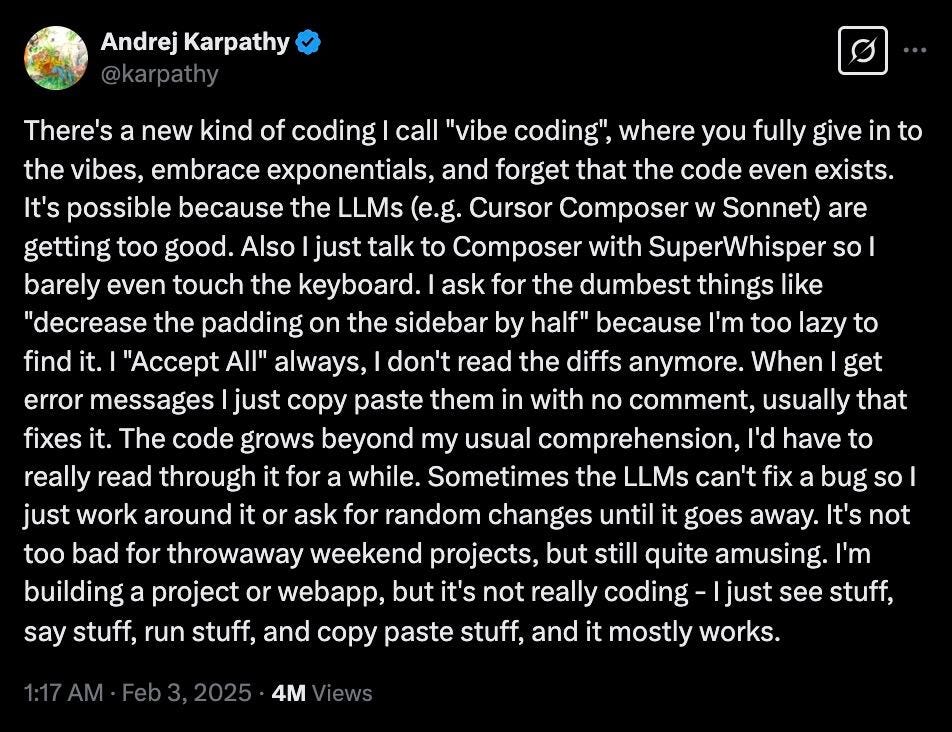
The starting point for “vibe coding” was a post by Andrej Karpathy, co-founder and former research scientist at OpenAI. In early February, he shared his thoughts on a new approach to coding with LLMs. Karpathy described it as a process where developers “fully give in to the vibes, embrace exponentials, and forget that the code even exists.”
Since then, it has gained traction, especially among hobbyists and creators looking to bring ideas to life quickly. Here's that post:

This isn't the first time Karpathy has promoted abandoning the usual approach to development. In January 2023, he stated, “The hottest new programming language is English.”
Vibe coding works through a simple process:
- You describe what you want the software to do in everyday language.
- AI tools interpret this description and generate the corresponding code.
- You can refine your instructions through further natural language commands, and the AI updates the code accordingly.
And the simpler, the better.
The main thing in this case is to feel the vibe and just build what you like. Although it sounds just fun, this methodology is more profound than it may seem.
How Vibe Coding Affects Software Development
In the latest episode of the Light Cone podcast, hosts Gary, Jared, and Diana, partners at YC, delved into the vibe coding.
The discussion highlighted the definitions of engineering roles, the impact of AI on coding practices, the necessity of human oversight, and how this new culture is reshaping hiring practices and expectations within the industry.
Here are the key points that I found most meaningful:
- The Shift from Code Writing to Conceptualization: Founders are less attached to their code. It allows them to make decisions to scrap or rewrite code based on new insights or user feedback. This reflects a cultural change in development where iterating on ideas is prioritized over the sanctity of the original code.
- AI’s Dominance in Code Creation: 25% of founders reported over 95% of their codebase being AI-generated illustrates a shift in how software is developed. This trend indicates that many startups are leveraging AI tools to such an extent that traditional coding practices may soon become obsolete for many projects.
- Emerging Tool Ecosystem: The presenters consider platforms like Cursor and Wind Surf the most prominent. With each release of a new AI model or platform for non-technical users, app development is increasingly democratizing. So, you don't need big teams to develop good products anymore.
- Prioritizing User Experience Over Technical Purity: Vibe coding emphasizes delivering software that resonates with users emotionally and practically, even if the underlying code isn’t textbook-elegant. This marks a departure from the old-school obsession with optimized, pristine codebases, as developers lean into AI’s ability to churn out functional solutions.
Share this post with friends, especially those interested in AI Insights!
Real-Life Examples of Vibe Coding
Vibe coding is not constrained by strict boundaries. Therefore, the type of project and the tools used can be completely different.
Web Site in Five Minutes with V0
A creator under the nickname KlausCodes decided to once again show that frontend coders should worry about their profession (it's something of a tradition in AI development). He used V0 to build a website in five minutes.
This time included both development and deployment.
See the result below.

Chrome Extension with Cursor AI
The second case seems a bit more complicated. Ian Nuttall used a Chrome extension to copy links from text, but it was removed from the store, so the creator had to create his own solution. For this he used Cursor AI.
During development, the creator didn't even look at exactly what the AI was doing.

You can watch the video here.
Vibe Coding That Makes $52k/mo
And lastly, an impressive case from Levelsio (by the way, we have a post dedicated to this creator. The guy is an absolute beast). He built a simple multiplayer 3D flight game in 3 hours using Cursor AI & Claude 3.7 Sonnet, and then turned it into $52,000 in revenue.

In a few weeks, it became a Twitter sensation. Now, Pieter continues to refine the game, monetize it with advertising, and share new stages of development on X.
This project inspired many other users to create their games with Vibe Coding.
How to Become a Vibe Coder: Tools & Tips
Although vibe coding implies simplicity and comfort, it would be better to learn a few important points beforehand.
Then the process will be not only pleasant, but also productive.
AI for Vibe Coding
In 2025, there are a huge number of platforms for creating various applications without code. And just listing them can take several minutes. So below I list the main solutions we use at Creators' AI. You can choose any of them.
Lovable
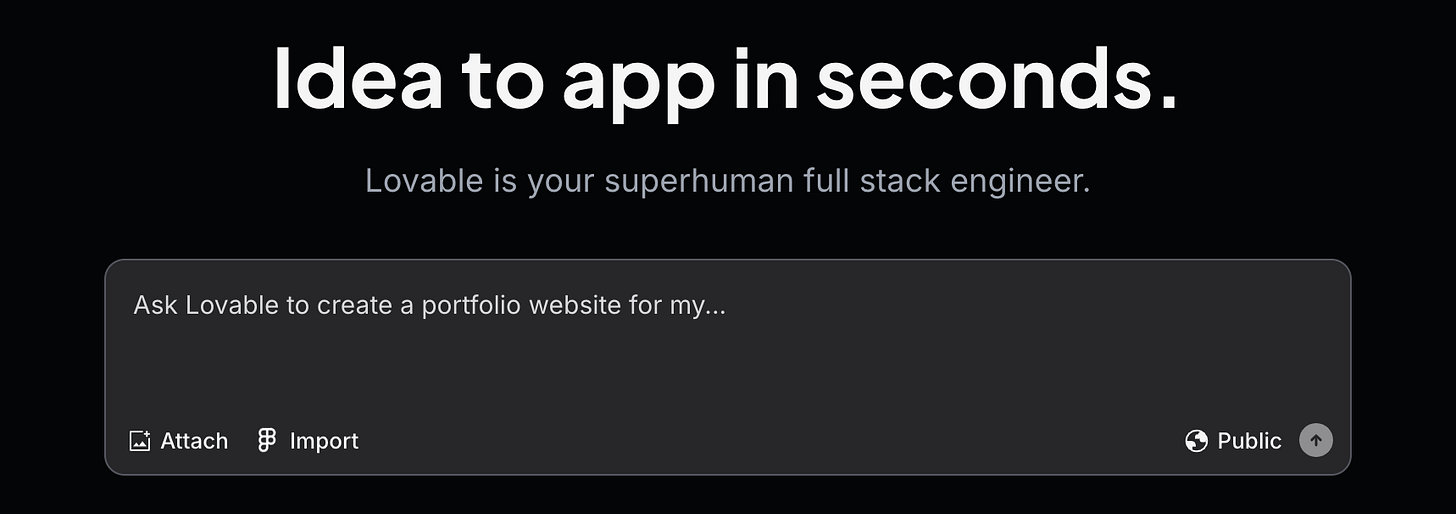
Lovable is a design-first platform that simplifies app development with an intuitive, visual interface. It empowers users—even those with no coding experience—to quickly build and prototype creative projects.
Lovable is one of my favorite tools. Coincidence or not, among all the platforms I tested, this is the one that created working apps the first time around.
We have a post dedicated to Lovable and how to use it:
Cursor AI
Cursor AI is an enhanced code editor that combines the familiarity of traditional IDEs with AI features. It offers natural language commands, smart autocompletion, and in-depth codebase queries to streamline your development workflow.
Cursor AI is a more advanced tool. If you actively follow solopreneurs, you know that it is responsible for the success of dozens of startups.
Replit
Replit is a cloud-based integrated development environment that supports multiple programming languages and real-time collaboration. Its built-in AI tools help generate code, debug errors, and accelerate rapid prototyping across teams.
Replit is good for both frontend and backend.
v0
v0 is a streamlined platform focused on rapid prototyping of applications. By minimizing overhead and automating routine tasks, it allows you to quickly transform ideas into functional prototypes without coding.
v0 handles responsive layouts and common web patterns, supporting frameworks like Next.js and TypeScript, with integration into Vercel's ecosystem for deployment.
bolt.new
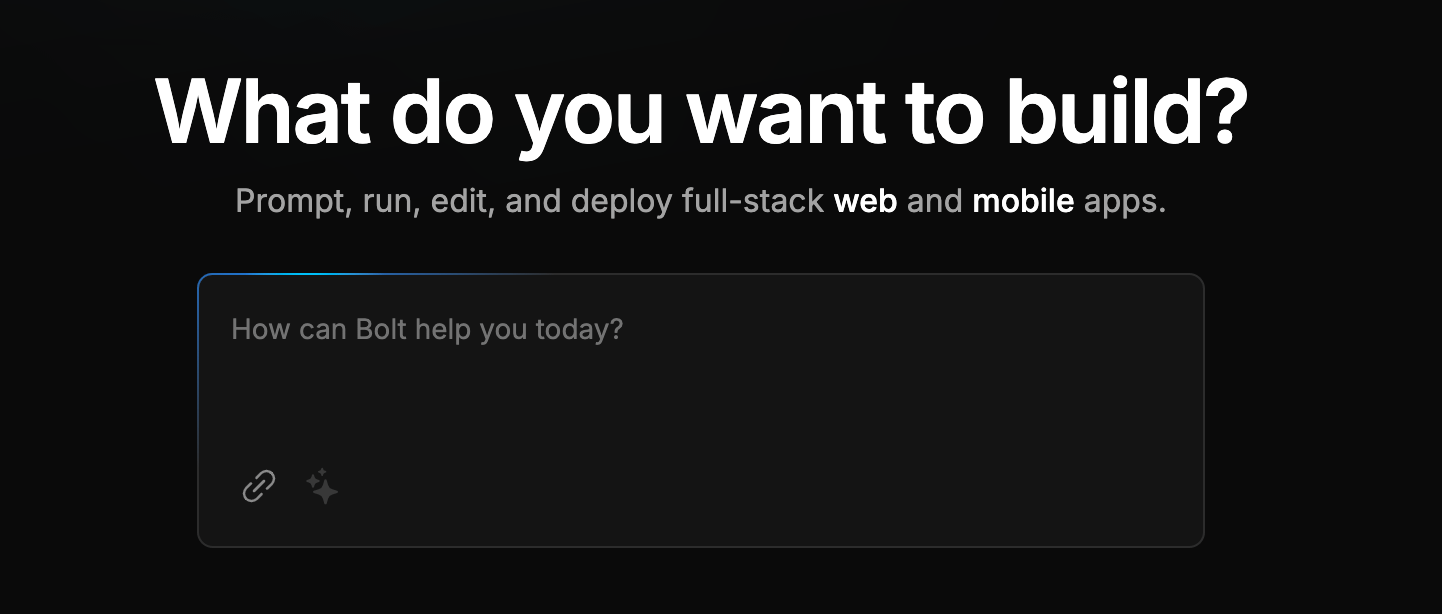
bolt.new is a tool designed to speed up code creation and refinement. It blends smart code generation with interactive debugging features, enabling users to build, test, and iterate on software applications with ease.
I only recently discovered bolt.new for myself. As it turns out, if you want to try your hand at mobile app development, this is the best starting point.
Creators’ AI could be a valuable gift for your friend, colleague, or family member. Gifting books is bright, but giving an AI newsletter is a superb move 😎
Bonus Tool: SuperWhisper
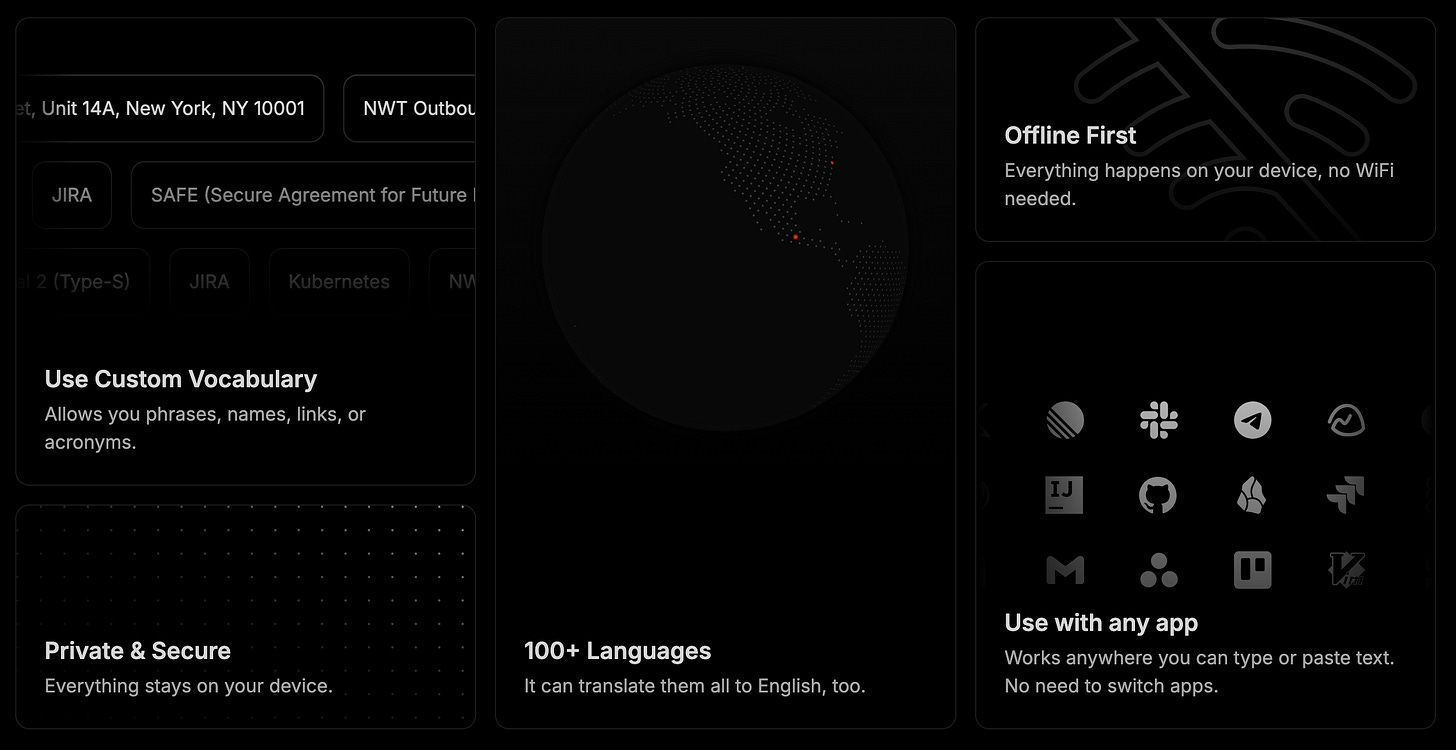
An additional option to consider: SuperWhisper. (macOS only)
This voice-to-text tool lets you skip the keyboard and dictate code, notes, or ideas directly into your workflow. It’s a way to keep your coding process fluid, turning spoken thoughts into text. Pair it with your existing tools for a hands-off approach.
Here's how it can be combined with vibe coding.
1. Set It Up
- Install: Download SuperWhisper from superwhisper.com and follow their setup guide.
- Configure: Enable Super Mode in the settings to improve transcription based on your screen and app. Assign a hotkey (like Fn+Space) to start dictating.
2. Connect with Your Tools
- Integration: Use it with Cursor’s Composer, Replit’s editor, or Lovable’s interface. Open your tool, hit the hotkey, and speak—SuperWhisper types it into the input or chat.
- Process: Your voice feeds into the AI, which generates the code from there.
3. Code by Talking
- Dictate: Say things like, “Add a Python script to Replit for API data,” or “Put a button in Cursor that changes something.” SuperWhisper transcribes, and the AI handles the rest.
- Refine: If it needs adjustment, say, “Make it smaller” or “Change the loop.” The AI updates it.
4. Handle Bugs
- Fixes: For errors, dictate “Fix this” or “Show the last error,” and SuperWhisper passes it to your tool for a solution.
- Flow: Debugging stays simple without manual input.
5. Adjust the Experience
- Setup: Play music or adjust your space while SuperWhisper takes the input.
- Customize: Set prompts like “New code” for quick blocks or “Run it” to test in Replit.
- Pace: Let the AI draft first and tweak later as needed.
Why It Works
SuperWhisper fits with your vibe coding toolkit—whether it’s Replit, Lovable, or Cursor. It’s straightforward, cuts down on typing, and keeps things moving.
Practices and Tips for Vibe Coding
- Embrace Imperfection
Vibe coding is about speed and creative exploration rather than flawless execution. Recognize that early prototypes might be imperfect—and that’s okay. Use them as a basis to refine further.
- Maintain Human Oversight
While AI can generate code quickly, it might not always consider long-term architecture or security implications. Periodically review and refactor the code manually to avoid accumulating technical debt.
- Combine AI Tools for Synergy
Use a mix of platforms to cover different aspects of your workflow. For instance, pair Replit Agent for initial coding with ChatGPT Canvas for collaborative editing and refining the generated code.
- Iterate Quickly
The beauty of vibe coding lies in its rapid prototyping capability. Don’t hesitate to run multiple iterations—tweak your prompts slightly and see how the AI adapts. Over time, you’ll discover which phrasing and instructions yield the best results.
- Document the Process
Even though you might not scrutinize every line of AI-generated code, keeping a record of your prompts and iterations can help diagnose recurring issues or understand the AI’s decision-making patterns.
- Balance Creativity with Functionality
Remember that vibe coding is particularly well-suited for creative projects or “software for one” applications. For mission-critical systems, ensure that you allocate time for rigorous testing and quality assurance.
Final Thoughts
Right now, it's hard to say where vibe coding will take us.
On the one hand, democratization in app building may lead to the emergence of many startups that better understand the needs of their users and respond faster to challenges. It seems to me that in such a case ideas will be valued much more than the technical aspects (YC partners are inclined to this, by the way).
On the other hand, we are getting closer to the moment when everyone can create a good solution for their interests, needs, and tasks. In that case, the space for new projects may become even smaller.
What do you think? Tell us in the comments!
Share this edition with your friends!
This article was first published in the Creators AI newsletter. View the original edition.