Copy Apps with AI: Medical Tracker
Breaking down and reproducing an app with $1M ARR in 8 months after launch

While reading about projects built by solopreneurs, I came across a nice story. It's an app called Shotsy that helps people track their medications. Since its launch, it grew to $1M ARR in 8 months and later raised $2M.
So, two questions arose for me. The first is how Shotsy managed to achieve such growth. And, of course, the second question is whether we can replicate this product without coding but with AI. Let's answer them.
In this issue:
- A breakdown of a startup’s journey from idea to market
- What key elements made Shotsy a hit
- Quick tutorial on how to leverage AI to build your own app
Keep your mailbox updated with practical knowledge & key news from the AI industry!
From a Personal Problem to Monetizable Product

Meet Aja Beckett, today's case. She is a software engineer who worked for The Athletic and The New York Times. For a long time, she used notes to track her intake of GLP-1 medications (you may have heard of them as Ozempic) and her body's subsequent response.
At some point, she realized that using regular note-takers to log weekly injections and track progress and side effects was the wrong approach. The notes became too long and unruly. So Beckett decided to create her own product: one that would help her and people with the same problem.
It was named Shotsy and was given the following features:
- Weekly Injection Logging: Record every shot, capturing dose timing and details.
- Side Effects Tracking: Log reactions such as nausea and other symptoms to predict and manage feelings.
- Injection Site Rotation: Record of injection sites to help ensure proper rotation and minimize irritation.
- Progress Monitoring: Track changes in weight and other health metrics over time, making it easier to see progress.

The first version of the app was developed in-house. Since Beckett was still working full-time as an engineer, users of the Zepbound community (a subreddit on Reddit where people taking Ozempic share their experiences and support each other) acted as the first testers. This gave a good boost to Shotsy's first promotion.
The app saw 3,000 downloads in the first 24 hours after its debut on the App Store. And many provided detailed feedback on desired features.
Have covered how to find an audience using AI in this post.
This grassroots approach solved two potential problems:
- Trust in a marketplace wary of medical misinformation
- Product verification through direct user input
As for monetization, the founder opted for a familiar freemium model.
The free version handles basic tracking, while a $19.99/year subscription unlocks advanced analytics such as symptom correlation reports and injection site effectiveness ratings.
Share this post with friends, especially those interested in AI Insights!
Growth and Investor Attention
As the audience grew, Beckett brought in a part-time designer to make the app more enjoyable for users. A bit later, she ran into an engineer friend and gave him a demo while traveling through the airport on her way back from a conference. He asked her to connect with investors, including Underwood, Slack's former head of product.
Result: Shotsy raised $2.25M in funding to expand its marketing and grow its team. April Underwood of Adverb Ventures led the round, which was participated in by Coalition Operators, Springbank Collective, and angel investor Esther Dyson.
Here are a few reasons why Beckett's idea attracted the attention of VCs:
- First-mover status in the GLP-1 tracking niche
- Beckett's founder-market fit (she's both builder and user)
- Great timing with Ozempic hype
Now that Shotsy no longer seems like such an obscure project, we can safely say it's not MOAT. Here's why.
How To Copy Shotsy App with AI
Let's reproduce Shotsy with AI. We won't use tools that require coding skills and will rely on development with prompts.
And we will try to make the whole process take no more than 15 minutes.
Step 1. Choosing AI Tools
When creating our app, we’ll need only two tools (you can use even one): ChatGPT and Lovable.dev. The first one is optional, but you must compose a full-fledged prompt that reflects all the features and visual style of the future app.
And Lovable will develop the app and allow us to test it.
Lovable.dev is a platform that allows you to build full-fledged apps with minimal coding skills. It integrates tools like Supabase, AI-based design and backend capabilities to make app development as easy as a conversation.
Step 2. Crafting Prompts for Development
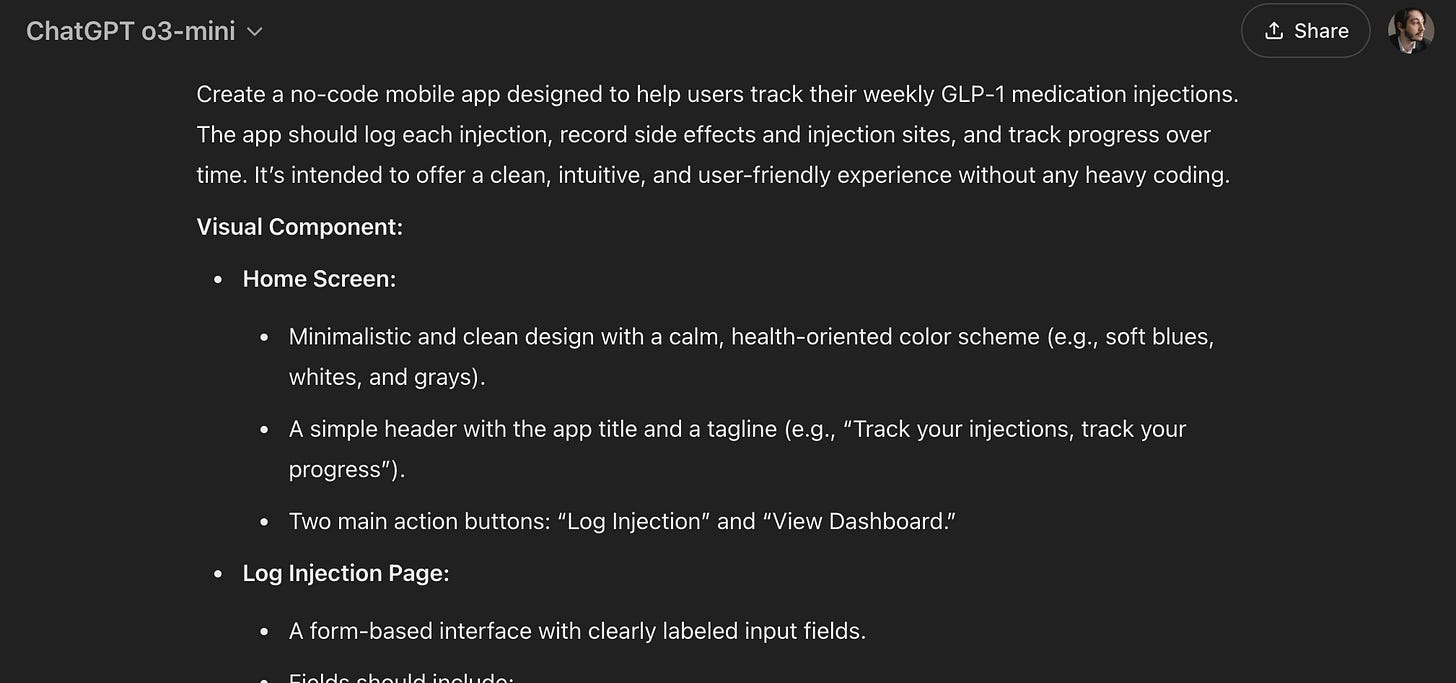
At this point, I suggest turning to ChatGPT. The o3-mini in combination with web search does a good job of parsing applications.
- Just provide the chatbot with a detailed description of the app or links to relevant resources, or ask it to find all the necessary information on the web.
I used the following prompt:
Using the information about the Shotsy app as a basis, generate a complete prompt for a coding-free platform that will allow me to reproduce this app. The prompt should contain a description of visual components (frontend) and full functionality (backend).- Save the resulting output (and edit it if you see flaws)
Creators’ AI could be a valuable gift for your friend, colleague, or family member. Gifting books is bright, but giving an AI newsletter is a superb move 😎
Step 3. Generating an App
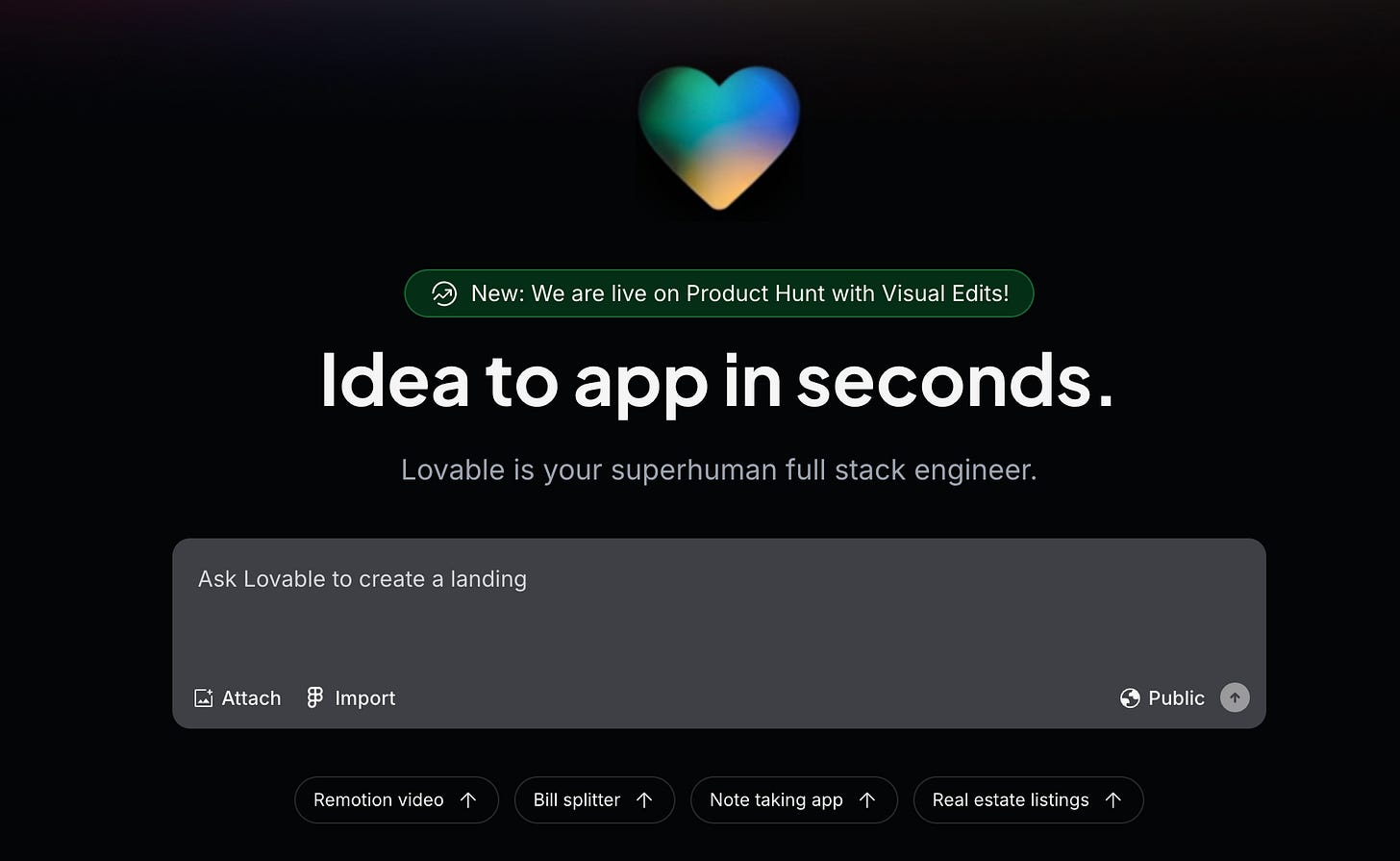
- It's as simple as that.
- Visit and sign up at lovable.dev
- Paste your enhanced prompt into the chat box
- Watch how AI generates your app
Within a couple of minutes, the platform will have your project ready.
4. Integrating Backend Functionality
- Connect to Supabase: Integrate a backend by linking your project with Supabase for persistent data storage.
- In Lovable, click the Supabase button and follow the authorization process.
Database Setup: Lovable automatically creates tables to store injection records, side effects, and weight entries.
If you want users to have accounts, prompt Lovable with:
Implement user authentication and secure data storage.Lovable will connect the necessary authentication flows with your Supabase backend.
5. Testing and Editing
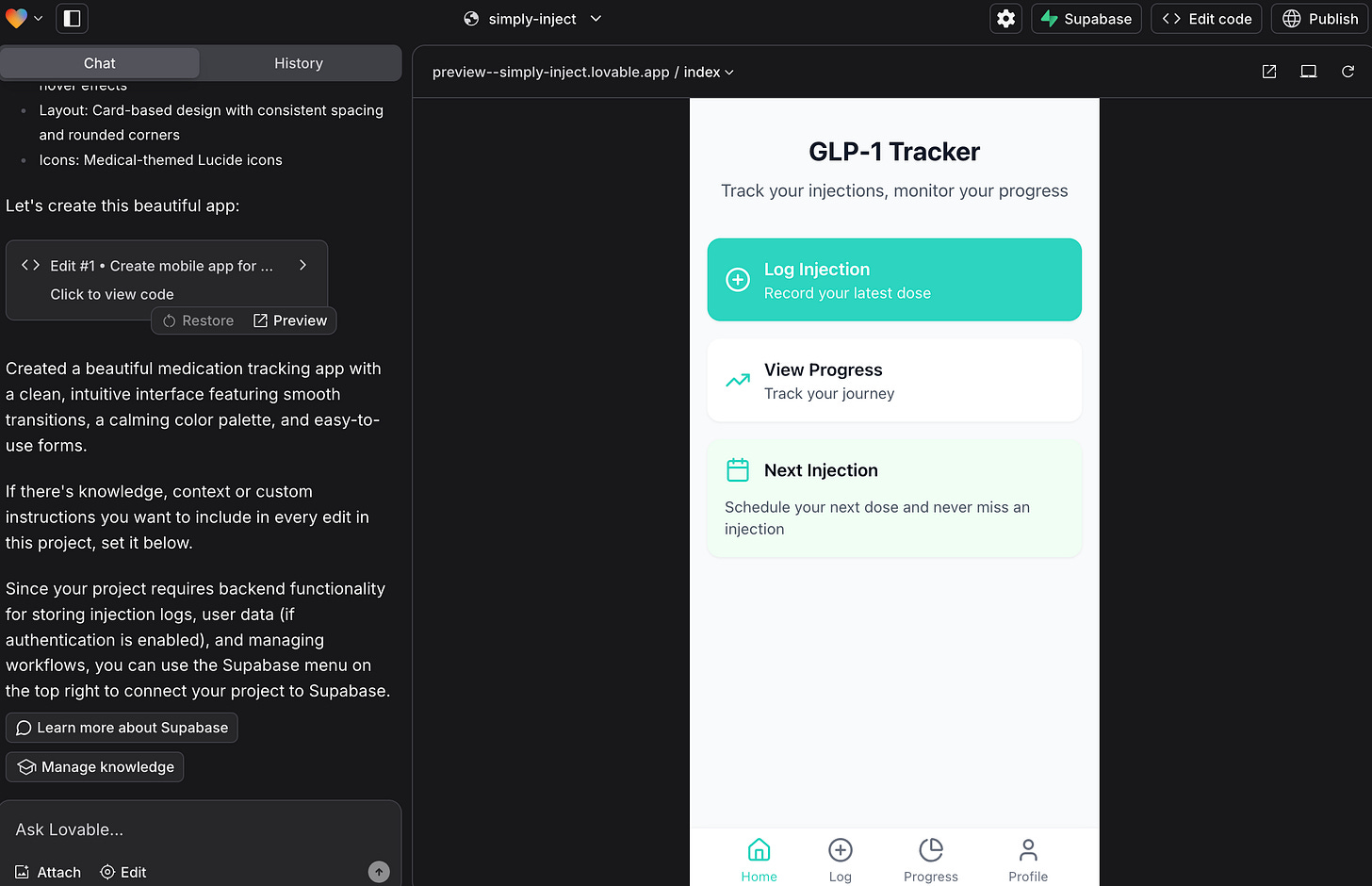
By this point, a functioning app should be ready.
- Preview and Test: Use Lovable’s live preview to simulate app usage. Test entering data and switching between screens.
- Iterate (Optional): Based on the results, refine the UI and functionality by editing the text prompts.
For example, if you plan to monetize your app, you can ask the chatbot to add a subscription model and specify tiers.
Here’s my result:
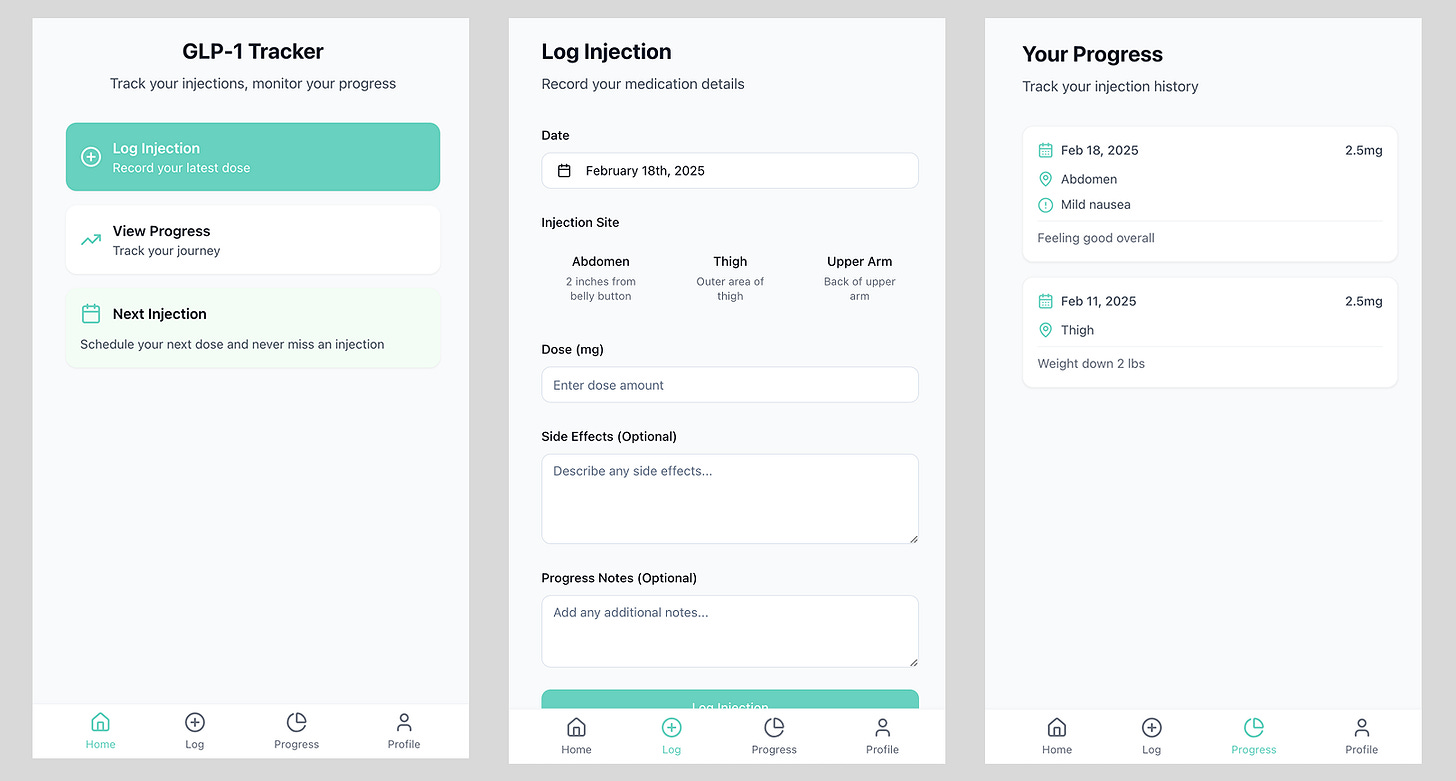
You can see what both the web version and the mobile app will look like. Use the icon in the upper right corner to switch between modes.
When satisfied, click the “Publish” button to deploy. Lovable provides a shareable URL, and you can also sync your code with GitHub for further collaboration.
How to Use It
To be fair, above, we made a web app that is not ready to be deployed on mobile platforms. Nevertheless, this framework is suitable for proof of concept, MVP, or pitching to investors.
If you want to create a finished app that can be uploaded to the App Store or Google Play, Cursor AI will be the better option. What it is and how it works here:
Conclusion
As I prepare this post, I have a few thoughts regarding the Shotsy case and our quick tutorial. First, building apps is becoming common—almost like creating a website to showcase your project. And while technicality used to be at the forefront, now (thanks to AI) that barrier seems nearly removed.
And Shotsy is a good example of a great idea. Because Aja Beckett hit the right spot in time, her simple app shot to fruition. That strikes me as particularly important in the context of AI. With the right toolset and attention to current trends, right now you can create significant things.
And I hope you will!
Share this edition with your friends!
This article was first published in the Creators AI newsletter. View the original edition.