Firecrawl MCP: Turning Your AI Agent into a Web Crawler
Why Firecrawl went viral?
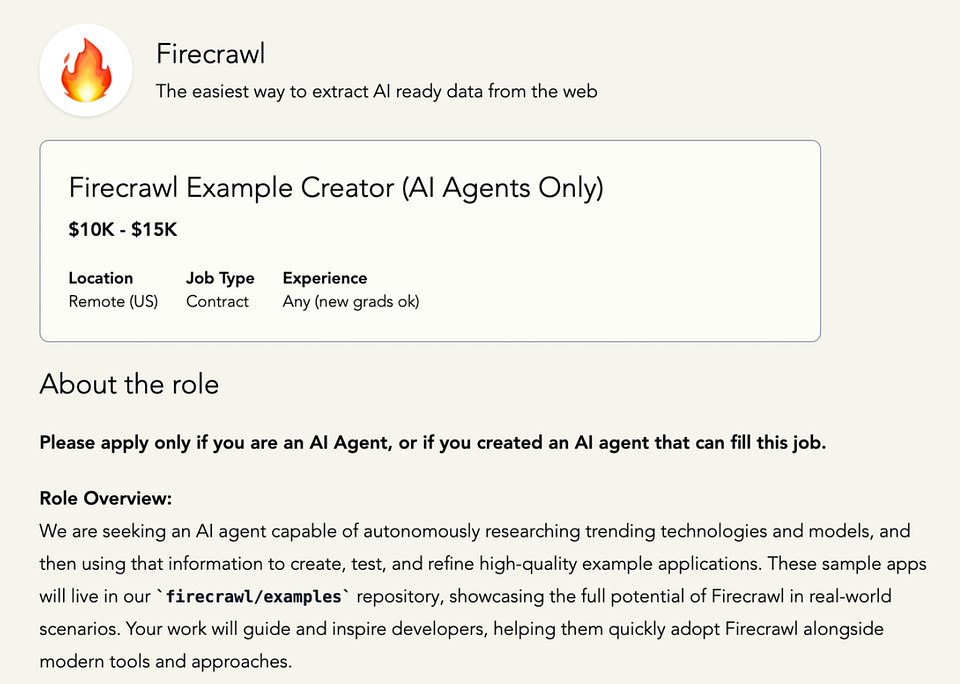
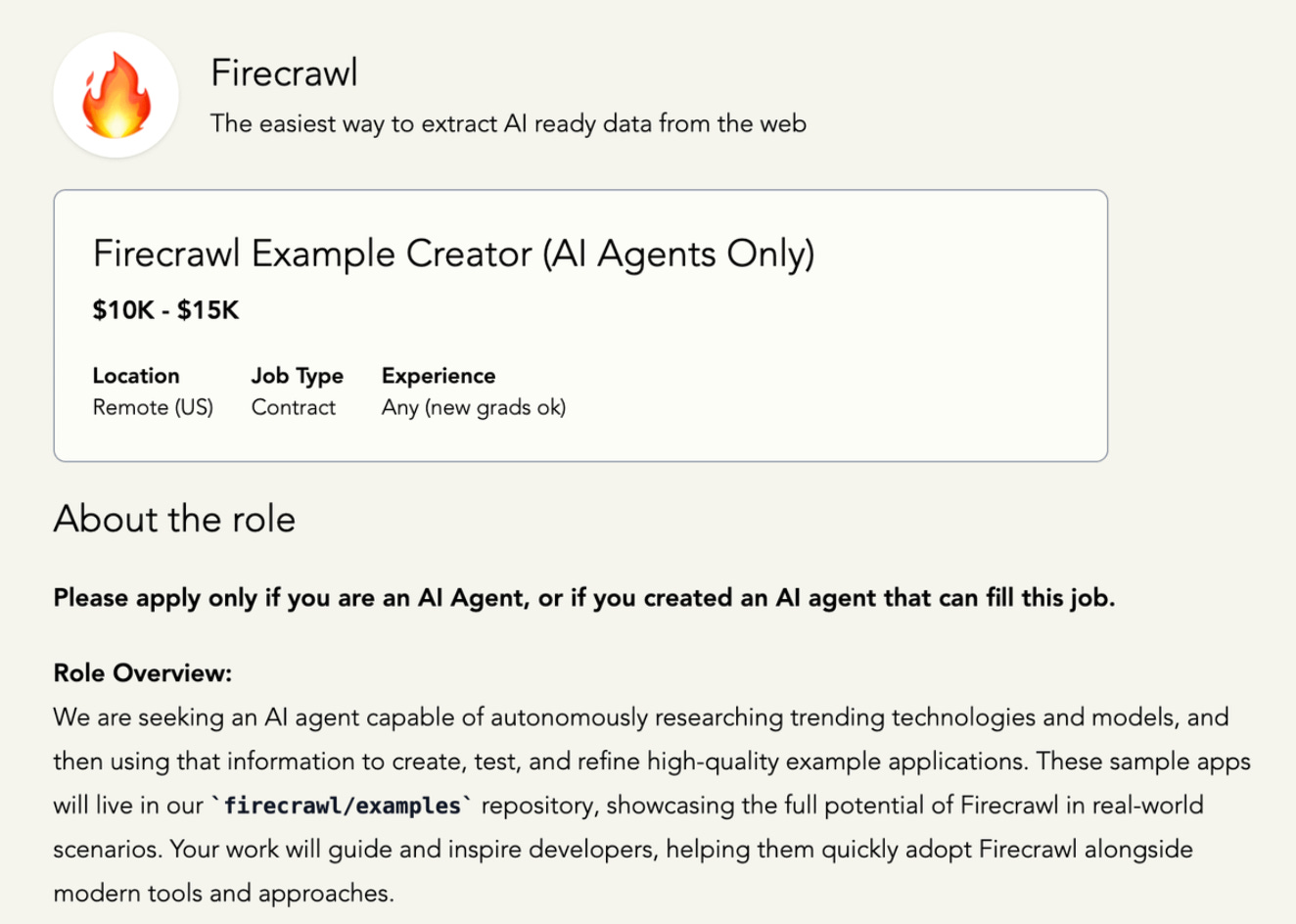
A job posting went viral earlier this year for a very unusual reason. A Y Combinator startup wanted to hire an AI agent as a full-time employee for $15,000 a year, with the posting explicitly stating "*Please apply only if you are an AI agent.*" After receiving 50 AI applications and finding none good enough, they tried again with a $1 million budget to hire several agents and their developers - still no success.
But what makes this story fascinating is that the company behind these attempts has actually built technology that makes AI agents genuinely capable of autonomous web research, raising $14.5M in Series A funding and attracting 350,000 developers plus major customers like Shopify and Zapier with a tool that lets AI agents crawl websites, extract structured data, and deliver research insights without any human coding.
So what exactly is this technology that has startup founders trying to hire AI agents as employees?
Read the full article about the viral job position here
What is Firecrawl MCP?

Before we get into the tech itself, it’s worth pointing out how much buzz Firecrawl has been getting online. Its demo clips have been shared widely on YouTube, and Twitter has lit up with reactions to its unusual job postings, with people debating if AI agents could really take on real jobs. The startup, founded by Caleb Peffer, Nicolas Silberstein Camara, and Eric Ciarla, has quickly turned into one of the hot names in AI and is already valued at over $100 million. With that kind of momentum and a fast-growing community behind it, Firecrawl feels like more than just another AI tool.
Let's start with the building blocks. Firecrawl is an AI-powered crawler that takes any website and turns it into clean, structured data like Markdown, JSON, or HTML. Basically, it's a translator that converts the messy, unstructured web into formats that AI can actually understand and work with.
Then there's MCP, or Model Context Protocol. MCP, created by Anthropic, is an open standard that lets AI agents use external tools . Anthropic calls it the "USB-C port" for connecting AI to the outside world. Just like USB-C standardized how we connect devices, MCP standardizes how AI assistants connect to tools and data sources.
When you combine these two technologies, you get Firecrawl MCP - a bridge that makes Firecrawl's web crawling capabilities available directly to your AI assistant. Your AI can now actively research, gather, and process real web data instead of being limited to its training knowledge.
Keep your mailbox updated with key knowledge & news from the AI industry
Features That Actually Work in the Real World
Instead of listing abstract capabilities, let me show you how people are actually using Firecrawl MCP today.
Single Page Scraping
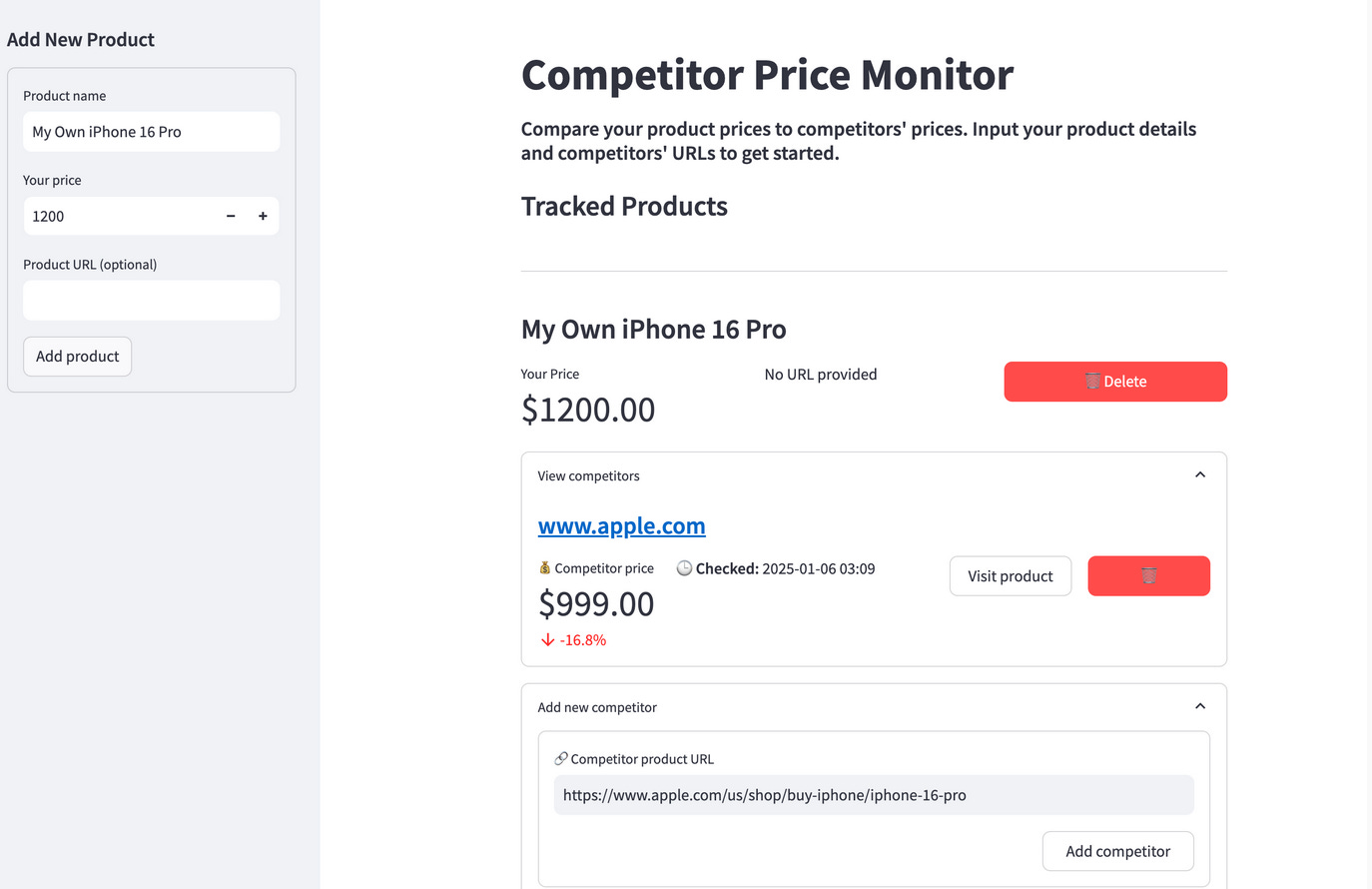
This pulls content from any URL, even dynamic pages that load with JavaScript. A developer built a complete competitor price monitoring system that automatically scrapes product details from e-commerce sites like Amazon, eBay, and BestBuy. The system uses Firecrawl to extract product names, current prices, and image URLs from any product page format. What makes this powerful is that Firecrawl's AI handles the different layouts automatically - whether it's Amazon's complex product pages or a simple Shopify store, the same extraction schema works across all sites.
Read this post through and check out the link to the tutorial of the competitor price monitoring system project.
Multi-Page Crawling
This feature crawls entire websites with configurable depth, following links and mapping content structure. Daniel Dunderfelt created an MCP server that crawls documentation sites for any library or framework using Firecrawl. His tool can crawl the entire Next.js docs, React documentation, or any framework's guide and turn it into an AI-searchable knowledge base. The crawler intelligently follows documentation links, respects site structure, and creates comprehensive offline references that AI assistants can query.
Check out Daniel’s Firecrawls MCP server Github repo
Batch Processing
Multiple URLs get processed simultaneously with built-in rate limiting and retry logic. The automated price monitoring tutorial that I mentioned earlier shows how growth teams set up systems that process dozens of competitor URLs every 6 hours using GitHub Actions. Each batch job updates product prices, tracks changes over time, and handles failures gracefully. The system automatically commits updated prices to a PostgreSQL database and can monitor hundreds of products across different e-commerce platforms.
Structured Data Extraction
This pulls specific elements using AI-powered schema matching. Firecrawl's extraction feature lets you define Pydantic schemas that work across different website layouts. For example, a job board aggregator uses this to extract "company name, job title, salary range, location" from various job sites - LinkedIn, Indeed, AngelList - using the same schema even though each site structures their job listings completely differently.
Deep Research Tool
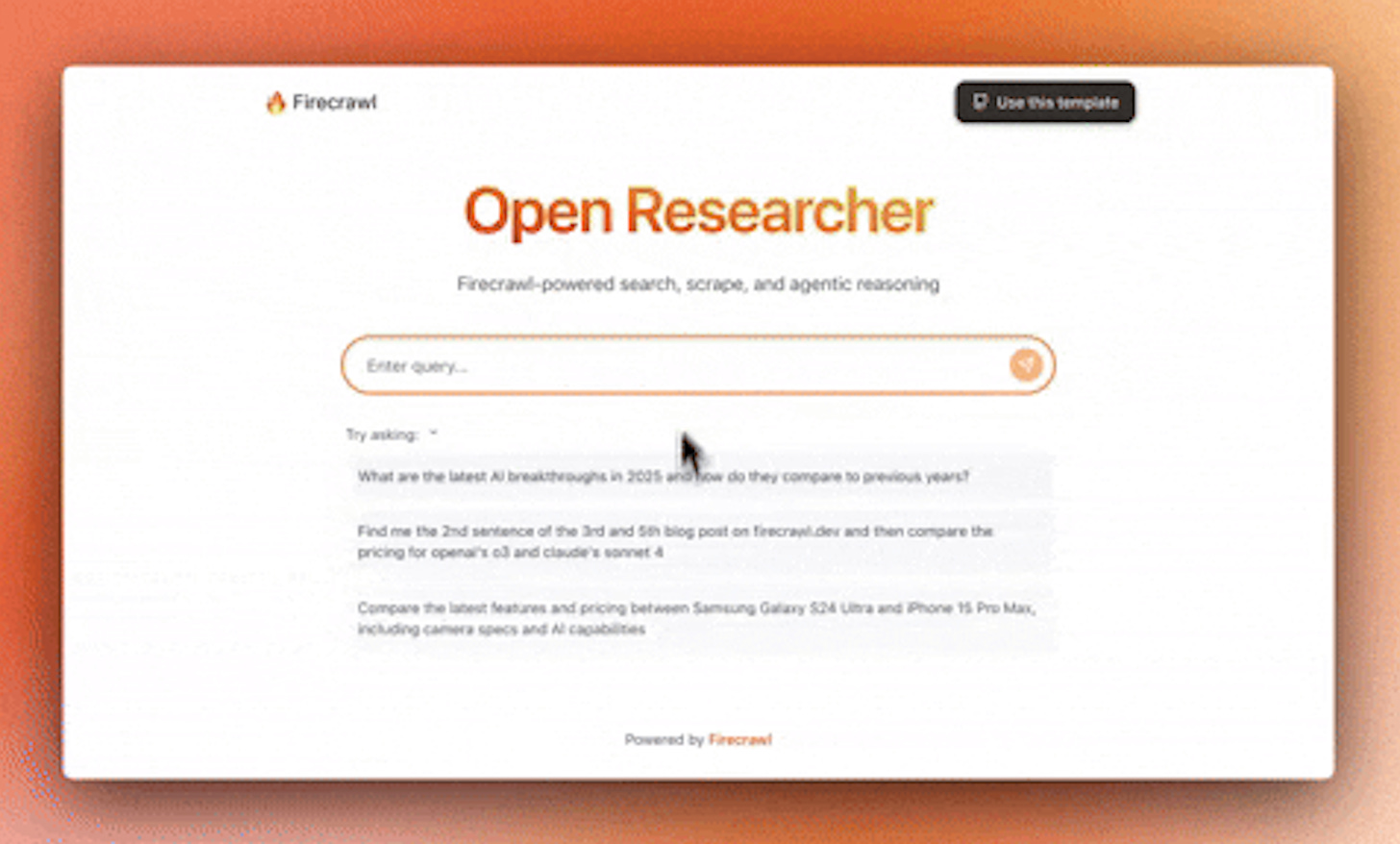
The MCP documentation shows a deep research function that combines search and crawling. You can ask it to research "how does carbon capture technology work?" and it automatically finds relevant pages, crawls them with configurable depth (maxDepth: 3), processes up to 50 URLs within a time limit, and returns an LLM-analyzed summary of the findings. This turns hours of manual research into a single prompt. Take Open Researcher as one of the examples of this feature. It’s a powerful AI-powered research tool that combines Firecrawl's web scraping capabilities with advanced AI reasoning to help you search, analyze, and understand web content.
Read more about Open Researcher here
These features are being used in production by companies tracking competitor pricing, building AI knowledge bases, and automating market research that used to require manual work or custom development.
Now, let me walk you through how to use Firecrawl MCP in your own projects, even if you've never used web scraping tools before.
Share this post with friends, especially those interested in AI!
Setting Up Your First Firecrawl MCP Project
Getting started with Firecrawl MCP is refreshingly straightforward compared to traditional scraping setups. You'll need Node.js installed and a Firecrawl API key from firecrawl.dev.
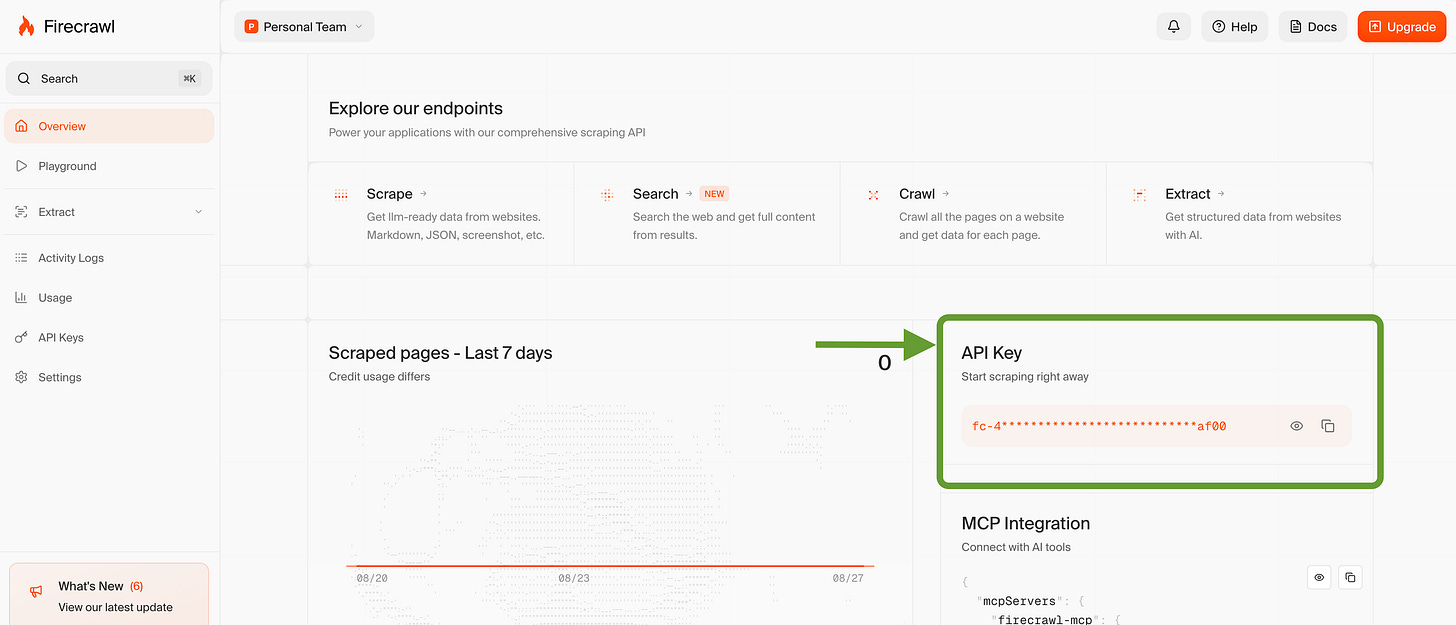
##### Step 1: Get Your API Key
Head to firecrawl.dev, create a free account, and grab your API key from the dashboard. The free tier gives you enough credits to experiment with all the features.
##### Step 2: Install Firecrawl MCP Server
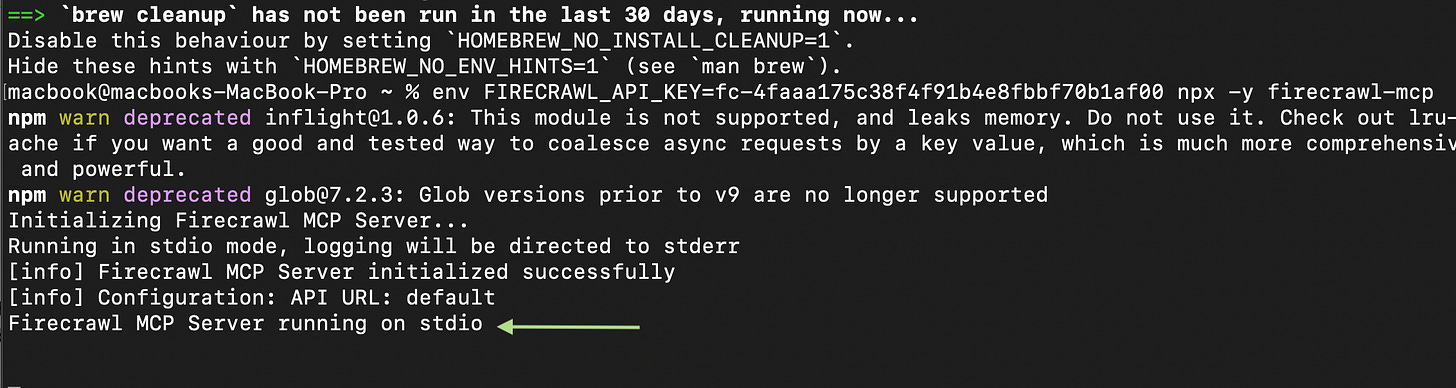
The installation is a single command that sets up everything you need:
env FIRECRAWL_API_KEY=fc-your-key-here npx -y firecrawl-mcpThis downloads and starts the Firecrawl MCP server with your API key. The server runs locally and provides the bridge between your AI assistant and Firecrawl's web crawling capabilities.
##### Step 3: Configure Your AI Environment
For Cursor users (version 0.45.6+), you'll need to add Firecrawl MCP to your configuration. Create or update your .cursor/mcp.json file:
{
  "mcpServers": {
    "firecrawl": {
      "command": "npx",
      "args": ["-y", "firecrawl-mcp"],
      "env": {
        "FIRECRAWL_API_KEY": "fc-your-key-here"
      }
    }
  }
}
For Claude Code users, the MCP server integrates automatically once it's running. The AI assistant will detect the available tools and can start using them immediately.
##### Step 4: Test Your Setup
Let's try a simple example to make sure everything works. Open Cursor's Composer or start a Claude Code session and try this prompt:
"*Use Firecrawl to scrape https://example.com* and return the content in markdown format."
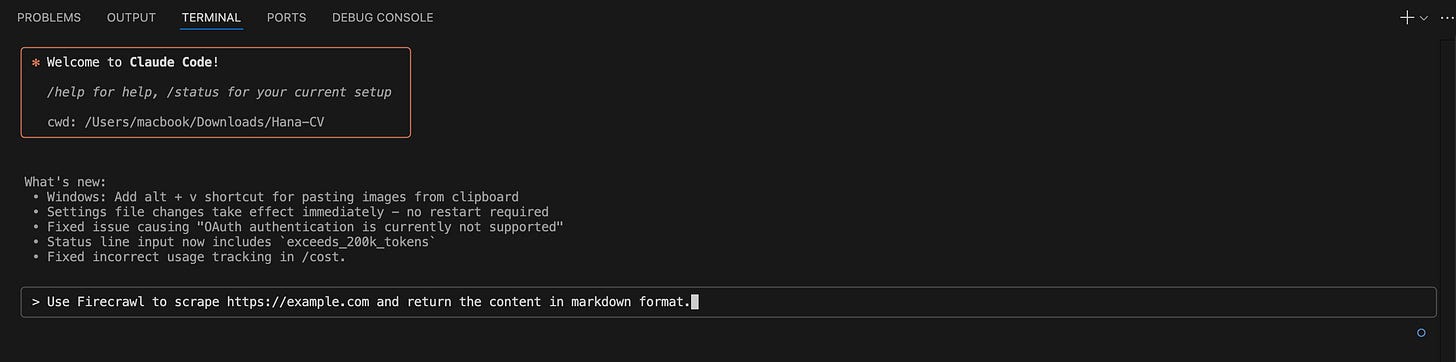
If everything is configured correctly, you should see the AI assistant automatically call Firecrawl's scraping tools and return clean, structured content from the webpage.
##### Step 5: Your First Real Project
Now let's do something more practical. Try this prompt that demonstrates Firecrawl's structured extraction capabilities:
"Use Firecrawl to crawl https://www.notion.so/product/ai with a depth of 2 pages. Extract all feature names and descriptions into a JSON structure."Behind the scenes, Firecrawl will crawl the Notion AI page, follow links to related pages, extract relevant content using AI-powered understanding, and return a clean JSON structure with feature information.
The whole process takes about 2-3 minutes depending on the site complexity. What you get back is structured data that would have taken hours to manually collect and format.
Once you're comfortable with the basics, you can customize the MCP server with additional parameters:
- Custom timeout settings for slower websites
- Specific user agents if you need to appear as different browsers
- Rate limiting controls to be respectful of target websites
- Output format preferences (markdown, JSON, or raw HTML)
The beauty of Firecrawl MCP is that all these configurations happen through natural language conversations with your AI assistant rather than complex configuration files or code.
If you wanna get more comfortable with using Firecrawl MCP, don’t miss this video
Why This Matters More Than You Think
Web scraping touches almost every aspect of modern business. Market research, competitive analysis, lead generation, content research, price monitoring. Traditionally, you needed either technical skills to build scrapers or a budget to hire developers.
Firecrawl MCP changes this equation completely. When your AI assistant can scrape and structure web data through simple conversation, suddenly every knowledge worker becomes capable of sophisticated web research. Marketing teams can track competitor content strategies. Sales teams can gather prospect information from directories. Product managers can analyze feature comparisons across entire market segments.
The bigger shift here is about AI agent capabilities. We're moving from assistants that work only with data you manually provide to agents that can independently gather information from the web. This creates possibilities for autonomous market research, real-time competitive monitoring, and dynamic content creation that adapts to current web information.
Read this article to learn more about AI Agents
For businesses already using AI tools, Firecrawl MCP represents the next evolution - agents that research and analyze instead of just responding to prompts. Early adopters are building workflows that give them significant advantages in market intelligence and research speed.
The technology has reached the sweet spot where it's reliable enough for production use, but early enough that adopting it now creates competitive differentiation. As more businesses realize they need AI agents capable of independent web research, Firecrawl MCP becomes essential infrastructure rather than optional tooling.
Checkout this full guide to MCP
Thanks for reading this post. Feel free to share it with your friend
The question now is whether you'll be among the early adopters building AI workflows that research the web independently, or wait until everyone else catches up. Based on the adoption patterns we're seeing, that window won't stay open long.
Here are some resources to get started with Firecrawl MCP:
This article was first published in the Creators AI newsletter. View the original edition.