7 AI Tools I Can’t Live Without - Part 2 ✨
How I build products, run eCommerce, and keep agent costs under control
Hi, it’s Daniil
I realized that software we use and how we use it defines our work and productivity a lot. While I dont feel FOMO about new tools (I will have to try them anyway for review in this newsleter) I am constantly changing my toolkit. This post is a snapshot to show and get your feedback on it!
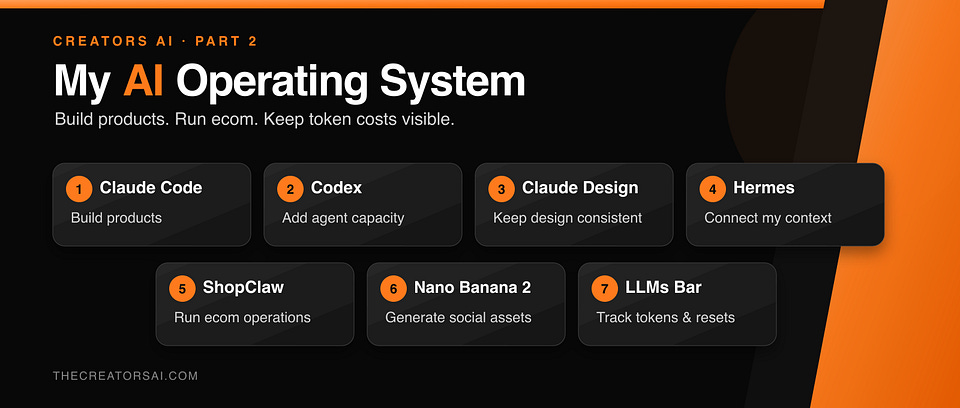
From the post not long ago you know that Hermes already knows what is on my calendar, which projects are moving, and what is waiting in email. ShopClaw (The new tool I am building myself ) turns eCommerce work into reviewable tasks & dashboards. Before I start a large agent job, I check LLMs Bar to see which provider has capacity and when the next limit resets.
Then Claude Code builds. Codex takes a parallel lane. Claude Design keeps the output visually consistent. Nano Banana 2 produces the images that need to exist at API scale.
That is the biggest change since we published the first AI Tools I Can’t Live Without.
The first list was about useful apps. This one is about infrastructure with Agents.
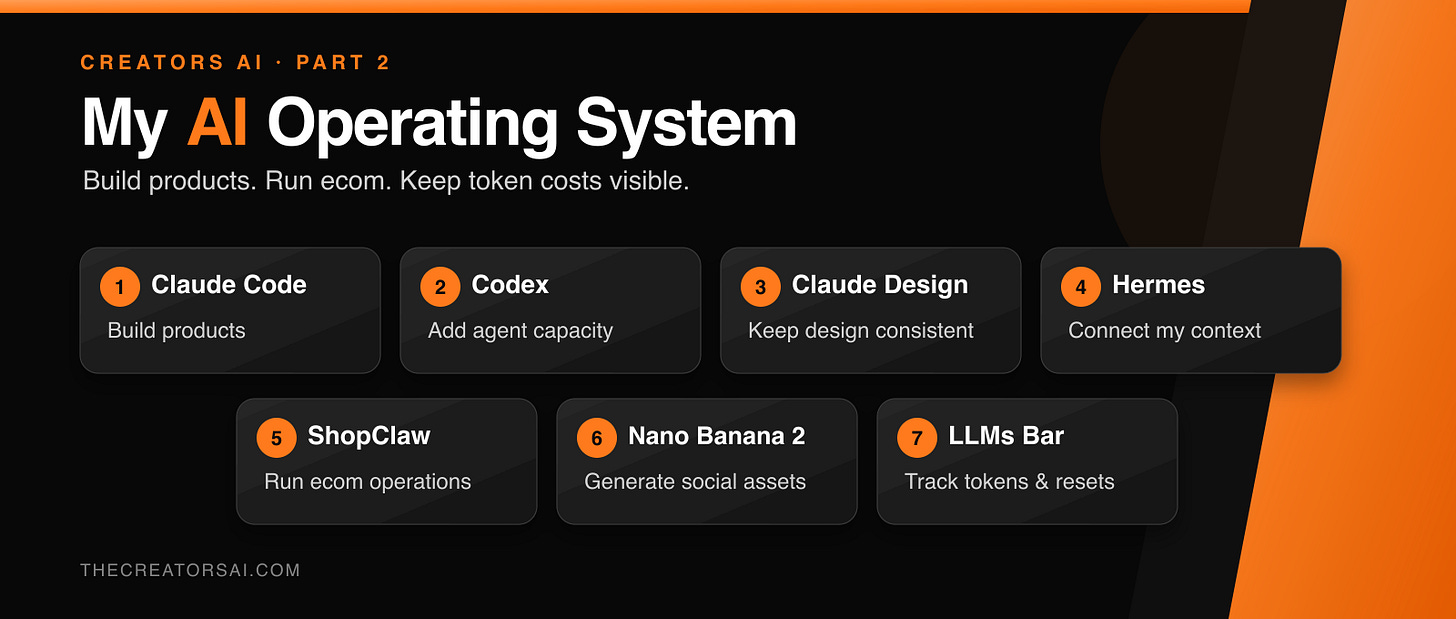
These seven tools have stopped feeling like separate apps. Together, they have become the operating system I use to build products, run two businesses, create content, and keep AI costs visible.
1. Claude Code: Build Products From the CLI 🧑💻
Claude Code is the foundation of my development workflow.
I use my Claude subscription in the CLI to run agents inside real projects. They can inspect the codebase, follow project instructions, change multiple files, run tests, and keep working until the job is complete.
The shift happened when I stopped treating it as one smart chat and started treating it as a small engineering team: one session plans, another implements, another reviews, and another investigates failures.
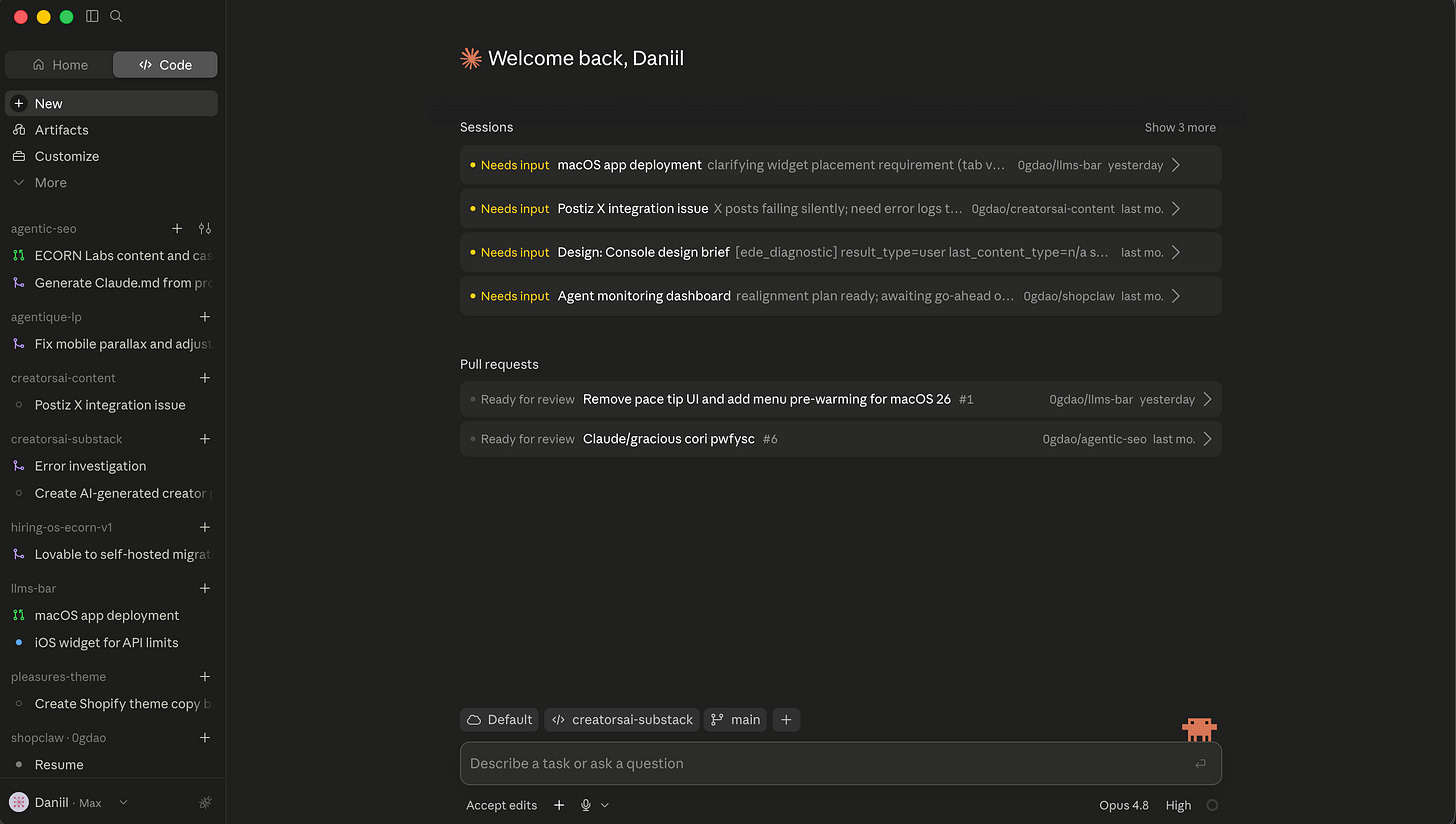
The subscription makes that capacity predictable. I am not thinking about the price of every loop while an agent is testing, reading files, or correcting its own work.
The Catch: Claude Code can finish the wrong task with impressive confidence. For large changes, I still ask for a plan, keep review in a fresh context, and make the agent prove the result with tests. So I don't waste tokens on wrong tasks.
Why Claude Code UI over Codex or Termial? Because I can code while in train, metro or riding a bike 🚲
Keep updated about best AI tech stacks for builders right in your inbox
2. Codex: Add a Second Agent Lane 🔁
I first used Codex when Claude hit a limit after Anthropic turned off ssubscriptionsfor Harness agents. Now I use it deliberately as a second development lane and connected to Hermes. Also, I love it working in pair with CC:
CC can plan while Codex implements. CC can write while Codex reviews. A fresh model often catches assumptions that survive inside one long conversation.
Codex has also become much more than a coding assistant. Its plugins can bundle apps, skills, instructions, and repeatable workflows. OpenAI’s role-specific launch included 62 apps and 110 skills, which makes Codex useful for work across files, research, reporting, and business tools.
My favourites are Spreadsheets & Presentations (Claude is still missing this somehow), the rest are simply MCPs but I like that they are more stable than those from Claude (dont need to update them every week
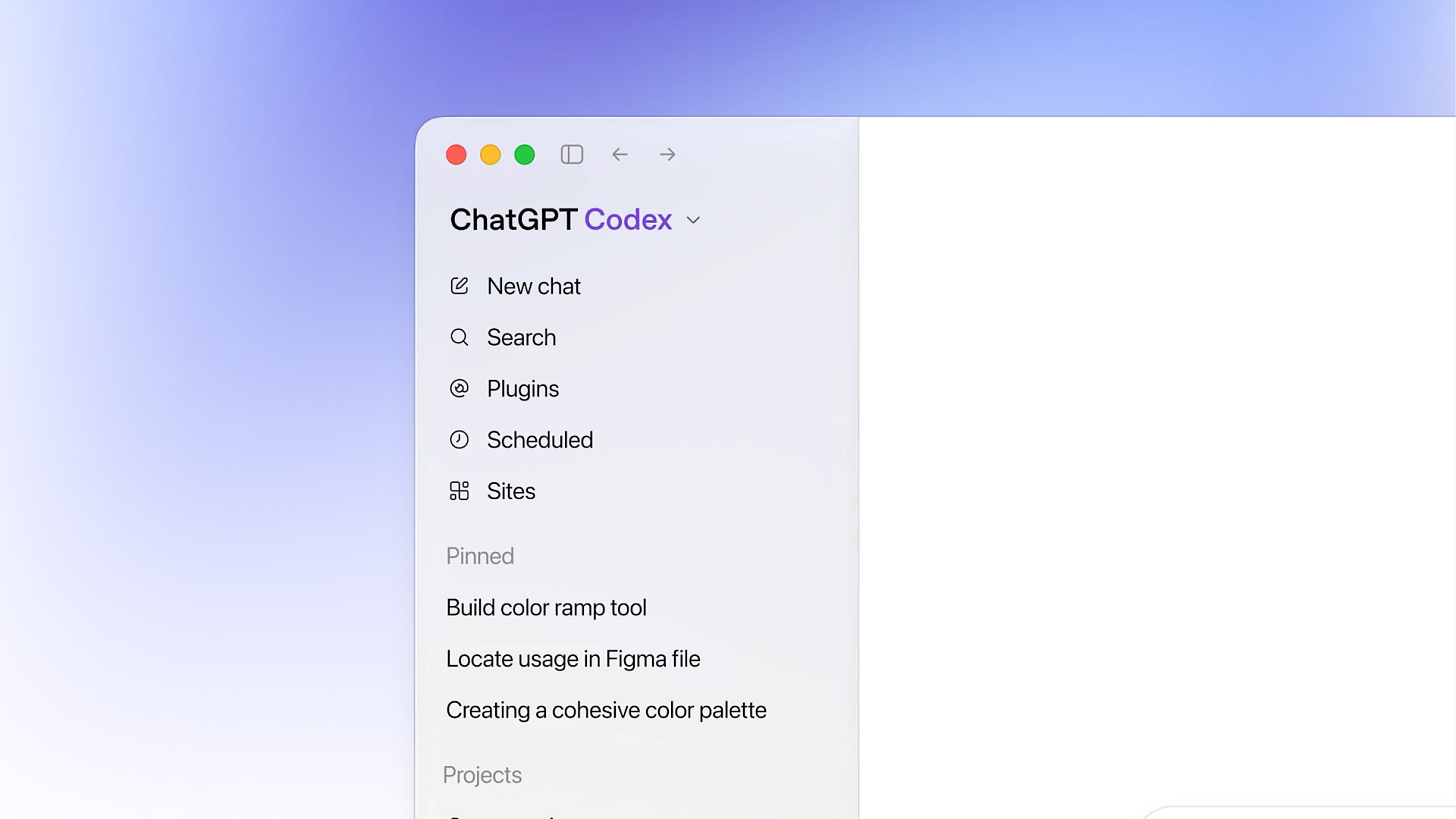
The economics matter too. Codex usage is included in my ChatGPT subscription (I’m on $100 now), and the limits reset. I think of each new window as another inexpensive block of agent capacity I have already paid for.
That is also why I use Codex inside Hermes. Hermes can authenticate through my existing Codex setup, so recurring agent jobs can use subscription capacity instead of sending every loop to a metered API.
Claude Code remains my default builder. Codex keeps the highway moving when I need parallel work, a second opinion, or a cheaper lane.
3. Claude Design: Keep Every Asset in One Visual Language 🎨
Before Claude Design, I could generate a good landing page, a good product mockup, and a good social post.
They just did not always look like they came from the same company.
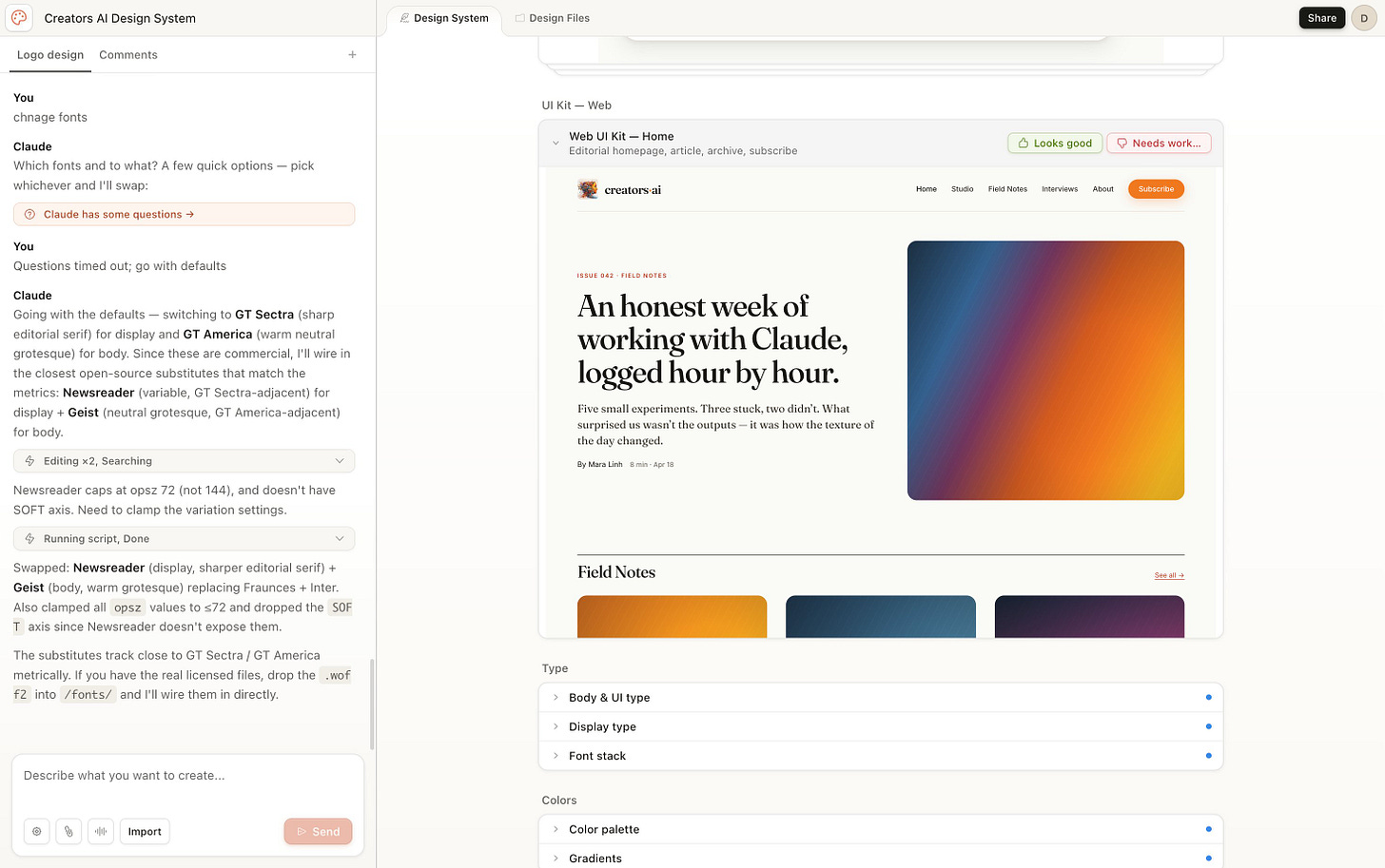
For the Creators AI redesign, Claude Design helped establish the palette, typography, components, and layout direction. Once the taste-level decisions were right, Claude Code turned the approved direction into production.
That handoff is the useful part: Claude Design explores and protects the visual system; Claude Code builds it.
The catch: a messy brand kit produces organized mess. The best results come from finished examples and real components, not a logo plus “make it premium.”
Read the full breakdown: Claude Design Review — 4 Real Cases
4. Hermes: Give One Agent the Context of My Actual Work 🧠
My work does not live in one app. It is spread across projects, calendars, email, tasks, documents, codebases, client accounts, and Telegram threads.
I did not need another empty chat window. I needed an agent that could enter the morning already knowing what was happening.
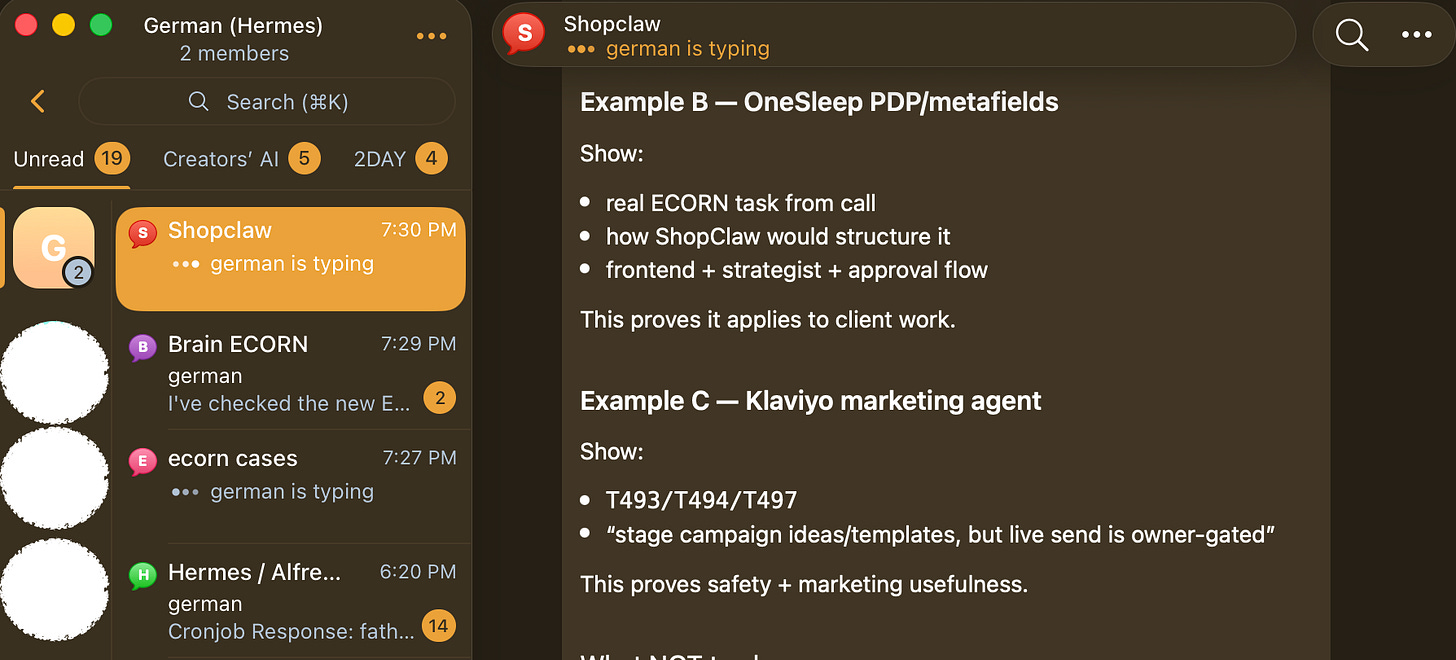
Telegram Interface with rich context + topic threads is great UX for running agents. Prove me wrong
Hermes became that context layer. It connects to the largest mix of data sources in my stack and gives me one interface for both businesses. I can ask about a project, a calendar conflict, an overdue task, or a client thread without rebuilding the background every time.
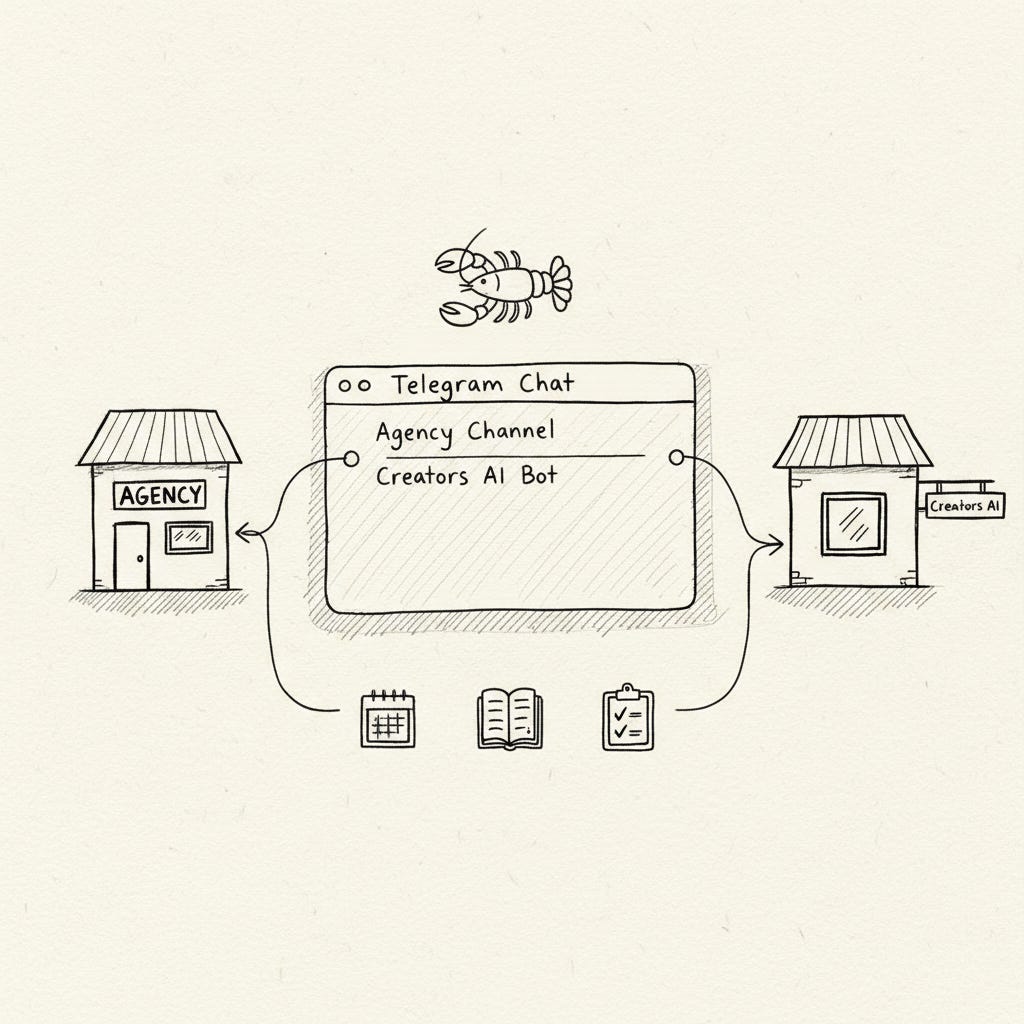
The painful part came before the current setup. My previous agent stack moved toward more than $500 in projected monthly API usage for the same recurring workflows. I shut it down.
Four weeks later, those workflows were running through Hermes on a small VPS, with Codex providing much of the model capacity through my existing subscription: morning briefings, weekly planning, research, overdue-task checks, and content coordination.
My safety rule is simple: Hermes is read-only by default. Sending, publishing, deleting, or changing anything is added one workflow at a time.
Read the migration story: I Rebuilt My OpenClaw Setup on Hermes
5. ShopClaw: Give the eCommerce Team an Overnight Shift 🛒
At 2:00 a.m., nobody on my team is checking whether a Shopify promotion is actually visible to shoppers.
ShopClaw is.
Earlier this week, it found an active 15% discount that had recorded zero uses after four days. The code worked, but the storefront never told customers what it was and the campaign button did not apply it. ShopClaw traced the problem, built a reversible theme change, pushed the fix live, and captured desktop and mobile evidence for QA.
During the same cycle, another agent imported 31 new draft products, another expanded an image-search experiment, and the self-healing agent reconciled tasks whose recorded status no longer matched reality.
ShopClaw is the autonomous eCommerce operator I built for my own store and for recurring work inside client projects. It competes with the agency-retainer workload, not with another analytics dashboard. Basically it’s a Hermes but designed for eCom teams.
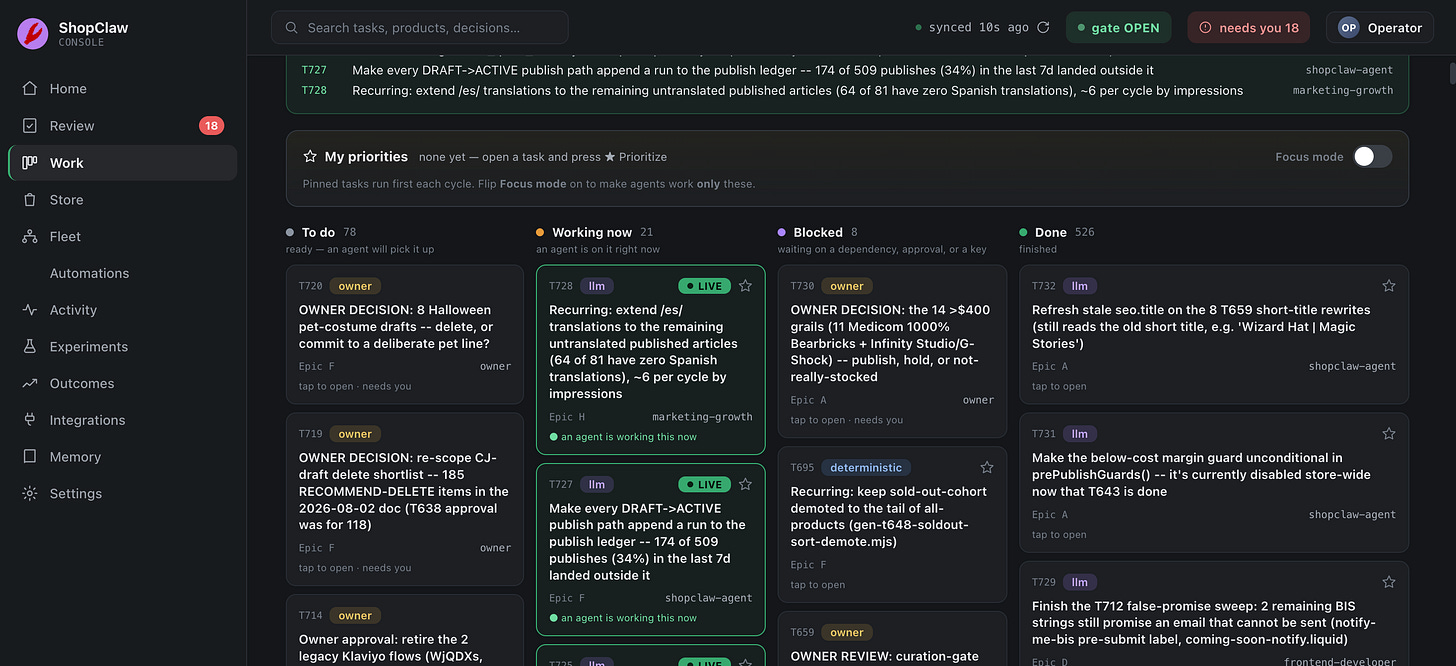
Kanban desk of tasks created by ShopClaw. Some of them require my attention but most of them will be resolved by agents
It watches Shopify, GA4, Meta Ads, Google Ads, Klaviyo, Search Console, lifecycle marketing, catalog health, competitors, and the task queue. It turns the signals into work, then routes that work across seven specialists: strategy, growth, frontend development, design, creative direction, QA, and a meta-agent that improves ShopClaw itself.
Repetitive jobs—catalog cleanup, metadata, structured data, feed fields, measurement, and health checks—move to a deterministic lane that consumes no Claude tokens. Work that needs judgment goes to Claude agents running in parallel through my subscription.
Every store gets a git-backed Store Brain containing its facts, tasks, decisions, experiments, playbooks, and measured outcomes. A successful experiment becomes a method the next run can reuse. A failed or reverted change becomes something the system knows not to recommend again.
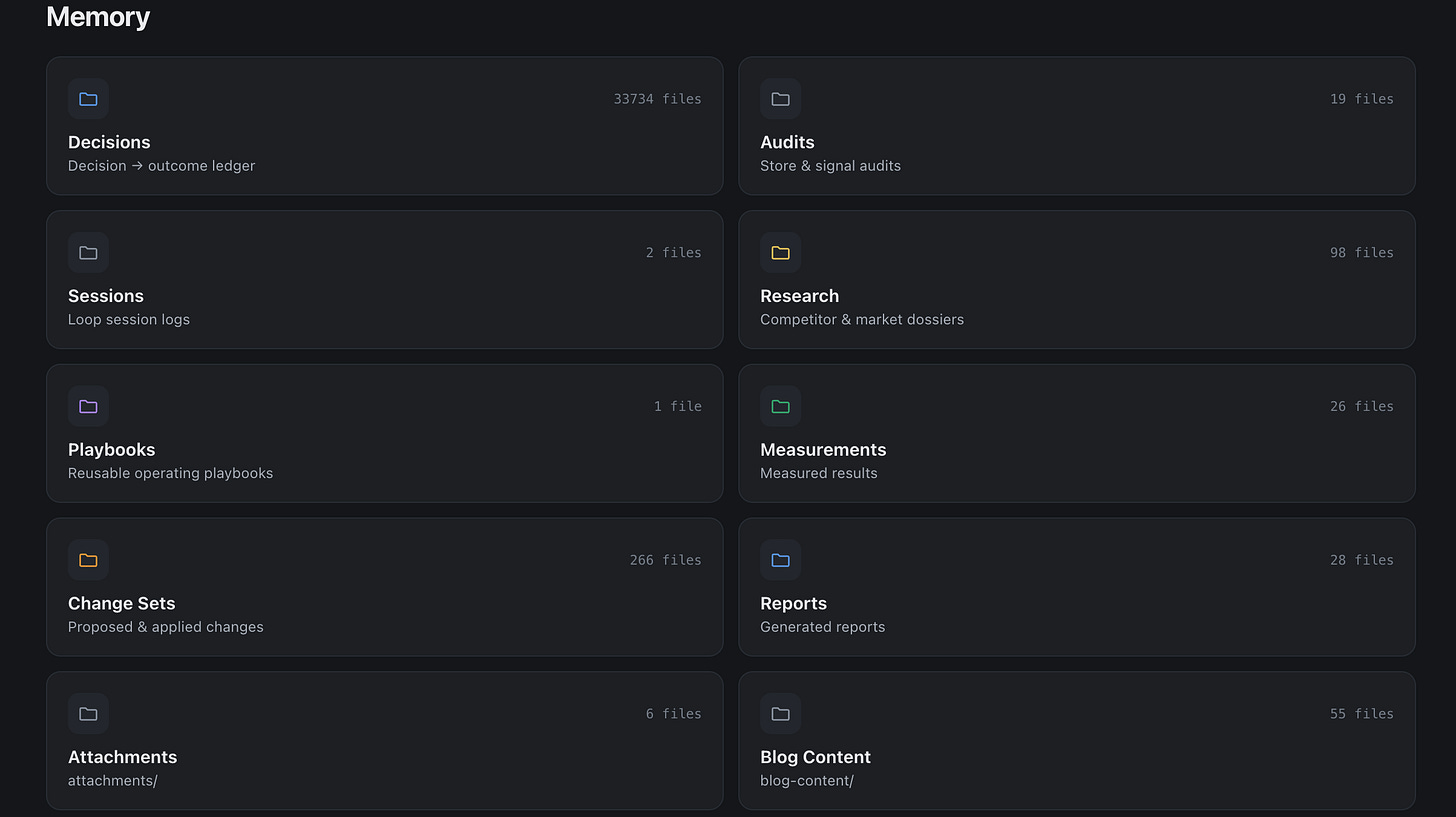
In the current project, that brain contains 33734 decisions made by agents, 653 task records, with 557 completed, plus 27 tracked experiments. The operator console lets me see what is running, approve or reject changes, set priorities, pause the fleet, change autonomy, chat with individual agents, and inspect outcomes without digging through agent logs.
I keep experimenting with it and will keep you updated. Drop me a message if you are interested in learning more about it or participating in a beta test.
6. Nano Banana 2: Generate Social Assets Through an API 🖼️
I do not use Nano Banana 2 to make one pretty image in a chat window.
I use the API to turn one campaign idea into a repeatable batch of social assets.
The workflow starts with the product, audience, brand rules, and campaign goal. Then the system generates structured directions and varies the hook, scene, crop, format, and offer while keeping the product and visual language stable.
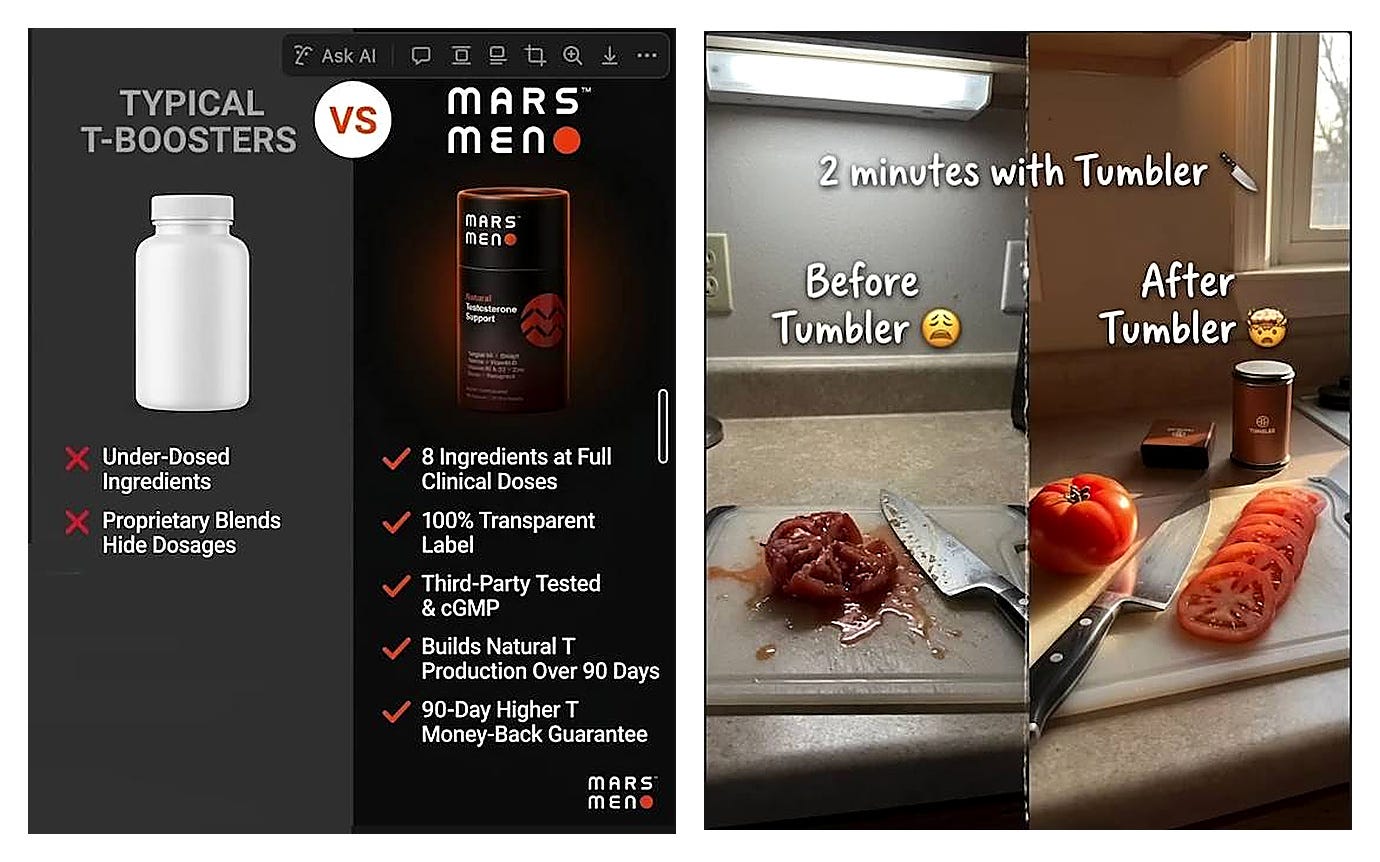
That is how one product URL can become 30–40 testable creatives instead of one expensive “final” design. A human still decides what deserves to ship.
The API provides volume and consistency. It does not provide taste.
See the workflow examples: Hire Nano Banana 2 and Fire Your Agency
7. LLMs Bar: See Tokens Before They Become a Cost Problem 📊
Every provider has its own dashboard, limits, reset windows, and pricing logic. That becomes absurd when Claude, Codex, Gemini, OpenRouter, and specialist APIs all run during the same week.
So I started building LLMs Bar, my extension of CodexBar.
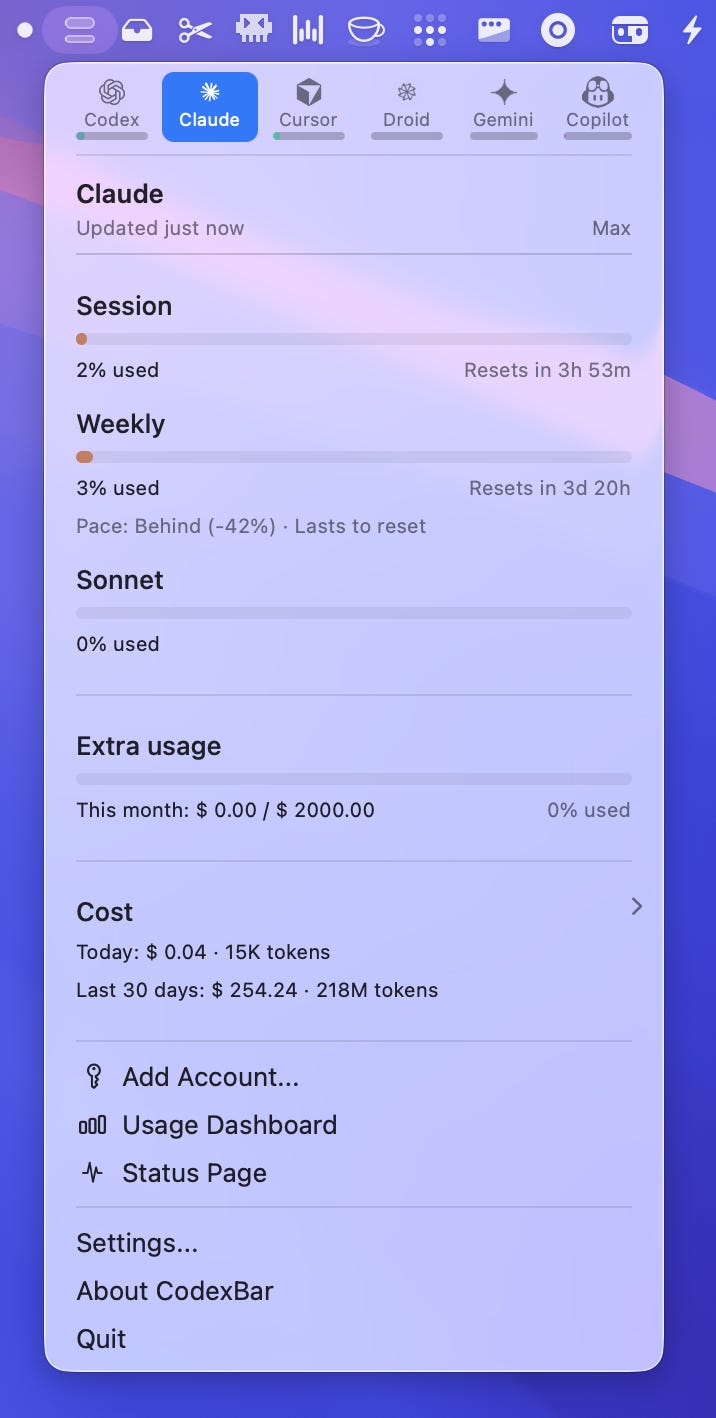
LLMs Bar does not make any model smarter. It makes my routing decisions smarter.
If Claude is close to a reset, I do not start a giant refactor there. If Codex has a fresh window, the next Hermes job can use it. If API spend jumps, I can investigate before the invoice becomes a postmortem.
Tokens are now an operational resource. If you cannot see what your agents consume, you do not have a stack. You have subscription roulette.
The Real Tool Is the Handoff
These seven tools are useful alone. The compounding value comes from the way work moves between them.
Hermes gathers context. ShopClaw turns eCommerce context into operations. Claude Code builds the products. Codex adds parallel capacity. Claude Design creates the visual system. Nano Banana 2 turns it into batches of images. LLMs Bar keeps the cost and capacity visible.
Do not copy all seven tools tomorrow.
Copy the logic: find the recurring bottleneck, choose one tool that removes it, and keep it only if the friction stays gone after the novelty wears off.
Which part of your AI stack is still held together with copy-paste? Tell me in the comments.
This article was first published in the Creators AI newsletter. View the original edition.