9-5 Dad Built A $1M AI App With No Code
How He Did It With No Experience + Stepbystep Guide On How You Can Do It, Too!

Hey Creators! 👋
Today we’re talking about David Bressler, a family man & data analyst, who was constantly nagged by his coworkers with simple Excel tasks. With 6 weeks left till his son's birth, he decided to finally scratch his entrepreneurial itch - he began building an AI app for Excel & Sheets, which later became Formula Bot.

In this post, we'll be revealing how David built an app evaluated at $1M with:
- Only 2-3 hours per day
- A full-time job
- Zero coding knowledge
- No prior business experience
- A family & son on the way
From September 2022 to September 2023 he built the MVP and refined it, all while juggling many responsibilities, and as of now — Formula Bot has nearly 900,000 users & generates over $26K in MRR, mostly being run solo by David!
We’ll take you through David’s journey of building Formula Bot from the ground up and give you a step-by-step tutorial to create your own no-code AI app.
Do you have a minute to participate in our Subscription Giveaway and make our newsletter even better? Take a short survey and tell us about your experience + participate in the free Giveaway of a Premium Subscription for 6 months.
6 Weeks To Make It Work
As a full-time senior data analyst, David was a wizard in Excel and spreadsheets. With this skill & his constraint of time before the birth of his youngest son, he had a window of 6 weeks to create something that would scratch his entrepreneurial itch.
David always had a knack for creating something awesome, but could never act on it because of his responsibilities, ranging from family commitments to his 9-5 job — he just never had the time or resources to even start.
With his youngest son on the way, a sense of urgency gripped him. David realized that he HAD to make something happen — it’s now or never.
This was before ChatGPT even existed, yet the technology of GPT-3 did. It all started with David's prompt — "Hey, I'm thinking of building this app. What's a good name for it?" — and it responded with “Excel Formula Bot”.
Share this with your friends and colleagues, especially if they are AI-savvy!
David knew he wanted to create an AI solution for Excel, but it would take a long time to learn to code and create the minimum viable product — and with the clock ticking till his youngest son’s birth, he had to think outside of the box and find a way to develop this app, without coding a single line, as fast as possible.
Check out this post for more no-code AI tools for your startup, how to get $2.5K in OpenAI API credits for free & more:
So, how did David build an app that would be evaluated at $1M with only a few hours a day, a family to feed, a son on the way, a 9-5 job, and ZERO coding knowledge?
We’ve analyzed his story & gathered every bit of information you would need to do the same — here’s exactly how he did it, step-by-step:

Get more from Creators' AI in the Substack app
Available for iOS and Android
Building An App With No Coding Skills
David discovered no-code platforms — solutions that allow you to build entire apps, from the front end to the back end, without writing a single line of code yourself.
The platform he used was Bubble.io. It offered everything he needed to build Excel Formula Bot, but there was one big problem — even though the platform would save him thousands of hours learning to code, there was a steep learning curve to building an app using Bubble.
Shortly we’ll be giving you the exact step-by-step formula to create your own app — without the need to write a single line of code yourself!
David turned to YouTube “University” — consuming tens of videos and learning how to build with Bubble, all for free.
And with this knowledge, he slowly built up the first iteration of Excel Formula Bot, which looked like this:
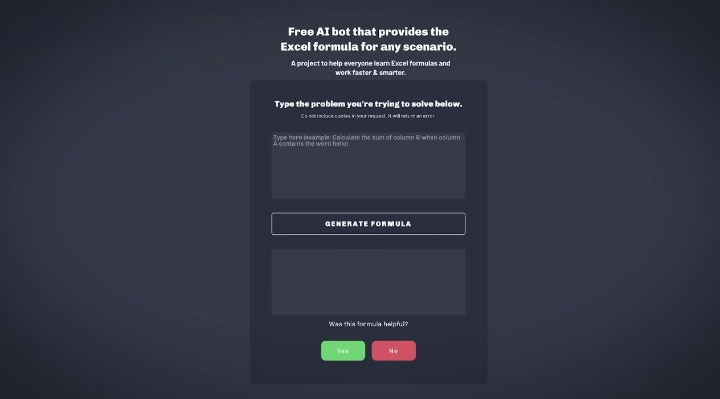
It was a very bare-bones app, but it got the job done. Though the name “*Excel* Formula Bot” definitely foreshadowed legal issues..
Creators’ AI Subscription is the best gift for Creators diving into AI.
First Customers: A Few Coworkers & Thousands From Reddit
The initial testers of Excel Formula Bot were David's coworkers, who were immediately impressed by how it could turn plain text into complex Excel formulas.
Encouraged by their feedback, David turned to Reddit, posting first in r/excel and then in r/internetisbeautiful, where his app quickly caught fire among Excel users & tech enthusiasts.
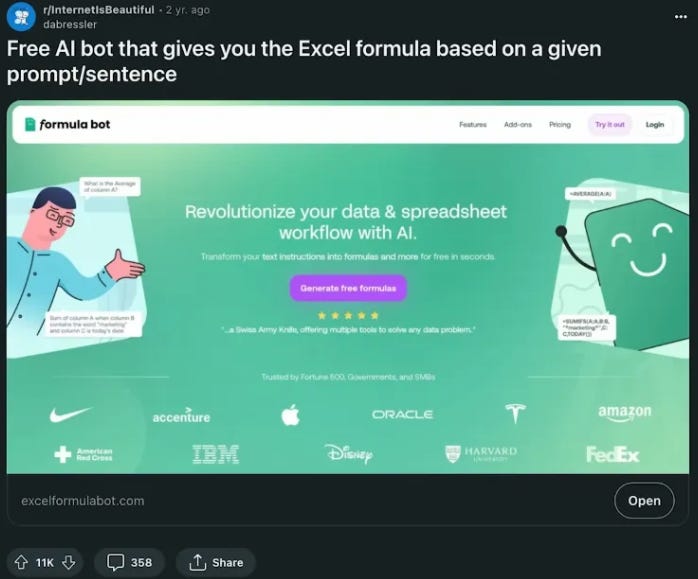
His post on r/internetisbeautiful got over 11K upvotes, and this attention led to over 100,000 site visitors.
The insane amount of attention and engagement Excel Formula Bot received thanks to the Reddit exposure was enough to motivate David to keep going and not completely give up on the project — this really shows how exposing the right audience to your solutions can surge your clientele!
-$4,999 in Open AI Credits & New Features
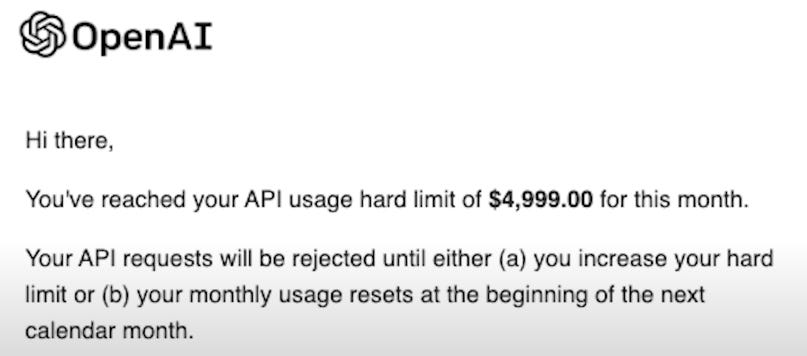
As Excel Formula Bot's popularity skyrocketed, so did the costs. David faced an OpenAI API bill of nearly $5,000 — this expense made him set up a donation system to keep the app running.
And within the first three months of starting up a payment plan, Formula Bot generated $30,000.
Thanks to these donations & several sponsorships — the website was redesigned:
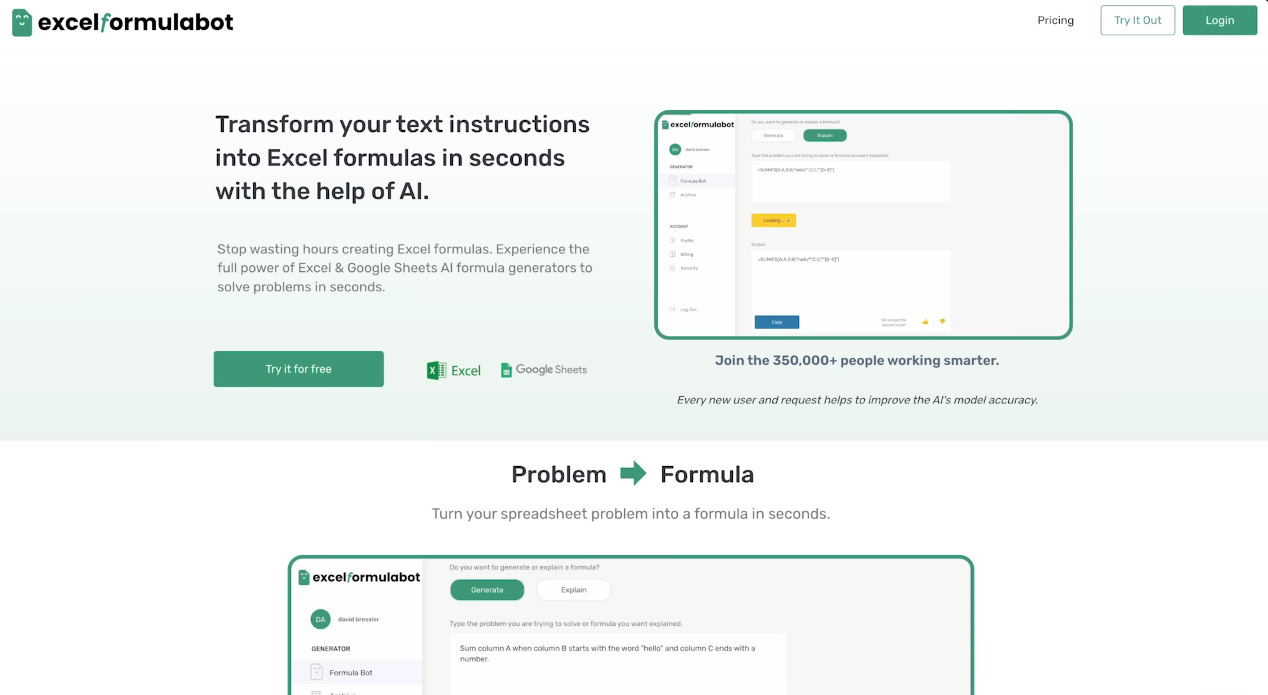
Remember the old, “gets the job done” version of the site? This is quite a step up!
And, over time, David began adding new features to the app. It was no longer just an “Excel formula generator” — he added a spreadsheet creator, features for data analysis & more.
Two Letters From Microsoft & The Copycats
Just as things were looking up, David received his first outreach from Microsoft — a cease and desist letter, challenging the name "Excel Formula Bot." This led to a rebranding — his app became "Formula Bot".
Tens of “copycat” Excel formula generators would emerge, many of them copying David's application 1:1, some to the extent of sharing the same design & name
Along with the copycats, OpenAI partnered up with Microsoft and opened ChatGPT to the public for free, whereas Formula Bot cost $6.99/month.
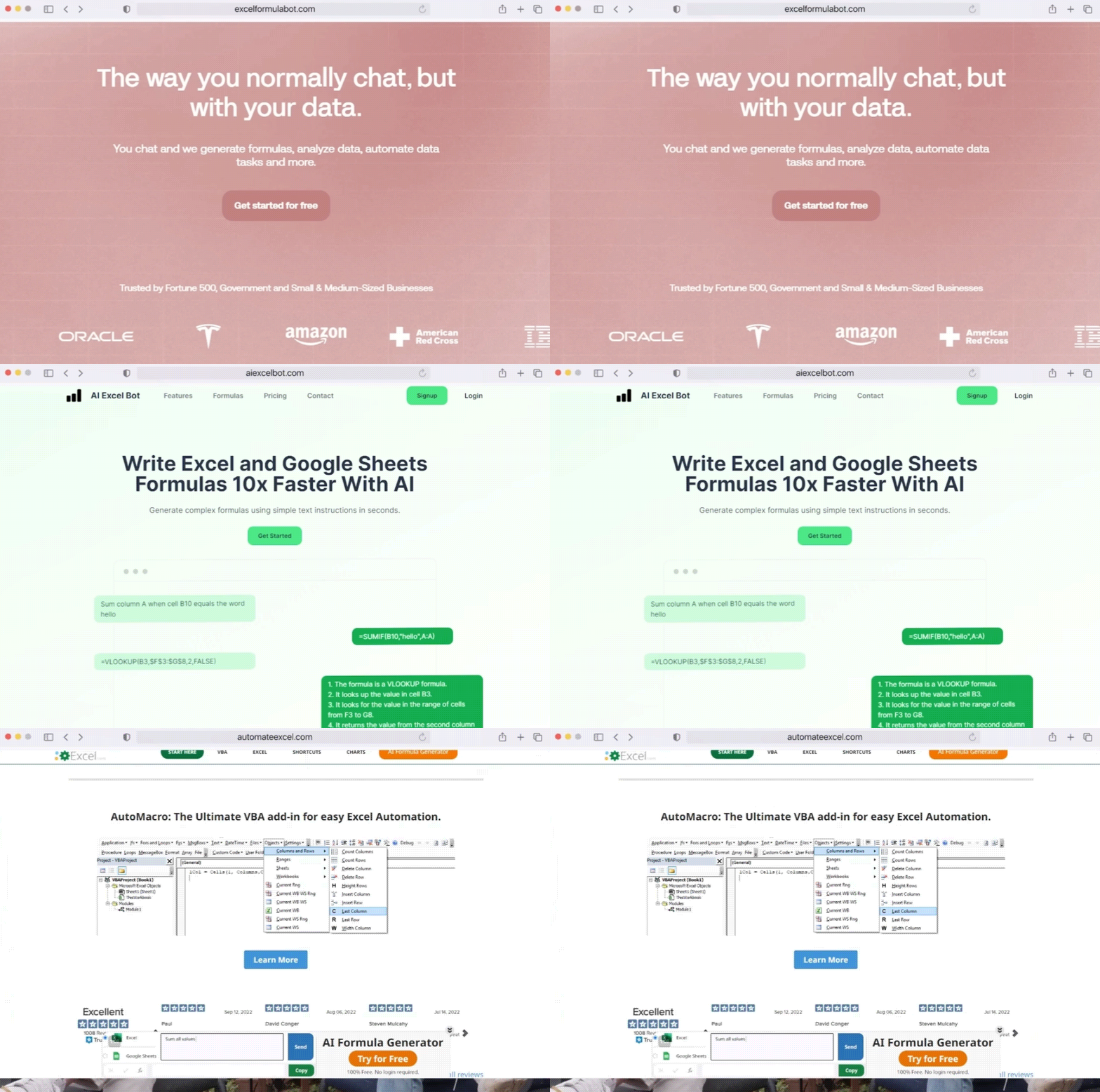
David got a second letter from Microsoft, and this time it wasn’t threatening the existence of his app — it was a request for Formula Bot’s integration into the Microsoft Suite.
All of these events happening one after another led to David having to make a hard decision — “Do I accept Microsoft’s offer and lose ownership of my own app.. or do I double down and make Formula Bot bigger?”
At this point, David’s poured so much time, energy & money into his app, that he wouldn’t want to give it away to Microsoft.
Maybe a year ago, back when he was -$4,999 in credits, he pondered the real choice of shutting down — but now, things are different. He’s created something that works, all by himself, and just giving ownership to a big corp would feel like betraying your own child..
David declined Microsoft’s offer and instead began improving Formula Bot even more — so that it had a winning chance against the competitors & the free ChatGPT.
The formula bot Advantage
David wanted to be his own competition — a daring statement when you’re facing two corporate giants that joined forces to provide a free product..
The advantage that Formula Bot had over ChatGPT and its competitors was convenience — you didn’t have to open a browser or do some special “prompt engineering” to get what you wanted, it was all right in your Excel & Google Sheets.
Along with convenience, an advantage Formula Bot had over everyone else was customization — on sign-up, it asked you for localization preferences so that anyone could use the app, regardless of preferred language.
Currently, Formula Bot is the leading AI solution for Excel, constantly ranking first in searches & being the most endorsed tool there is.
David’s come a long way from nearly going bust — his story proves that you can build an app with many limitations (no time, money & knowledge) and see massive success.
..but how can you build a no-code AI app, just like David?
How To Build Your Own No-Code AI Application
To build your own no-code AI app, you first need to have an idea. What will the purpose of this app be? Will it be a high-precision language translator, an accurate text-to-speech converter with many voices, an art generator, or a chemistry tutor?
The idea is just as important as “how to do it” — if what you’re building isn’t wanted by people, then it would be futile to even start building.
Believe me, I know the pain of working tirelessly on something nobody even cares about. Don’t make the same mistake — build something that people would actually need.
A few brutal questions to ask before taking action on your idea:
- What hard evidence do you have that people actually need your app, or are you just in love with your own idea?
It’s vital to differentiate between a ‘nice to have’ and a ‘must-have’. Prove with data or market research that there’s a genuine demand for what you’re building, or risk investing time and resources into a fantasy.
- How will your app survive the brutal competition in the AI space?
The tech industry is a shark tank filled with well-funded giants and agile startups. Can your app not only enter this space but also sustain itself and grow? What’s your plan to outmaneuver companies that have more resources than you do?
- Are you prepared for the financial burden and the possibility of total failure?Building tech, even with no-code tools, involves hidden costs and significant risks. How will you finance the ongoing expenses like API costs, marketing, and operations? Are you financially and emotionally prepared if the app doesn’t take off?
If you have the answers to those questions and know you have a winning idea, then you need a no-code app builder.
There are tens of solutions, but we’ll talk about bubble.io, the same no-code app builder that David used to create Formula Bot.
It’s also the most beginner-friendly, has the most resources available, and a great community that will help you out whenever you need it!
Bubble

Now that you have your idea ready and a bubble.io plan — it’s time to learn. Turn to YouTube — it’s the best source to learn everything you need to build your app.
Here are a few videos to get started and learn the basics of building with Bubble:
I recommend you watch them in order, since some are less beginner-friendly than others.
- Bubble Official YT playlist for learning the basics:
- Building With Bubble’s Free Course (their channel has everything you need)
- Matt Neary’s In-depth Crash Course For Beginners
I highly recommend you “learn as you build” — after watching a video, instantly go and apply the lessons learned and keep learning “on the job”.
This way you maximize your time spent building AND learning, instead of just consuming content without action.
And just to help you out some more, click here to browse a comprehensive list of ready-to-use templates that you can start building your app off — there are over 5 pages of templates for AI apps only, many of which are free to use.
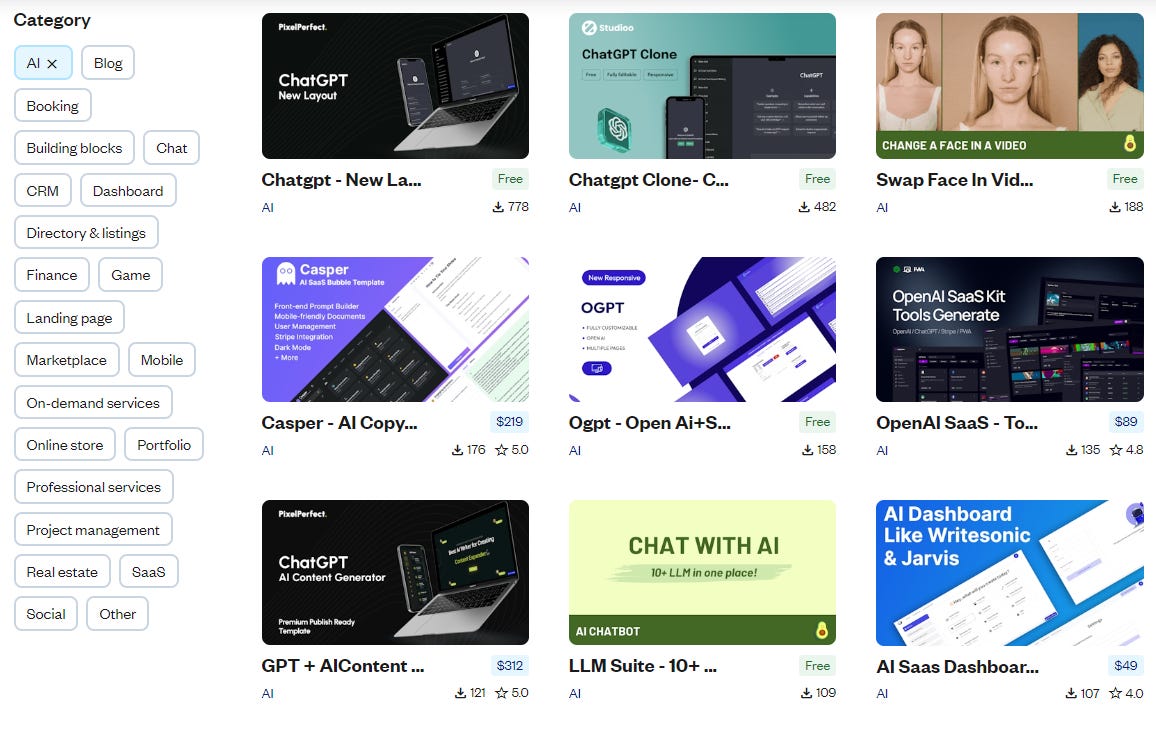
Also, clickhere to learn how to integrate OpenAI with Bubble via the Bubble API connector, and there are even more resources on this forum page.
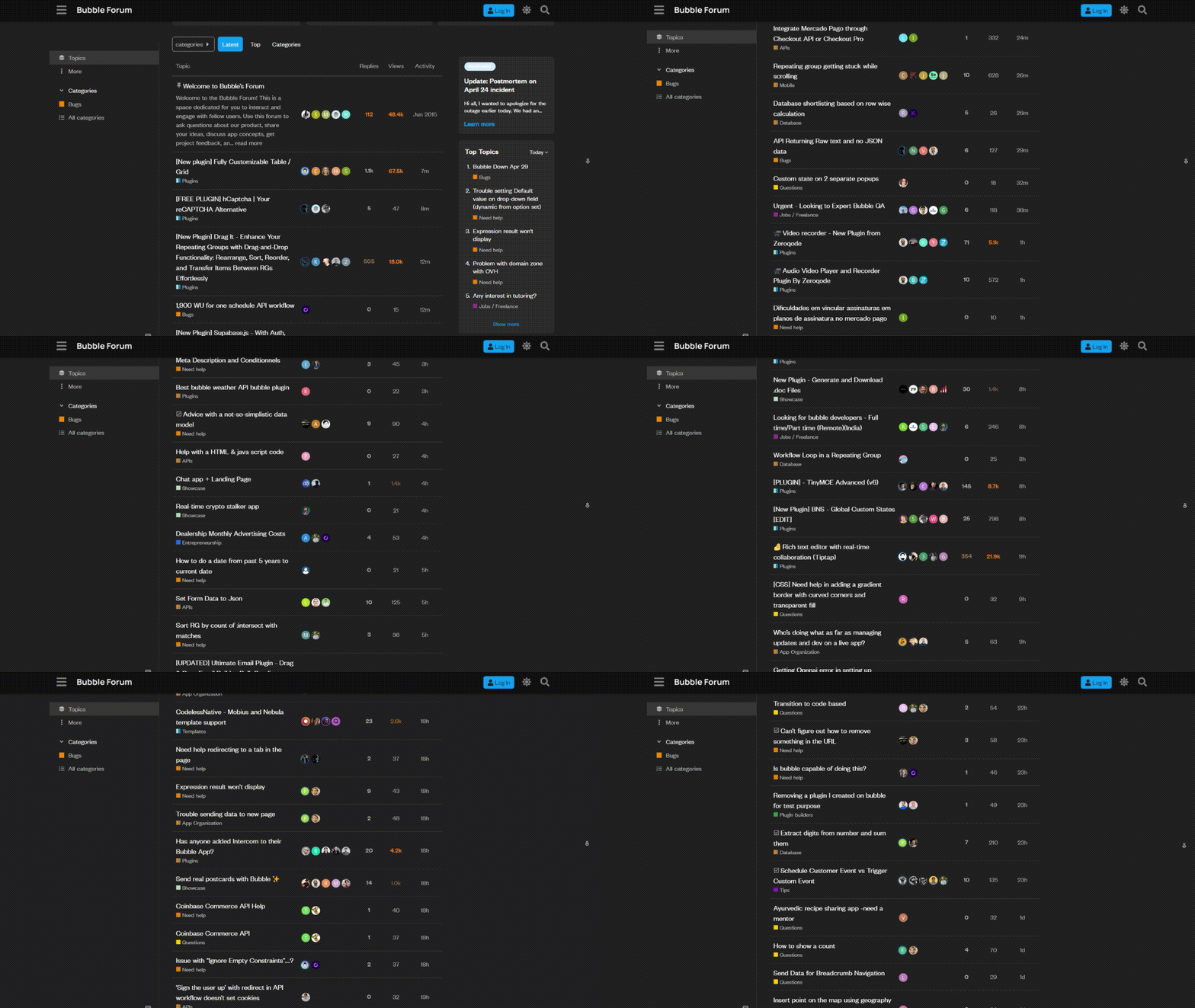
P.S — don’t underestimate the Bubble forum! If you’ve stumbled upon an issue, theres a high chance someone else did, too.
The Bubble forum community is awesome and you’ll likely find the answer to most of your questions there — and here’s a link in case you missed it.
Armed with all of this knowledge, you should know on a more advanced level how to build a minimum viable product with bubble.io.
After you’ve built your MVP, share it with your coworkers, family & friends. Get their honest opinions & improve your app, then post about it on any Reddit communities that would appreciate your solution — this is the best organic approach to exposing your app to others.
Also, don’t shy away from sharing your app on whichever platform your target customer frequents — be it X, Facebook or even LinkedIn.
If David did it working a 9-5, being a loving husband & father, with limited financial resources and only 2-3 hours a day — you can, too!
Wrapping Up
David Bressler’s journey from a busy data analyst & father to the creator of a $1M app shows us that anything is possible with no-code tools.
You don’t need coding knowledge, or even much business knowledge or time to take action on the right idea that aligns with your skills.
With some creativity and the right resources, you too can build your very own AI app!
Do you have any ideas for AI apps you want to execute on? Tell us about them in the comments!
This article was first published in the Creators AI newsletter. View the original edition.