Deep Research Without ChatGPT Pro
How to get a digital researcher without the $200/mo subscription
With the release of Deep Research, many people have wondered if it's time to subscribe to ChatGPT Pro. And the answer isn’t simple.
OpenAI doesn't have a trial period, some startups created competitors, and given the quality of actual AI models, it doesn't seem that necessary. On the other hand, Deep Research has shown impressive results, and some companies have already adopted it in their processes.
So I propose to break it down together today.
In this issue:
- What's special about Deep Research
- Alternatives from enthusiasts and academics
- How to use free tools & prompts for fast AI research
Keep your mailbox updated with practical knowledge & key news from the AI industry!
Deep Research Is Not the Holy Grail
Despite the big hype around Deep Research (as if it were a next-generation AI), if you look closely, everything turns out to be quite familiar. The first thing to do is realize that we're not talking about a unique solution but just a good variation of ChatGPT.
Deep Research was designed as a digital analyst and researcher that offers users up to 100 queries monthly. Its target audience is entrepreneurs, analysts, and scientists. The model works by browsing the web and processing different types of information to generate reports on a given topic.
All with citations that are important when verifying information.
Its workflow looks like this (technicalities aside):
- Receiving and refining a prompt with a request (our usual way of interacting with chatbots)
- Reasoning about the sequence of actions (now available for all users)
- Systematic research for relevant information on the web (also free for all)
- Synthesizing the obtained data and generating a response in the form of a structured report (familiar receiving a response from a chatbot)
The difference here is a modified o3-mini model (the regular version can be accessed with a ChatGPT Plus subscription). AI uses this model to dive deeper and collect data from various sources. According to OpenAI, generating a single report takes between 5 and 30 minutes. The speed depends on the complexity of the study and how deeply the information needs to be analyzed.
And I don't mean to downplay the merits of OpenAI. However, as a product, Deep Research is a compilation of existing approaches based on a specific trained model.
That's why other developers have been able to create so many alternatives quickly.
Alternative #1: Open Deep Research

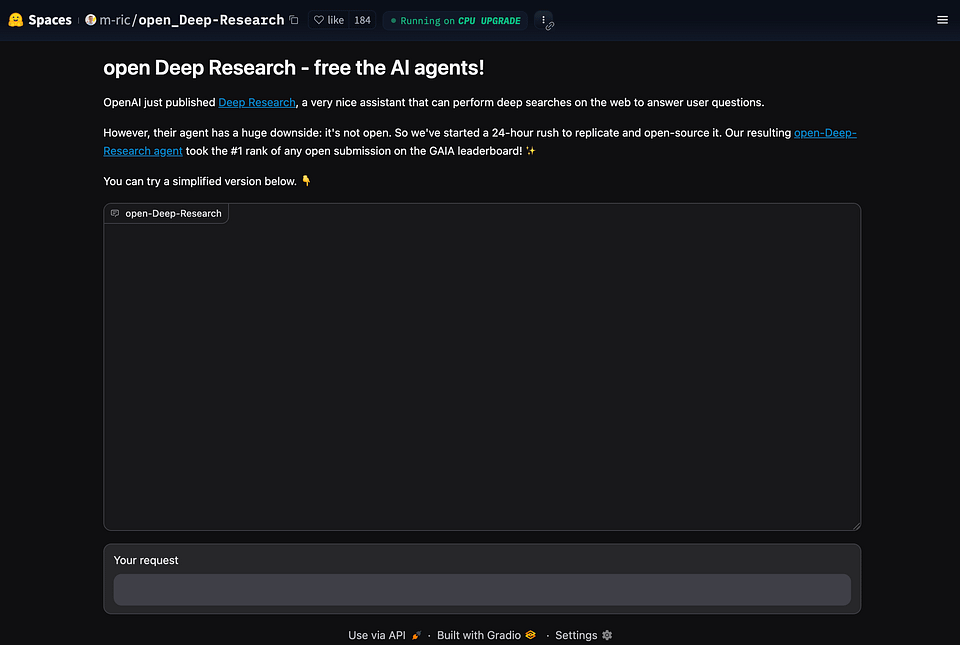
I mentioned Open Deep Research in a previous post, but I can't help but do it again. It is one of the most affordable and high-quality alternatives for the new OpenAI agent.
Open Deep Research is a community-driven project developed and maintained by contributors at Hugging Face, including its co-founder. It aims to reproduce and extend OpenAI’s capabilities in an open and transparent way.
Due to its open-source nature, it has several advantages over Deep Research:
- You can deploy it locally on your PC
- It has a demo version that is available on Hugging Face Spaces
- Only the API Key is required of you, and there is no subscription.
How to Try It
Hugging Face Spaces:
- You can try Open Deep Research directly through a Hugging Face Spaces. The project’s demo is available online, where you can enter your research queries and watch the agent’s multi-step process unfold.
GitHub Repository:
- For developers interested in running it locally or customizing the tool, the code is available on GitHub.
The accompanying blog post on Hugging Face’s website provides a detailed guide on setting up the environment and launching an agent instance.
But if you've already played around with the demo version but don't want to spend money on API Key, there's also a completely free option.
Spoiler: Who knows how to research, if not academics and university staff.
Alternative #2: STORM by Stanford
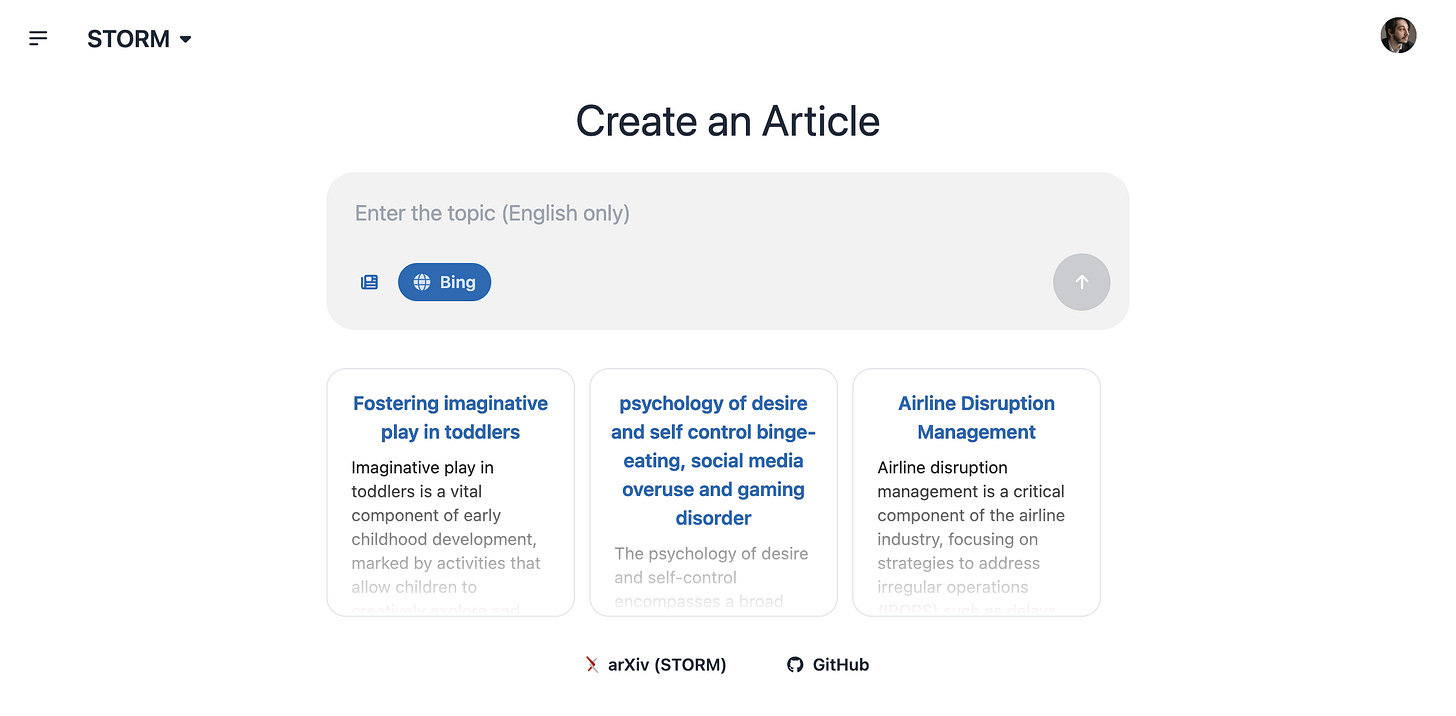
This October, a few months before Deep Research, Stanford developed its own platform for conducting deep research and analyzing data. It's called STORM (Synthesis of Topic Outlines through Retrieval and Multi-perspective Question Asking). The model uses LLM agents to simulate 'Perspective-guided conversations' to achieve complex research goals and generate articles.
According to the authors from OVAL Lab, Storm can generate a 'Wikipedia-style' report on almost any topic. To do so, it relies on different APIs to simulate expert conversations, and synthesize information into structured texts.
Storm beat Google's Deep Research and Perplexity in benchmarks at release time.
But perhaps more important that Storm is open source and completely free. Of course, it also supports searching for up-to-date data on the web.
How to try it right now:
- Online Access
Visit the official STORM website at storm.genie.stanford.edu to use the tool directly online. Input your topic, and Storm will generate your report.
- Local Installation
Download and set up Storm from its GitHub repository.
The option above could be better for people who want some privacy or advanced customization. The model supports integration with local document databases. So, you can configure it to work with your datasets or PDFs by setting up a local vector store, enabling it to retrieve and synthesize information from private sources.
I tested Storm a few weeks earlier and was delighted with it. By subjective feelings, this model is better at generating reports set in strict academic frameworks.
Creating Wikipedia-style articles also looks pretty genuine. People are used to this format, so the finished reports do not require much editing.
Alternative #3: Just Another Wrapper
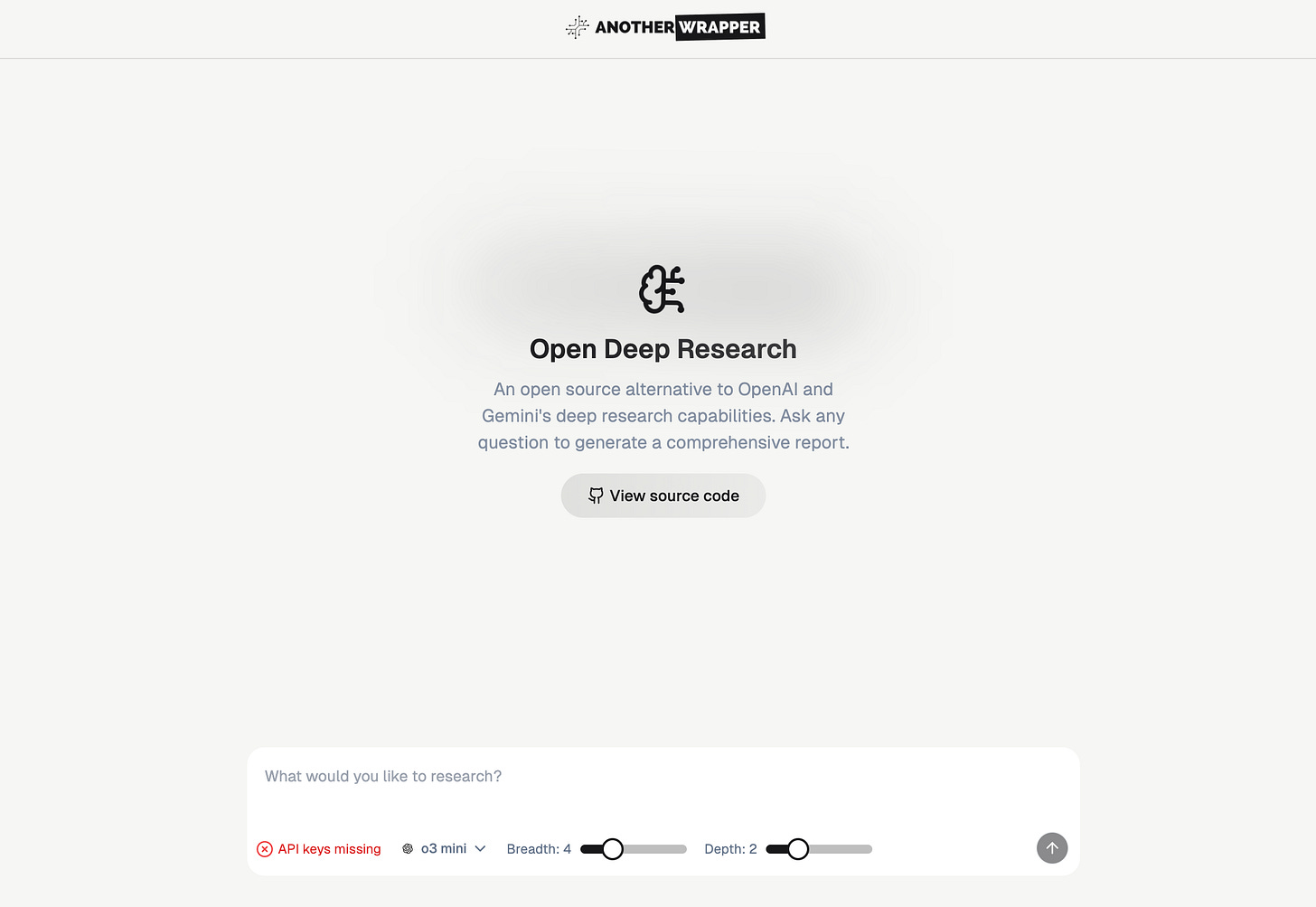
Another good way to try Deep Research is “Another Wrapper.”
It's an open-source project built by solopreneur Fekri. It's not one of a kind, but I liked the developer's approach. He removed everything superfluous, leaving only the functional part and a concise interface.
You can try it yourself by deploying it locally or in your browser. However, as with Open Deep Research, you need the appropriate API key.
How to try it
- Online access
Go to the Another Wrapper website, enter your API key and get started.
- Local Installation
Download and set up Another Wrapper from its GitHub repository.
Fekri is a benchmark example of how wrappers allow creators and entrepreneurs to build projects at breakneck speed. We covered the topic of this niche in this post:
Creators’ AI could be a valuable gift for your friend, colleague, or family member. Gifting books is bright, but giving an AI newsletter is a superb move 😎
Alternative #4: Combination of Tools & Prompts
As a fourth alternative, I'd like to suggest an approach I use myself regularly. So let's combine a brief tutorial with personal experience. It's a bit more manual but saves a lot of time and won't take much money. (You can do it entirely for free.)
I use three tools:
- Perplexity (using the DeepSeek-R1 model)
- ChatGPT (o3-mini for reasoning and web search)
- NotebookLM (data synthesis)
Here is the workflow.
Step 1: Gathering Real-Time Data

I begin by posing my research questions on Perplexity.
It's simply the best way to start if you don't know where to start.
This tool scans multiple web sources and curates a list of relevant information complete with inline citations. It works best if you set up resources ahead of time where you might need information (if you don't know which ones are right for you, just ask Perplexity!).
In my case, it's Crunchbase, Pubmed, and Science Daily.
Here are a few of my saved prompts that I use. You can adapt them to your tasks.
Using data exclusively from Crunchbase (site:crunchbase.com), what are the latest funding rounds, valuation trends, and investment patterns in [industry] startups in [region] over the past [time period]?Using articles from Science Daily (site:sciencedaily.com), provide an overview of the latest advancements in [tech field]. Suggest five specific examples and describe them as a bulleted list.Find publicly available analytics and marketing reports on [topic/industry] and present them as a bulleted list. The list should include references to the reports, titles, names of authors and organizations, and publication dates.Perplexity is always brief.
It is set up to provide the maximum amount of information in the minimum amount of text. This is both its advantage and its main disadvantage. And that’s why I prefer to turn to ChatGPT after searching for primary information.
Step 2: Deepening the Analysis with ChatGPT

I use ChatGPT Plus ($20/mo) to expand on the initial findings, pose follow-up questions, and explore deeper analytical perspectives. ChatGPT’s reasoning strength helps clarify complex points and generate a structured interpretation of the gathered information. I use it for several tasks.
In particular, I ask ChatGPT to quickly explain complex topics, such as those related to science or economics (but not in a too childish way), to find references, to prescribe content for me for a future report, and to prepare sources for each section.
Draft an outline for a detailed report on [report topic] that covers the following sections: Introduction, Market Overview, Competitive Landscape, Investment Trends, Challenges, and Strategic Recommendations. For each section, suggest specific subtopics and key data points to be included.Create a content blueprint for a report on [report topic]. Include a list of sections (e.g., Background, Analysis, Case Studies, Future Predictions) and for each section, provide a brief description of what should be covered along with potential visuals or data representations that could enhance the narrative.Develop a citation map for a report on [report topic]. For each block (e.g., Background, Current Trends, Future Outlook), list recommended sources with a brief justification for each—such as why an academic paper or a Crunchbase report is relevant to that block.Read this article [link to scientific journal publication] and explain in simple terms. Include several key points in your response: the problem facing the scientists, the idea, the implementation process, and the project's prospects.Step 3: Organizing and Synthesizing with NotebookLM
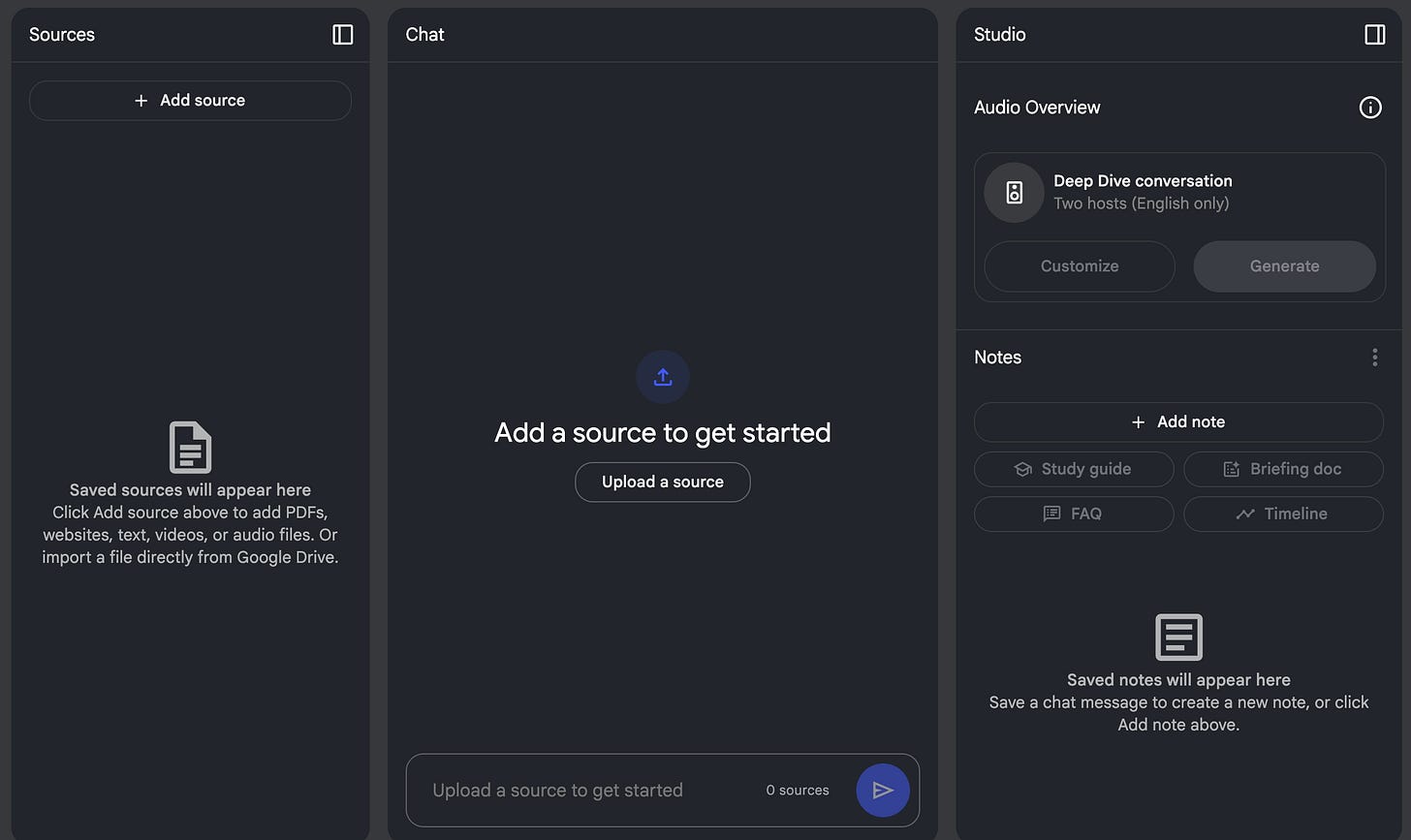
The final stage of my workflow involves NotebookLM. I import the research outputs from Perplexity and ChatGPT with links to sources into NotebookLM, which functions as a research hub.
This is a great way to eliminate unstructured Google Docs and Notion pages.
Here, I organize the data into a well-structured document, annotate key insights, and create a living repository of information. This tool makes it easy to track ideas and refine the research as new data emerges, ensuring that information is accessible for future reference.
The first feature I find very useful is, technically, an analog of the “Command + F” (or Ctrl + F for Windows users) hotkey. But instead of searching for keywords across the page, you can get specific snippets and decide how important that data is.
To do this, simply ask the appropriate question.
Next, once the content has been selected and all the necessary data is in hand, I use AI to assemble a draft version of the report. The prompts below come in handy for this.
Draft a holistic overview of [topic] by merging the key points from several related studies and reports. The final document should be a unified text that provides a thorough understanding of the topic, complete with an introduction, analysis, and conclusion sections.Prepare a synthesis of the latest market data on [topic] by integrating statistics, forecasts, and case studies from multiple sources. Present the information in a structured, homogeneous text that flows logically from background to implications.Produce a report on [subject] that integrates all stages of analysis into one document. Start with an overview of the research process and methodology, proceed with a detailed discussion of findings, and conclude with a roadmap for future actions. Clearly label each section for easy navigation.In the last step, I export the finished content to Google Docs and make final edits.
I should also mention that I edited the prompts to make them more versatile and adaptable for different purposes. In actual practice, I recommend giving the AI more detail. In that case, you are more likely to achieve the desired result.
Below are the advantages I see in this approach.
- Cost-Effectiveness: The entire process can be performed using free versions of these tools, saving significant financial resources.
- Flexibility and Control: Although the approach is manual, it allows me to oversee every step of the process. I can fine-tune queries, verify sources, and adapt the workflow to fit research needs.
- High-Quality Insights: By leveraging real-time data retrieval, reasoning, and systematic organization, I can produce well-rounded reports without sacrificing quality.
Final Thoughts
Here, I must remind you of the limitations of Deep Research. It takes from 5 to 30 minutes to generate a report. After clarifying some details at the beginning of the process, you cannot intervene or make adjustments. Therefore, if at some point the AI “goes the wrong way,” you will have to edit the finished result.
And this will take a lot of time. So, answering the question posed at the beginning, I want to say “no”: I am not ready to subscribe to ChatGPT Pro for the sake of Deep Research. Tests of this model show that you now have two choices: flood the AI with a huge amount of input data or rewrite multiple iterations, the generation of each of which wastes your time.
So I'm sticking with my “manual + AI approach.” But maybe you have a different path and different challenges? Tell us in the comments!
Share this edition with your friends!
This article was first published in the Creators AI newsletter. View the original edition.