Turn ChatGPT Into Your Personal Assistant
ChatGPT Tasks is new AI Agent
OpenAI makes its first moves into “the agentic era" in 2025. On January 14, the company announced a new big feature for ChatGPT called "Tasks." So, it's now easier than ever to turn your AI into a personal assistant.
In this edition:
- What are ChatGPT Tasks
- Why it's the next level for OpenAI
- 7 cool ways you can use ChatGPT as a personal assistant
Keep your mailbox updated with practical knowledge & key news from the AI industry!
ChatGPT Tasks
ChatGPT Tasks is a new feature in beta that changes the paradigm of chatbot interaction. Whereas previously, communication was only user-initiated (barring fun bugs), you can now customize the AI to address you.
Tasks allow you to assign tasks the chatbot can perform in the background, giving you the requested information at a set time and date. This works roughly the same as asking Siri or Google Assistant to set a reminder but with a much wider range of options.
ChatGPT doesn't have access to your apps (yet), but it does have access to search, some web services, and a huge database of its data. In addition, Tasks are synchronized across devices. So, if you use the same account in your browser, PC, and mobile app, you'll get the information you need in any format.
At predetermined times, the bot will send you relevant push notifications.
Sharing is caring! Refer someone who started a learning Journey in AI!
Why it matters
Although it doesn't look like it at first glance, Tasks is not a passing update for ChatGPT. Technically speaking, with this product, OpenAI is publicly moving its AI to level 3 for the first time. This means we have officially entered “the agentic era.”
In July of this year, Bloomberg reported that the company has defined five distinct AI innovation stages that will eventually lead us to General Artificial Intelligence (AGI).
Here's what it looks like:
- Level 1: Chatbots, AI with conversational language
- Level 2: Reasoners, human-level problem solving
- Level 3: Agents, systems that can take actions (We're here)
- Level 4: Innovators, AI that can aid in invention
- Level 5: Organizations, AI that can do the work of an organization
We at Creators' AI think all of 2025 will be about AI agents. And it's cool that OpenAI moved at the beginning of the year.
Now, let's get to the practice.
How to try it
Currently, only Plus, Pro, and Teams users can access ChatGPT Tasks.
- Select the new GPT-4o feature with scheduled tasks from the model picker
- Send ChatGPT a message describing your task, its due date, and additional details
- You can contact the chatbot directly to manage your scheduled actions or edit what you need in your profile menu's “Tasks” section.
A nice bonus is that ChatGPT can suggest different tasks based on your past interactions. While you can schedule tasks on any platform, only the task manager on the web version is suitable for managing them.
Turn ChatGPT into a Personal Assistant
Below, I’ve listed the tasks that I found most valuable. You can also adapt them to your tasks.
1. Stay Updated
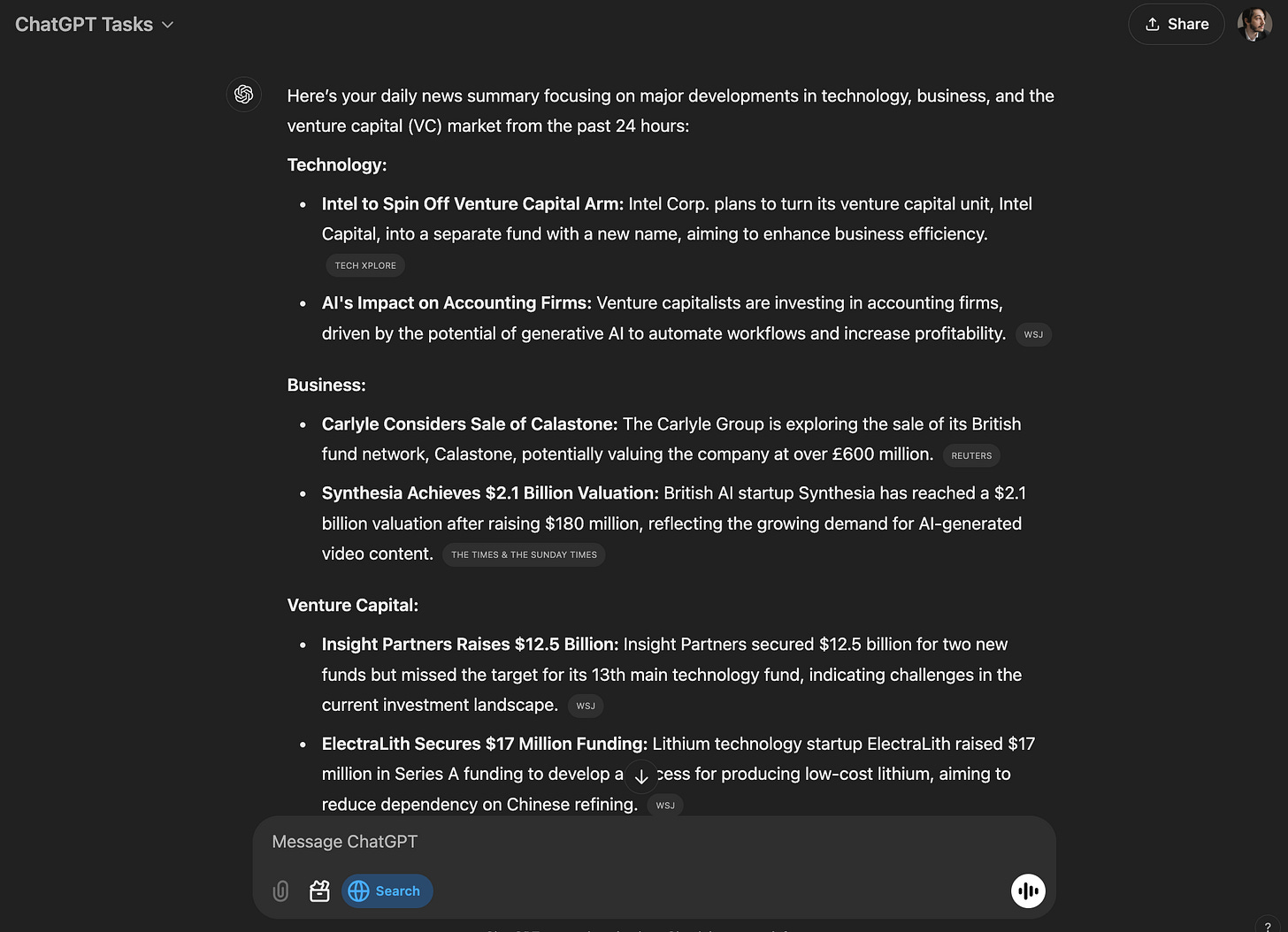
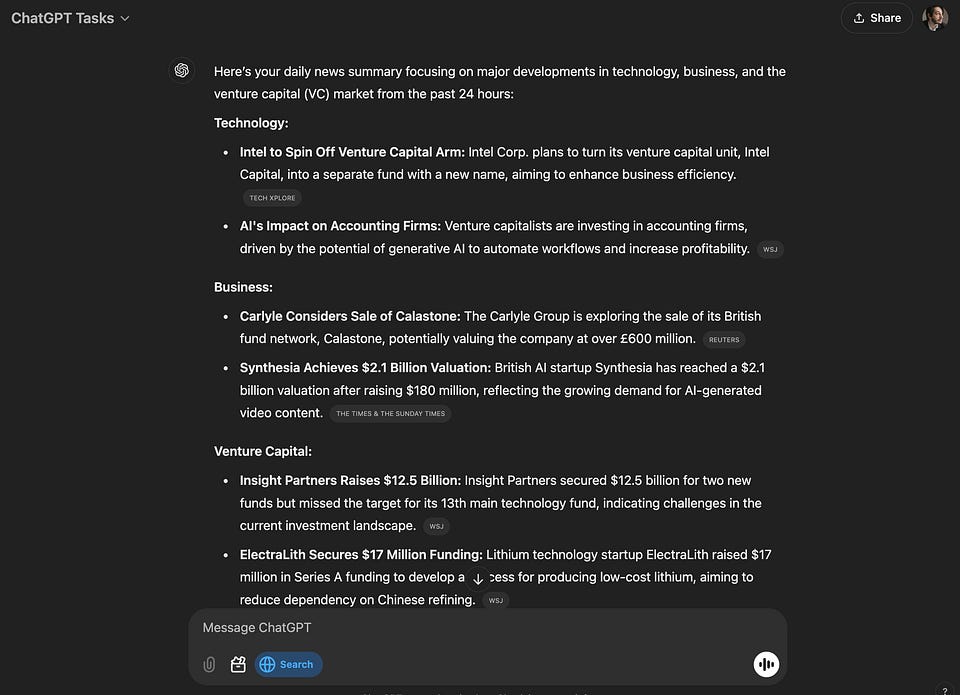
My eternal headache is constantly monitoring the latest news related to startups, AI, and other technologies (even now, I have about 600 unread articles from 90+ sources on Feedly). If you, too, want to stay up to date with the most current events but aren't ready to overload yourself with information garbage, try this challenge:
Every morning at 7 AM, send me a news summary focusing on major developments in technology, business, and the VC market. Use no more than 10 news stories and describe them using bulleted lists. All news must be released within the last 24 hours.2. Learn Something New
Another personal challenge is learning new areas.
I know that for some people, putting language classes on the calendar and just doing their own thing is enough. But I'm not one of those people. So, for myself and everyone else, I propose the following challenge:
Every Tuesday, at 7 PM send me five exercises for learning B1 level French. The total duration of my class should be no more than 1 hour. Oh, and add a motivational phrase at the beginning.3. Weekly Reports
Weekly reports are a task that can be useful for everyone. If you set up these reports correctly, you can automate several routine tasks that you have to do manually.
Here are some ideas to help you create customized weekly reports
“Every Sunday at, 8 AM, send me a weekly report. It should contain the most important research AI-related papers, a major deal in IT, a weather forecast for my city for the next week, a list of business events in my area, and a list of upcoming music concerts.”Just try to add topics that are of interest to you personally. Later, you can edit the task and keep only the most useful updates.
4. Entertainment for Home and Away
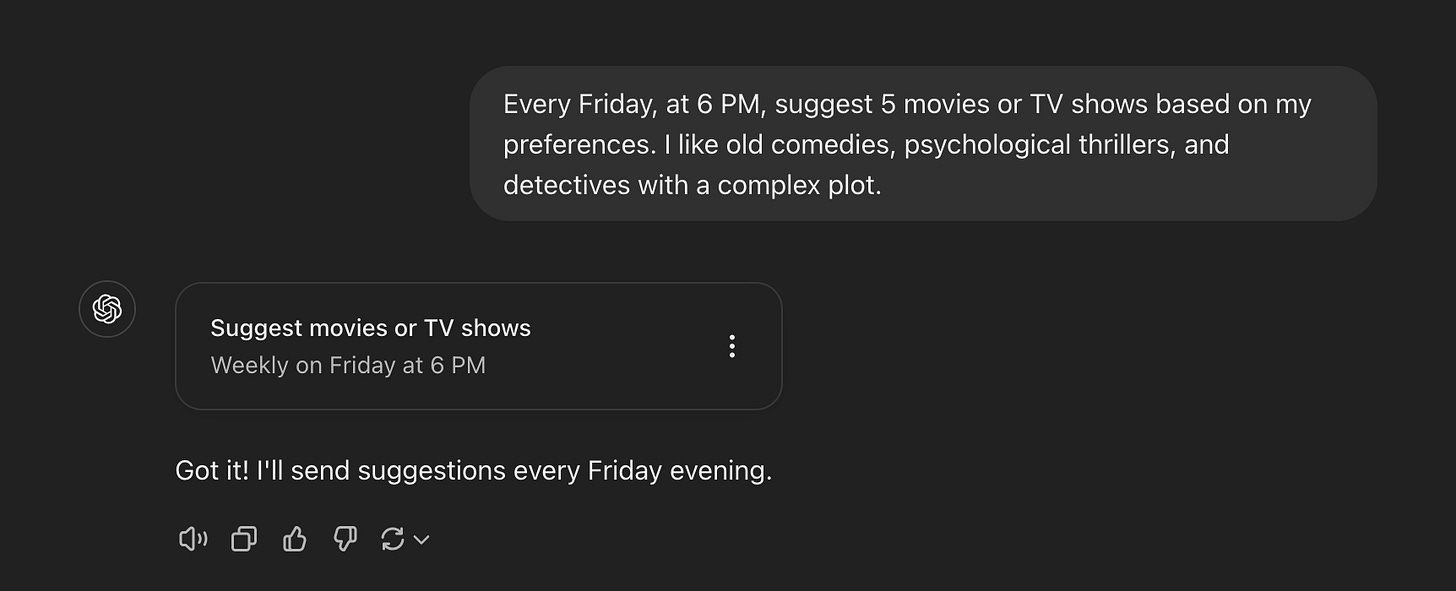
If the weekend is approaching and you still haven't decided what to do, let's put decision-making responsibility on the AI. In this case, ChatGPT Tasks is suitable for both home leisure and searching for entertainment outside the house.
If you want to stay home:
Every Friday, at 6 PM, suggest 5 movies or TV shows based on my preferences. I like old comedies, psychological thrillers, and detectives with a complex plot.If you want to go outside:
Every Friday, at 6 AM, provide a list of weekend activities based on my location and the forecasted weather. I don't want to drive at this time, so places need to be within walking distance or able to get there by public transportation.Creators’ AI could be a valuable gift for your friend, colleague, or family member. Gifting books is bright, but giving an AI newsletter is a superb move 😎
5. Don't Forget About Your Health
With sport, it's much the same as with learning. The key is to exercise regularly, skip workouts as little as possible, and stick to your goals. Thanks to Tasks, we can make this process more enjoyable.
I chose a tasks like this:
“Every Monday and Thursday at 8 AM, send me a reminder to go for a 30 minute run and 5 fresh podcasts related to the movie and gaming industry. ”Alternatively, you can use something like this:
“Every morning, at 7 AM, remind me to get my exercise. Along with this, suggest 10 simple exercises, varying in style and intensity to keep things interesting”6. And Healthy Food
Diet planning is a highly individualized topic. It depends on the size of your family, what kind of food you like, whether you have specific preferences, and so on.
For my part, I can only say that I see two scenarios for using Tasks for meal management:
- For planning grocery shopping
- For researching and trying new dishes
I don't fit into the first category, which is why I gave ChatGPT such a task:
"Every Saturday, at 6 PM, send me three meal options with simple recipes for Sunday dinner. The ingredients must not include seafood, except fish, or eggplant."7. One-time, But Complex Tasks.
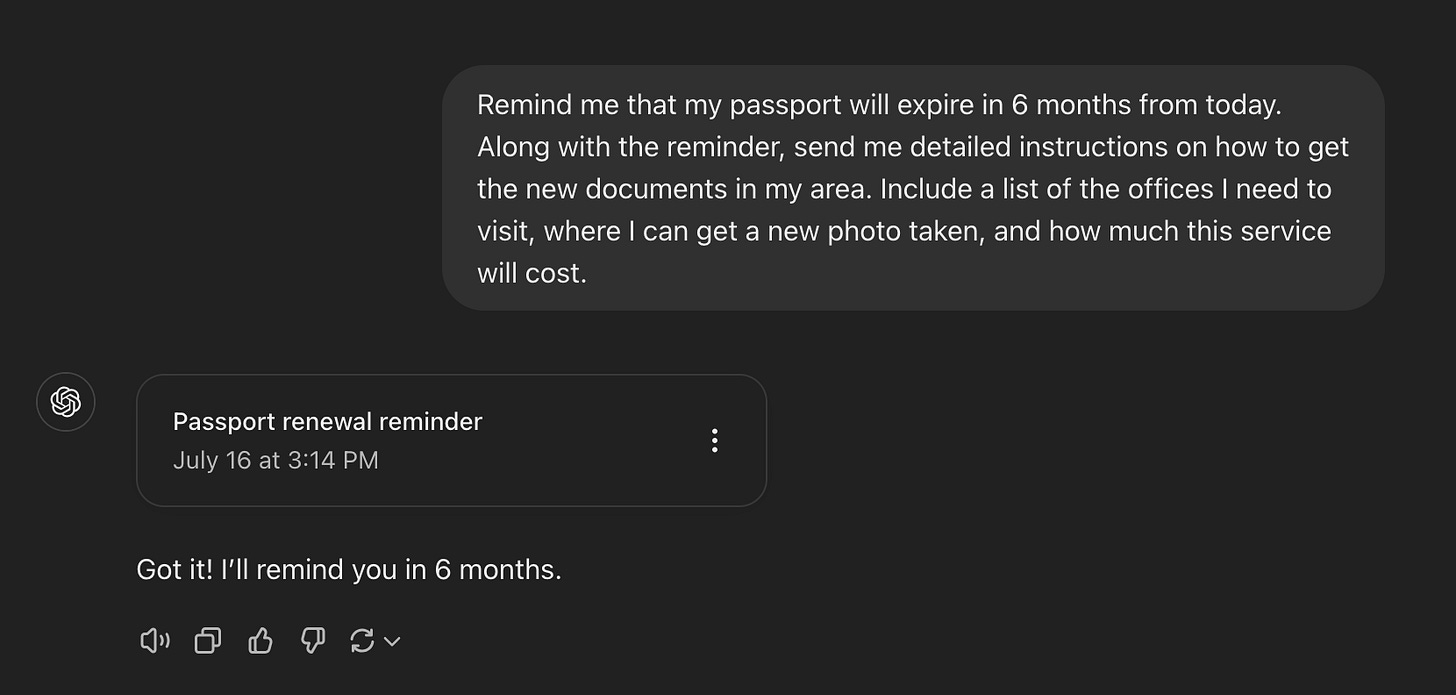
Many may ask, what's the point of giving ChatGPT tasks with one-time reminders when I can do them through the regular Google Calendar? But the trick is that when we're talking about long-term planning, we often need to remember many small details or sequences of actions. And those quickly get erased from memory.
With Tasks, you can devise one prompt and later get detailed instructions with all the necessary details. Here is an example of such one:
Remind me that my passport will expire in 6 months from today. Along with the reminder, send me detailed instructions on how to get the new documents in my area. Include a list of the offices I need to visit, where I can get a new photo taken, and how much this service will cost.Final Tips
At the end, I offer some general tips that will make using Tasks more productive.
- Be Detailed and Specific
When creating tasks, provide clear and precise instructions to ChatGPT. The more specific you are, the better the results will be. For example, specify the topics, timeframe, and format you prefer instead of asking for a general news update.
- Regularly Review and Refine
Periodically review your tasks and refine them based on the results you receive. You can easily edit task details, such as instructions or schedules, to improve their effectiveness over time.
- Provide Examples
It sometimes makes sense to guide ChatGPT with examples to achieve a better result. When setting up a task, include an example of the expected output. This helps guide ChatGPT toward producing the desired result in terms of format and tone.
- Set Realistic Limits
Remember that ChatGPT can only have 10 active tasks at any given time. To stay within this limit, prioritize your most important tasks and manage them accordingly.
And here are a few more ideas for automating tasks with ChatGPT:
- Summarize and organize key events, meetings, or deadlines for the week.
- Schedule content ideas based on trending hashtags or topics.
- Make a regular list with options for flights, accommodations, or activities.
- Remind to clear inbox or close open work apps.
- Alert for regular team check-ins or stand-up meetings.
- Break large projects into daily action steps with automated reminders.
- Weekly prompts to practice a new skill or language.
Share this edition with your friends!
This article was first published in the Creators AI newsletter. View the original edition.