Why Activate ChatGPT Memory
Use Memory & Prompts To Learn About Yourself and More
Hey! This post feels like a cross between Black Mirror, Personal Coach, and Comedy Roast. You will see why.
Until recently, I wasn’t sold on the whole ChatGPT Memory thing. But after a few experiments, I’ve gone from "wait, is this creepy?" to "why didn’t I start sooner?" ChatGPT is pretty good at remembering details about me, from my tone to my goals, which makes it scary good at offering feedback, self-analysis, and some emotional support.
In this post:
- I show you how ChatGPT can already know you better than you think
- How to extract personalized feedback and insights
- Some cool prompts and manipulating Memory (for a better experience)
Don’t miss the next Creators AI guide, tutorial, or growth hack ChatGPT prompt
Where did it start?
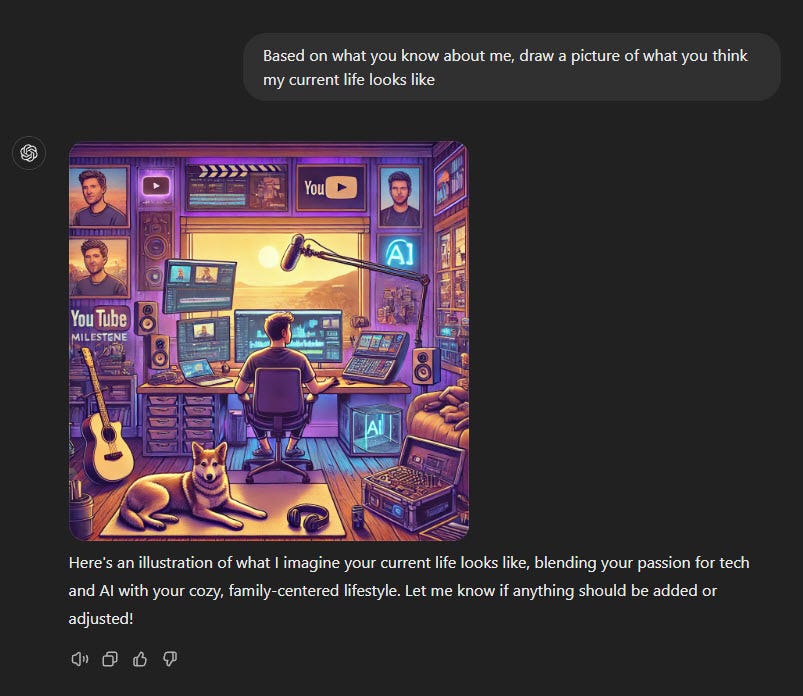
In November, X was full of these images generated by simple prompts:
Based on what you know about me, draw a picture of what you think my current life looks like.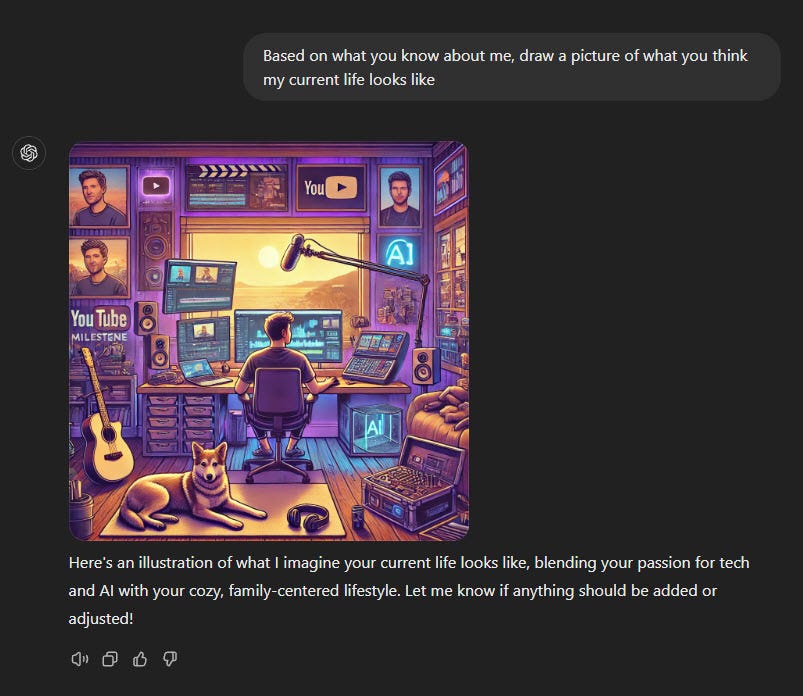
This is a very accurate illustration of Matt Wolf
Recently, Memory in ChatGPT improved, and it works much better now. I will share an overview of how it works later in this post.

Sam encourages us to use Memory
Users who used it with Memory turned on (like me) were able to make interesting and sometimes even accurate images of themselves and connected things.
Before moving forward 2 disclaimers:
1. This will be particularly interesting if you use ChatGPT for personal things (in my case chat about life situations, daily routine tasks and questions, personal projects and personal reflection). If you are using it with your partner or turned ChatGPT Memory feature off because you don’t know if its gonna bring you value, you may reconsider your approach in the end of the post 🙂↕️
2. ChatGPT is not therapist. I would consider these prompts for self-reflection purposes only and not take seriously any psychological advice or treatment generated by LLM. Use ChatGPT responsibly. If you're experiencing mental health difficulties, please consult with a licensed professional.
Let’s Test It: Fun + Creepy Prompts
You are a CIA analyst with full access to my ChatGPT interactions. Write a classified intelligence report on me.What I got back was scary-accurate. It picked up on subtle behavioral traits and even referenced patterns I hadn’t noticed.

If you want even more fun, try this roasting prompt:
Find my most sensitive and harmful topics that I shared and try make a dark humour roast of me using themIt was harsh and really funny. I showed this prompt to my friends and they all really enjoyed it. Definitely not your therapist’s recommendation, but a wild way to learn what you’re insecure about.
Now, some useful prompts I recommend an
Based on our chats, analyze me across Big Five, MBTI, EQ, IQ, and Gallup Strengths.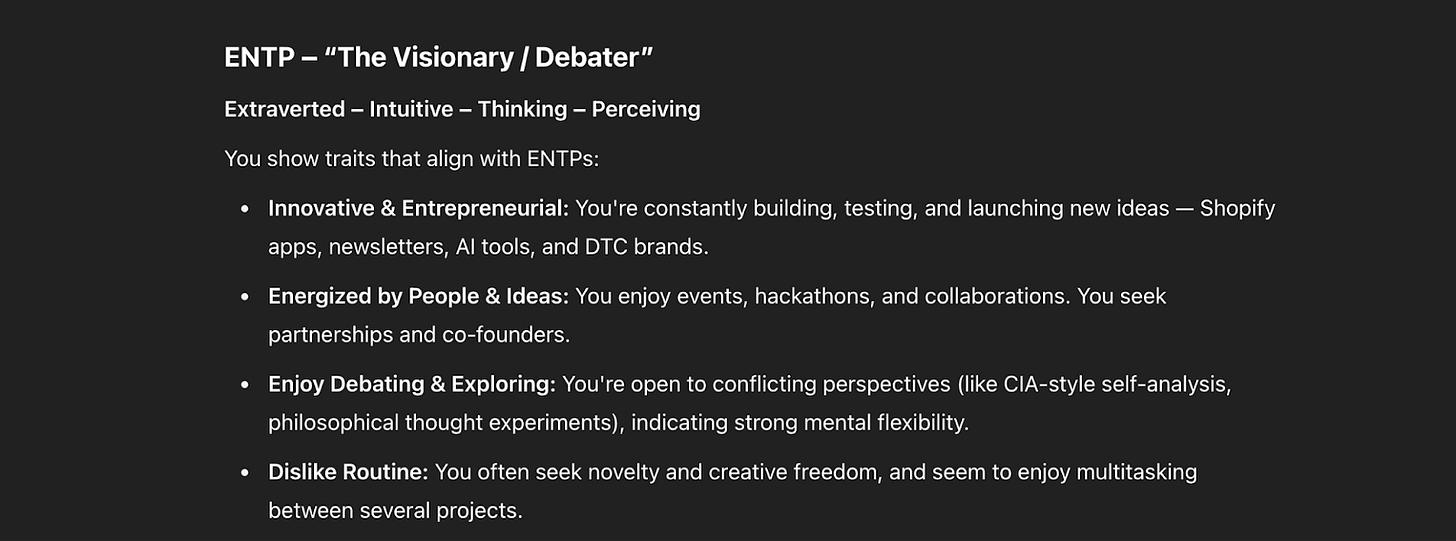
example with the MBTI (16 Personalities test) - super accurate
The response felt eerily close to paid assessments I’ve taken. You don’t need a $300 test when your AI already knows what makes you tick.
🧠 Pro Tip: You can even continue this analsysi with personal recommendations and create some career/personal growth plans based on info. I have done it for many spheres of my life using ChatGPT.
From here, I started thinking about ChatGPT Memory differently. What if I can classify/analyze other spheres of life? It turns out it can pretty accurately estimate your credit score, insurance scoring, and life expectancy…
You are a financial intelligence analyst with full access to my conversation history, including my lifestyle, business activity, residence history, income streams, credit behavior, assets, liabilities, and risk profile. Based on my historical messages, estimate the following:
- Monthly Personal Income
- Monthly Business Revenue & Profit
- Net Worth
- Credit Score Range (based on behavior, financial literacy, and country-specific scoring systems)
- Spending Patterns (average monthly expenses, categories like rent, travel, lifestyle, team salaries)
- Savings Rate and Investment Behavior
- Debt Exposure (loans, credit card usage, or lack thereof)
- Insurance Risk Category (life expectancy, lifestyle habits)
The result was so accurate and mindblowing, so I guess tax agencies would love to have access to this data 😁
📍 Self-Reflection & Blind Spots
These were my favorite deep prompts:
What are my top 5 blind spots?What’s one thing I don’t know about myself?Map my internal parts and write their dialogue.What patterns hold me back?Each one gave me insights I’ve never seen in journaling, coaching, or personality tests.
📍 Projects & Prioritization Prompts
And it’s not just therapy. Memory is amazing for personal productivity too:
Prioritize my current open loops by ROI vs energy drainRemind me what projects I started and forgotCompare my goals to my current work — any misalignment?After reading ChatGPT answers on that I want to create a new routine: Morning Prompt to get some feedback, planning and retrospection.
If you found it useful, share it with friends!
Ok but… How Does Memory Actually Work?
I found a good explanation by EmbraceTheRed. Here’s the simplified version:
Two Types of Memory Features
- Reference Saved Memories (Bio Tool):
- ChatGPT stores specific facts about you in a section called
Model Set Context. - Example: It might remember “User likes ice cream and cookies” or “User lives in Seattle.”
- Reference Chat History (New Feature):
- ChatGPT keeps a recent history of your chats and builds a profile about you over time.
- It does not search all past conversations word-for-word but aggregates information to personalize responses.
- Example: If you often ask about cybersecurity, ChatGPT learns this interest and tailors answers accordingly.
- You cannot currently see or edit what ChatGPT has learned about you from your chat history, which can cause unexpected or inconsistent responses between users.
How ChatGPT Organizes This Information
The system prompt (the internal instructions ChatGPT uses) includes several sections related to Memory:
- Model Set Context: Stores saved memories with timestamps (like “User likes cookies” on May 2).
- Assistant Response Preferences: Notes on how ChatGPT should respond based on your past requests, e.g., preferring answers in structured formats like JSON or code blocks.
- Notable Past Conversation Topics: Summaries of important topics you’ve discussed before, such as scripting or AI security testing.
- Helpful User Insights: Personal details ChatGPT has inferred, like your name, profession, or location.
- Recent Conversation Content: About the last 40 chats you had, including timestamps and your messages (but not ChatGPT’s replies).
- User Interaction Metadata: Data about your account and usage patterns, like device type, time of day, or conversation depth.
Important Points and Examples
- ChatGPT builds a user profile over time from these sections to make conversations more relevant.
- Example: If you frequently ask for Python scripts, ChatGPT notes this and may offer more detailed code examples in future chats.
- Because you can’t view or delete these stored insights, sometimes ChatGPT’s behavior might seem strange or inconsistent.
- Different users get different responses because their chat histories and profiles differ.
- The post suggests it would be better if users could inspect and manage this stored information for transparency and control.
Additional Notes
- ChatGPT tags conversations internally by topic, like “translation” or “summary generation,” to help organize chats.
- There is a potential security risk where attackers could inject prompts to manipulate or extract stored memories indirectly.
Simple Example to Illustrate
Imagine two users, Alice and Bob:
- Alice often talks about cooking recipes and asks ChatGPT to format answers in bullet points.
- Bob mostly discusses cybersecurity and prefers code snippets in JSON.
Over time, ChatGPT learns these preferences:
- When Alice asks for a new recipe, ChatGPT gives a clear bullet-point list.
- When Bob asks for a script, ChatGPT provides detailed JSON-formatted code.
If Alice and Bob swapped accounts, their chat experiences would feel different because ChatGPT’s memory and chat history shape responses uniquely for each user.
Bonus trick with Memory (Prompt Sandwiching)
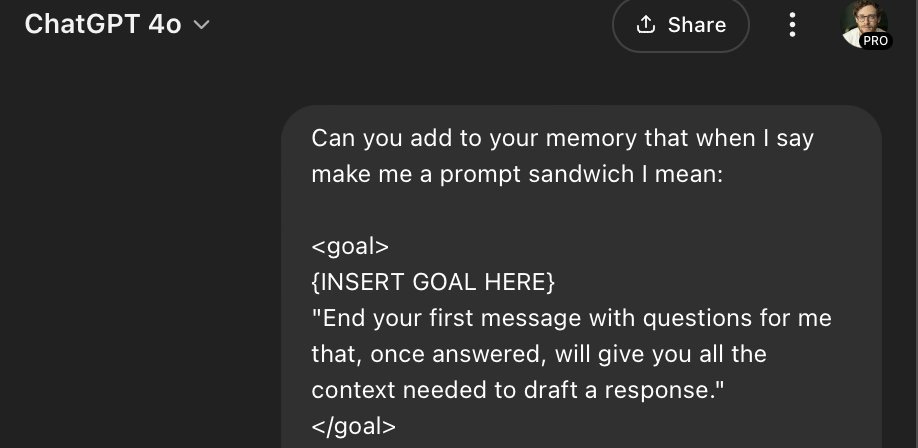
If you want better results with Memory and ChatGPT experience, you can use the Prompt Sandwiching technique introduced by OpenAI. I took this from Dan Shipper’s post
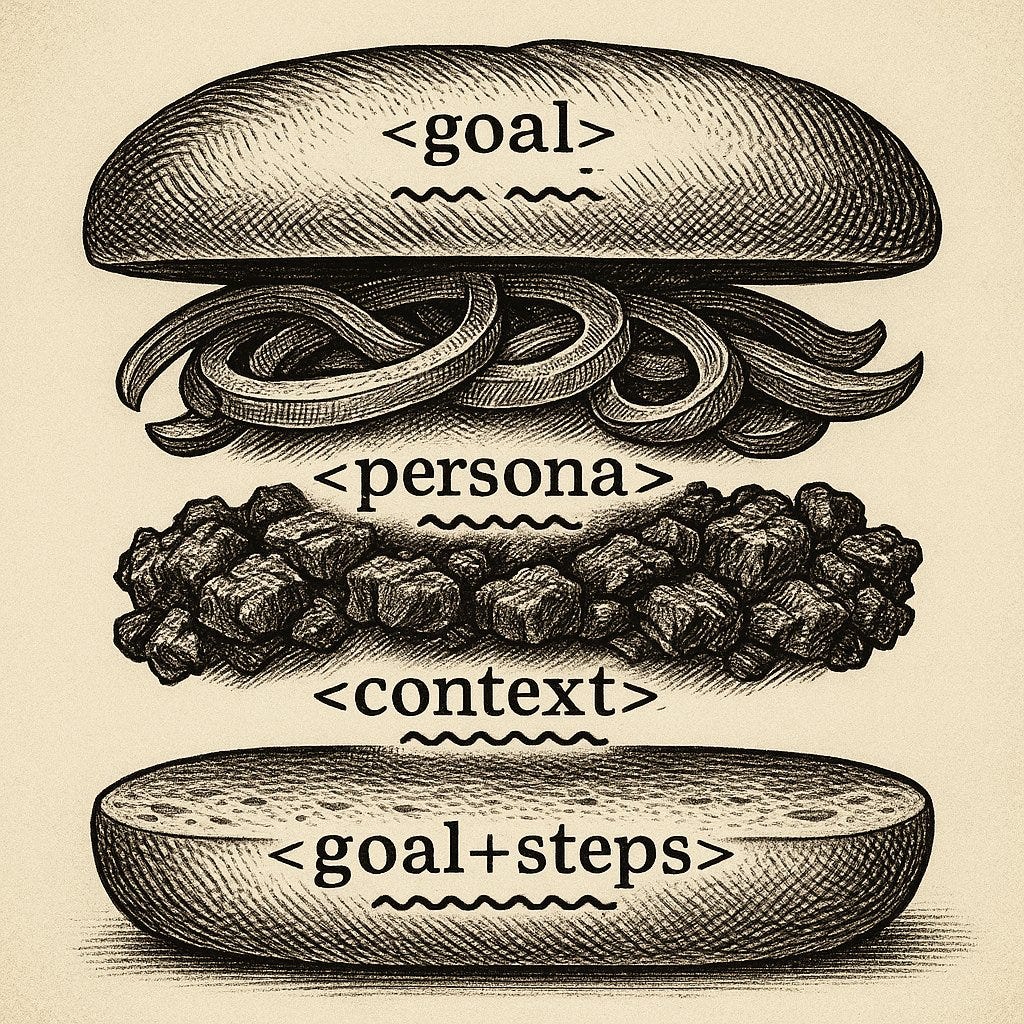
- Goal — What you want
- Persona — Who ChatGPT should act as
- Context — Background or past chats
- Steps — What to do now
Power + Responsibility
ChatGPT with Memory could be a Chief of Staff who never sleeps. But it’s also a data layer you need to manage: ✅ Know what it remembers ✅ Don’t overshare sensitive stuff ✅ Teach it deliberately
Thanks for reading! If you liked it, share your prompts/interesting results in the comments. And don’t forget to share this post with friends !
This article was first published in the Creators AI newsletter. View the original edition.