How I Automated My Startup with Claude
Two stats that changed how I run my company: $5,800 in subscriptions cut and 40 hours saved per week.
Jonathan runs GrowthPair — a seven-figure ARR agency — with just 3 people and a Terminal window. In the last few months, he’s rebuilt how the entire business operates using Claude. This post is the exact playbook he used.
At a Glance
In this piece, you will learn:
- How to architect a business bot that connects all your tools into one command center
- The exact folder structure, brain file, and slash commands that power a real startup automation
- Why MCP and custom scripts aren’t either/or — and when to use each
This post is prepared with Guest Author — Jonathan. Founder of GrowthPair, a global marketing talent agency, and builder of the GrowthPair Bot. If you also want to write for Creators AI — send us email here
Holy cr\*p. I’ve never been so excited about the future of building companies because of this new wave of AI tech that’s emerging.
In the last few months, I’ve spent dozens of hours on Claude experimenting with ways to make my startup and team as efficient as possible.
Two stats since leveraging Claude:
- SaaS subscriptions trimmed: $5,800/year
- Personal time saved per week: 40 hours
I’m running my seven-figure ARR startup as an AI-native company with only 3 employees, lots of iced coffee, and a Terminal window. Most importantly, I’ll show you the exact steps to build your own version.
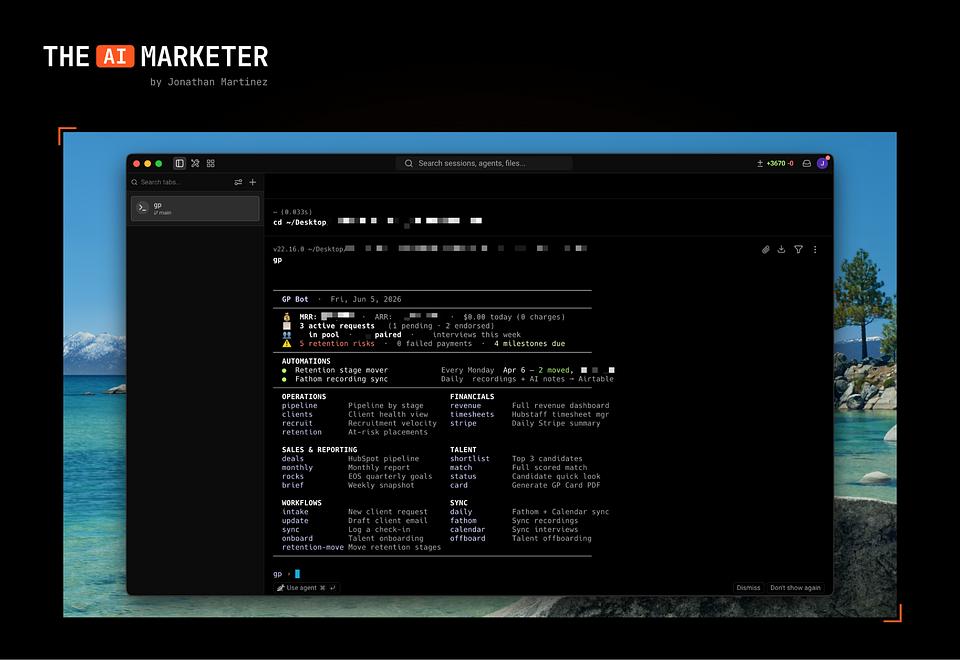
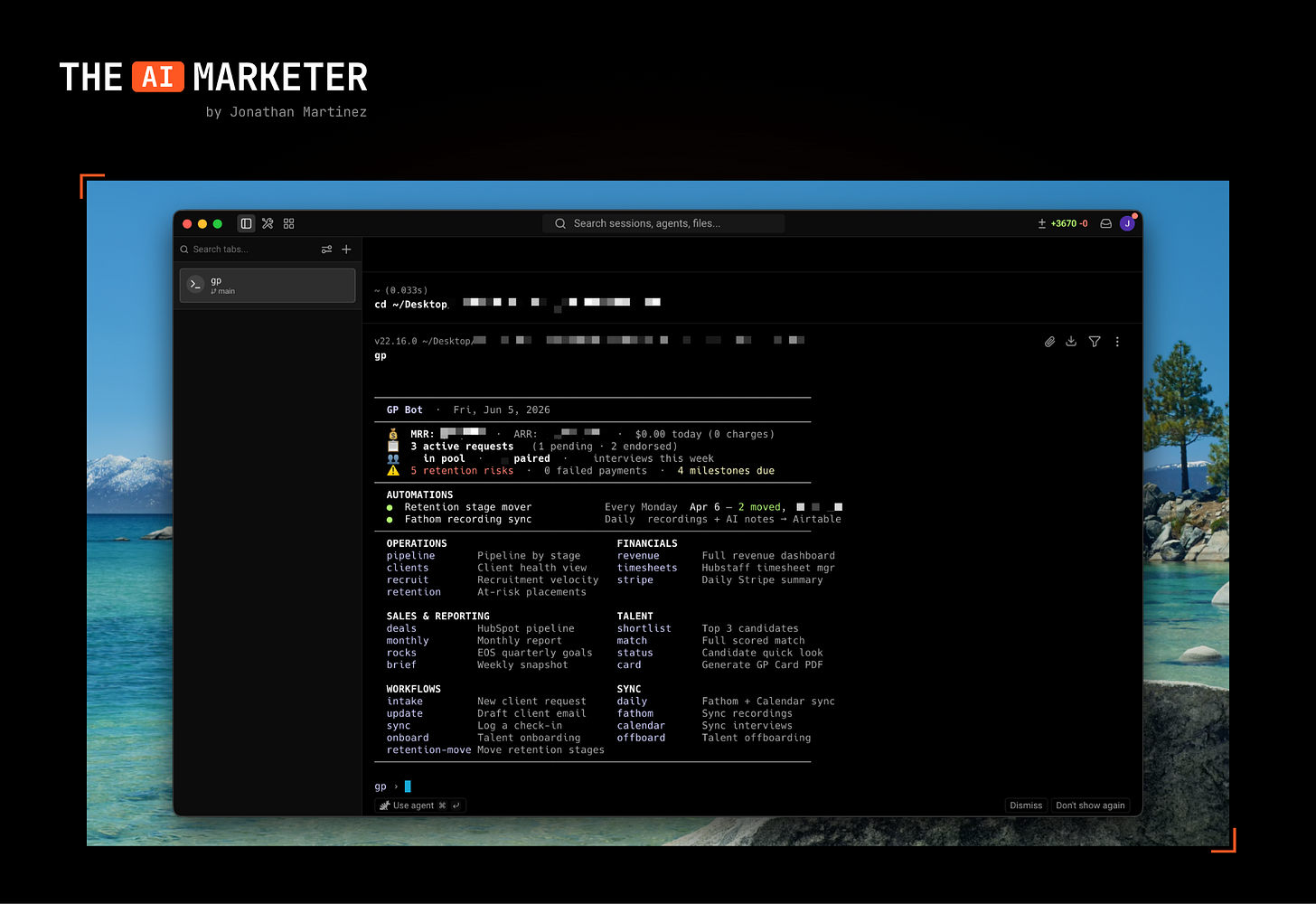
Here’s how I start my mornings now with the GrowthPair Bot:
Why I’m writing this
Last week, a founder asked me how we’re moving so fast with such a lean team. The answer is this bot. It handles everything from onboarding talent to analyzing our sales pipeline while I focus on the big-picture stuff. If you’re drowning in manual tasks, this playbook will change how you run your company.
I typically write about the intersection between marketing and AI, but I thought this one was close enough and can easily be applied to marketing teams as well. As a thought experiment, if you’re a marketer, ask yourself: “Which tools am I using daily and require me to perform repetitive tasks?”
You could realistically hook up all your ad accounts, ESP, Google Analytics and other tools in your stack to a similar bot to automate reports, create campaigns, make optimizations, and so on.
Let’s get into it.
Before we dive in — if you’re new to Claude Code, here’s the foundation: How Claude Code Can Be Your AI Teammate
This and many other practical posts on building with AI are available exclusively to our subscribers.
Step 1: Architecting your bot
It’s easy to get lost in the optionality that we have with AI, so it’s important to tackle the correct items and use cases for your startup. In my case, GrowthPair is an agency that helps companies find the very best global marketing talent. This inherently means that there’s a slew of manual recruitment tasks on our daily docket.
Some questions you should ask yourself:
- What are some repeatable tasks that I’d like to automate?
- What tools and dashboards do I spend most of my time in?
- Do those tools and dashboards have APIs that I can leverage?
In my opinion, anything that takes up more than 20 minutes of your time per week should go on the list of items to automate. These items will become quick slash (/) commands that you can ask your bot to do, or even automate it to do on a set cadence.
For my GrowthPair bot, I wanted to build a variety of quick slash commands, like the ability to:
- Onboard/offboard talent
- Get a pulse on sales pipeline
- Analyze retention pipeline
- Understand WoW recruitment velocity
- Fully automate payroll
Rather than sift through data on Stripe, Brex, Quickbooks, HubSpot and various other tools, the idea was to connect them all into my GrowthPair bot.
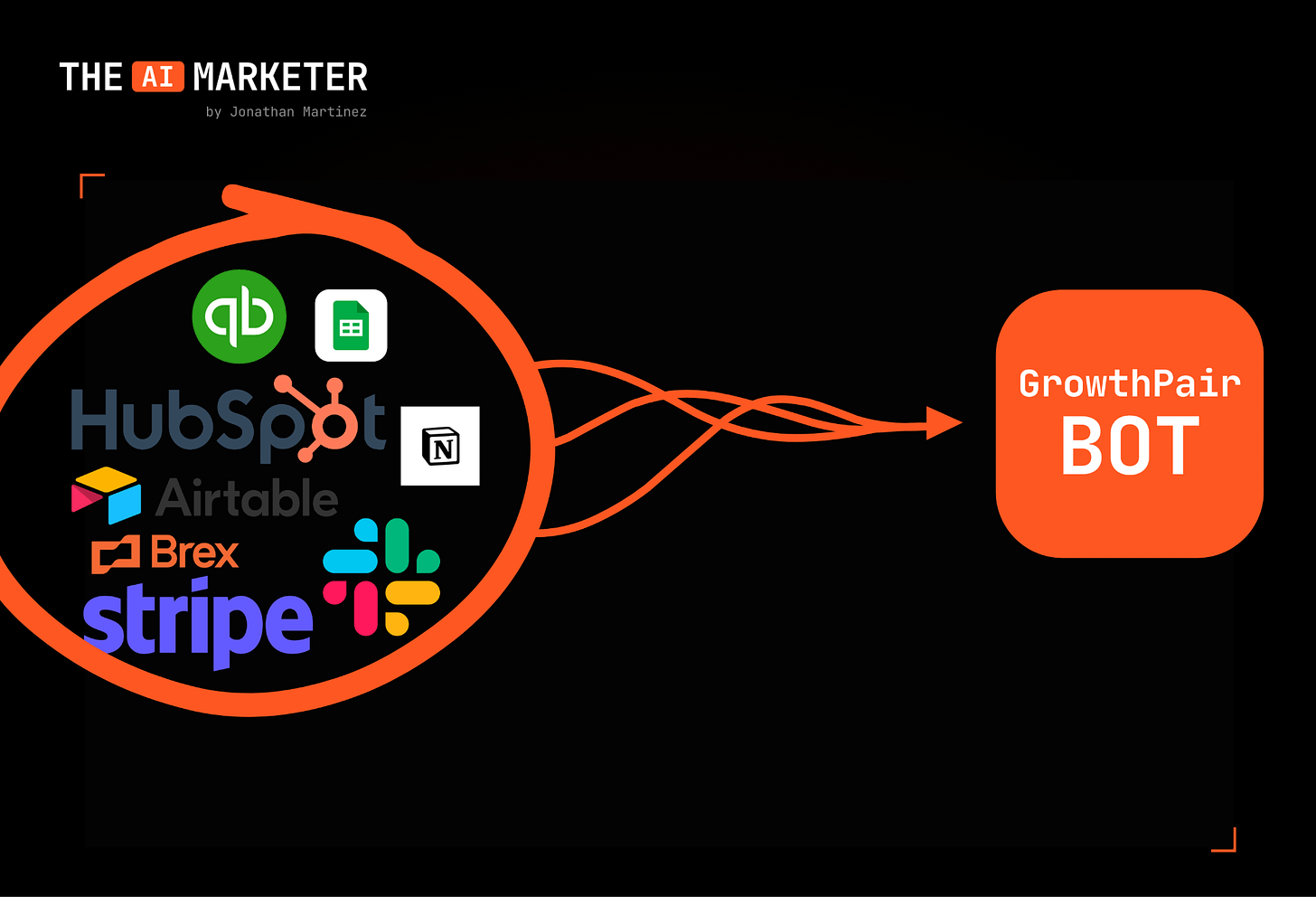
This is why APIs are really important — they provide a connection between the third-party tool you use (e.g., HubSpot) and the bot you’ll build. Most major software will have an API that you can use.
Roles and access
Right now I’m the only person who runs this bot. It lives on my machine, it uses my keys, and that keeps things simple. But even as a team of one, I set it up with a few rules I’d tell anyone to copy:
Least access possible: Every API key gets the narrowest permission that still does the job. If a command only needs to read my Stripe data, I give it a read-only key. Even if something goes sideways, the blast radius is tiny.
Read by default, write by permission: The bot can look at anything. It can’t change anything without explicitly asking me first.
Keys live in one locked drawer: All my API keys sit in a single secrets file that never gets shared, never gets committed to version control, never leaves my machine. If you take one security thing from this piece, take that.
Share this with a founder who’s still manually switching between five dashboards every morning.
Share
What I actually built (the architecture)
The whole thing lives in one folder on my Mac. No server, no cloud deployment, no developers. Inside that folder there are four things that matter:
A brain file: A single markdown file (claude.md) that tells the bot who I am, what GrowthPair does, the tools we use, and the rules it should never break. Things like “never send anything externally without asking me” and “never move money.” Every time I open the bot, it reads this first. This file is 80% of why the bot feels like it actually knows my business.
Connections to my tools: Some are plug-and-play via MCP. Others are small custom scripts that hit a tool’s API directly. Either way, this is the layer that lets the bot read my Stripe revenue, my HubSpot pipeline, my Brex transactions, and so on.
Slash commands: Each repeatable task I mentioned is saved as its own command. Instead of re-explaining what I want every morning, I just type /pipeline and it runs.
A secrets file: One file that holds all my API keys, kept out of everything else and out of anything that ever gets shared or backed up to the cloud.
Picture it like a desk: the brain file is the operator who knows the business, the connections are the phone lines out to each tool, the slash commands are the speed-dial buttons, and the secrets file is the locked drawer with all the keys.
Step 2: Claude Code build session
Now that you’re armed with a list of items you’d like your bot to perform, open up Claude Code to start building. Create a new folder so that all of your work for this bot is contained inside for easy access going forward. I named my folder “GrowthPair Bot” and then prompted Claude with the following:
“I’m looking to build a bot for my business that I’ll run out of a terminal window or Claude Code. This bot should help my business automate the following tasks: {{insert list of tasks}}. Research the APIs and info you need before we start building. The goal for this bot is to help save my business time in switching between apps and conducting manual tasks.”
Claude Code will then take you through the setup of your bot by asking a series of questions before it begins coding.
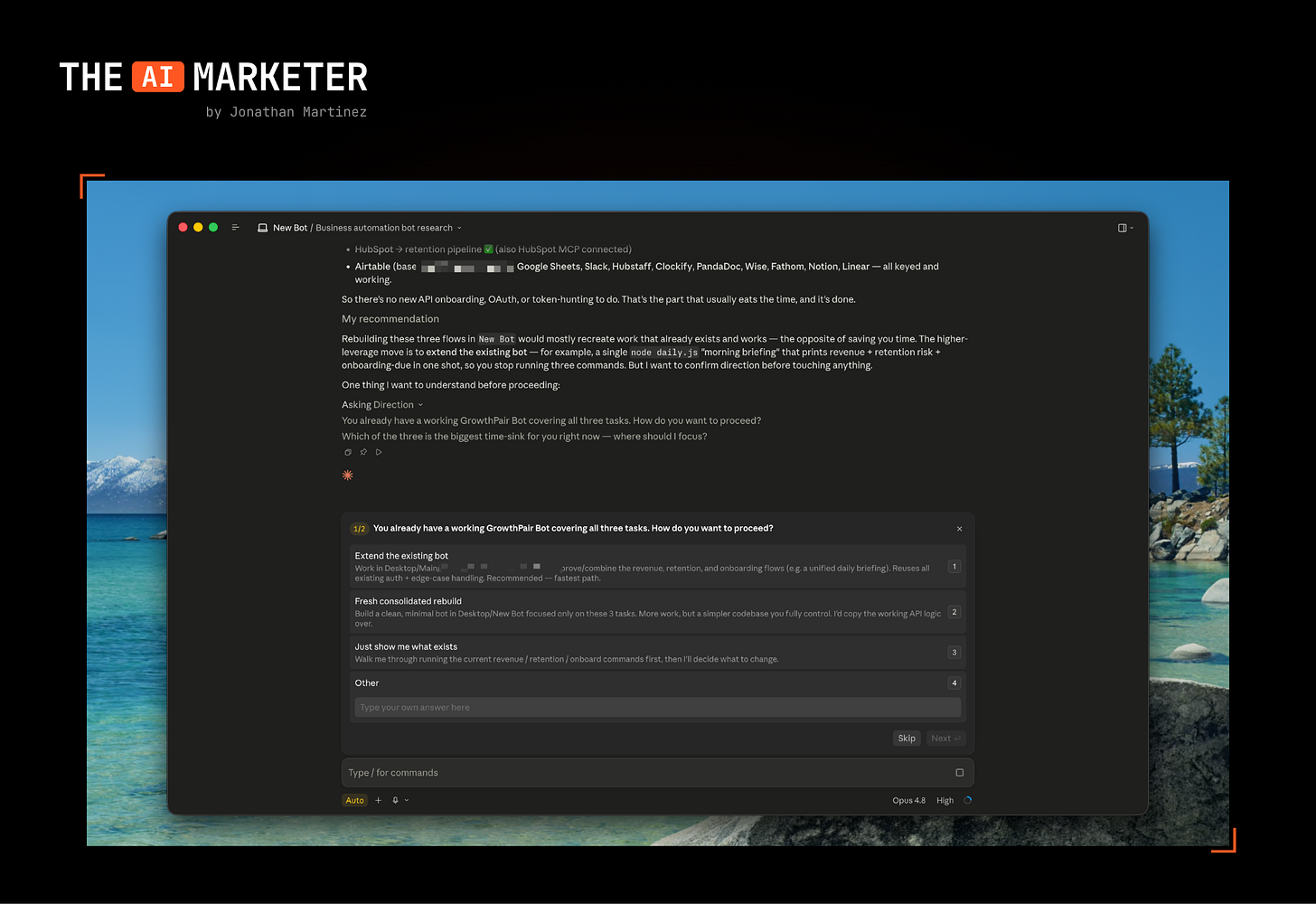
Once you’ve answered the questions, Claude will have you start hooking up APIs to the tools you use daily. This is where the magic happens.
Pro tip: Screenshot any tool dashboard pages and send them to Claude. It will navigate you directly to the right spot to find the API.
Wait, why not just use MCP?
If you’ve spent any time around Claude, you’ve heard of MCP (Model Context Protocol). Quick version: it’s a standard way to plug a tool into an AI so the AI can actually use it without you writing custom code. Think of it as a universal adapter.
So the fair question is: if MCP exists, why build a bot at all?
Here’s how I actually think about it — I used a mix of both.
Where a solid MCP connector already existed for a tool, I used it. No reason to reinvent the wheel. For the tools that didn’t have a good connector, or where I wanted a very specific workflow (my payroll run, for example, has steps no generic connector would know about), I had Claude Code write me a small custom script instead.
But here’s the part people miss: MCP gets the AI talking to HubSpot. The bot is what turns “talk to HubSpot” into “tell me which deals went cold this week and draft the follow-ups.”
So it’s not MCP or a bot. MCP is one of the ways I wire tools in. The bot is the thing that makes all those wires useful.
My rule of thumb: check if a good MCP connector exists first. If it does, use it. If it doesn’t, have Claude write a script.
For a deeper look at how solopreneurs are running full agent stacks in practice: How Solopreneurs Are Using Full AI Agents
Step 3: Testing your startup bot
This is the fun part. When you have a v1 version of your bot, you feel the magic of what’s possible for your startup going forward. For me, it completely rewired the way I think of delegation and time efficiency for the entire team.
I now wake up daily to a terminal window with a briefing on the health of the business and a variety of shortcuts I can run for tedious tasks.
A real use case, start to finish
Every Monday I want to know our week-over-week recruitment velocity — how many candidates moved through each stage, who’s stuck, and where the pipeline is thinning out. That used to be 30 minutes of me clicking around our ATS and a spreadsheet.
Now it’s one command: /velocity.
Here’s what happens when I run it:
- The bot pulls this week’s candidate data and last week’s from our recruiting tool’s API.
- It compares the two: new candidates added, how many advanced a stage, how many went cold.
- It flags anything that needs me: a candidate sitting too long in one stage, a role with no new pipeline.
- It hands me a five-line summary with the numbers and the one or two things I should act on.
Total time: about 20 seconds. And because the rules in my brain file say so, it never messes with the actual candidate records. If I want it to do something (move a candidate, send a note), it asks me first.
That’s the whole pattern — pull data → compare or analyze → flag what matters → summarize → wait for my go-ahead on anything that changes the world. Onboarding, payroll, pipeline, retention are all variations of that same loop.
If you want to go deeper on the infrastructure side — how to schedule and run agents beyond a single session: Claude Managed Agents — The Setup Most Builders Haven’t Tried
Step 4: Deployment and maintenance
This step should never really end. Since this is bespoke software, there’ll be bugs that come up from time to time. There’ll also be new tools you onboard and want to connect into the bot.
Here’s what ongoing maintenance actually looks like in practice:
Keep it in version control: I have the whole folder in Git. When the bot’s working well, I save a snapshot. When a change breaks something, I can roll back in seconds.
APIs change, and your bot will tell you: Every so often a tool updates its API and a command stops working. When that happens, I literally paste the error into Claude Code and say “fix this.”
New connection: Whenever we adopt a new tool, I add it the same way I added the first ones — check for an MCP connector, or have Claude write a script.
Back up the secrets file separately.
What’s the first task you’d automate if you had your own startup bot? Drop it in the comments.
If you’re ready to go deeper, here’s what we’ve covered on building with Claude:
Claude Code Tips: for Dev and Non-Dev Tasks — the practical foundation for getting started with Claude Code, from non-technical founders to developers
The n8n Playbook for AI Apps and Agents — if you want to connect your bot to more tools and build automation workflows on top
4 Ways to Monetize AI Agents in 2026 — once the bot is running, here’s how to turn that leverage into revenue
Jonathan is the founder of GrowthPair and writes The AI Marketer — a newsletter on AI-native marketing and building lean. He also runs Claude Marketers, a community for marketers building with Claude.
This article was first published in the Creators AI newsletter. View the original edition.