Vibe Coding Inspo: Hot Cases and Tips
What Vibe Coding Looks Like After The Hype
Seems like Vibe Coding has become part of everyday life and isn’t grabbing headlines anymore.
But that’s a good thing, because it means people have integrated it into their routines, and there are even more interesting projects popping up.
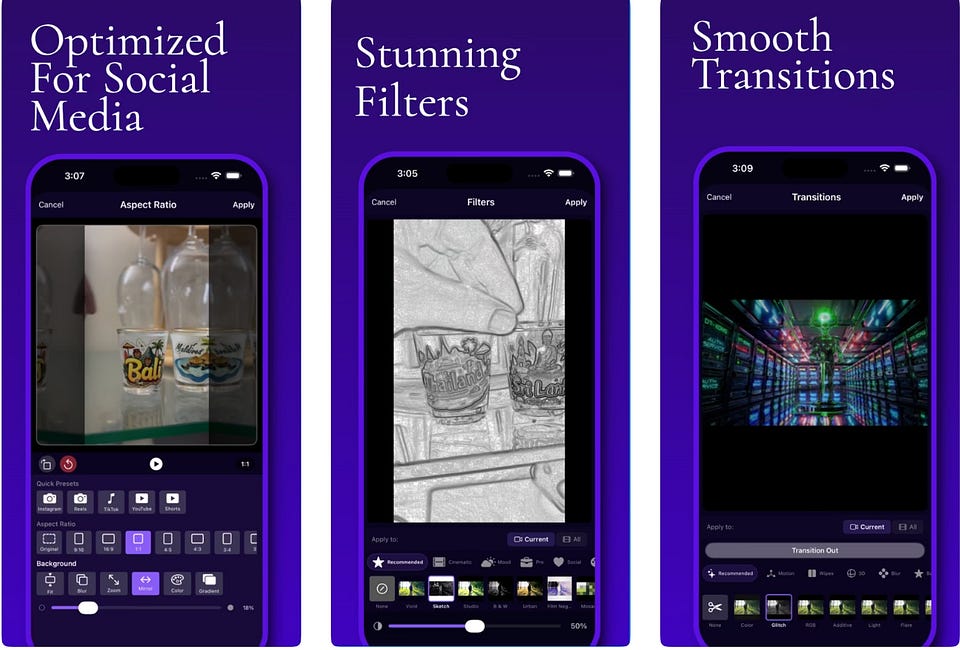
For example, a backend developer used Claude Code to build EditorPro, a fully native iOS photo and video editor (100% of the code written by Claude). In 2.5 months of vibe coding, he has shipped an app that features undo/redo, filters, transitions, a draggable timeline, and an AI-powered auto-reel generator. The app hit 10,000+ downloads since launching in December.

In this article, we’ll refresh the toolset you can use for vibe coding, plus some cool use cases for inspo.
Jump in!
Keep your mailbox updated with practical knowledge & key news from the AI industry!
Get Inspired: Real Projects Worth Exploring
Let’s dive into what people have built with Vibe Coding tools, because there’s a huge variety of use cases out there.
If you want a quick reminder of what Vibe Coding is and why it took off so fast, it’s worth skimming Why Vibe Coding Is Important
We start with Manus as it handles the full spectrum: research, design, development, and deployment all in one go. Afterwards, we’ll look at other work from across the vibe coding landscape to give you some inspiration for your own creations.
Cloning Apple with Manus & one prompt

A quick experiment of just one line: “clone http://apple.com”.
Manus AI spent about one hour generating a full website. The user didn’t tweak layouts or guide the process.
The result was almost identical to Apple.com from a single prompt: Click
Design, layout, and hierarchy are handled automatically.
You can do the same if you need quick working prototypes, want to try out a certain design for your product, or create several interesting variations at once.
3D Photography Gallery with Manus

A photographer turned their exhibition dream into reality. The platform generated not just the immersive gallery space, but also crafted custom one or two-line poems to accompany each photograph. It’s a real museum digital experience!
If you want to showcase portfolios, present artwork, design work, or product collections in interactive and memorable ways, check it out: Click
Personal Travel Handbook with Manus

This case comes in handy for avid travelers. A couple created a plan for their engagement trip to Japan using Manus. It built a fully interactive HTML travel handbook with maps, essential phrases, and etiquette tips that they could reference throughout their journey on mobile.
Discover the full setup: Click
Interactive Space Exploration Website with Manus

For all space enthusiasts out there, another space lover built a fully interactive space exploration website featuring a 3D solar system explorer. The platform delivered a complete site with WebGL animations, an accessible design, and interactive dashboards.
Discover the full setup: Click
Healthy eye break reminders with Claude Code

A developer built BlinkMate, a complete macOS application, using Claude Code. He provided design inspiration upfront and added some refining details through guided prompts. Then, he went from no mobile development knowledge to a fully functional app.
Interactive Geography Platform
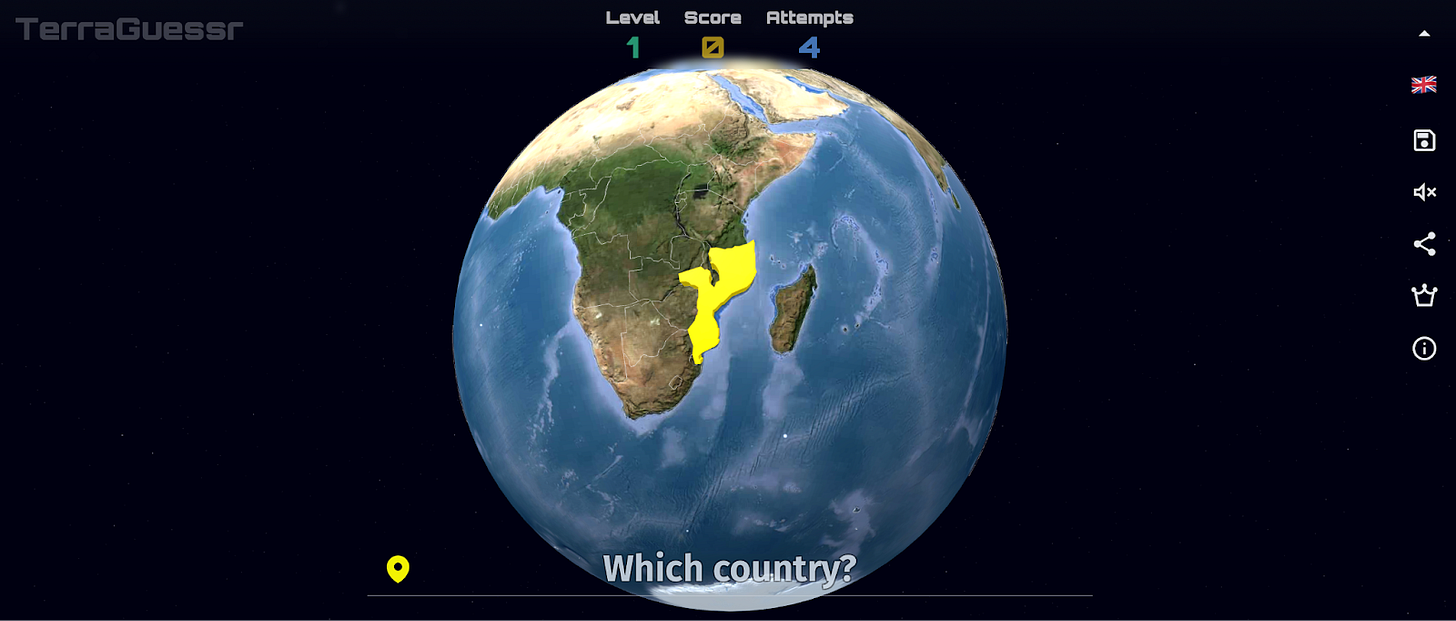
This web platform was built with Google Studio, Cursor, and features data visualizations sourced from the World Bank and Our World in Data, an interactive countries game, and educational quizzes.
It’s called TerraGuessr, and you can check it out here: Click
Grocery Store themed Game for children
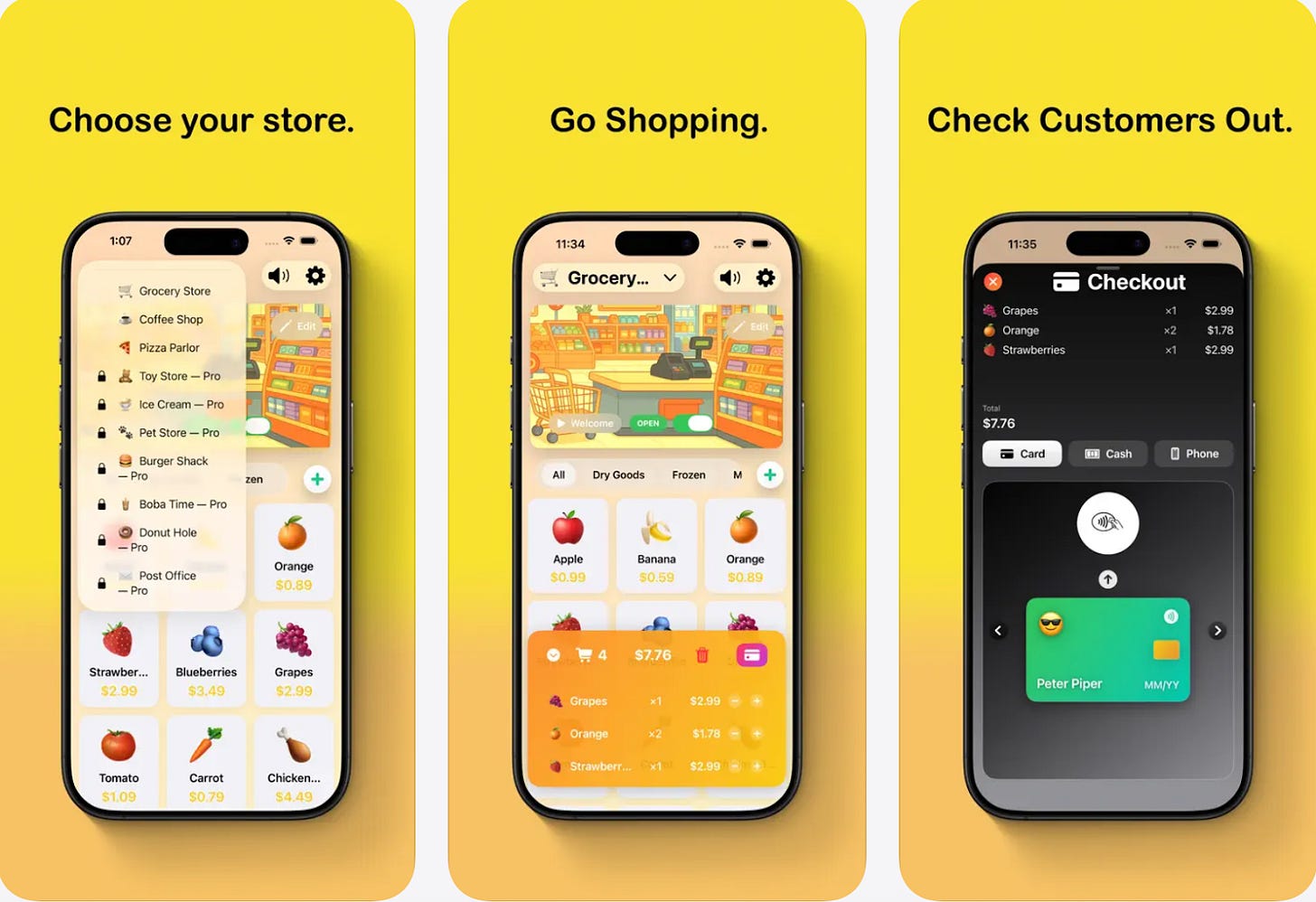
A parent with basic JavaScript knowledge spent some months designing Kids Cash Register, a native iOS app that lets kids play pretend as shop owners.
It’s built entirely through ChatGPT and Xcode plugin without writing a single line of code manually: Click
AI Photography Mentor App in AppStore
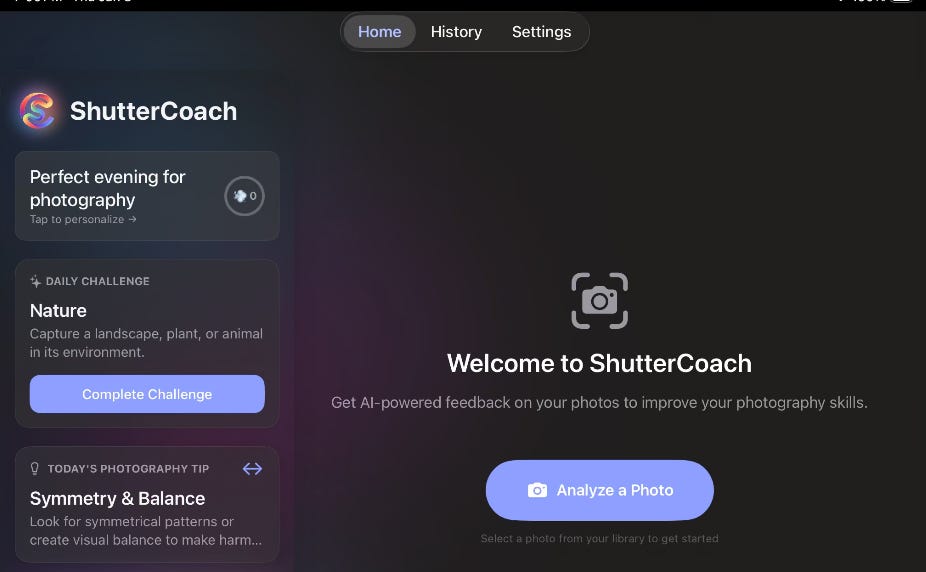
A developer successfully launched ShutterCoach on the App Store, an AI-powered photography mentor app with gamification features and detailed photo feedback. He used Google Antigravity with Gemini 3 Pro + Claude Opus 4.5 models.
Rock Chalk Send & Tidy Clients
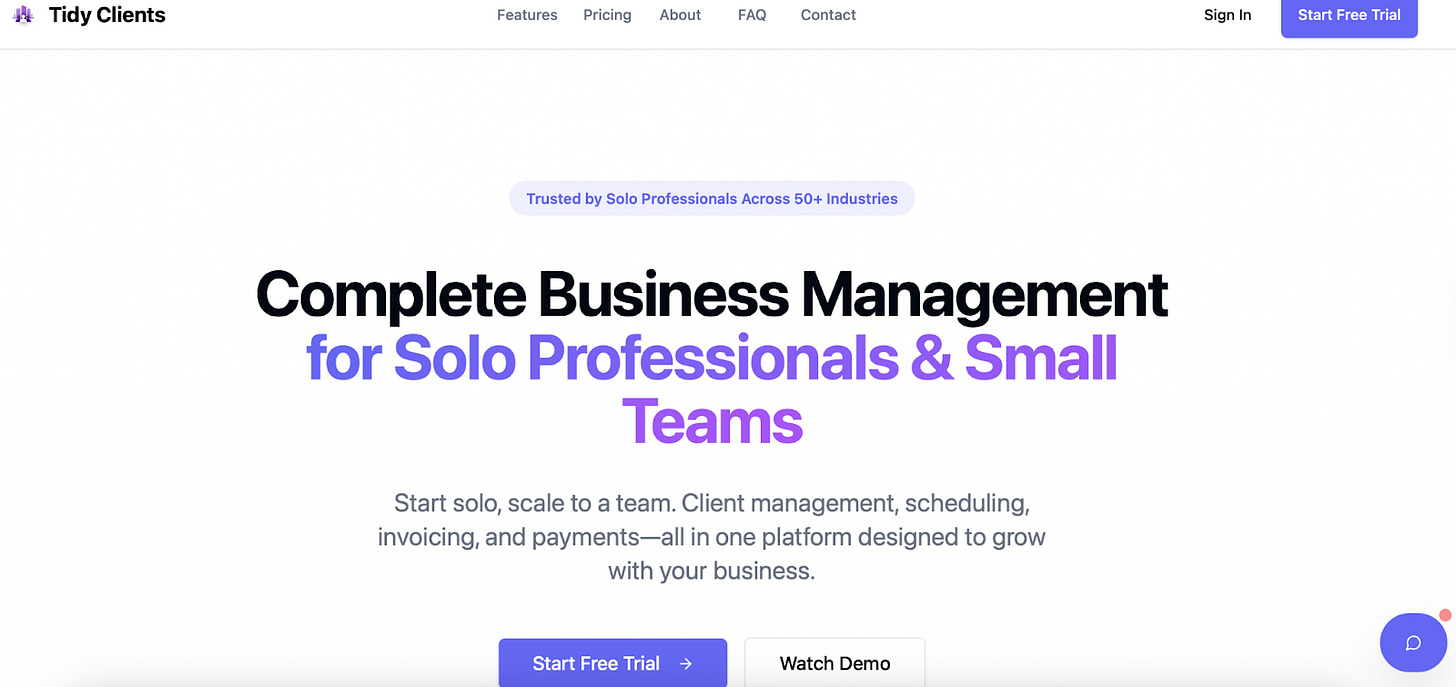
Here we discover a climbing app and a CRM system that one guy built with Lovable.
Check it out here: Rock Chalk Send and Tidy Clients
Automated Physical Mail Campaign
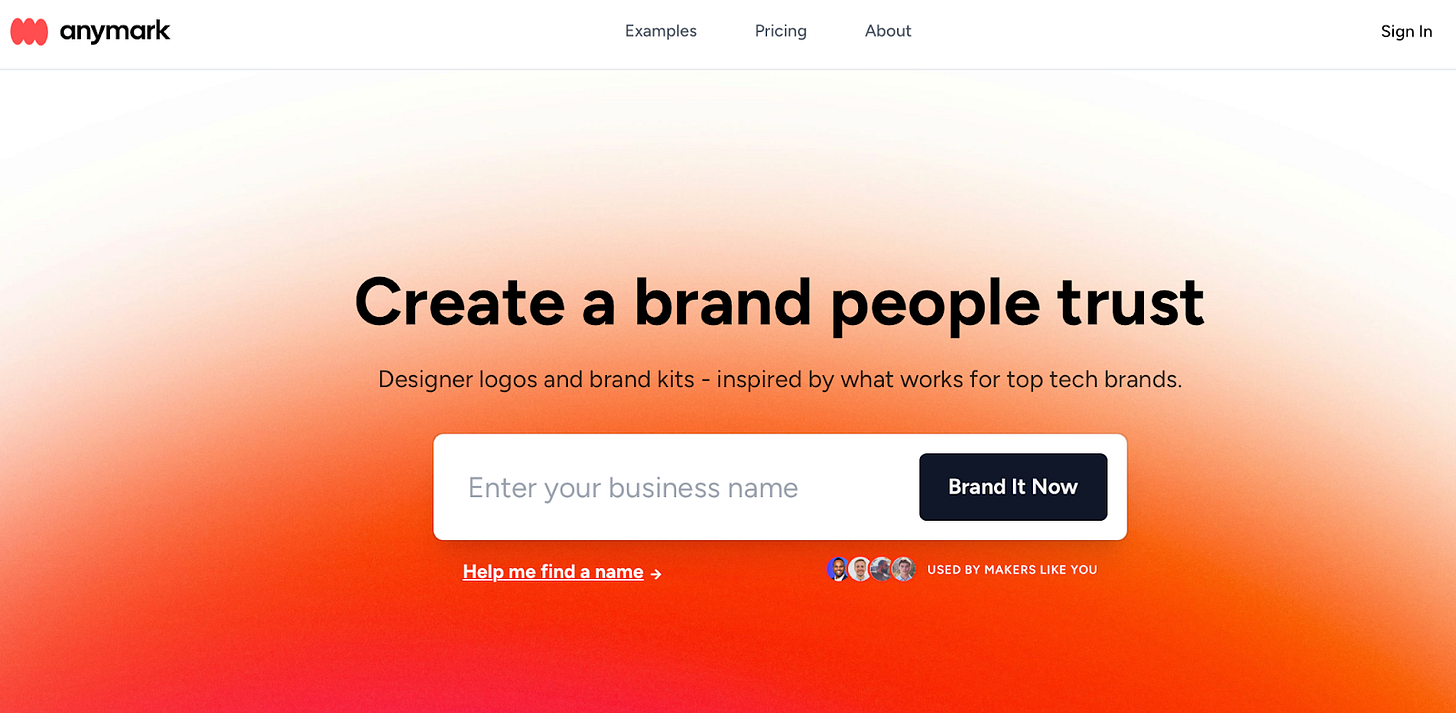
A founder working on a branding tool for new businesses experimented with an unusual customer acquisition channel: automated physical mail. The workflow includes scraping company data from the UK Companies House API, filtering for tech startups incorporated in the last 14 days, vibe-coding personalized logos for each company, and automatically printing and mailing them using Pingen ($2 per letter).
Love note app in App Store
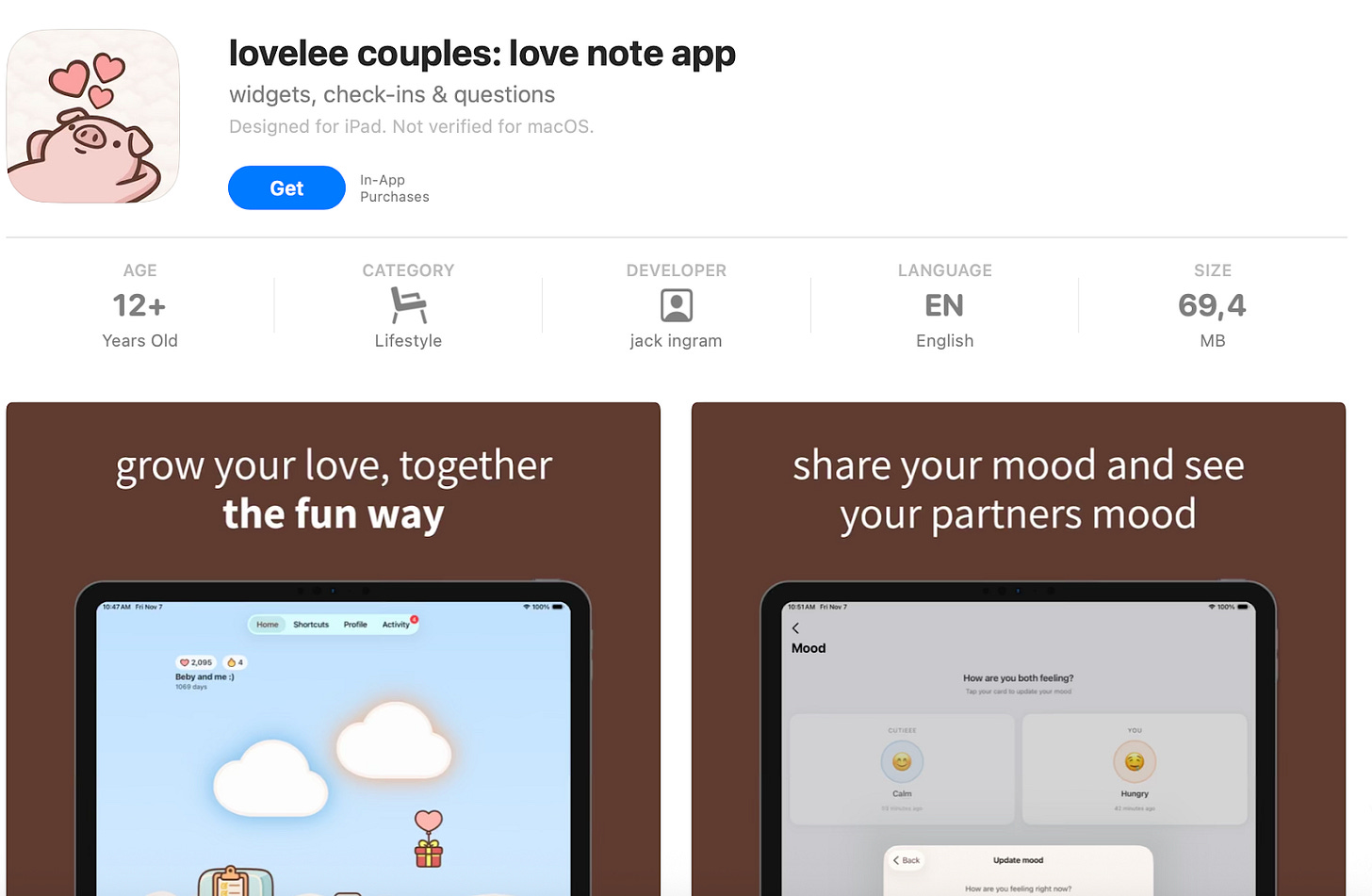
Lovelee couples is an app built entirely by “typing in English,” according to the author. He used Claude Code’s default model.
The app now has 1,000+ ratings on the US App Store.
Connection Questions Game with ChatGPT & Expo
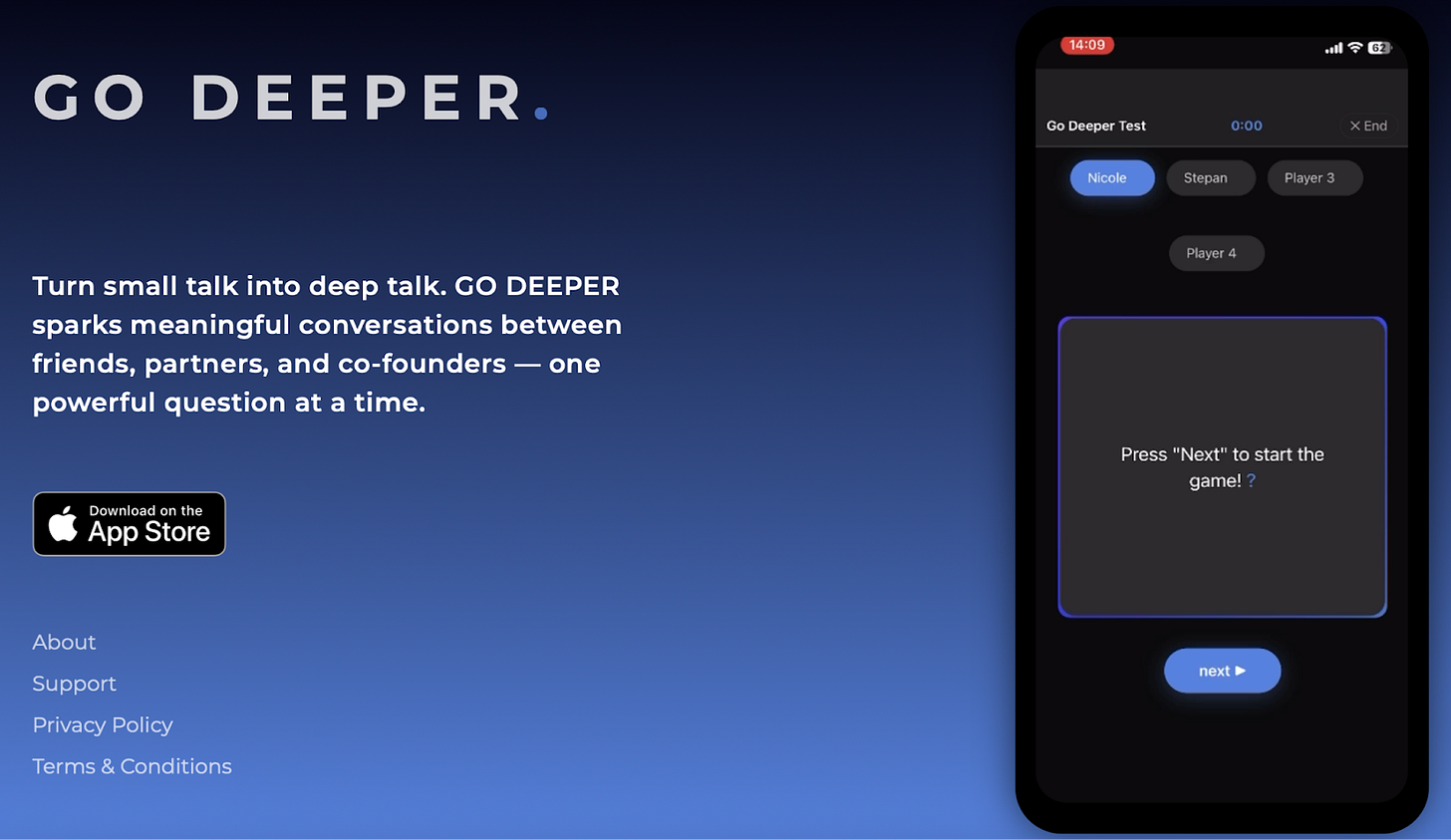
One young woman, with no prior coding experience, built and shipped Go Deeper to the App Store. It’s made to help people connect on a deeper level. She used ChatGPT, Expo, and Instant, and then created both the iOS app and a complete website.
Recipe Menu Generator
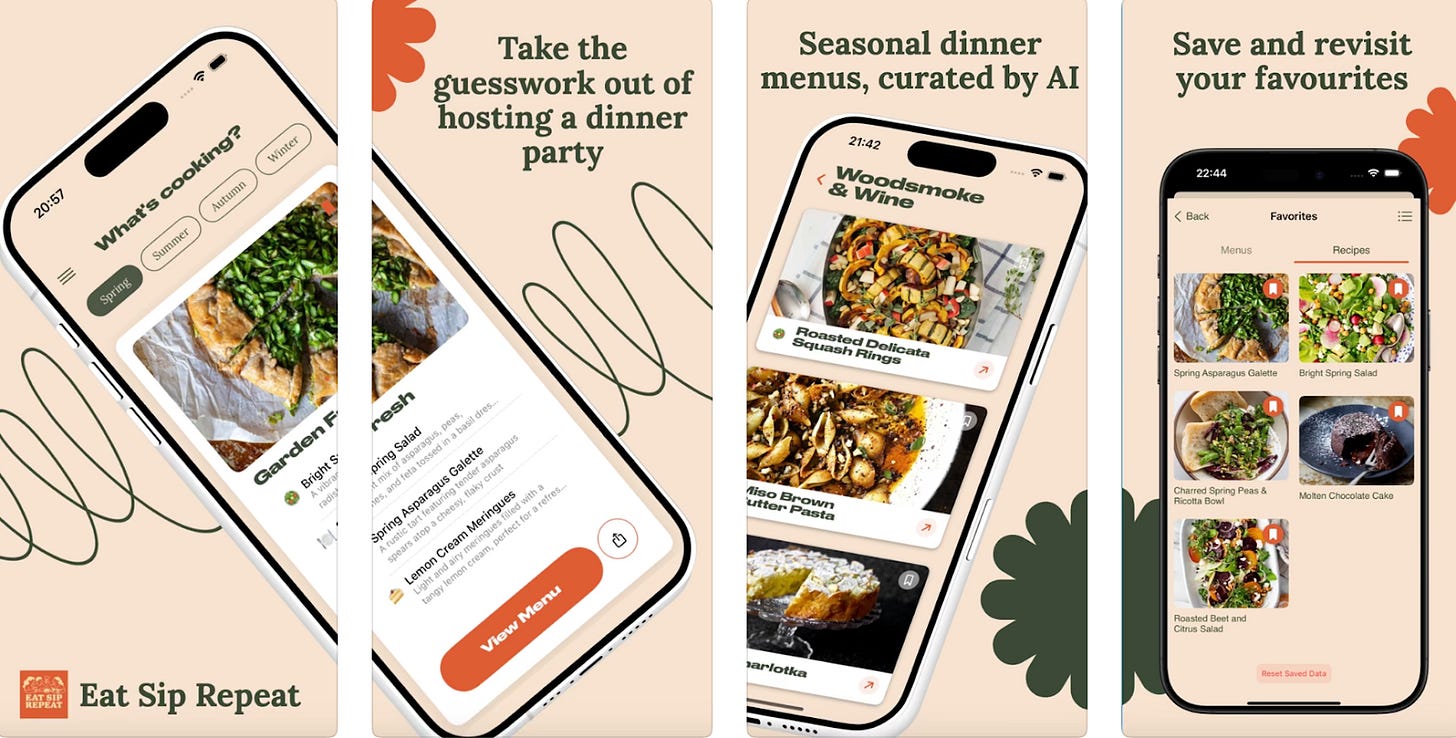
A developer built an iOS app that pulls recipes from public sources and generates menus to eliminate meal-planning decision routines. The app is made entirely on the Windsurf AI platform.
Personalized meal plans with Lovable
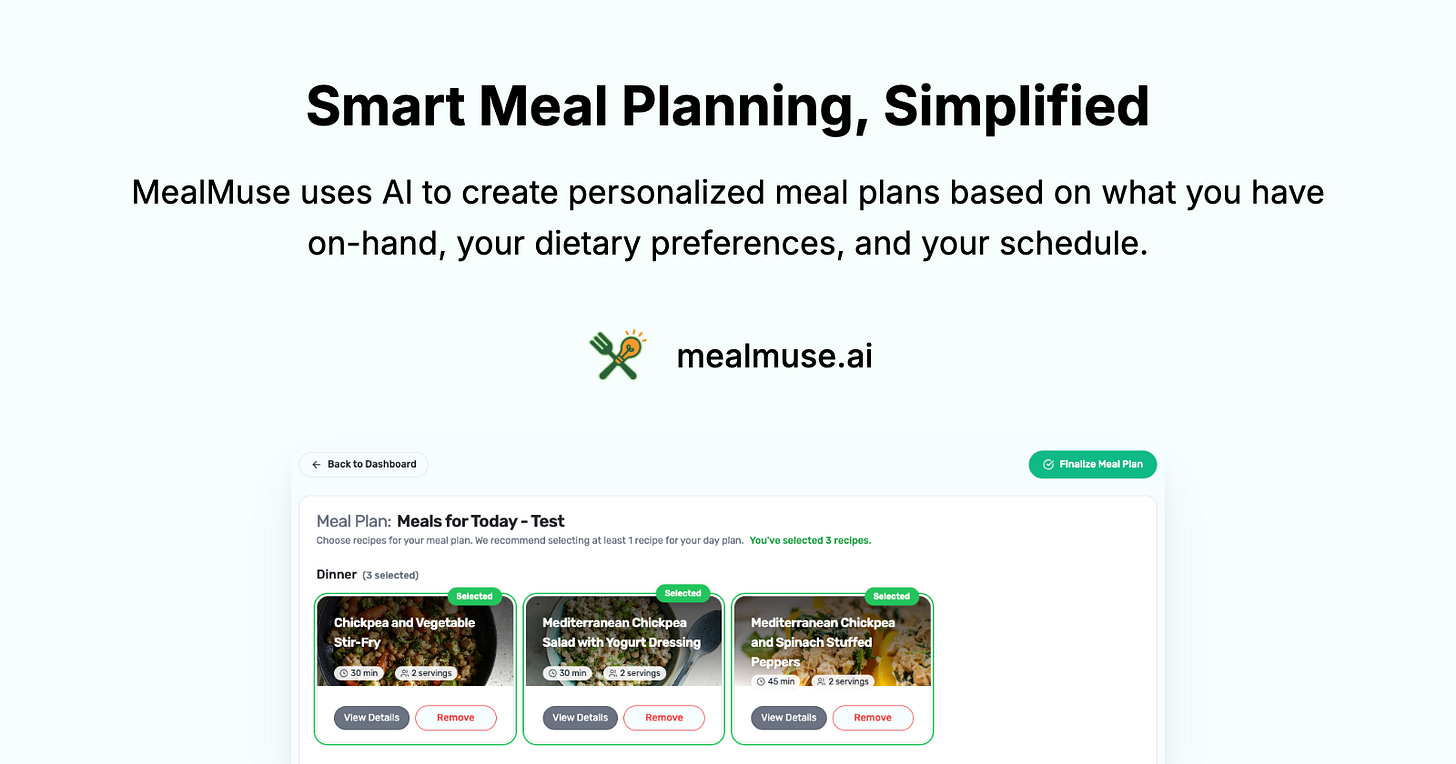
Let’s continue with the food topic. The author built MealMuse with Lovable, Supabase, and Cursor. You upload photos of your fridge, pantry, or receipts (or use voice), and the app detects ingredients, builds an inventory, and generates recipes based on your dietary preferences. It also creates a shopping list for anything you’re missing.
Thanks for reading Creators' AI! Share it with fellow vibe coders so they can get inspiration here!
Vibe Coding & AI Agents You Should Play With
Even though the term has only been around for a year, it’s easy to feel overwhelmed by the number of services and tools available for vibe coding. Here, I’ve gathered only the ones we’re confident about and have already covered in detail. So if you’re ready to start, all the information is already laid out for you.
Cursor
Cursor is an AI-enhanced integrated development environment built on VS Code. It lets you write, edit, and debug code or any other files using natural language commands.
As context engineering becomes central to AI-assisted development, Cursor stands out by offering a deep knowledge base understanding through its embedding-powered recall system.
It doesn’t just respond to prompts, it grasps your project structure, locates relevant files and reads them, runs commands, executes coding or analyzing work. You can switch between frontier models from OpenAI, Anthropic, Google, and xAI depending on what each task requires. Like this, you optimize for quality, speed, or cost.
Who It’s For
Anyone dealing with large documentation bases or complex project structures and familiar with IDEs. If you are not a developer, check our post for!
Pricing
- Free: Limited AI requests, good for testing
- Pro ($20/month): Extended Agent limits, unlimited tab completions
- Pro+ ($60/month): 3x usage on major models
Here, you can find a more detailed review and useful cases: Click
Lovable
Lovable is a no-code platform that generates complete web applications or websites, frontend, backend, and database, from simple text descriptions. The platform automatically sets up hosting, authentication, and database infrastructure, removing technical barriers entirely.
Who It’s For
Entrepreneurs, product managers, and non-technical founders who want to create a working prototype without dealing with servers or deployment configurations
Pricing
- Free: 5 daily credits (up to 30/month), public projects, unlimited collaborators
- Pro ($25/month): 100 monthly credits, custom domains, credit rollovers, remove Lovable badge
- Business ($50/month): 100 monthly credits, SSO, team workspace, internal publishing
No wonder they keep hitting new ARR milestones every few months: Click
Claude Code
“Pretty much 100% of our code is written by Claude Code + Opus 4.5”, says Boris Cherny, creator of Claude Code. And we can’t ignore it!
Claude Code works on the same core idea as Cursor, but it’s built for developers who are comfortable working in the terminal. Thanks to its large context window, it can understand big chunks of your codebase and files at once, which makes it useful for complex projects. If you’re dealing with tricky bugs, refactoring massive codebases, or making architecture decisions that actually require thinking, Claude Code gives you the reasoning power for that.
You can use it directly in the terminal, through a web browser, via the desktop app, or even in the Claude iOS app. Whatever fits your workflow best.
If that last part sounded confusing, here’s the simple version. Claude Code’s success led to Claude Cowork. It can access a folder on your computer, read and edit files, and organize things like downloads. But the main point is that it still holds your files, notes, drafts, and half-baked ideas.
Because of that, Cowork helps you figure out what you’re actually trying to build, clarify your ideas, and then turn them into something concrete. Coming up with ideas and getting things done becomes much easier. All of this happens in a simple chat.
Here you’ll find a full guide on how to use Claude Code: Click
Here are practical tips straight from the creator of Claude Code: Click
And here’s a full breakdown of all the features that make your life easier: Click
Pricing
- Claude Pro: $20/month ($17/month billed annually) includes Claude Code access
- API Access: Usage-based pricing through the Anthropic API
- Cowork: Available for Claude Pro subscribers (macOS app)
Manus AI
Manus goes the opposite route. It’s a fully autonomous multi-agent system that can take a single prompt and run an entire project end-to-end.
Its layered architecture deploys three specialized agents working in concert: a Planner Agent that breaks down your concept into tasks, an Execution Agent that implements features using various tools, and a Verification Agent that monitors quality and triggers corrections. This collaborative system means you’re getting full-stack project development.
Who It’s For
For everyone who wants to go from idea to deployed product with minimal manual intervention
Pricing
- Free Plan: Available but limited for complex tasks
- Paid Plans: Start at $20/month for 4,000 credits
- Manus 1.6 Max: Premium tier for best results (complex web creation typically costs under $1 in credits)
P. S. Meta recently acquired them, and they’re already rolling out new features.
Here, we build a game using Manus and walk through how it works: Click
Tips for Effective Vibe Coding
Start Fresh for Each Task
Create a new chat for every task, even small ones. The context window fills up quickly with code and conversation history. When it’s cluttered, AI gets confused and misses instructions.
Use Spec-Driven Development for Big Projects
For complex features, write detailed specifications in separate files instead of chatting. Include what needs to be done, how it should work, required tools, implementation steps, and success criteria (like markdown files). This prevents losing critical information mid-project.
Demand Tests Automatically
AI agents won’t write tests unless…you ask them. Add rules to your knowledge base requiring tests for every function. Without them, you’ll discover broken features weeks later when users complain.
Require Logging for Everything Important
Ask AI to log all critical functions. When something breaks, agents waste hours randomly changing code. With logs, they instantly see what failed and where. Add “log all important functions” to your specs once and never think about it again.
Double-Check with Dual AI Reviews
After AI creates a plan, have a second AI instance review it for logical inconsistencies and bad UX patterns. Catches issues before any code is written.
Budget Your Credits Strategically
Don’t get stuck in bug-fixing loops that burn credits. Research problems yourself first, understand what you’re asking for, and then write clear prompts. AI is only as good as your questions.
Periodically Reorganize Your Repo
When AI searches your codebase, it should find relevant code quickly. Regularly ask AI to rethink repo organization. Yeah, it’s time-consuming, but useful as projects grow.
Time to Build
While you’re worrying about not understanding code or figuring out which tools to use, others are building apps in two days that hit $100K ARR. The barrier isn’t technical knowledge anymore.
Grab an idea and build something messy, then refine it. Use Vibe Coding to automate processes in your business and save money. Or create tools for your clients and charge for them.
The tools are here, and the examples are real. The only question left is: what will you build?
This article was first published in the Creators AI newsletter. View the original edition.